Practical design guides
Click and Collect Pickup Sign: Match the Entrance to the Instructions
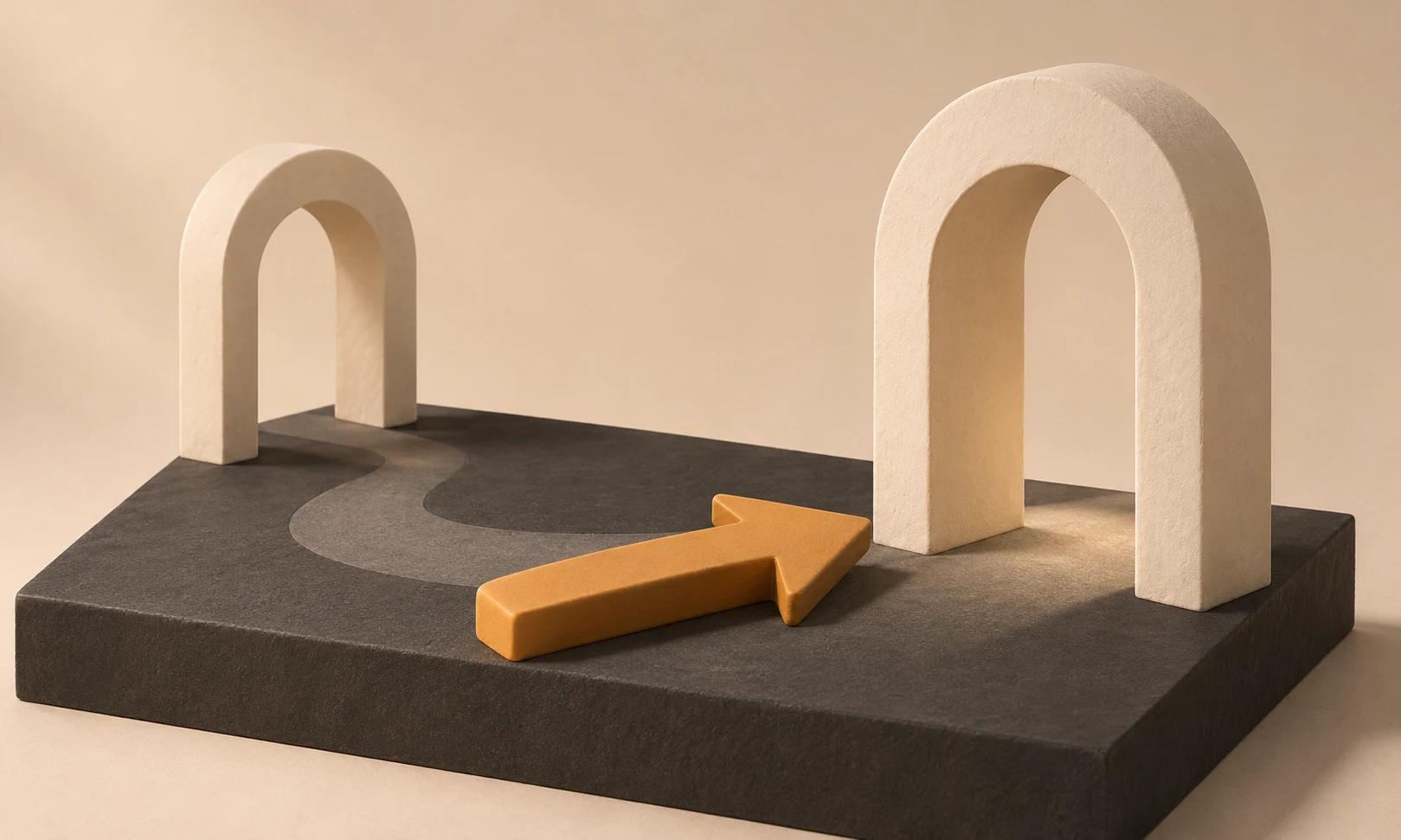
A customer arriving to collect an order needs a direction and a next action. A large Pickup label is less helpful when the collection counter is behind a second door or the order is not ready yet.
This guide uses Shopify’s pickup documentation and a fictional local-shop scenario to plan a sign in Ciyo. It addresses visual instructions and consistency, without connecting Ciyo to orders or changing your shop’s fulfillment settings.
Quick answer
State where to go, what to do there and any approved readiness condition. Make the sign agree with the ready-for-pickup message. Test the route from the customer’s actual arrival point; do not draw an arrow until you know which direction it must indicate.
1. Write the real collection sequence
Ask the shop owner to describe arrival, entrance, collection desk and verification. Separate the order-confirmation message from the message saying the order is ready. The sign should support that existing process, not create a new promise about preparation time.
Our fictional Cedar Books shop collects online orders at the side counter after a ready message. Its public instruction is Wait for your ready-for-pickup email, then ask at the side counter with your order number. Staff review that wording before it becomes design input.
2. Assign one job to each sign
An entrance sign helps someone choose the correct door. A counter sign tells them what to do after they arrive. Trying to fit both a complete policy and a large direction onto one small card can make neither useful.
For Cedar Books, the entrance sign says Online order pickup with a direction to the side counter. The counter sign asks for the order number. Use the shop’s approved alternative for customers who cannot access the email; do not invent a phone number or public contact channel.
3. Brief the layout in Ciyo
Create a dedicated project and bring a fictional route sketch plus approved wording. Tell the Design agent where the sign will stand and which approach it must serve. Ask for a strong action hierarchy and an arrow only after supplying the verified orientation.
Keep exact instructions in editable text. A generated arrow or QR-like graphic must not be assumed usable. If the shop needs a real QR code, create it for the approved destination through an appropriate tool and test the final printed code; this example uses no QR code.
Live Ciyo check: readiness and direction stay unresolved
We uploaded our fictional Cedar Books route worksheet for a text review. Ciyo distinguished order confirmation from the ready email, checked the side-counter and order-number wording, and flagged the placeholder arrow and missing owner-approved fallback. This checked a planning sheet; no actual customer order, store route, staff procedure or shop configuration was tested or changed.
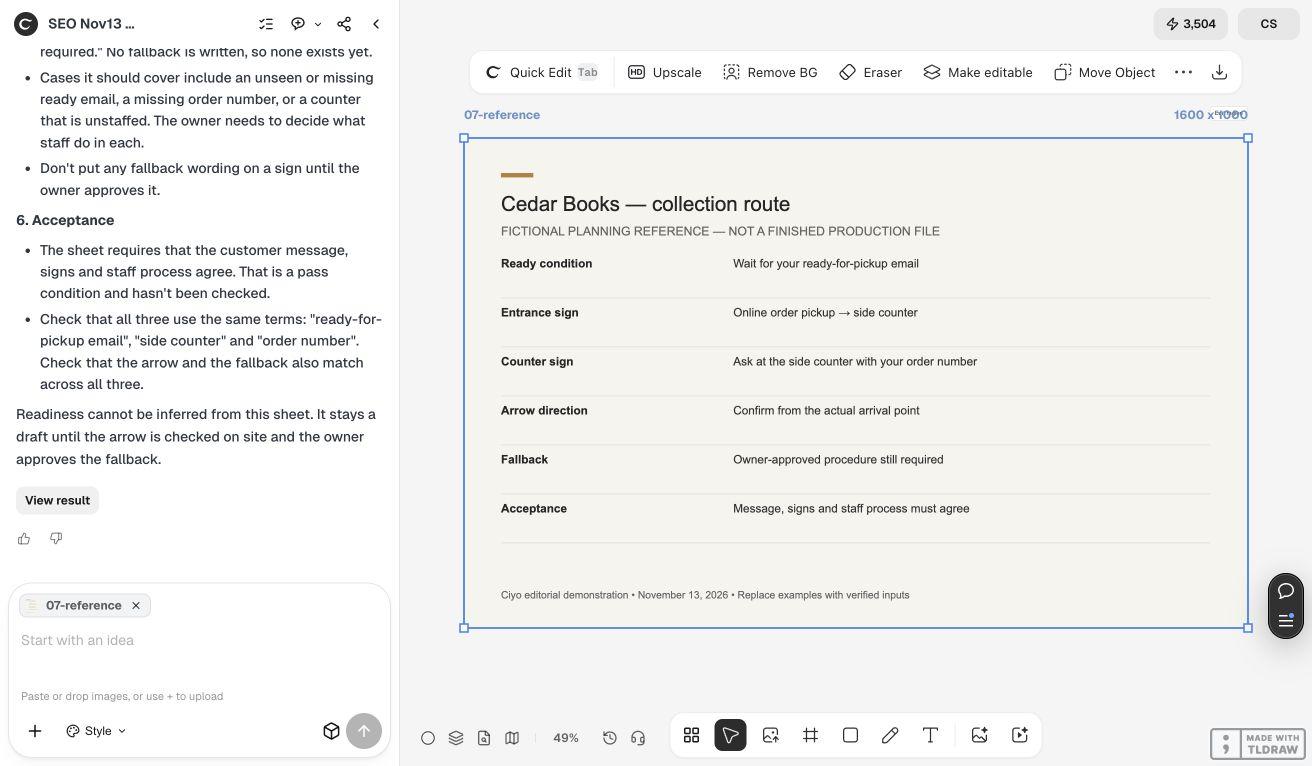
Keep the instruction chain consistent
Shopify lets merchants enter pickup instructions in the ready-for-pickup notification. Use your actual platform and approved process as the source of truth.
| Touchpoint | Question | Acceptance |
|---|---|---|
| Ready message | When should the customer travel? | Readiness condition is explicit |
| Entrance sign | Where is collection? | Points to the actual counter |
| Counter sign | What should the customer show? | Matches staff procedure |
| Staff fallback | What if the email is unavailable? | Owner-approved alternative exists |
4. Walk the route with the printed sign
Print the sign at intended size and start where customers arrive, such as the shop entrance. Check the arrow from that viewpoint, not while standing behind the counter. Look for reflections, obstacles and competing signs that obscure the next action.
Ask someone unfamiliar with the layout to follow the route. Record where they hesitate and revise the instruction or placement. This small rehearsal does not prove a reduction in collection time; it gives you concrete layout feedback before more copies are made.
Copyable pickup-sign brief
Use only the approved public instructions; no live customer data is needed for a design demonstration.
Plan [ENTRANCE / COUNTER] signage for [SHOP]. Approved customer sequence is [READY MESSAGE → ENTRANCE → COUNTER → VERIFICATION]. Use only [EXACT PUBLIC COPY]. The customer approaches from [DIRECTION], and the collection point is [VERIFIED LOCATION]. Keep the next action clear and do not invent readiness times, order details, phone numbers or QR codes. Include a walk-through check for the printed placement.Choose the method that matches the shop
For one counter, a clear entrance direction and a small desk notice may be enough. For several collection locations, treat each as its own route and keep the corresponding customer message aligned. Copying the same arrow across stores can send visitors the wrong way.
Assign an owner to update the signs when the counter moves or the procedure changes. Keep the original wording beside the visual file so a styling revision does not accidentally alter an operational instruction.
Source
Shopify documentation checked November 13, 2026. Cedar Books and its route are fictional; no shop configuration was changed.
Frequently asked questions
Should the sign promise a pickup time?
Use only the processing or readiness wording approved by the shop. The design cannot establish that an order is ready.
Can I use one arrow at every location?
Only if each placement has the same actual direction from the customer’s approach. Check every route independently.
Does this connect Ciyo to Shopify?
No. The workflow is a manual visual handoff using approved public instructions.
Draft a sign for the real collection route
Bring your approved copy and reference files, make one draft, and compare the result with your checklist before creating more versions.