Café marketing · Tested
Digital Menu Board Video: A Looping Café Menu with Sharp Prices

A TV above the counter is the cheapest digital menu board a small café can have. What it shows is the hard part: a slideshow looks dated, a busy video distracts, and prices typed into an AI video come out garbled. The board needs three things at once: gentle motion, text that is exactly right, and a loop that never jumps.
On September 30, 2026 we made an autumn menu loop for Fernhollow Coffee, a fictional café, with the Ciyo Agent. It planned first and showed three prices before spending anything. We picked the cheapest option. The finished 1080p loop cost 54 credits, the prices were exact, and the seam at the loop point measured smaller than the biggest change between two normal frames.
The rule: animate the picture, not the prices
Split the job in two. Let a video model animate a background picture, a latte with rising steam or light moving across a table. Put the menu on top as real text in a real font, after the video is made. Then the prices are exactly what you typed, stay sharp at any screen size, and can change next week without paying for a new video.
Leave room for the menu when you make the background: a calm, darker area on one side, with nothing important behind where the text will go.
Posted 2026-09-28. A post from an LED screen supplier (#SRYLED) about a café install in California: a curved screen for a dynamic video menu and a flat screen for the pricing board, with the line “One attracts. One informs.” It is a vendor's advertisement for hardware, not a Ciyo user; with one TV, our loop does both jobs by keeping the motion behind the text.
The brief: four items, one TV, a clean loop
Put everything the agent needs in one message: the business and address, the exact items and prices, the screen, the kind of motion, the rule that text is added separately, and the loop. We also asked it to plan first and show the cost.
I run Fernhollow Coffee (14 Alder Street). I want a looping video for the landscape TV above our counter, showing our autumn menu: Maple Cardamom Latte $5.80, Pumpkin Chai $5.20, Apple Butter Toast $6.50, Cinnamon Knot $3.90. Please make a warm, calm background image with space on the right for the menu, animate it gently (steam, soft light, nothing that distracts), and put the four items and prices on top as sharp text, not generated text. It has to loop without a visible jump. Plan it first and tell me the credit cost before you generate the video.Choose the video quality with the price in view
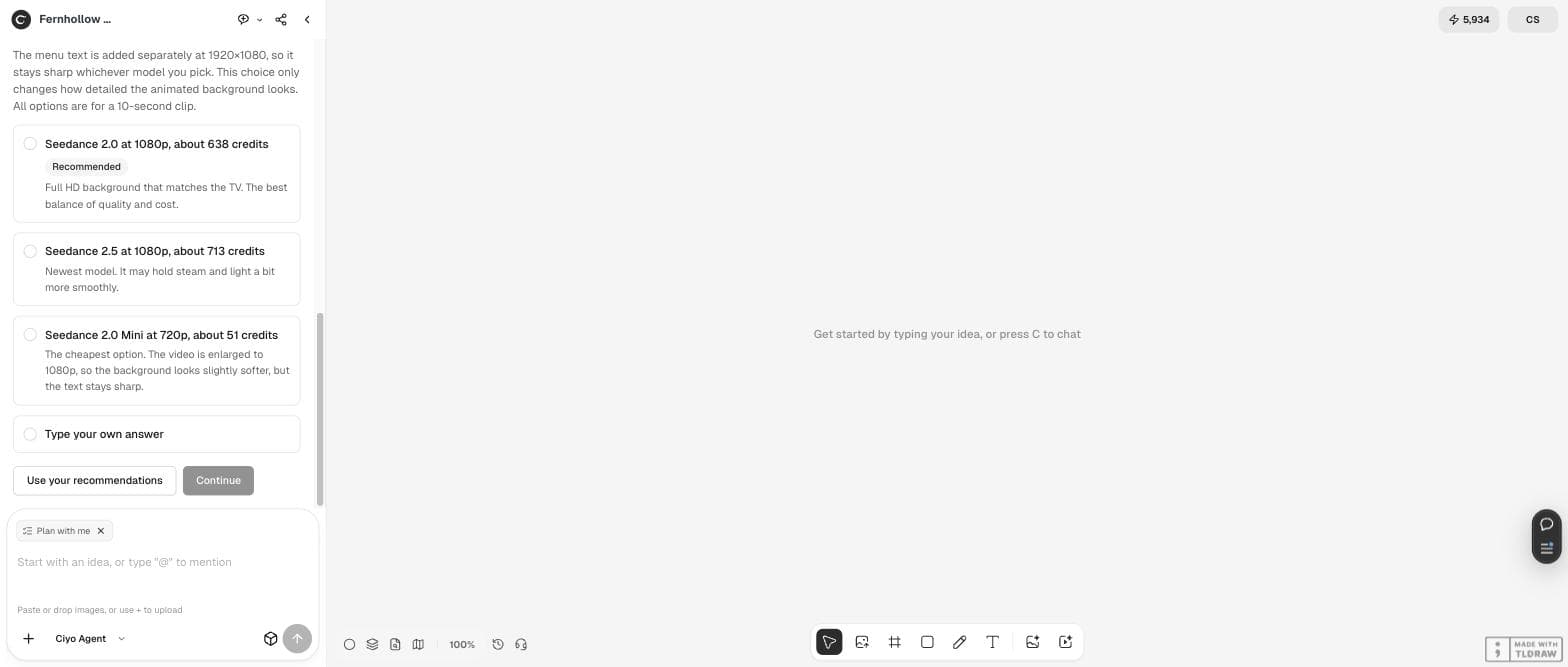
The agent switched to Plan mode and offered three options for a 10-second background: Seedance 2.0 at 1080p for about 638 credits (its recommendation), Seedance 2.5 at 1080p for about 713, or Seedance 2.0 Mini at 720p for about 51. It explained the trade-off plainly: the menu text is added separately at 1920 × 1080, so the text stays sharp whichever model you pick; only the background gets softer with the cheap option.
For a menu, where the text carries the information and the background only sets the mood, we chose Mini. That decision cut the video cost by more than 90%.
| Option | Credits (agent's estimate) | What changes |
|---|---|---|
| Seedance 2.0, 1080p (recommended) | About 638 | Full HD background |
| Seedance 2.5, 1080p | About 713 | Newest model; steam and light may move a bit more smoothly |
| Seedance 2.0 Mini, 720p | About 51 | Background enlarged to 1080p, slightly softer; text still sharp |
Read the plan before you approve it
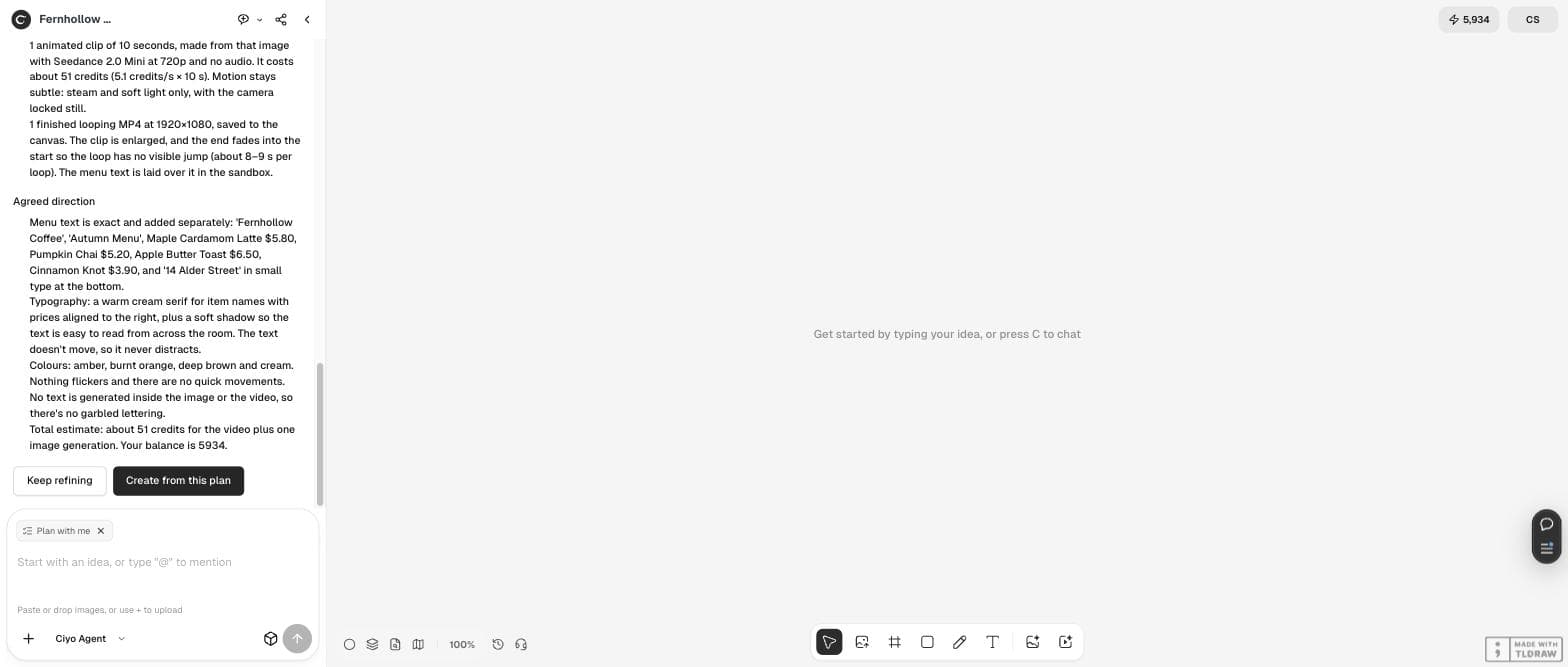
The plan listed what it would make: one 16:9 background with a still life on the left and a calmer, darker right side; one 10-second clip with steam and soft light only and a locked camera; and one finished 1920 × 1080 MP4 in which “the end fades into the start so the loop has no visible jump”. It also named the typography (a warm cream serif, prices aligned right, a soft shadow for reading across the room) and stated that no text would be generated inside the image or the video.
This is the moment to correct anything, for example a price, a missing item or the side where the menu goes. Changing text later is free, but changing the background means a new video.
The result, checked frame by frame
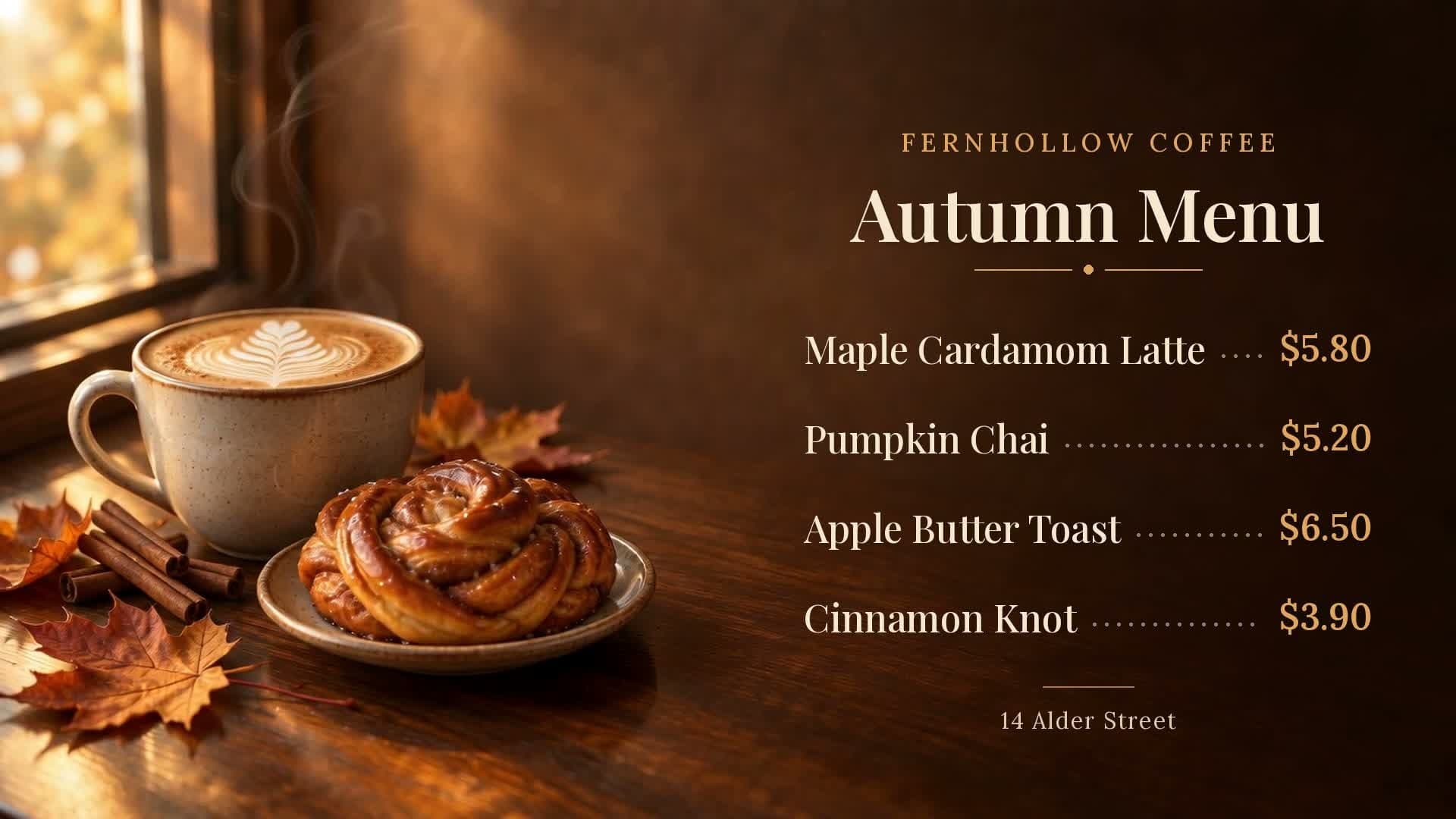
The finished loop is an 8-second MP4 at 1920 × 1080 and 24 frames per second. It cost 54 credits: 2 for the background picture and 52 for the Seedance 2.0 Mini clip. The agent noticed on its own that the longest item crowded its dotted leader, widened the menu column and rendered again.
We checked the file. The text reads exactly “FERNHOLLOW COFFEE”, “Autumn Menu”, the four items with $5.80, $5.20, $6.50 and $3.90, and “14 Alder Street”. The only small flaw: the leader dots after the latte are very short, because that name is long.
Does it loop without a jump?
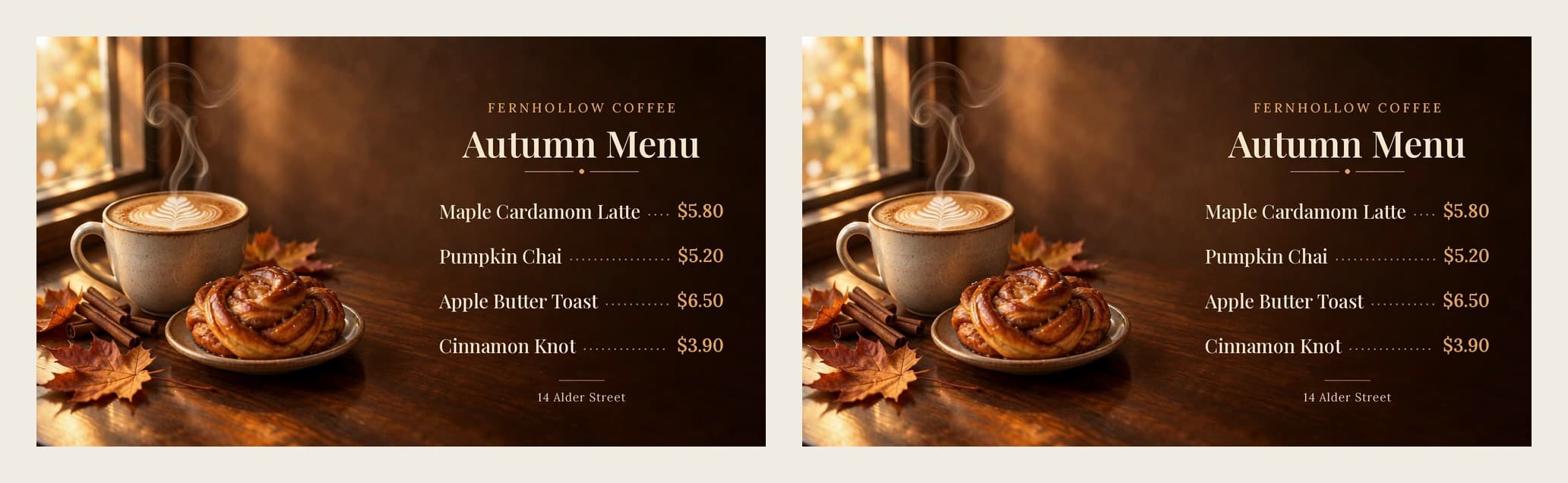
To avoid a jump, the agent faded the last 2 seconds into the start. We measured the result: the average brightness change between the last and the first frame is 0.65 grey levels. Between two normal neighbouring frames the change averages 0.22 and reaches 0.80 at most. So the loop point is a little busier than a typical frame step, but smaller than the biggest step inside the video, and it does not show as a jump.
Check your own loop the same way: set the video to repeat, watch the moment it restarts three or four times, and look at the steam and the light, not at the text.
Before it goes on the TV
Play the file on the actual screen from where customers stand. Check that the smallest line (the address, in our case) is readable, that the price column lines up, and that nothing moves behind the text. Many TVs and media players can repeat a video from a USB stick; check yours, and turn off any on-screen clock or overlay.
When prices change, ask the agent to change only the text. It offered exactly that: text size, colours or position can change for free, because the text is added separately.
| Check | Our loop |
|---|---|
| Every item and price exact | Yes |
| Text sharp at 1080p | Yes, added after the video |
| Motion stays behind the text | Steam and light on the left only |
| No jump at the loop | Seam 0.65 vs up to 0.80 between normal frames |
| Cost | 54 credits |
Next steps for your café
Use the same background and prices for the printed menu and social posts, so the counter, the table and Instagram all match.
Digital menu board videos
Can AI put my prices into the video?
It can, but generated lettering is often wrong. Our agent added the menu as real text after the video was made, and every price came out exact.
How do I make the video loop without a jump?
Fade the end into the start. In our test the agent faded the last 2 seconds, and the change at the loop point measured 0.65 grey levels, less than the largest change between two normal frames (0.80).
Is the cheapest video model good enough?
For a menu, usually yes, because the text stays sharp and the background only sets the mood. Seedance 2.0 Mini at 720p cost about 51 credits instead of about 638 for Seedance 2.0 at 1080p.
What does it cost to change prices later?
Nothing, if the background stays the same. The agent re-renders the text layer in its workspace without a new video.
Make your menu board in Ciyo
Send the Ciyo Agent your items, prices and screen size, ask it to plan first, and pick the video quality with the price in view.