Small business · Menu design
Design a Café Menu with AI and Check It Before You Print
A small café can make a clean menu card with an AI image generator in minutes. The two things that go wrong are the words, where one wrong price costs money, and the file size, where a sharp screen image prints blurry.
This guide makes a weekend menu card for a fictional café in Ciyo on September 19, 2026, proofreads it with GPT-6 Astra, and checks whether the file is large enough to print. One step failed on our preview, and we say so.
Put the exact words in the prompt
Write every line of text exactly as it must appear, in quotes, and say that no other text should be added. Name the layout too: item on the left, price on the right. Prices here are fictional examples.
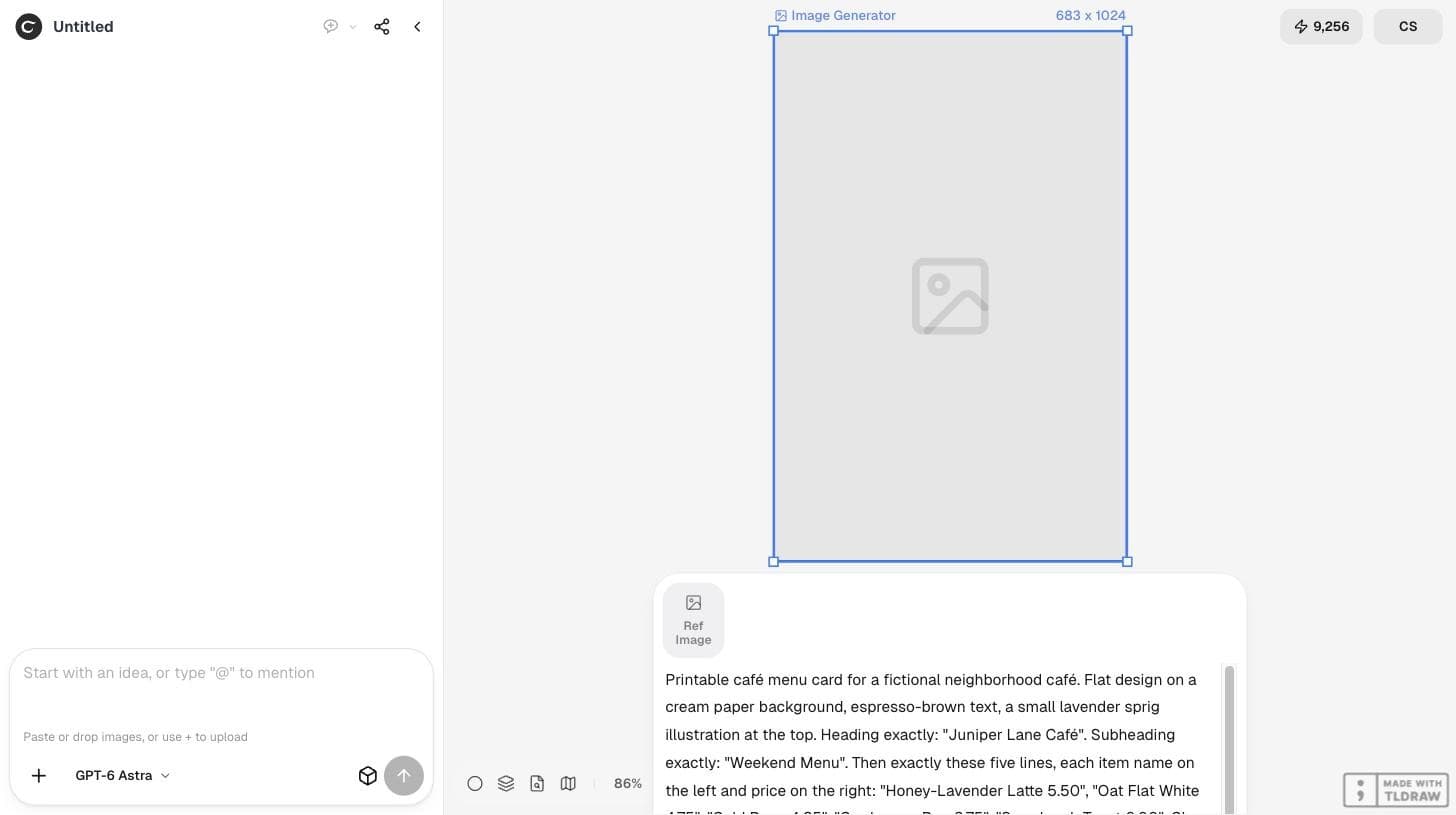
Printable café menu card for a fictional neighborhood café. Flat design on a cream paper background, espresso-brown text, a small lavender sprig illustration at the top. Heading exactly: "Juniper Lane Café". Subheading exactly: "Weekend Menu". Then exactly these five lines, each item name on the left and price on the right: "Honey-Lavender Latte 5.50", "Oat Flat White 4.75", "Cold Brew 4.25", "Cardamom Bun 3.75", "Sourdough Toast 6.00". Clean readable serif type, generous margins, no other text.Generate and read it yourself first
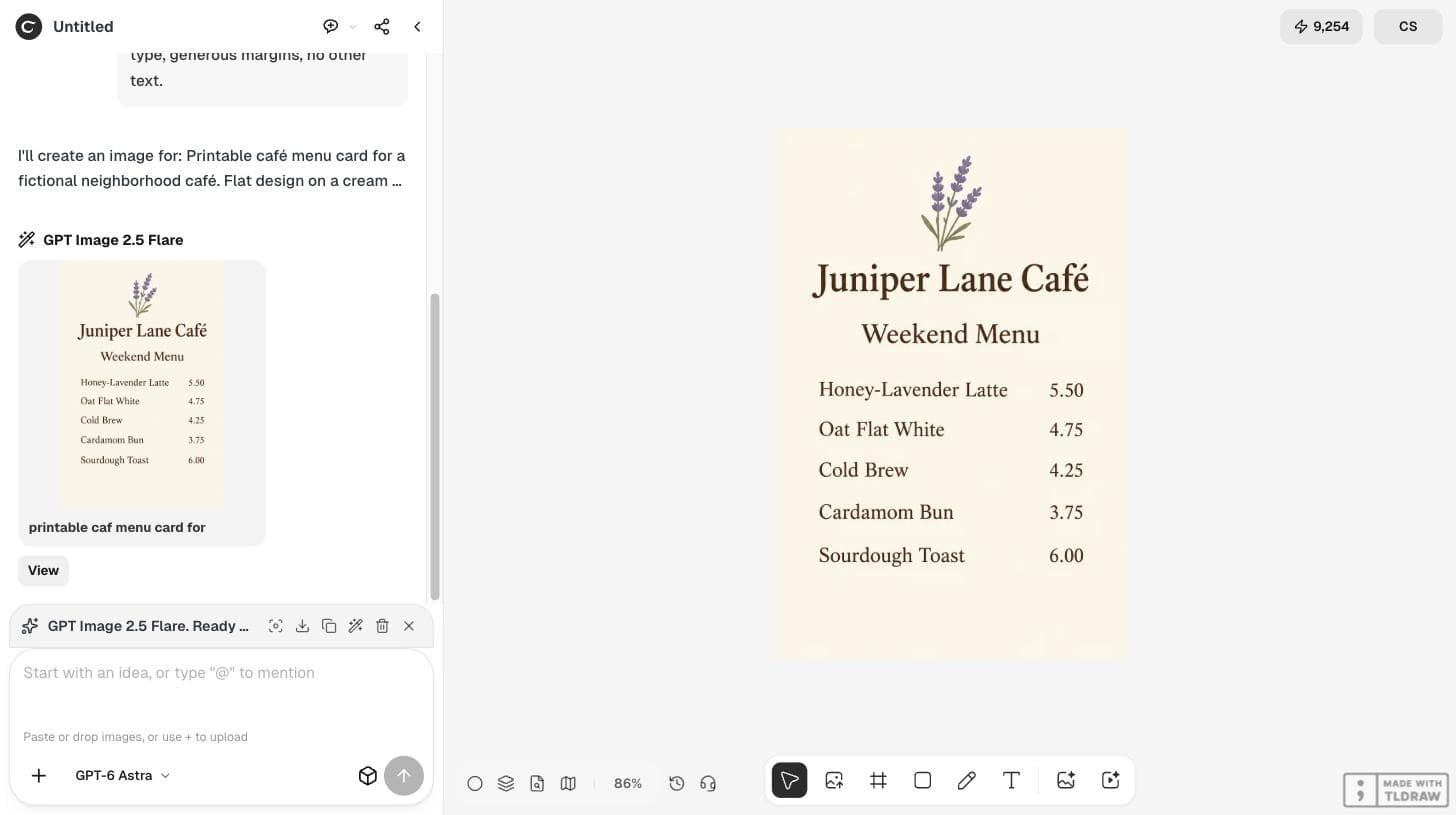
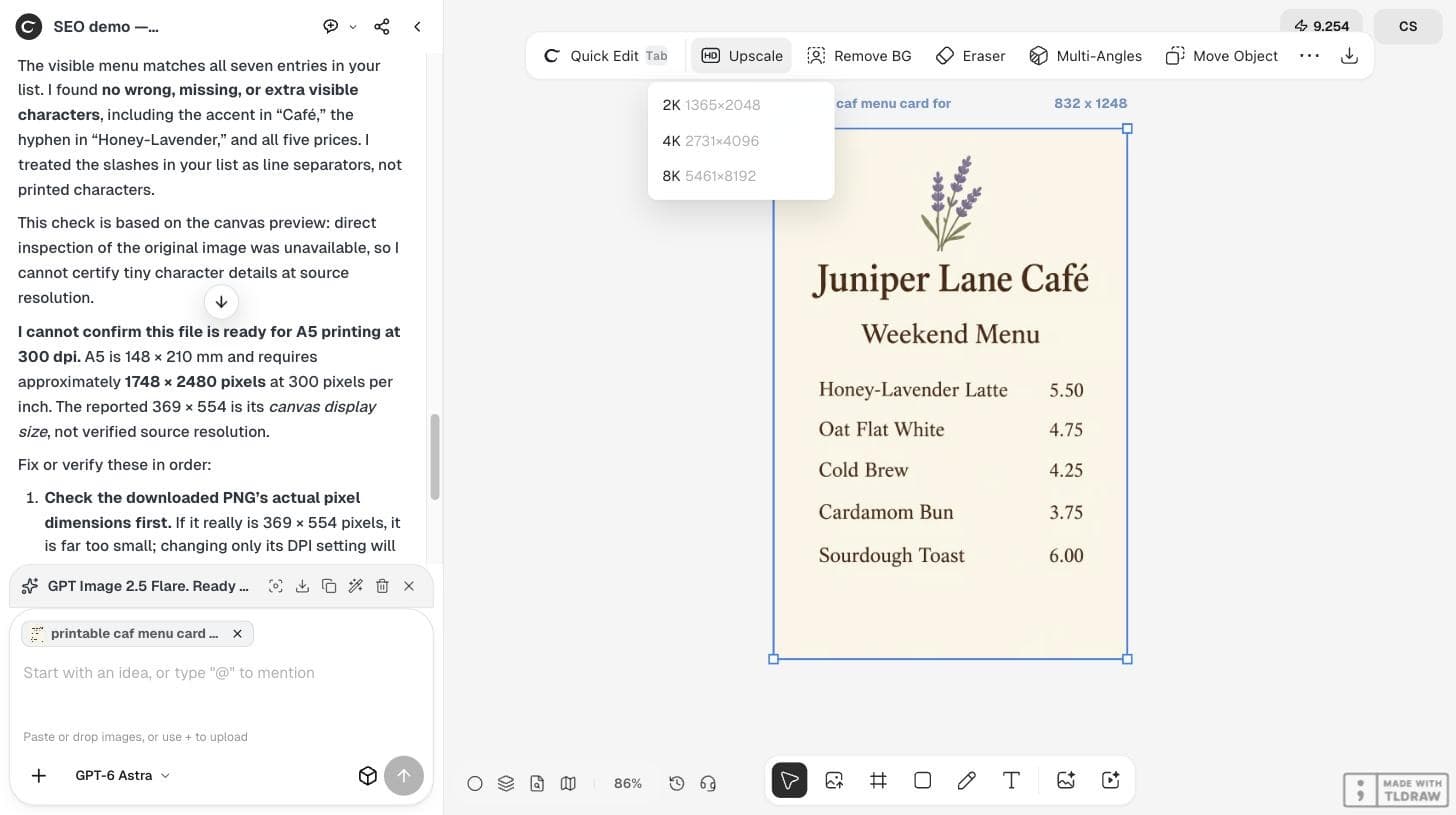
With GPT Image 2.5 Flare at 2:3, the card came back with every line in the right place: the heading, the subheading and five items with prices aligned on the right, with a lavender sprig above. It cost 2 credits in our run.
Read every character yourself, including accents such as the é in Café and every decimal point.
Proofread against the source list
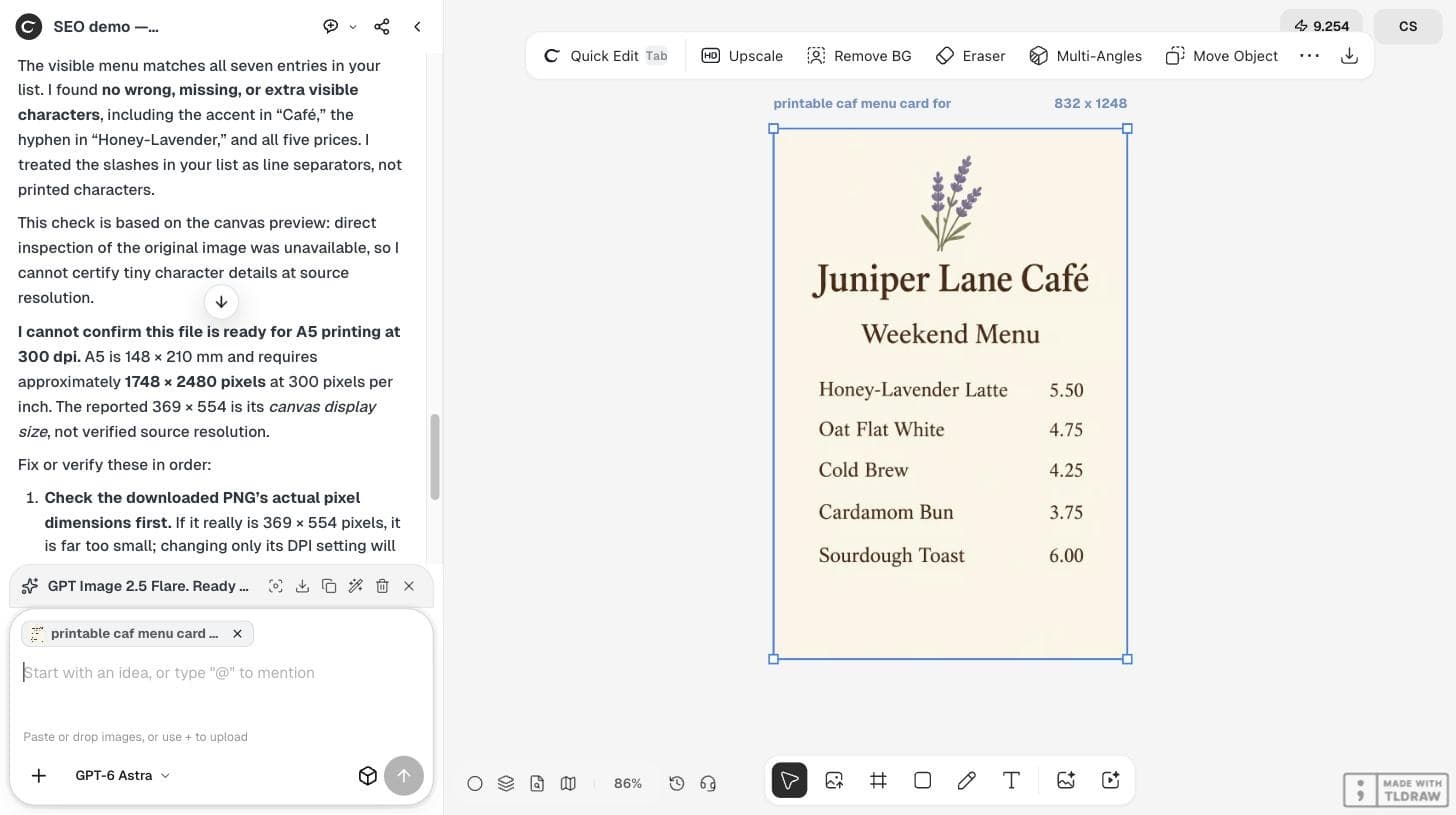
Then ask GPT-6 Astra to compare the card with your exact list and report any wrong, missing or extra character. In our run Astra found no errors and confirmed the accent, the hyphen and all five prices.
It also added a careful limit: it checked the canvas preview, not the original file, so it could not certify tiny details at full resolution. A second reader is useful; it does not replace your own final read.
Check the pixel size for print
An A5 card at 300 dpi needs about 1748×2480 pixels, as Astra pointed out. Our generated file was 832×1248 pixels, far too small to print sharply at A5. Astra also noted that a 2:3 card is narrower than A5 proportions, so the layout needs margins adjusted rather than stretching.
| Item | Value |
|---|---|
| A5 at 300 dpi | About 1748×2480 px |
| With 3 mm bleed | About 1819×2551 px |
| Generated file (2:3, 1K) | 832×1248 px |
| Upscale 4K option | 2731×4096 px |
Upscale, then check the text again
Ciyo's Upscale menu offered 2K (1365×2048), 4K (2731×4096) and 8K. The 4K option is the smallest that exceeds A5 at 300 dpi. On our preview environment on September 19, 2026, every Upscale attempt failed with an error and no credits were charged, so we cannot show an upscaled result here.
When you upscale, read the text again at 100%. Upscaling can soften or change small letters.
Be open about AI in customer-facing menus
Some customers react strongly to AI-made menus. A news story shared in r/Buffalo on September 16, 2026 described a coffee shop owner who received angry messages after using AI for a menu poster; the thread had 387 comments when we checked.
Decide in advance how you will answer if customers ask. A text-first card like this one avoids showing food that does not exist; if you use photos, use real ones of your own dishes.
A link post to a news story about another business. It does not involve Ciyo.
AI menu questions
Can AI images get menu text right?
In our run every character was correct, but always proofread against your source list before printing.
Is a generated menu big enough to print?
Our 2:3, 1K file was 832×1248 pixels. An A5 card at 300 dpi needs about 1748×2480, so it must be upscaled or rebuilt.
Should I add the text in a design tool instead?
For menus that change often, yes. Editable text is easier to correct than text inside an image.
Make your menu card
Generate the card in Ciyo, proofread it with GPT-6 Astra and check the size before you print.