Photo editing
How to fill a Diwali CapCut template with your own photos
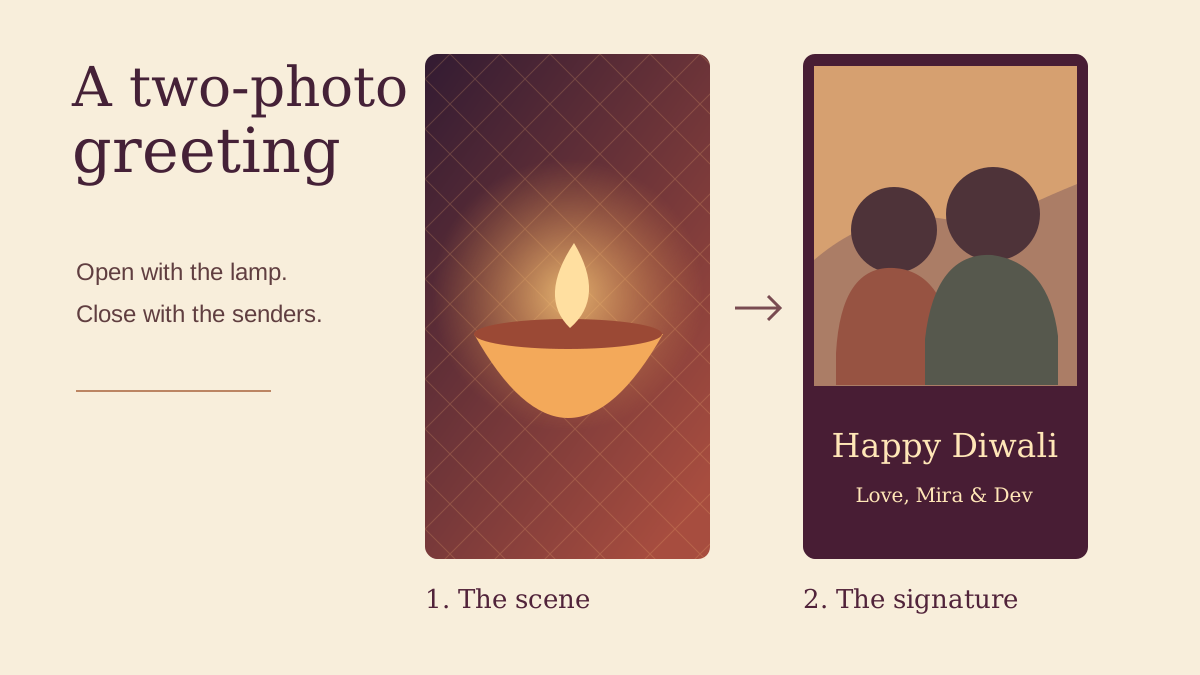
Start by counting your usable photos. If you have one picture of the lamps and one family portrait, a two-slot template gives each a job. The lamps establish the occasion. The portrait tells the recipient who is sending the wish.
Pick a template that fits the photos you have
Open the template detail page and look for its required clips and aspect ratio. Two entries can both be called Happy Diwali and still need different material. The two examples below are both vertical. One takes two clips and the other takes four. Open the preview and check when the last slot disappears.
Choose an opening photo with one point of light
For the first slot, pick a sharp detail such as one lit diya by the door. Look at the darkest and brightest parts on your phone. If the flame disappears into a patch of white, use a frame where you can still see the rim of the lamp. Let the portrait in the next slot carry the names and faces.
Check the portrait crop before filling the second slot
Open a copy of the family photo in your phone’s crop tool and try 9:16. Look at the people at either edge, especially when everyone is standing in a row. If the crop loses someone, choose a looser photograph or place the complete group photo on a portrait background. Keep your original file for other layouts.
Put the sender’s wish on the last still
A line like “With love from Mira and Dev” tells the recipient who made the greeting. Put the words on a plain band below the picture so bright clothing and strings of lights do not interrupt the letters. If the template uses fixed text, watch for an overlap with the wish you added to the photograph.
Fill the slots in playback order
Open the chosen template in CapCut, follow its media selection prompt, and assign the lamp first and the family image second. Play the transition. If the portrait appears only for a flash, try swapping its position or choose a template with a longer second hold. For a four-slot version, add distinct moments such as setting out sweets and gathering at the door.
Watch the exported greeting once on a phone
Play the saved file at normal speed with the sound off. Ask someone to read the wish aloud before it disappears. Scrub through the cut to catch a remaining sample photo or an edge crop that the static preview missed. If the timing is too tight, shorten the written greeting and export again.
Make the closing frame
Set a portrait canvas, add your photo and sign the greeting. Use the downloaded PNG as a still in your edit.