Practical creative workflows
Event Speaker Poster: Keep Roles, Date and Time Clear

An event poster should make it easy to answer who is speaking, who is hosting and when the session happens. A swapped role or mismatched weekday can matter more than a polished background.
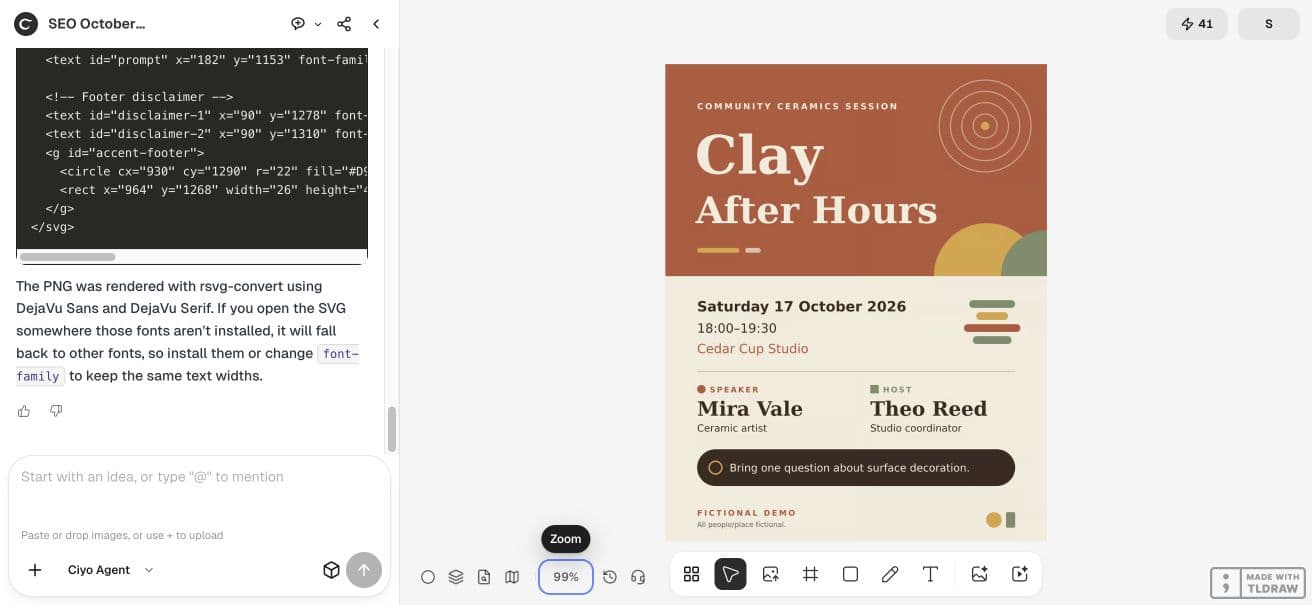
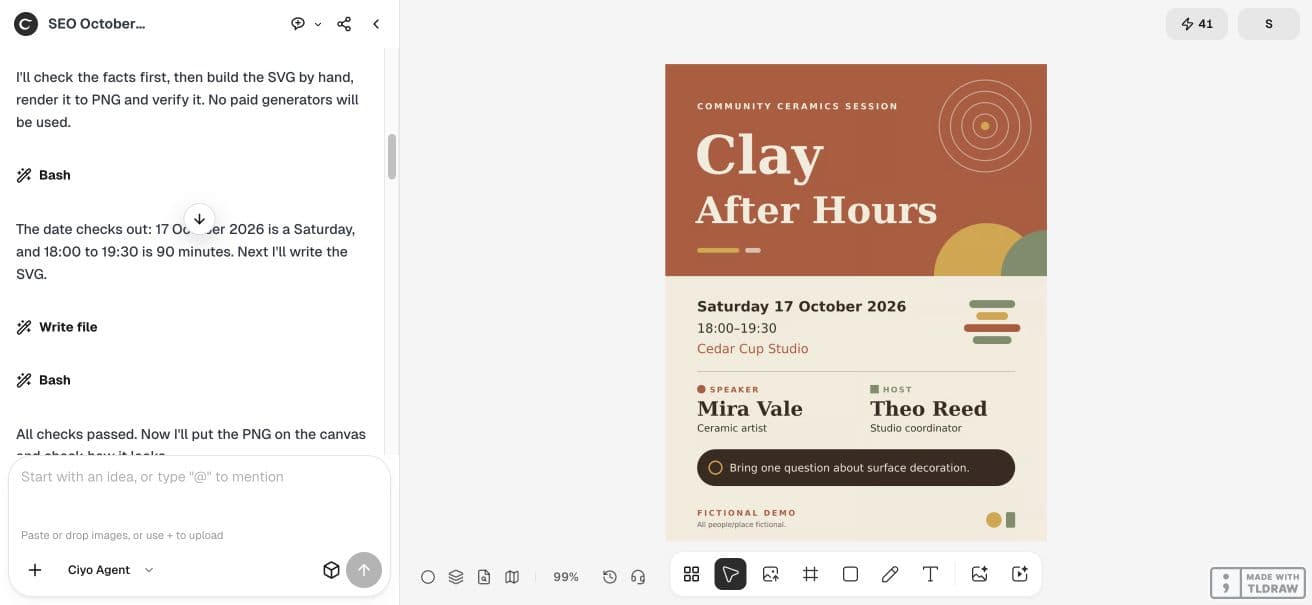
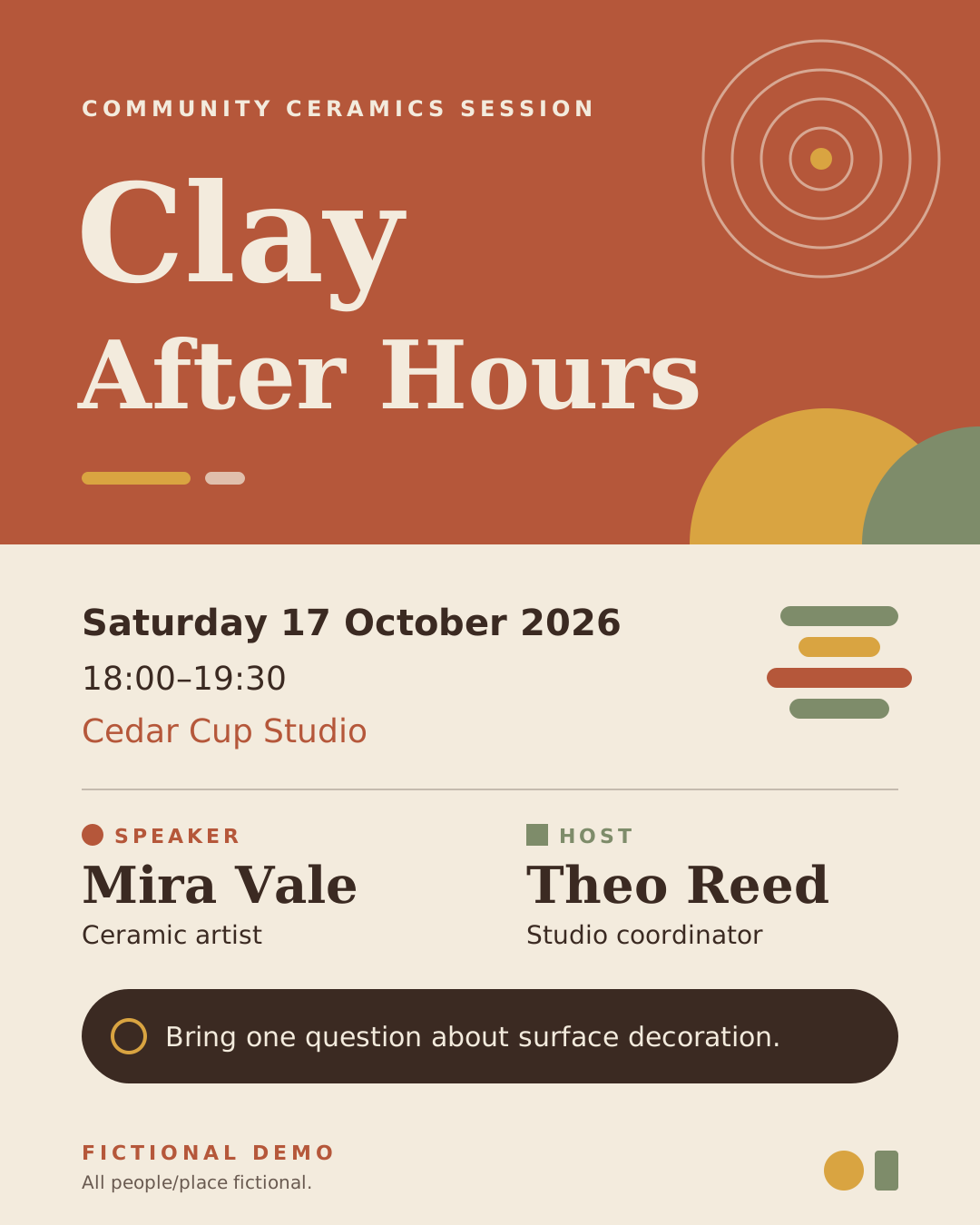
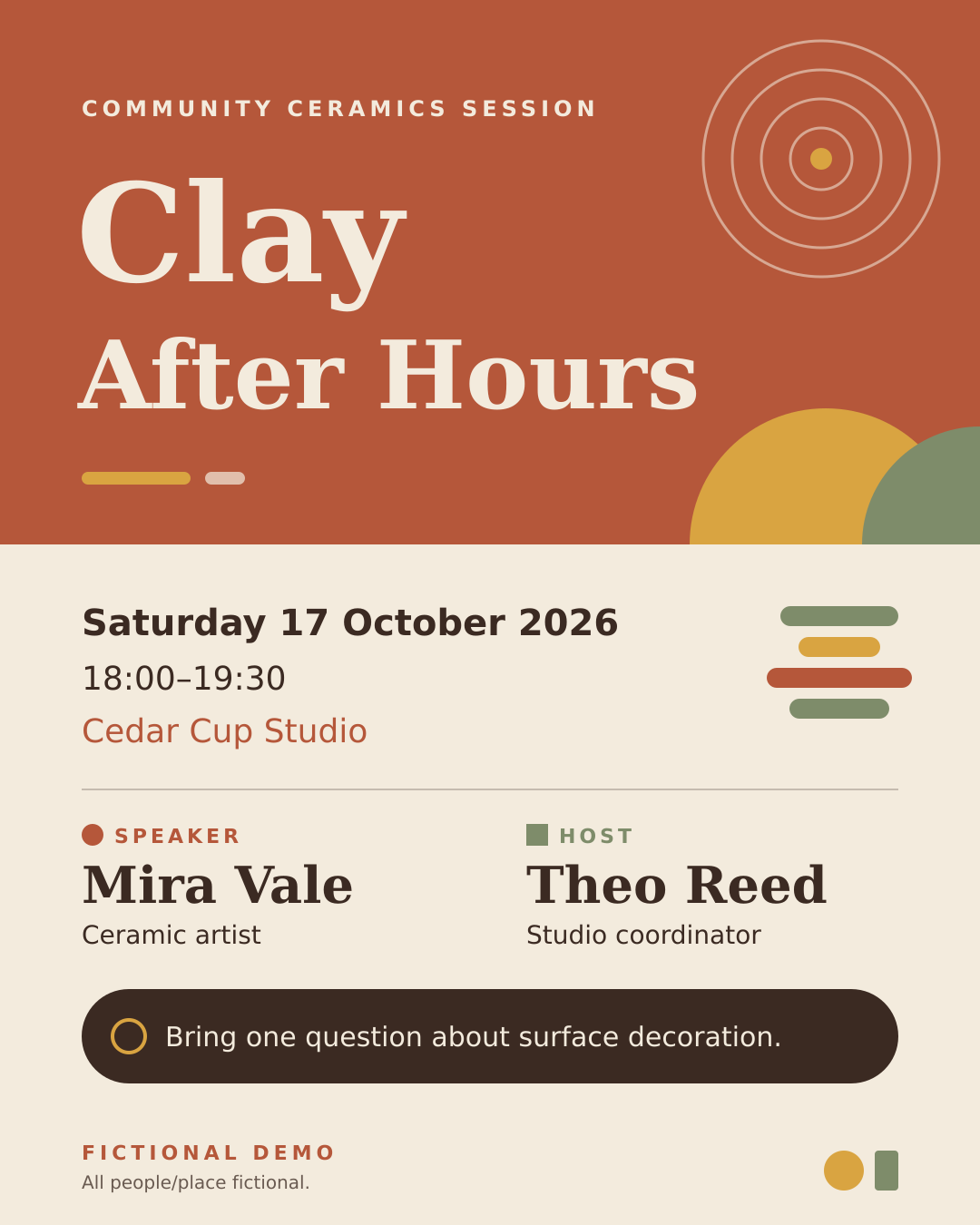
We created a fictional Clay After Hours poster for Cedar Cup Studio: Saturday, 17 October 2026, 18:00–19:30. Mira Vale is the speaker and Theo Reed is the host. All people and event details are invented for this demonstration.
Keep names and roles in separate source fields
Write each person’s name beside the role and approved descriptor. Our speaker is Mira Vale, Ceramic artist. Our host is Theo Reed, Studio coordinator. Separating these fields makes role swaps easier to find before anyone shares the poster.
Keep title, date, time and venue together. We checked the weekday against the supplied date: 17 October 2026 is a Saturday. This fictional example gives no time zone, address, ticket price or registration link; supply those approved details when a real event needs them.
| Field | Value | Check |
|---|---|---|
| Title | Clay After Hours | Same title throughout |
| Date | Saturday, 17 October 2026 | Weekday matches calendar date |
| Time | 18:00–19:30 | Start and end both present |
| Venue | Cedar Cup Studio | Exact supplied name |
| Speaker | Mira Vale — Ceramic artist | Role remains speaker |
| Host | Theo Reed — Studio coordinator | Role remains host |
Ask for an editable poster without fabricated portraits
Start a new Ciyo project with a 1080×1350 SVG and PNG proof. Ask for names and roles as separate text elements and use a simple abstract motif. A portrait is unnecessary when the goal is to inspect event hierarchy; use an approved real portrait only when you have one.
We supplied a surface-decoration session context and the invitation Bring one question about surface decoration. The agent added a descriptive COMMUNITY CERAMICS SESSION eyebrow. Review added descriptive copy too; it does not change the supplied roles or logistics here.
Use code to make a 1080x1350 event speaker poster for a fictional community ceramics session. Exact approved facts: Clay After Hours; Saturday 17 October 2026; 18:00–19:30; Cedar Cup Studio; Speaker: Mira Vale — Ceramic artist; Host: Theo Reed — Studio coordinator; Bring one question about surface decoration.; FICTIONAL DEMO. All people/place fictional. Use abstract geometric accents, no fabricated portraits, affiliations, credentials, logos, awards or sponsors. Preserve roles and names in separate editable SVG text nodes, deliver complete SVG code in reply and sharp PNG download on canvas. Verify date weekday programmatically, end-start duration 90 minutes, exact names/roles and pixel dimensions. Check date and names before design. No paid generator and no actual event/ticket system claim.Review the hierarchy at the size people will see
The live result separates the event title, logistics, speaker block and host block. The retained SVG preserves the supplied names and descriptors as text, so they can be inspected or revised without treating the poster as a flat image.
Read the proof at a small display size as well as enlarged. If a viewer can read the title but cannot find the date, simplify the surrounding composition. Keep the actual output intact when checking it; a beautiful crop can hide the information that needs review.
Make one factual revision at a time
If the session moves, supply the new date and time together and explicitly ask the agent to check the weekday again. If someone changes roles, replace both the role label and descriptor. Re-read the full logistics block after any layout revision.
Replace the source and proof together
Keep the source and the latest proof together. Do not distribute an old PNG from a download folder beside a corrected SVG. Our example has no event booking, reminder or publishing integration.
Finish the real event handoff before sharing
For a real event, have the organizer approve names, roles, logistics, access details and any registration destination. Check the delivered image on the actual channel where it will appear and print one proof if it will be displayed physically.
This demonstration checked the digital graphic and calendar consistency only. No event was booked, promoted or printed, and the fictional names are not testimonials or endorsements.
Practical questions
Are Mira Vale and Theo Reed real participants?
No. They are fictional people used to demonstrate distinct speaker and host fields.
Does a correct weekday mean the event is booked?
No. Calendar consistency is a graphic check; booking and organizer approval are separate.
Can I use a generated portrait for the speaker?
Use an approved image of the actual participant when a portrait is needed. This example uses abstract artwork instead.
Prepare a poster with checkable event facts
Start with one checked example in Ciyo. Keep the source and inspect the exported result before using it in your own project.