Event artwork
Eventbrite Event Image: Check the Wide and Square Previews

A wide event image can look balanced while its square discovery thumbnail loses the subject. Design the focal point first, then inspect both shapes before relying on the listing.
We created an original image for a fictional Paper Lantern Workshop in a live Ciyo project and reviewed Eventbrite’s official upload guidance. The comparison sheet uses our own artwork and crops. No Eventbrite event was created, edited or published.
Quick answer: one subject should survive both views
Use a clear focal subject and keep supporting details farther out in the wide composition. Review the actual platform previews after choosing its focus point.
Eventbrite currently recommends at least 2160 × 1080 pixels and a 2:1 image for the event carousel. Its guidance accepts JPEG or PNG up to 10 MB and explains that the chosen focus point also creates the square search thumbnail. The example supplies a 2160 × 1080 PNG; its centered crop is a rehearsal, not proof of Eventbrite’s final rendering.
| Step | Prepare | Review |
|---|---|---|
| 1 | Event subject and use rights | Does the artwork honestly describe the event? |
| 2 | Wide composition | Is the key subject clear? |
| 3 | Square and small review crops | What important content disappears? |
| 4 | Clean image and editable source | Are review labels excluded from the upload? |
| 5 | Actual Eventbrite focus-point previews | Does the final listing retain the subject? |
1. Decide what the image needs to communicate
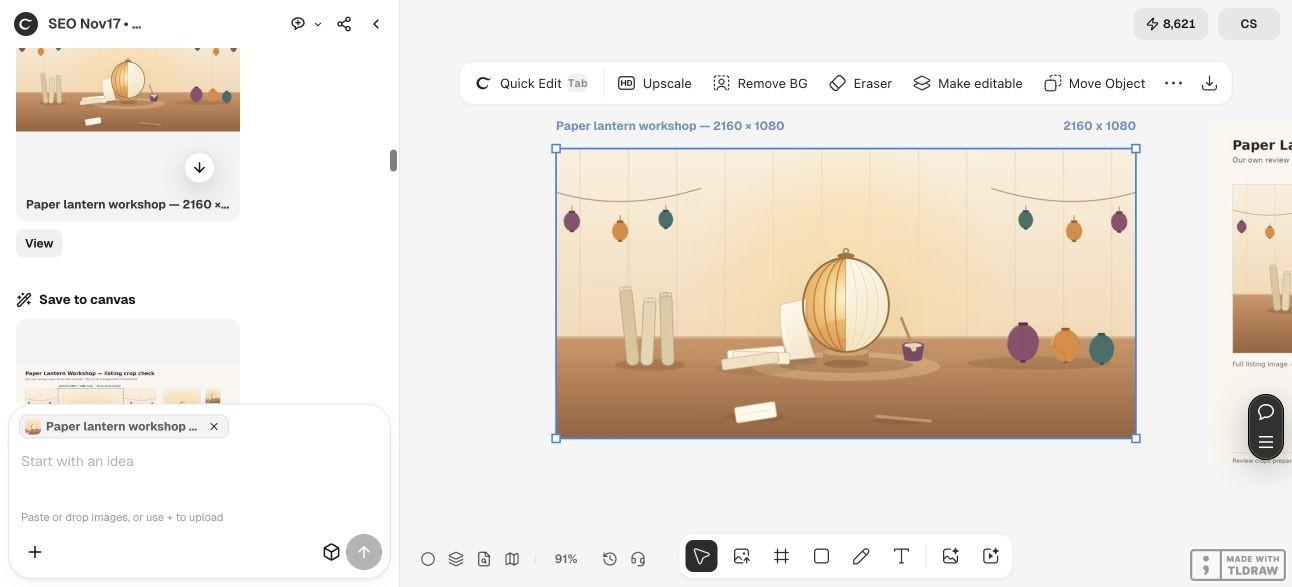
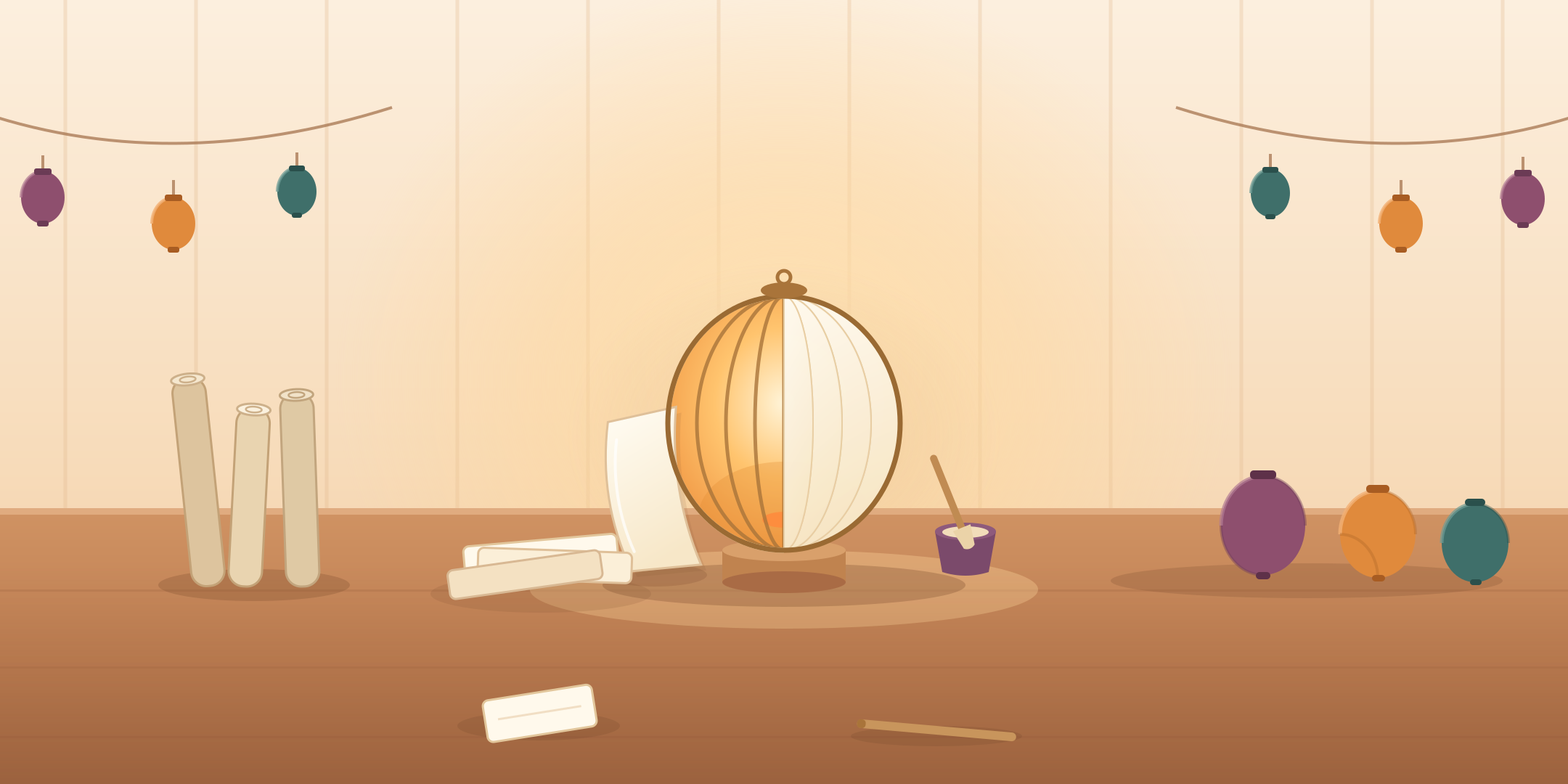
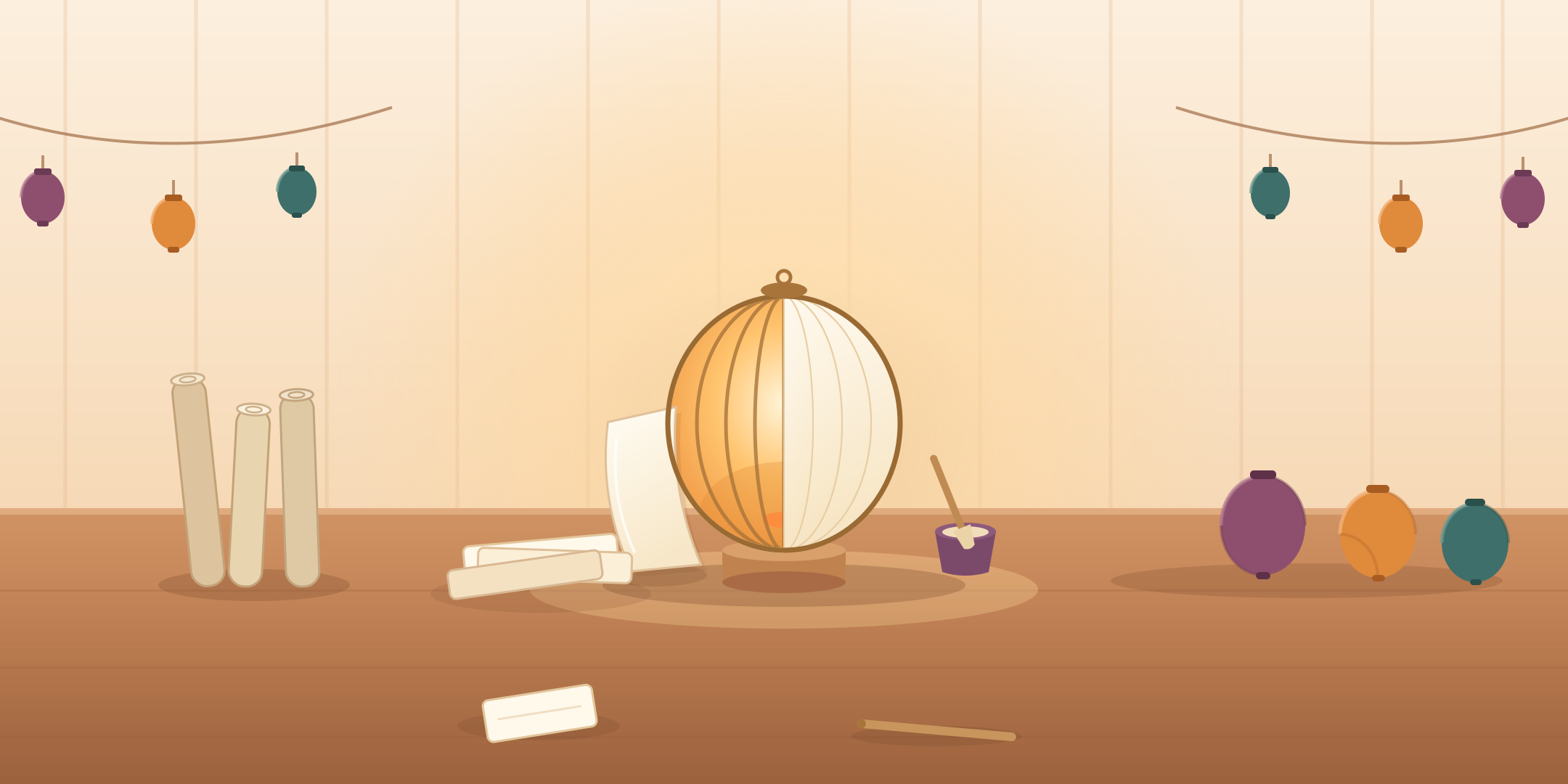
The fictional workshop image shows a lantern under construction on a workbench. Paper, glue and finished lanterns support the scene, but the central lantern is the main subject.
For a real event, use artwork or photographs you own or have permission to use. Make sure the image represents the actual activity rather than implying a venue, guest or finished product that is not part of the event.
This example keeps dates, prices and location out of the artwork. Those belong in the listing text, where people can read and update them. If your design needs wording, inspect its readability in the smallest actual preview instead of assuming the wide version is sufficient.
2. Brief the wide image and the crop review together
Ask Ciyo for a clean wide image and a separate comparison sheet. Name the subject that must survive a square crop, rather than asking only for a correctly sized banner.
The live run used vector geometry instead of an image model. It revised the paper panel and props before producing the final scene. Design agent reasoning remains billable usage; the absence of an image-model call does not mean the whole task is free.
Keep platform interfaces out of the review illustration. Our sheet is clearly labelled as crops of our own artwork, not a screenshot of Eventbrite.
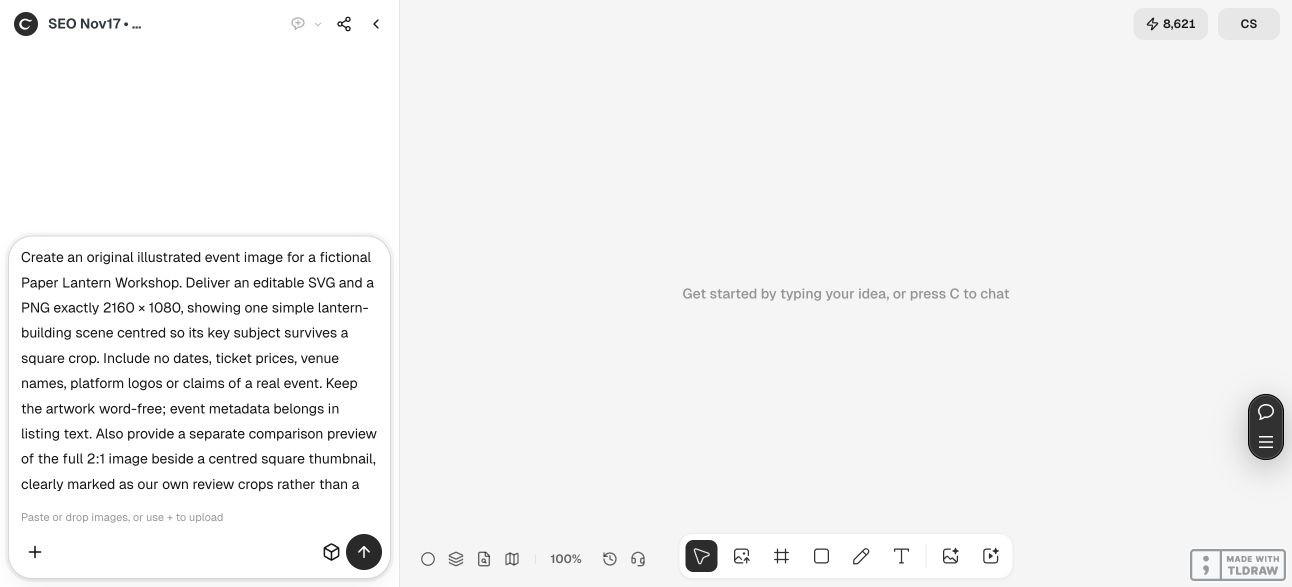
Create original event artwork for fictional [event activity]. Deliver an editable SVG and a PNG exactly 2160 × 1080. Make [key subject] clear near the intended focus point so it remains recognizable in a square crop. Keep the artwork word-free and omit invented dates, prices, venues and platform marks. Also provide a separate comparison of the full 2:1 image, a square crop and a small thumbnail, labelled as our own review crops rather than a platform screenshot. Do not create or publish an event.3. Compare what the square keeps and discards
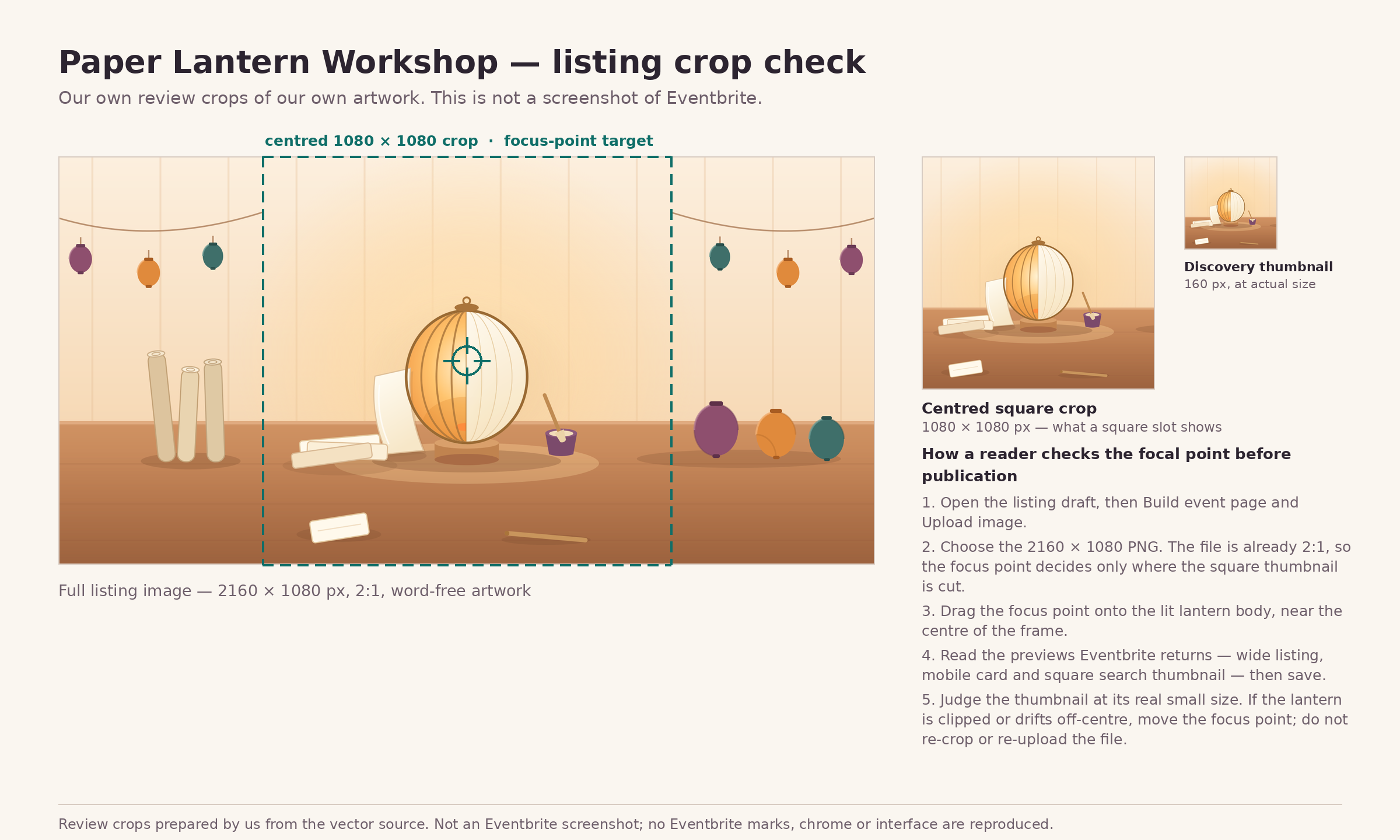
The delivered image is exactly 2160 × 1080 pixels. The central 1080 × 1080 crop spans the middle half of its width, keeping the lantern and nearby workbench tools while discarding most of the outer garlands and side props.
That is the intended tradeoff: the activity remains understandable even when the decorative context disappears. If an essential object sits outside that crop, move it into the subject group or rethink the composition.
The sheet also includes a 160 px discovery-size check. That size is our review choice, not a claimed Eventbrite specification. Inspect the small image for recognition, then use the real platform preview for the final decision.
4. Keep the clean upload separate from the review sheet
Upload the clean artwork when you prepare your listing. The review sheet’s crop boundary, explanatory text and focus target are instructions for the designer, not part of the event image.
The SVG is grouped so the central lantern, props and colors can be revised. It contains no visible lettering or embedded raster image. Ciyo supplied it as copyable source because this run’s canvas handoff did not attach SVG files; we saved that source separately.
Keep an editable master and a clearly named raster export. If you change the composition, regenerate the review crops from the revised export so they represent the same artwork.
5. Confirm the actual focus-point previews before saving
For your own real event, follow Eventbrite’s current Build event page image controls, choose the image and drag the focus point to the intended subject. Review the returned previews before saving.
The platform’s guidance says that focus point crops an image that is not 2:1 for the listing and is also used for the square search thumbnail. Our existing 2:1 artwork still needs its square thumbnail checked in that interface.
No live upload was performed for this tutorial. The comparison gives you a way to prepare the composition; the actual listing preview remains the place to confirm the final crop and appearance.
Eventbrite image questions
What image size does this example use?
The clean PNG is 2160 × 1080 pixels, matching the recommended minimum dimensions in the official guidance read for this article.
Why review a square if the upload is wide?
Eventbrite uses the chosen focus point to create a square search thumbnail. Important content near the outer edges of a wide image can disappear in that view.
Is the comparison sheet a platform screenshot?
No. It is a labelled editorial review made from our own artwork, with a centered crop and a 160 px small-size check.
Should I upload the crop-check sheet?
Use the clean event artwork. The comparison sheet carries review labels and guides that do not belong in the event image.
Was a real event published?
No. This demonstration created artwork in Ciyo and reviewed official documentation. It did not create, edit or publish an Eventbrite listing.
Start with the subject that must survive the crop
Give Ciyo the event activity and one clear focal subject. Review the wide and square artwork, then confirm the real listing previews before publication.