AI Design Agent
An AI design agent for your next creative task.
Start with what you want to make. Ciyo's AI design assistant helps you develop the direction, create images or video, and work through revisions in the same conversation and canvas.
Bring an idea or a reference image. Start with one asset.
Start before the brief is finished
Describe the goal, audience or placement in plain language. Use Plan with me to discuss an approach before moving into creation; you can bring product photos and other reference images when they help.
Connect direction with creation
Ask for a first image, a video sequence or a revision. The design agent can use the creative tools available in your workspace, while the resulting assets stay on the canvas for you to inspect.
Make the next change specific
Point the agent to the relevant images and say what should change and what should stay. Compare the actual result with your brief before asking for another version.
A useful first task
Make the first version easy to review.
- 01
Share one goal
Tell Ciyo what you are creating and where it will appear. Add a reference photo if you have one; no separate form is required.
- 02
Work through the direction
Discuss the message and visual approach. If you start in planning, choose when to move on to creating the first asset.
- 03
Review and refine
Inspect the result on the canvas. Ask for a focused change, compare versions, and check the finished asset before using it.
See it in use
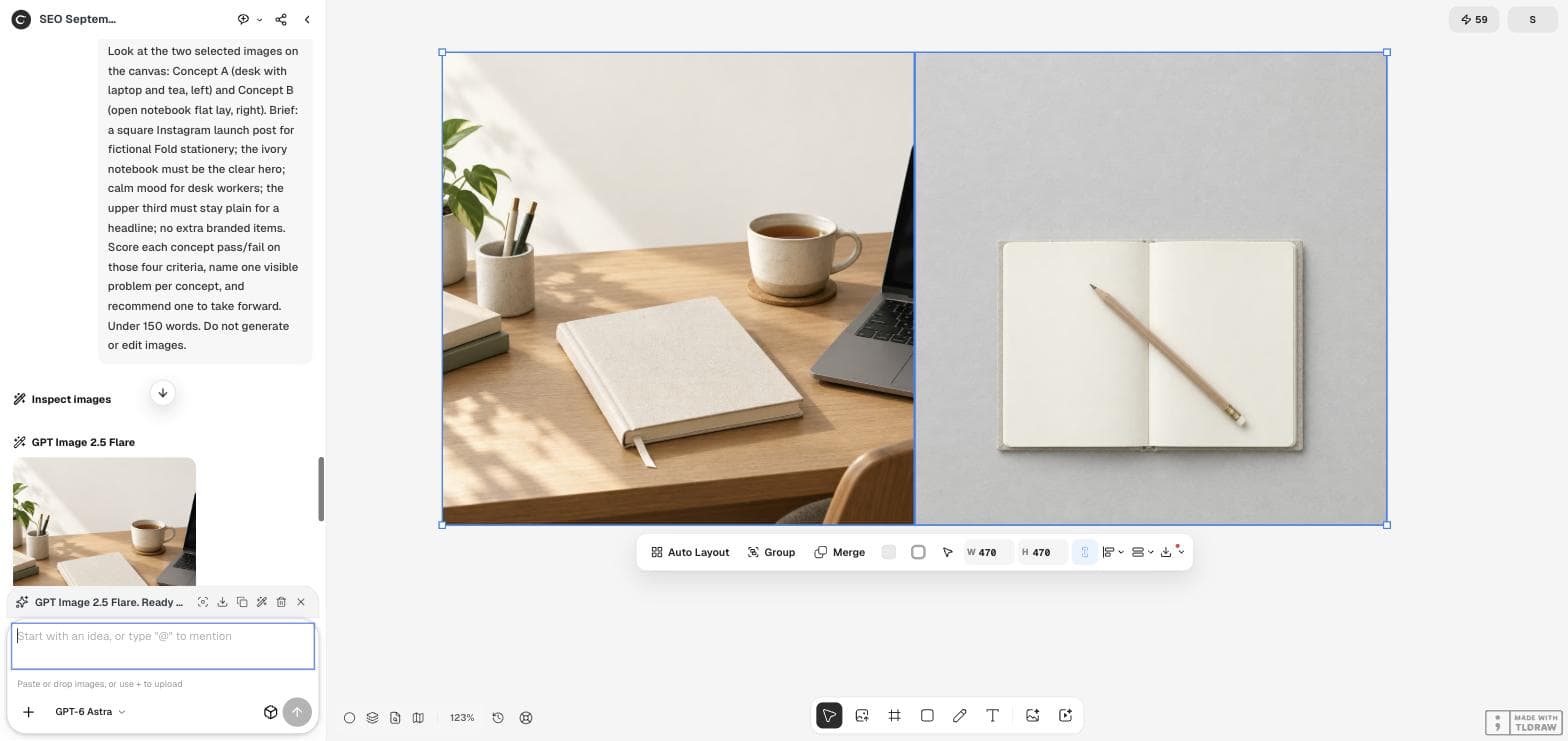
A real review of two creative directions.
In our notebook concept walkthrough, two generated images were selected on the canvas. The agent inspected them against four visible brief criteria, recommended one, and named a weakness to fix next. This demonstrates a review conversation; it does not predict ad performance.
Read the complete walkthroughKeep the final review in your hands.
Give Ciyo the approved product facts, wording and references. Check logos, product identity, text and file specifications yourself. Planning and creative reasoning can consume Ciyo credits, separately from image or video generation; a draft is not a verified campaign result.
Guides and examples
Choose an approach. See the steps.
Continue your workflow
Connect the next step.
Questions about AI Design Agent
What does the AI design agent do?
It helps develop a creative request through conversation and can use Ciyo's available tools to create or revise assets on the canvas. You can ask for planning, a first version or a focused review.
How is this different from the image generator?
The image generator handles a specific image request. The design agent helps connect the brief, reference images, creation and subsequent revisions. Use the image tool directly when you already know the image you need.
Do I need a detailed prompt to start?
No. A goal and a placement are enough to start discussing the task. Add references and constraints as they become clear. Opening the workspace or reading a suggested request does not send it automatically.
Your next creative task
Bring the idea. Work through the details.
Start with one request and refine the direction in the workspace.