Practical design workflows
Gemini for Small Business: What the New Brand Tools Change

A logo file, a few color codes and a folder of product pictures rarely tell an AI tool everything it needs to make a useful campaign. The missing instructions usually concern the customer, the offer and the facts that must survive every new layout.
Google’s October 20, 2026 announcement adds a new reason to organize those inputs: Gemini is introducing a business hub and reusable brand styles. This guide reviews that announcement and works through a fictional small-shop brief. It is not a hands-on benchmark of the Gemini rollout.
The practical question is what to prepare now, what to verify in your own account, and how to carry the same instructions into a separate Ciyo project.
The manual Ciyo campaign attempt did not save the requested campaign exports. The example below therefore demonstrates brief preparation and review criteria, not a completed campaign or a hands-on test of Gemini.
Quick answer: prepare the brand inputs before connecting the tools
Collect the original logo, permitted font files, color values, product photographs and exact campaign copy. Record the parts that are fixed and the parts a designer may change. Check whether the new Gemini controls appear in your account before following a tutorial that assumes they do.
Use Gemini’s announced persistent style features where available. If you continue in Ciyo, supply the brief and reference files there explicitly. A shared written brief is portable; an app connection or remembered preference does not automatically follow it.
| Change | What Google announced | What to verify yourself |
|---|---|---|
| Business hub | A central starting point for business tasks | Whether the new surface appears in your account |
| Brand styles | Reusable visual guidance from supplied brand inputs | Which inputs the interface accepts and how outputs match them |
| Connected apps | Connections to Google and third-party tools | The specific app, account permissions and action you intend |
1. Reusable style reduces repetition, but the campaign still needs facts
Google describes a brand-style workflow using a website, brand kit, fonts or color palettes, paired with Nano Banana 2.1. That is a feature announcement, not evidence that every resulting product image or line of copy will be accurate.
For a retailer, the low-effort action is to assemble a small source folder. The longer-term improvement is to keep an approved brief beside the assets: who may change it, where the latest logo lives, and which claims require business-owner approval. This avoids using an attractive but outdated reference as the new standard.
Our example uses fictional Fern Shop branding, an original tote-shaped symbol and a licensed white-mug photograph. The image is an illustrative reference, not a claim about real shop inventory. There is no invented discount, stock count or delivery promise. Those limits belong in the brief even when the visual style is already remembered.
2. A business hub changes the starting point, not the review responsibility
A central place to start marketing work may reduce navigation between unrelated tasks. It does not remove the distinction between drafting copy, creating imagery and approving a published offer. Choose one small deliverable before importing a whole business workflow.
For Fern Shop, the requested deliverables are a 1200 × 900 campaign graphic and a 1080 × 1080 adaptation. The fixed copy is “Fern Shop,” “A quieter morning” and “Explore the collection.” The photograph, symbol and three color values stay fixed; their placement may change between formats.
An owner working alone can review both files side by side. A team should name the person who approves product facts separately from the person who approves the layout. Neither arrangement requires a speculative promise about hours saved.
3. Connected apps and a manual design handoff are different workflows
Google’s announcement names connections to services including Google Workspace, Canva and Shopify. It says the new business landing page, skills and apps are beginning to roll out globally in the coming days. That wording does not prove a specific connection is available in your account today.
Before using a connection, decide what information it needs and what action you want it to take. Reading product information is a different task from changing a listing. This article does not walk through account authorization or publish anything.
Ciyo is a separate design workspace in this example. Its current catalog must be checked independently: an announcement about Nano Banana 2.1 in Gemini is not a claim that the same model is available in Ciyo. Bring the original files and brief into the workspace instead of assuming a connection exists.
4. Write one brief that survives a change of tool
A useful brief contains enough information to judge the output without remembering the chat that produced it. Give the audience, intended placement, exact copy, reference filenames, colors and non-negotiable product details. State what a missing input should trigger.
The live brief below specifies the supplied mug photograph, the original tote symbol, exact copy, three color values and both output sizes. Adapt those details to your own verified assets; do not ask a model to guess a logo, font license or product feature from an incomplete screenshot.
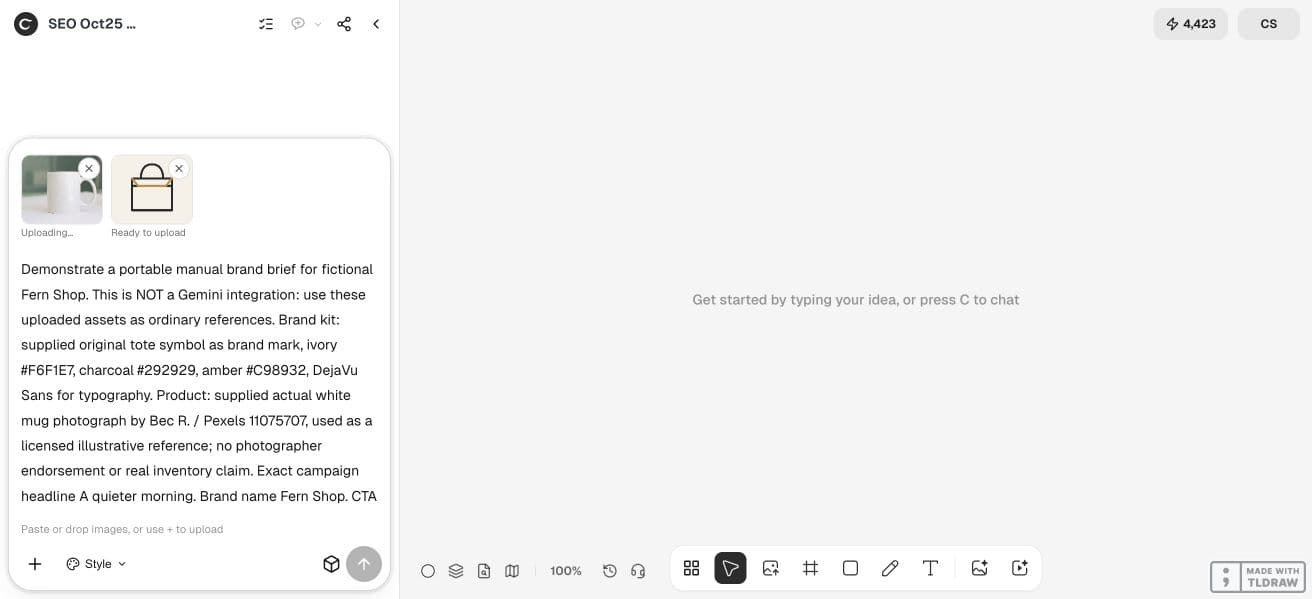
Demonstrate a portable manual brand brief for fictional Fern Shop. This is NOT a Gemini integration: use these uploaded assets as ordinary references. Brand kit: supplied original tote symbol as brand mark, ivory #F6F1E7, charcoal #292929, amber #C98932, DejaVu Sans for typography. Product: supplied actual white mug photograph by Bec R. / Pexels 11075707, used as a licensed illustrative reference; no photographer endorsement or real inventory claim. Exact campaign headline A quieter morning. Brand name Fern Shop. CTA Explore the collection. Create a 1200 x 900 campaign graphic and a second 1080 x 1080 adaptation using the same actual photo and mark, without regenerating them. Keep copy as separate editable text if supported and use deterministic composition for fidelity. No invented discounts, prices or product features. Save both downloadable PNGs and a brand-reference comparison board to the canvas, report dimensions and what is or is not editable. Execute now.5. Carry the brief into Ciyo and review one format first
Create an isolated Ciyo project and attach the source images you want the Design agent to use. Paste the brief and make the primary composition explicit. Our demonstration requests two formats together, but reviews them separately. Explicit attachments are more dependable than referring to files that exist only in another app.
Compare the product silhouette, logo, copy and colors to the supplied originals. A generated approximation of a logo should be replaced with the original asset. If the composition needs text to remain editable, make that requirement explicit and inspect the actual object or source delivered.
Treat the second aspect ratio as another layout review. Check its hierarchy again: a square adaptation needs a useful composition, not merely a crop that removes the product or headline. If the primary layout still has unresolved issues, carry those corrections into both files before accepting either.
6. Decide what the new tools change for your business
The immediate opportunity is better reuse of clear source material. Start with a repeatable campaign that already has approved product facts. Keep a simple record of inputs, revisions and rejected outputs so you can tell whether the new workflow actually reduces repeated work.
If your main problem is missing photography or unapproved offers, a new hub will not supply that business evidence. Fix those inputs first. If your problem is repeatedly rebuilding a known visual direction, test one campaign and compare the effort with your current process.
Monitor Google’s original announcements and your account’s controls for availability changes. Treat adoption, search demand and conversion gains as separate questions; this single announcement establishes none of those outcomes.
Frequently asked questions
Are these features available to every Gemini account?
Google says the rollout begins globally in the coming days. Check the actual account and interface before relying on a specific control or app connection.
Does Ciyo automatically import my Gemini brand style?
This guide uses a manual handoff of the brief and source files. It does not establish an automatic import or shared memory between the products.
Do I need a complete brand book?
A small approved set of logo, colors, font information, product references and copy can support one focused campaign. Record missing inputs rather than filling them with guesses.
Has this article compared image quality between Gemini and Ciyo?
No. It explains an announced workflow and a portable preparation method. A quality comparison would require the same inputs, settings and review criteria in both products.
Start with one portable campaign brief
Bring your approved copy and reference assets into a Ciyo project, then review one composition before requesting more formats.