GPT-6 Astra · Creative workflows
GPT-6 Astra Pixel Art: Check a Character at Its Display Size

A character can look convincing in a large concept image and become hard to recognize when it appears in a game. The satchel merges into the jacket, a hand disappears and four distinct poses start to look alike. Before building an animation, decide how the character must read at its actual display size.
We used GPT-6 Astra in Ciyo to write a review procedure for an existing four-pose courier concept. This article shows that planning output and the source concept. We did not produce or test finished 32 × 32 or 64 × 64 sprites, remove the background or certify the contact sheet as an animation atlas.
Choose the intended size before judging detail
Write down the target character size and the scene where it will appear. A 32 × 32 candidate and a 64 × 64 candidate need separate reviews. Passing the larger size does not establish that the smaller one communicates the same character.
Use the actual game or a representative mockup for the later visual check. A character displayed on a clean white page may behave differently against a busy background. Keep a note of the background and display scale so that a comparison can be repeated.
Keep the generated concept separate from the production sprite
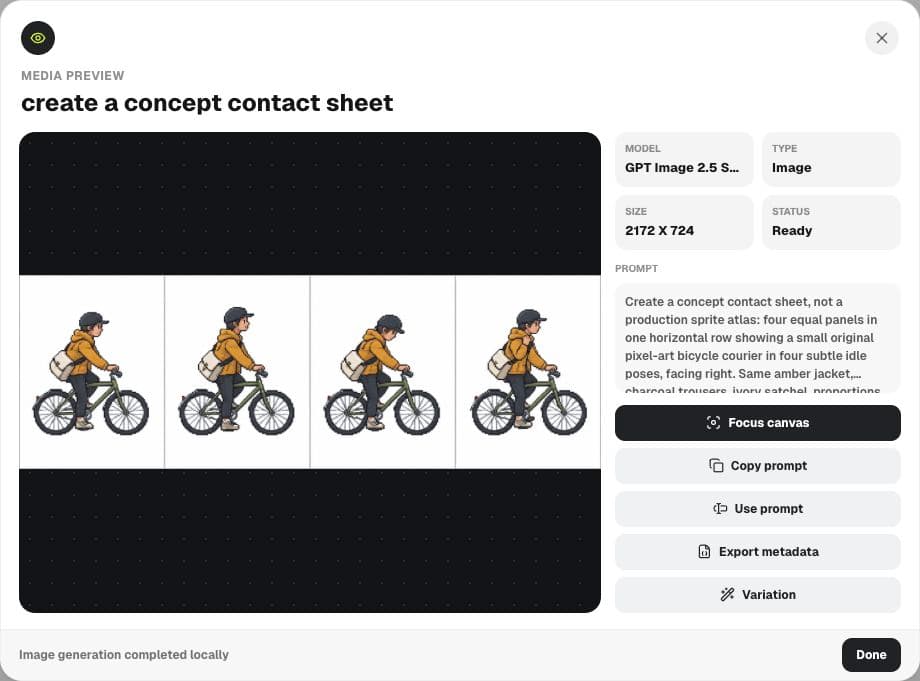
Our Ciyo board contained a four-panel Sunburst concept with an amber jacket, charcoal trousers and an ivory satchel. It was useful for discussing identity and pose ideas. Its white background and panel dividers were still present; no production grid or transparency had been verified.
Before reviewing a finished sprite, prepare an individual candidate at the intended pixel dimensions in your image editor. That preparation is separate from this demonstration. Simply displaying a large contact sheet at a smaller canvas zoom does not prove that it has the required frame dimensions.
Ask for two passes: normal size and enlarged
We asked Astra to separate readability at native display size from enlarged inspection. Its response put silhouette, courier identity, jacket-and-satchel separation, thin details, contrast and pose consistency in the first pass.
The enlarged pass focused on diagnosing the problems found at normal size: accidental contour bumps, merged forms, fragile details and shifting landmarks. That order is useful. A beautifully arranged cluster of pixels still needs revision if the intended viewer cannot understand the pose.
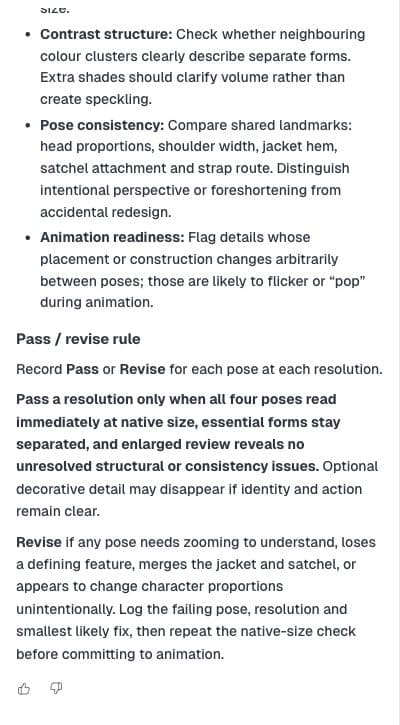
Write a review checklist for this character concept at [TARGET_SIZES]. Separate native-size readability from enlarged inspection. Include silhouette, defining features, thin details, contrast and pose consistency. Give a pass/revise rule. This is a procedure only: do not claim you inspected downscaled files, measured pixels or produced an atlas.Record the smallest change that solves the failure
When a candidate fails, write down the pose, resolution and observed problem. The note satchel disappears against jacket at 32 × 32 is more actionable than needs polish. Try a small separation or shape change, then return to the native-size view.
Astra's proposed decision rule was to pass a resolution only when all four poses read clearly, essential forms remain separate and structural inconsistencies are resolved. Decorative detail may disappear without harming the character. A defining feature or the intended action should not depend on zooming in.
| Check | Record | Next action |
|---|---|---|
| Silhouette | Which pose is ambiguous at which size? | Simplify or separate the unclear forms |
| Identity | Which defining feature disappears? | Strengthen the feature or revise the design |
| Contrast | Which background hides an essential edge? | Adjust separation and check that background again |
| Consistency | Which landmark shifts unintentionally? | Correct the candidate before animation |
Use one row per pose and resolution
A single approved label hides which variant was actually reviewed. Keep separate rows such as idle A at 32 × 32 and idle A at 64 × 64, with the background, result and next edit alongside each one. Repeat that record for the remaining poses.
If only the smaller version fails, leave the larger version's result intact and revise the smaller candidate deliberately. The checklist helps organize that decision; it cannot supply a pass until somebody has inspected the intended file under the recorded conditions.
Move to animation only after the stills are readable
Once the individual candidates pass, review them in sequence using your actual animation workflow. Static readability and motion consistency answer different questions. A set of good stills can still have a distracting jump in the bag position or body proportions.
Keep the original concept, the prepared sprite files and the review notes distinct. Ciyo can hold the visual direction and Astra can help structure the checks. The acceptance decision should rest on the files and display conditions you actually inspected.
Practical questions
Did this demonstration validate a 32 × 32 sprite?
No. It produced a review procedure for that target size. The shown contact sheet still requires preparation and inspection.
Can I approve only the enlarged view?
Judge readability at the intended display size first. Use enlargement to diagnose and fix the problems you find.
Is a four-panel generated image ready for a game engine?
Not automatically. Frame dimensions, alignment, transparency and animation behavior require separate checks on the actual files.
Make the next step clear
Use Ciyo to organize the brief and visual references before moving into production.