Ciyo practical guide
Higgsfield Alternatives: 3 Tools to Consider for Product Videos

The useful question behind a search for Higgsfield alternatives is usually specific: can another tool animate this product photo, fit the way your team works, and produce a clip you can actually use? A larger model menu does not answer that question on its own.
We reviewed official product and pricing pages on October 20, 2026 and Ciyo's current workflow. This is a use-case comparison, not a measured quality ranking across all four services. Ciyo publishes this article; the recommendations below explain when another option deserves a trial.
Quick picks for three different working styles
Shortlist Ciyo when source images, generated variations and review decisions belong on one canvas. Consider Runway when its video-centered toolset and monthly capacity suit your production process. Consider Adobe Firefly when you already prepare assets in Adobe applications.
For a free exploratory allowance, Runway's official page lists 125 one-time credits. That is a limited trial resource, not evidence that a complete product campaign is free. We could not verify Higgsfield's current plan amounts in the retrieved pricing view, so this comparison does not assert that any option is cheaper than Higgsfield.
| Tool | Price basis | Free tier / trial | Key differentiator | Best fit |
|---|---|---|---|---|
| Ciyo | Usage-based Ciyo credits; inspect each Generation quote | Do not assume the video request is covered by a welcome allowance | Planning and media review on one canvas | A small product-creative workflow |
| Runway | Standard: $15 monthly, or $12/month billed annually | 125 one-time credits listed | Video-focused generation and production features | Recurring video creation |
| Adobe Firefly | Standard: US$9.99/month, monthly plan | Free-trial option listed; verify eligibility and terms | Connection to an Adobe-oriented creative process | Teams already working with Adobe |
| Higgsfield, reference point | Current amount not verified in our retrieved view | Not verified | Evaluate the workflow you already use | An incumbent that already produces acceptable results |
1. Ciyo: keep the product brief and revisions together
Ciyo is an AI design workspace with a Design agent and a canvas for visual media. For a product-video task, that makes it practical to retain the source photo beside candidate images and video outputs while discussing a narrow revision.
Its main advantage in this shortlist is the connected review workflow. Its limitation is that a canvas does not remove generation uncertainty: you still need to inspect shape changes, unwanted camera movement and the final export. Image Auto and Video Auto are separate choices; fix the selected model when you need a controlled comparison.
Choose Ciyo for a bounded trial if you want to develop a product visual and then animate it in the same workspace. It is a weaker fit when the deciding requirement is a specific feature of another editor that you have not verified in Ciyo. A registered model name is also not proof that it is available in your current account.
2. Runway: evaluate a video-centered production process
Runway's official Standard plan lists 625 monthly credits, access to its video and image models, watermark-free output and 4K upscaling. The monthly price is $15; the lower $12 figure is the monthly equivalent of annual billing.
That makes it a sensible candidate for regular video work. The tradeoff is committing to an allowance and checking model-specific consumption. Standard's monthly credits do not roll over, according to the pricing FAQ. A plan's headline credits cannot be compared directly with Ciyo credits.
Runway's image-to-video documentation emphasizes an input image plus a motion-focused prompt. Use your own product shot to evaluate whether that process gives you the control you need; our documentation review does not establish a higher usable-output rate.
3. Adobe Firefly: consider the surrounding Adobe workflow
Adobe's Firefly Standard page lists US$9.99 per month on a monthly plan and 2,000 monthly generative credits. The page includes a free-trial entry point. Confirm trial eligibility, renewal terms and the exact plan before relying on them.
Firefly is worth considering when your still-image preparation and final edit already happen in Adobe's ecosystem. Its documented video workflow supports supplied first and last frames in supported configurations. That can be useful when the opening or ending composition is a key part of the brief.
The tradeoff is that access and credit consumption vary by feature and model. Do not treat a promotional unlimited-model offer as unlimited access to every video feature. The October 20 pricing page contained offers ending October 21; this guide uses the regular Standard price rather than building its recommendation around a temporary discount.
Compare one equivalent product-video job
Use an image you have permission to upload and define the same useful output for every trial: a single continuous product shot, the same target duration and aspect ratio, and no changed packaging or invented lettering. Where settings differ, record the difference rather than calling the trials equivalent.
Save every attempt, not just the best-looking output. A useful cost comparison is total task spend divided by the number of clips that pass your acceptance checks. Include relevant subscription allocation, top-ups and retries; separate taxes and billing periods. Avoid predicting a cost per usable clip before you have accepted outputs.
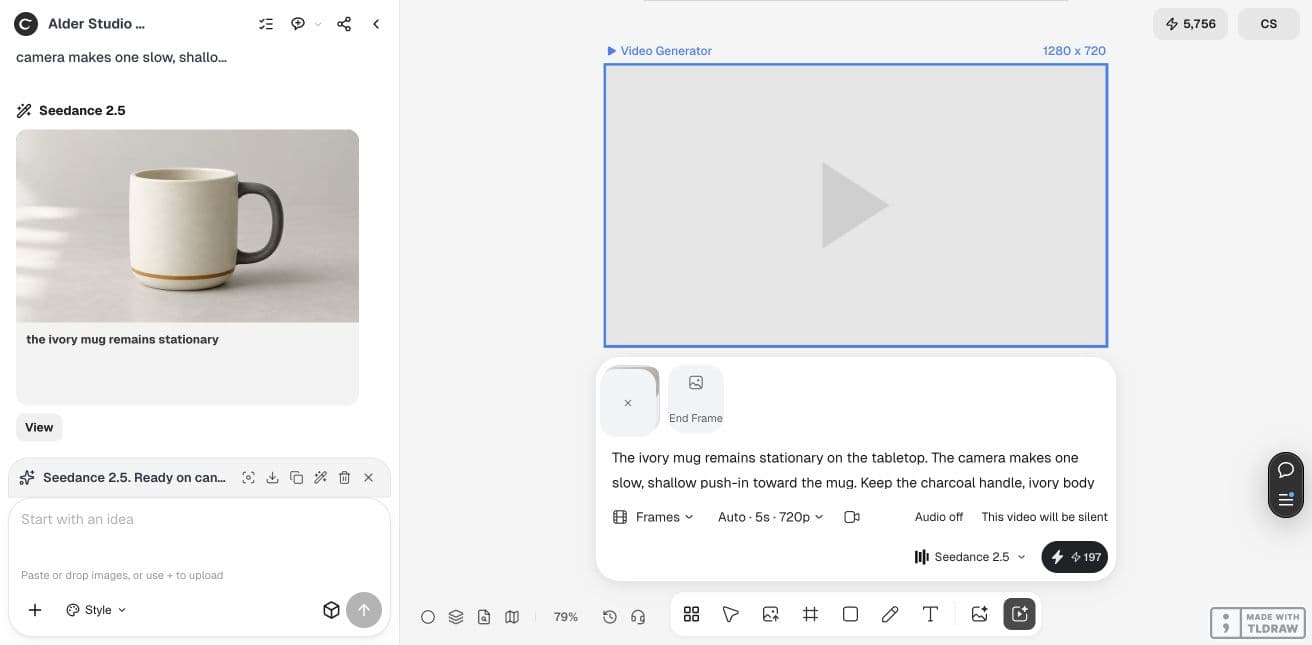
Use the supplied product photo. Create one short continuous shot with a slow camera push-in. Keep the product stationary and fully visible. Preserve its visible shape, handle, colors and decoration. Use the same aspect ratio and target duration in each tool where supported. Deliver the exported clip for review; do not add promotional text or make product claims.The Ciyo trial behind this comparison
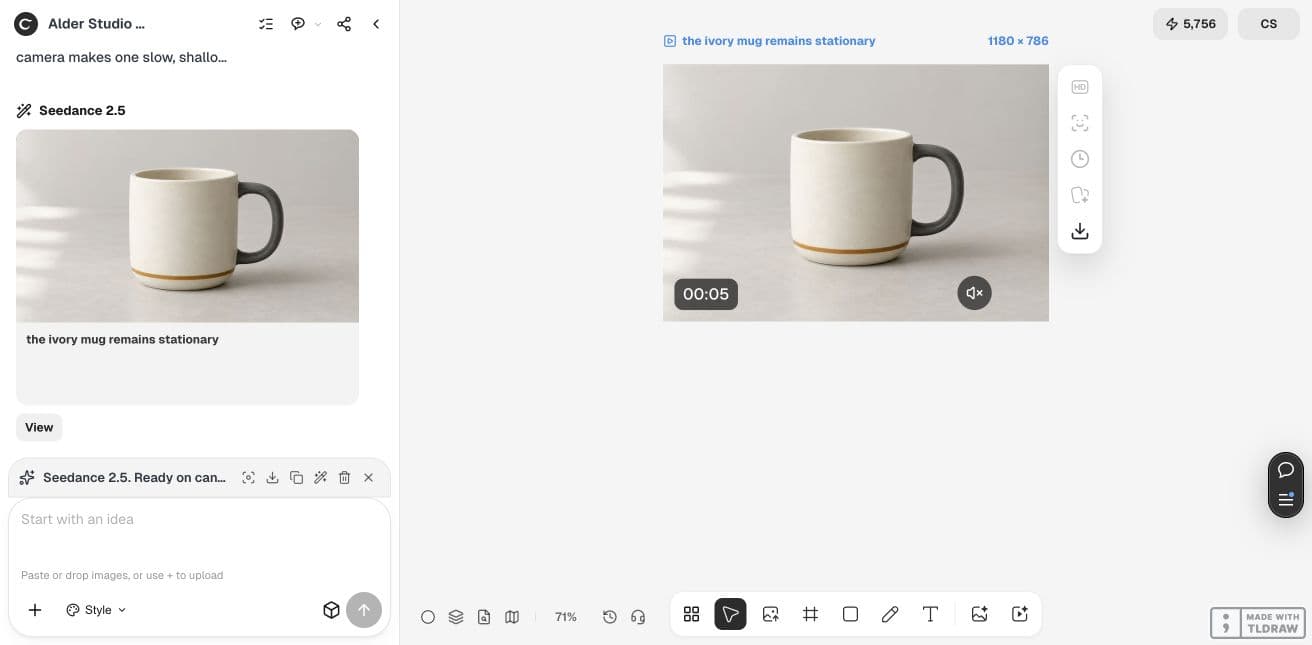
Our Ciyo demonstration used a fictional mug photo with Seedance 2.5 in Frames mode, a shallow push-in, five seconds and audio off. The displayed quote was 197 Ciyo credits; the completed file measured 5.04 seconds at 1180 × 786.
This establishes that the illustrated Ciyo request produced a file. It does not measure Ciyo against Higgsfield, Runway or Firefly: those entries are documentation-based comparisons, and provider credits are not interchangeable.
When staying with Higgsfield is the better decision
Keep the incumbent if it already produces acceptable clips, your collaborators know the process, and its current cost fits your workload. Switching carries a practical cost: rebuilding prompts, moving source assets, relearning controls and checking that the new export works in your editor.
For a solo merchant, trial the tool that removes the biggest current bottleneck. For an agency, add client review and asset handoff to the test. For an occasional creator, compare the cash commitment as well as the per-generation quote. We did not verify an automatic project-migration path between these services; keep portable source files and exported media.
Practical questions
Which is the best Higgsfield alternative?
For a canvas-based product brief and revisions, shortlist Ciyo. For a video-centered monthly workflow, consider Runway. For an existing Adobe production process, consider Firefly. Run one equivalent task before deciding.
Is there a free alternative?
Runway lists 125 one-time credits on its Free plan. Adobe lists a trial entry point. Neither observation establishes an unrestricted free production workflow; check what your specific request and export require.
Can I transfer my Higgsfield projects automatically?
No automatic migration path was verified for this comparison. Preserve your original photos, prompts and exported videos, then rebuild a small pilot in the candidate tool.
Are the credit numbers comparable?
No. Each service defines its own credit unit and consumption. Compare the money spent on equivalent accepted outputs, with billing period and retries recorded.
Which service has the best support?
We did not run a support-response comparison. For a team purchase, check the support level in the specific plan and ask a concrete workflow question before committing.
Run one bounded product-video trial
Bring the product photo you already use, define a usable clip, and compare the result and task cost before moving a whole campaign.