Motion design
Render a four-second HTML title card to MP4 with HyperFrames
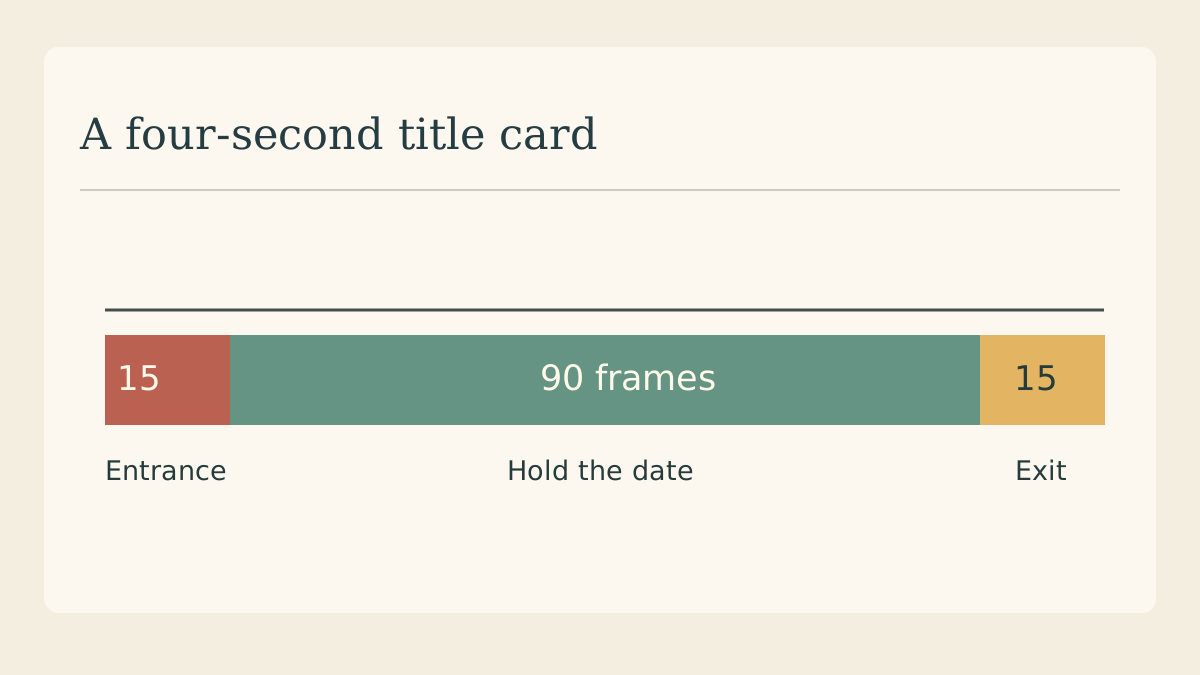
A title card for a pottery sale only needs four seconds: bring in the headline, hold the date, then cut cleanly. A small HyperFrames project makes it possible to revise the wording in HTML and review the timing in an exported video.
Start a project for the card
Follow HeyGen’s setup instructions for your machine. Its CLI example starts a composition with “npx hyperframes init my-video”. Open the generated project folder so that the preview and render commands use the same project and asset paths.
Divide the four seconds on paper
Give the entrance the first half second, hold the complete message until 3.5 seconds, then fade during the last half second. At 30 frames per second that is a 15-frame entrance, 90-frame hold and 15-frame exit. These are editorial choices for this example.
Put the date in the composition
Set the headline to “Open studio” and the second line to the actual day and time. Keep the date as editable text. An image containing the old date can survive a copy revision and leave two different dates in the exported card.
Preview the quiet middle
Run “npx hyperframes preview” from the project directory. Move to two seconds and check the date over the final background. If the headline is still sliding across the time, shorten its entrance and give the reader back the middle of the card.
Render the actual file
Use “npx hyperframes render” and open the MP4 produced by the CLI. Play it outside the preview window. A missing local image, late font or unintended blank at the start is easier to catch when you inspect the file your editor will receive.
Choose the cut point
Place the card before a real shot in your edit. Check the final visible frame and the first frame of the following shot together. If the fade leaves a distracting black flash, shorten it or cut directly from the held type.
Continue with a timing sketch
Arrange your entrance, hold and exit as frames before you set the timing in HTML.