Instagram · Tested
Make an Instagram Reel Cover That Also Works in Your Profile Grid
A Reel cover does two jobs. Full screen it is a 9:16 image. On your profile it is a tile, and the grid shows only the middle of it. Since Instagram moved the profile grid from squares to 3:4 tiles in early 2025, the tile keeps most of the width and cuts the top and bottom. A title placed high on the cover can end up half hidden on the page people visit before they follow you.
On September 29, 2026 we made a cover for Juniper Street Bakery, a fictional shop, in Ciyo and checked both crops in pixels. The layout passed on the first try. The file itself needed one more step.
Two shapes, one image
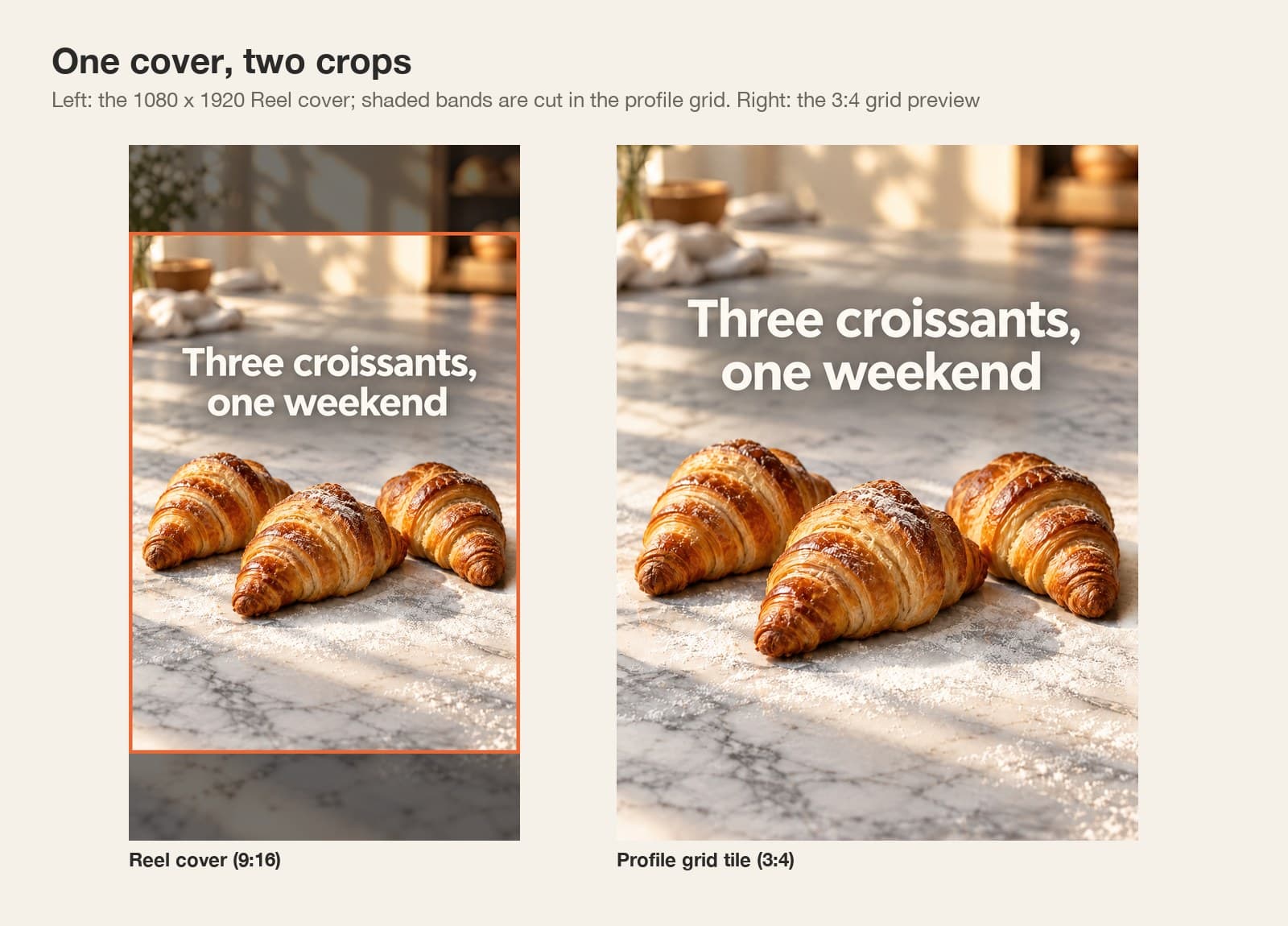
Design at 1080 × 1920, the Reel size. The profile grid then shows the centred 3:4 part, 1080 × 1440, so the top 240 and bottom 240 pixels do not appear on the tile. Some guides report that the tile also trims a little from each side, so keep a margin there too. Keep the title and the product inside that middle band, and use the top and bottom only for background.
Instagram has not published this crop as a spec page that we could find; it is widely reported since the January 2025 change, and you can confirm it on your own profile before you post. Other surfaces also add their own overlays, so keep text away from every edge.
| Where | Shape | Pixels shown | What to keep inside |
|---|---|---|---|
| Reel, full screen | 9:16 | 1080 × 1920 | Everything, away from the edges |
| Profile grid tile | 3:4 | The middle 1080 × 1440 | Title and product, rows 240–1680 |
Put both crops in the brief
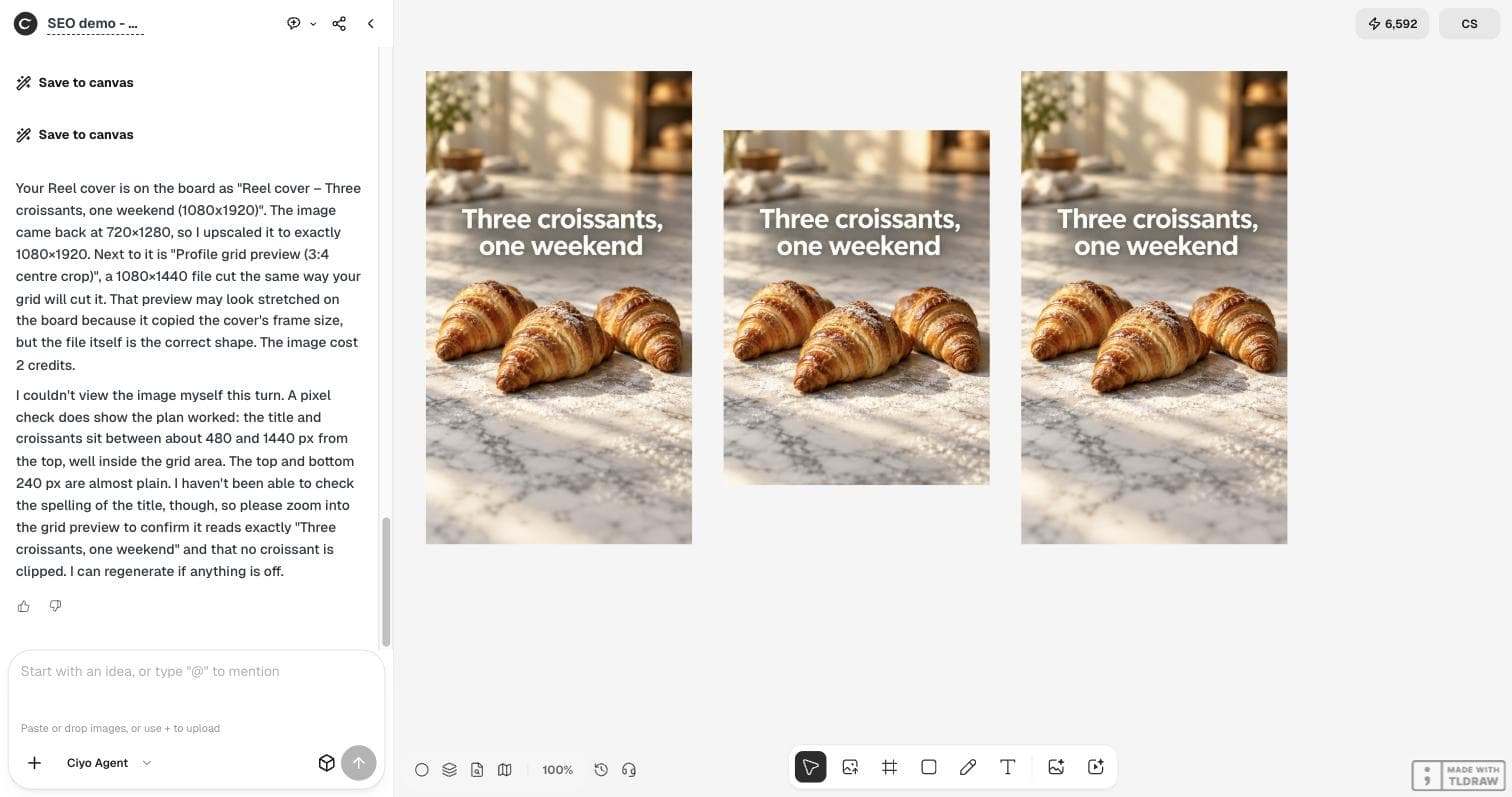
Tell the agent the size, the grid crop in pixels and what must stay inside it. The Ciyo Agent made the cover with GPT Image 2.5 Flare for 2 credits and also saved a 3:4 grid preview cut exactly the way the grid cuts it.
One detail was in its reply: the model returned 720 × 1280, so the agent upscaled it to 1080 × 1920. The file had the right size, but not the right sharpness.
I run Juniper Street Bakery. Please make a cover image for our next Instagram Reel, titled "Three croissants, one weekend". Size 1080x1920 (9:16). It has to work twice: as the full Reel cover, and in our profile grid, which shows only the centred 3:4 part (1080x1440, so the top and bottom 240 px are cut off). Photo: three golden croissants on a marble counter with a little flour, warm morning light. Put the title in large, bold, easy-to-read letters inside the centre 3:4 area, away from the edges, and keep the croissants in that area too.Check the crop in pixels
We measured the file. The title fills rows 561 to 746 and 75% of the width. The croissants fill rows 878 to 1245. Both sit well inside the 240–1680 band, and the grid preview is exactly rows 240 to 1679 of the cover. Nothing important is cut. The title is spelled correctly.
If your cover fails this check, move the title rather than shrinking it. A title that reads on a phone at tile size is usually larger than it looks on a laptop.
Make it sharp: generate at 2K, then scale down
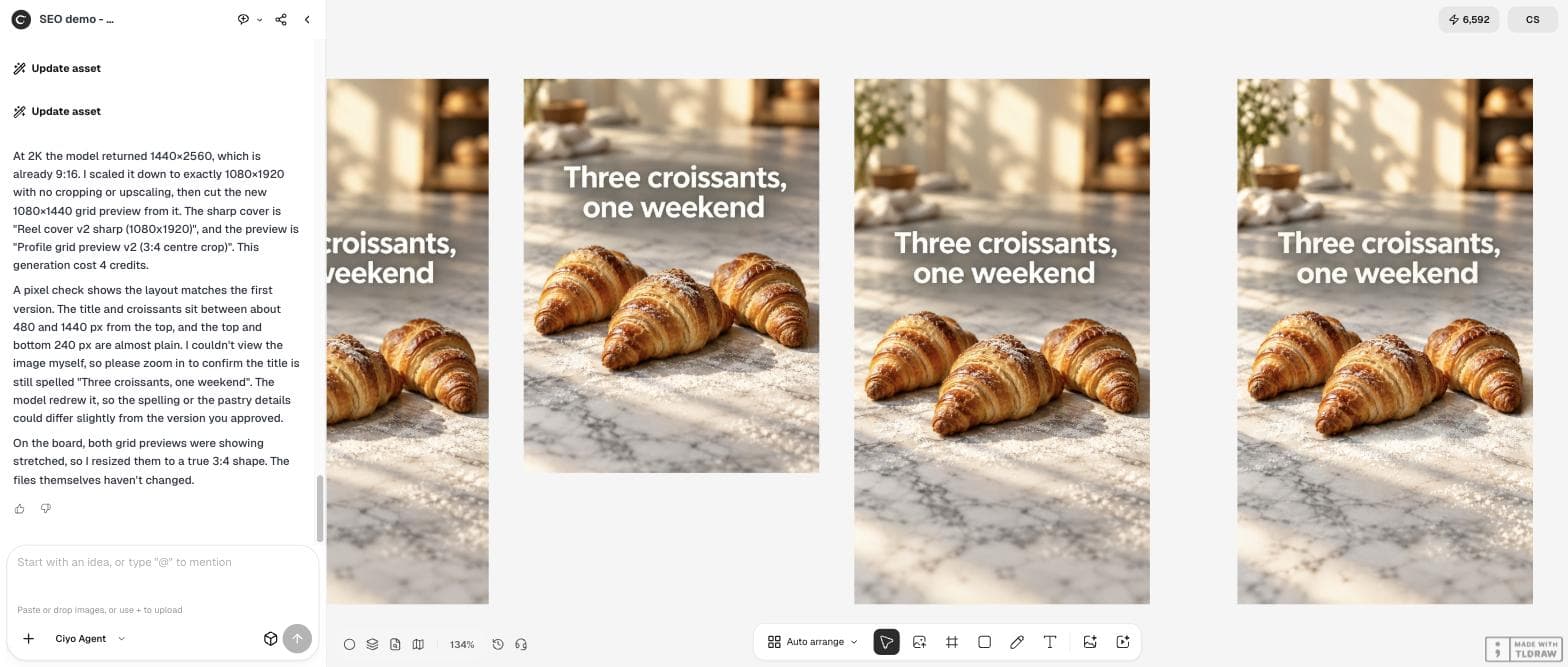
An upscaled cover is soft, and a soft cover next to sharp ones stands out in a grid. We asked for the same cover at 2K. The model returned 1440 × 2560, which is already 9:16, and the agent scaled it down to 1080 × 1920 and cut a new grid preview.
We compared the two covers with a standard sharpness measure (the variance of the Laplacian). It rose from 188.8 to 328.3, about 74% sharper. The 2K version cost 4 credits instead of 2, and the model redrew the image, so check the spelling and the layout again: ours was still correct.
The title is spelled right and everything sits inside the grid area. One thing: the 1080x1920 file is an upscale of a 720x1280 image, so it is a little soft. Please generate the same cover again at 2K so it is sharp without upscaling, with the same layout and title, then scale it down to exactly 1080x1920 and make a new 3:4 grid preview from it. Tell me the size the model returned and the credits used.Your grid is getting more attention
Instagram keeps adding ways to shape the profile grid, and the grid is where a new visitor decides whether you look worth following. A cover that works as a tile is part of that first impression.
Posted 2026-09-25. The post shares PetaPixel's report that Instagram now lets you place photos and videos you are tagged in on your main profile grid, so work posted by a client can become part of your visible portfolio. It is about the grid, not about covers or Ciyo; we cite it as a sign that the grid matters more.
Before you post
Upload the Reel, choose the cover image in Instagram's cover option rather than a frame from the video, and look at your profile on a phone. If the title touches the top or bottom of the tile, move it into the middle band and export again.
Instagram Reel covers
What size is an Instagram Reel cover?
Design it at 1080 × 1920 (9:16). The profile grid shows the centred 3:4 part, 1080 × 1440, so keep the title and the subject between rows 240 and 1680.
Why is my Reel cover cut off in my profile?
The grid tile is 3:4, shorter than the 9:16 cover, so the top and bottom are cropped. Move important text and objects into the middle band.
Can AI put readable text on the cover?
In our two runs on September 29, 2026 the title was spelled correctly both times. Always check it at tile size on a phone, and regenerate if a letter is wrong.
What did it cost?
2 credits for the first cover and 4 credits for the sharper 2K version.
Make your Reel cover in Ciyo
Give the Ciyo Agent both crops, check the grid preview on the same board and export a sharp 1080 × 1920 cover.