Logo · Transparent background
Make a Logo Background Transparent and Test It on Light and Dark
A logo with a white box around it looks wrong on a colored website header, a photo or a dark sign. Removing the background takes a minute. Checking the result on the surfaces where it will appear is the step most people skip.
This guide removes the background of a fictional café's logo with Ciyo's Remove BG on September 19, 2026, then places it on a dark chalkboard. The test showed a problem that no background remover can fix.
Start from a flat logo on a plain background
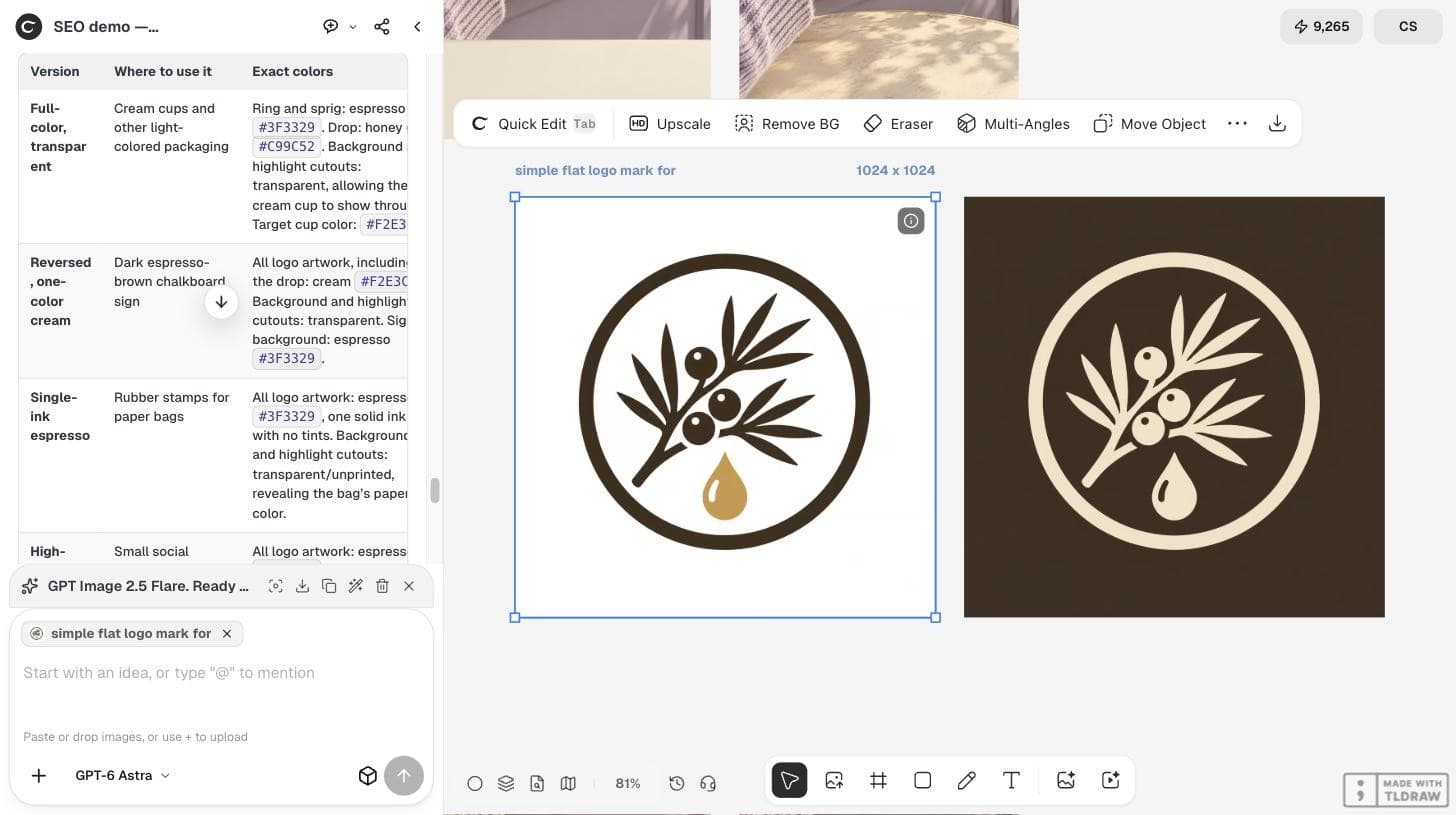
Background removal works best when the logo sits on one plain color with clear edges. Our mark, an espresso and honey-gold emblem, was generated on solid white, which is the easiest case.
If your logo is a photo of a printed sign or has soft shadows, expect more cleanup at the edges.
Run Remove BG on the selected image
Select the logo with the Select tool. The image toolbar shows Quick Edit, Upscale, Remove BG, Eraser, Multi-Angles and Move Object. Choose Remove BG. In our run it started immediately, without a separate panel, and the new transparent image appeared next to the original. The balance fell by 2 credits.
Check that inside areas were removed too
A logo often has enclosed spaces, such as the inside of a ring or the counter of a letter. In our result the white inside the circle was also removed, so the canvas showed through it. If enclosed areas stay white, the logo will show white shapes on a dark background.
Zoom in on the edges. A thin light fringe around the shapes means leftover background pixels.
Test it on the darkest surface you will use
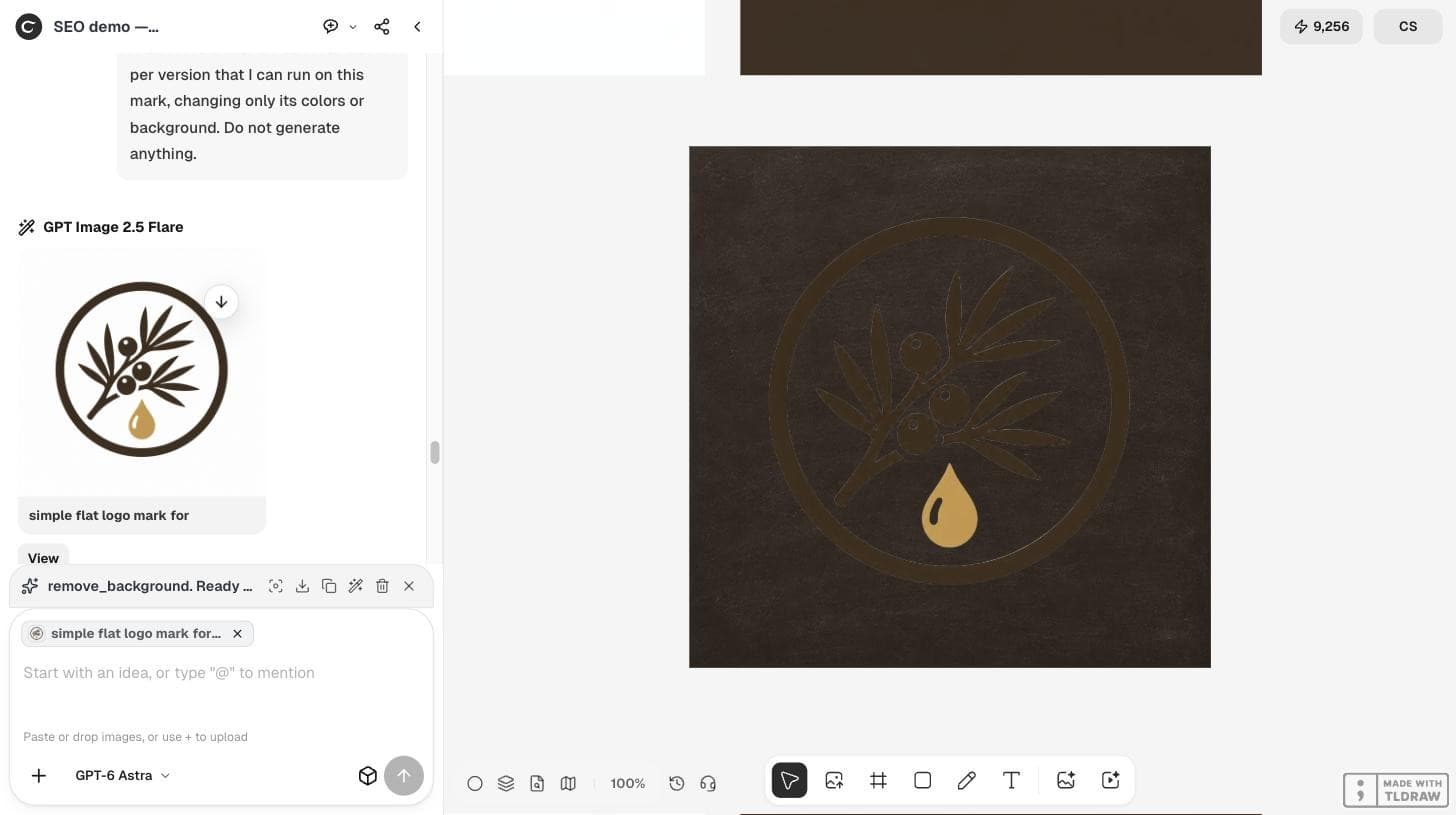
We placed the transparent logo on a plain dark espresso chalkboard image. The edges were clean, with no white fringe, but almost the whole logo disappeared. Only the honey-gold drop stayed easy to see, because the espresso artwork was nearly the same color as the board.
A transparent background does not make a logo work on every color. It only removes the box.
Use a reversed version on dark backgrounds
The fix for dark surfaces is a light version of the logo, not a better cutout. Keep two transparent files: the full-color mark for light surfaces and a reversed, light mark for dark ones. Our logo-versions guide shows how to plan them and why the shapes must match.
| Surface | File | Check |
|---|---|---|
| White or cream | Full-color, transparent | No fringe at the edges |
| Dark sign or photo | Reversed light version | Artwork clearly visible |
| Busy photo | Version with the most contrast | Readable at the smallest size |
| Printing | Vector (SVG or PDF) | Supplier proof |
Save and name the files clearly
Download the transparent PNG and name it by use, for example juniper-logo-color-transparent.png. A clear name stops someone from placing the white-box version on a website later.
People still run into this with everyday files. On September 18, 2026, a user in r/photoshop asked for help removing the background of a logo used as a watermark; the thread had 20 comments when we checked.
A Photoshop user's request for help with a logo background. It does not involve Ciyo.
Transparent logo questions
Did Remove BG show a price first?
In our run it started on click without a quote panel, and the balance fell by 2 credits. Check the pricing page for the current price.
Why is my transparent logo invisible on a dark background?
Transparency removes the box, not the color problem. Dark artwork on a dark surface needs a reversed light version.
Is a transparent PNG enough for printing?
For a sign or packaging, ask the printer. Many need a vector file such as SVG or PDF.
Clean up your logo file
Remove the background in Ciyo, then test the logo on every surface you will use.