Logo files · PNG to SVG
Convert a PNG Logo to SVG—and Check It Before You Use It
A printer, sign maker or web developer asks for your logo "as an SVG", and all you have is a PNG. Converting it is quick. Knowing whether the result is a usable vector file takes a few more minutes, and those minutes prevent a blurry sign or a logo with a white box around it.
This guide converts a simple logo mark with Ciyo's Vector action and lists what to check afterwards. The mark belongs to a fictional stationery shop, Fold, and was generated in Ciyo; the conversion was run on September 18, 2026. We compared the result on the canvas; we did not open the SVG in an external editor.
Know what the conversion can and cannot do
A PNG stores pixels. An SVG can store shapes that stay sharp at any size. Tracing turns the pixels into shapes by guessing where edges are. Flat marks with a few solid colours trace well. Photos, soft shadows, gradients and tiny text trace badly, because the tracer has to invent edges that the pixels only suggest.
Also note that a file ending in .svg can simply contain an embedded bitmap. That file is still a raster image in a different wrapper.
A September 13, 2026 post in r/Inkscape, titled "Raster pixels to vector", shows the problem. Its screenshot places a pixel-art card beside a vector attempt in which most of the figure is missing and a flat block of colour fills the card.
| Source PNG | Expected result |
|---|---|
| Flat mark, one or two solid colours | Clean shapes; the best case |
| Logo with small text | Letters may soften or merge; check every character |
| Gradients or soft shadows | Banding or many small shapes |
| Low-resolution or blurry file | Wobbly edges that follow the blur |
| Photo or illustration | A very heavy file; usually keep it raster |
An Inkscape user's screenshot of a pixel-art icon traced to vector. It illustrates the general tracing problem and does not involve Ciyo.
Prepare the cleanest source you have
Use the largest, sharpest PNG available, ideally on a plain background. Remove anything that is not part of the logo, such as mockup shadows or a watermark. If the logo sits on a coloured box that should not be part of the mark, fix that before converting.
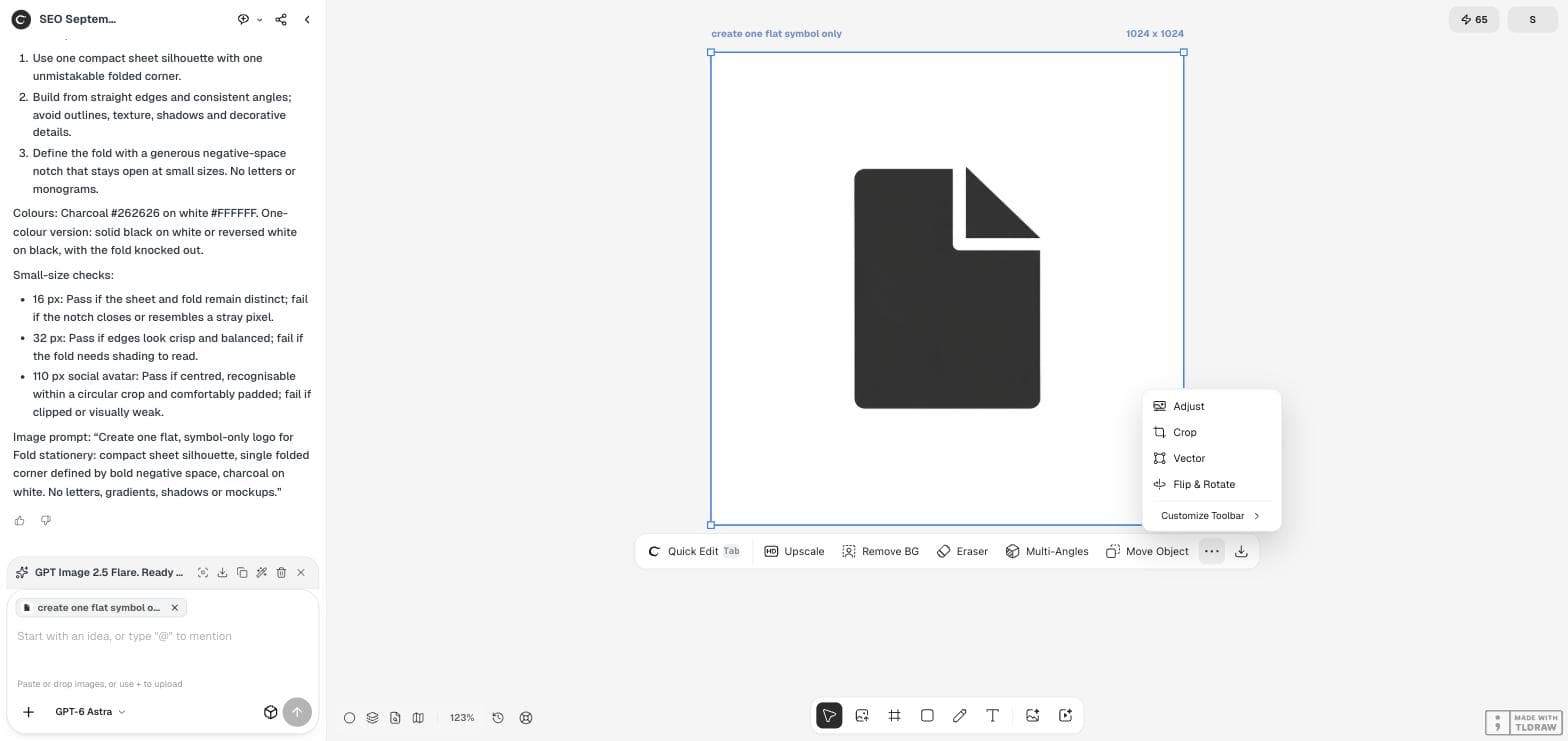
Our source was a 1,024 × 1,024 flat mark: a charcoal sheet with a folded corner on white. That is close to the best case for tracing.
Run Vector from the image menu
Place the PNG on the Ciyo canvas and select it. Open the "…" menu at the end of the image toolbar. The menu lists Adjust, Crop, Vector and Flip & Rotate. Choose Vector.
Vector is a metered action. In our run it started at once, without a separate settings panel, and the credit balance fell by 2. The result appeared beside the source.
Confirm that you received a vector
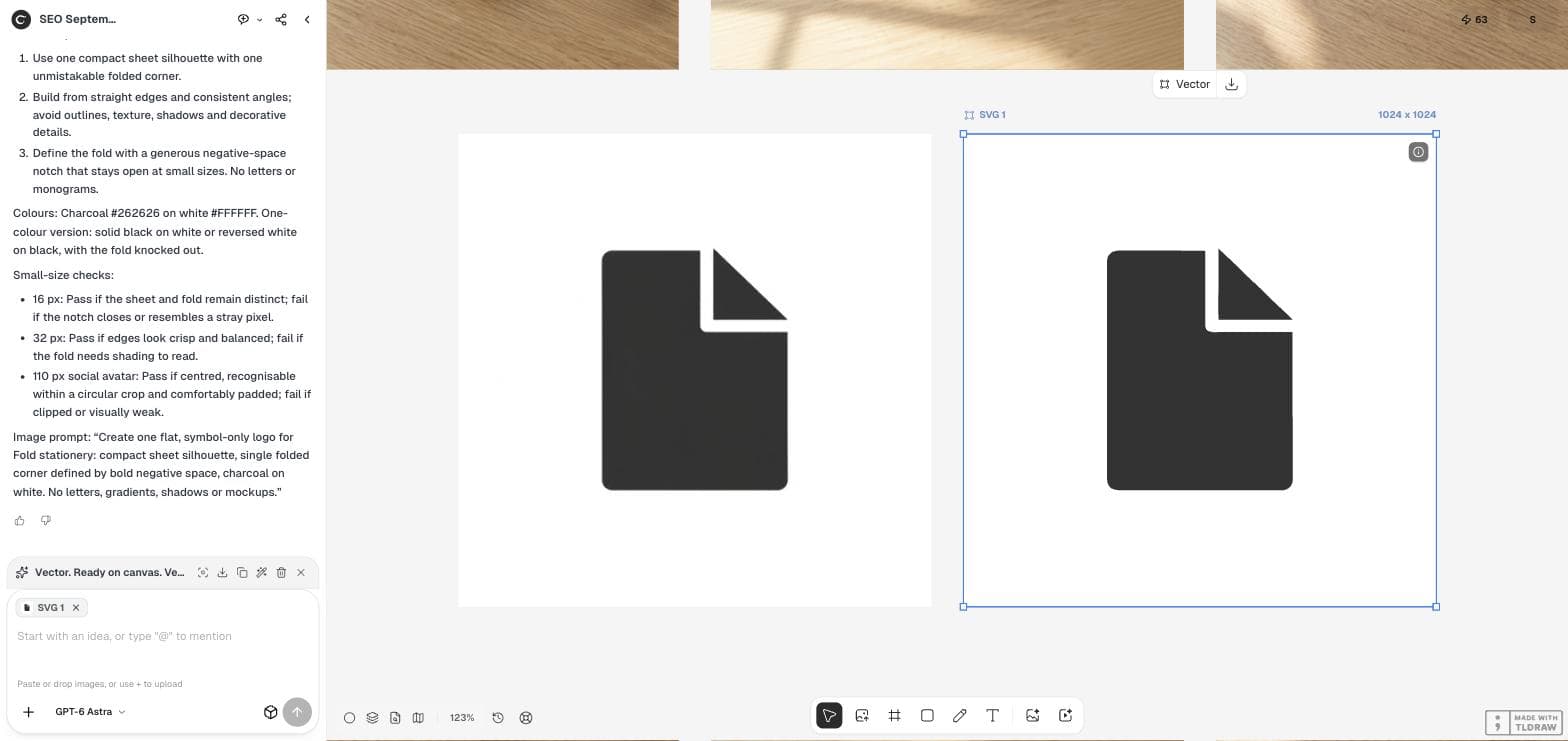
The result was labelled "SVG 1" and its toolbar changed to show Vector and Download instead of the photo-editing actions. That label is your first confirmation that Ciyo stored the result as an SVG asset.
Compare the two side by side. The shapes should match the source: same proportions, same notch, same corner radius. A tracer can round a sharp corner or straighten a slight curve.
Check the SVG before you send it
Zoom in on corners and thin gaps; vector edges stay sharp when enlarged, while traced mistakes become more obvious. Check that the background is really gone if you need a transparent mark, and that the colours are the exact brand values rather than close approximations.
If you can, open the downloaded file in a vector editor and count the shapes. A simple mark should have a small number of paths. Hundreds of tiny fragments mean the source was too soft or detailed.
| Check | Why it matters |
|---|---|
| Edges at 400% zoom | Traced wobbles show up in large prints |
| Background | A white box behind the mark is a common surprise on dark signs |
| Colours | Printers match the file's values, not your intention |
| Path count | Many fragments make the file hard to edit |
| Small text | Merged letters must be redrawn, not traced |
Know when to redraw instead
If the logo contains text, fine lines or several overlapping colours, a designer redrawing it from scratch can be faster than fixing a trace. Use the trace as a guide layer, not as the final file.
For a new mark, decide the shape first and convert last. Converting every draft makes rejected ideas look finished.
PNG to SVG questions
Does converting a PNG to SVG improve a blurry logo?
No. The tracer follows the pixels it gets, so a blurry source gives uneven shapes. Start from the sharpest file you have.
Is Ciyo's Vector action free?
No. It is a metered action; our balance fell by 2 credits for this conversion on September 18, 2026. Prices can change, so check your balance and the pricing page.
Can I convert a photo to SVG?
You can, but the result is usually a large file with many shapes. Keep photos as raster images.
Turn a clean PNG into a vector
Upload the logo to Ciyo, run Vector and check the SVG before it goes to print.