Opus 5.5 motion production
Opus 5.5 Kinetic Typography: Give Every Line Time to Read

A pottery studio needs a short workshop announcement that still makes sense with sound off. Its three messages are simple: Make room for clay.; Saturday workshop; Book a seat. The motion should help a viewer read them.
Opus 5.5 can write animation code; a rendering tool turns that code into frames and a video file. This guide concentrates on text pacing. Start with the broader motion-video guide if you need an introduction to that pipeline.
Ciyo’s Opus 5.5 agent built the fictional worked example below with code. The linked MP4 is the actual product export, drawn with Pillow and encoded with FFmpeg; it is not a generated camera-footage clip.
1. Decide which words must survive the animation
Use approved copy as data, separate from the animation. Keep capitalization and punctuation explicit. If a model paraphrases an offer, the output can look polished while communicating the wrong thing. A fictional workshop is useful for practice because it needs no invented testimonial or performance claim.
Give each scene one job: introduce the invitation, explain the event, then show the next action. A decorative label should be subordinate to the main line.
2. Put holds in the brief, not just transitions
For the six-second example, assign two seconds to each scene. At 30 frames per second, a scene has 60 frames. A proposed 12-frame entrance, 36-frame hold and 12-frame exit leaves 1.2 seconds of stable reading time; that is a starting design choice, not a universal readability threshold.
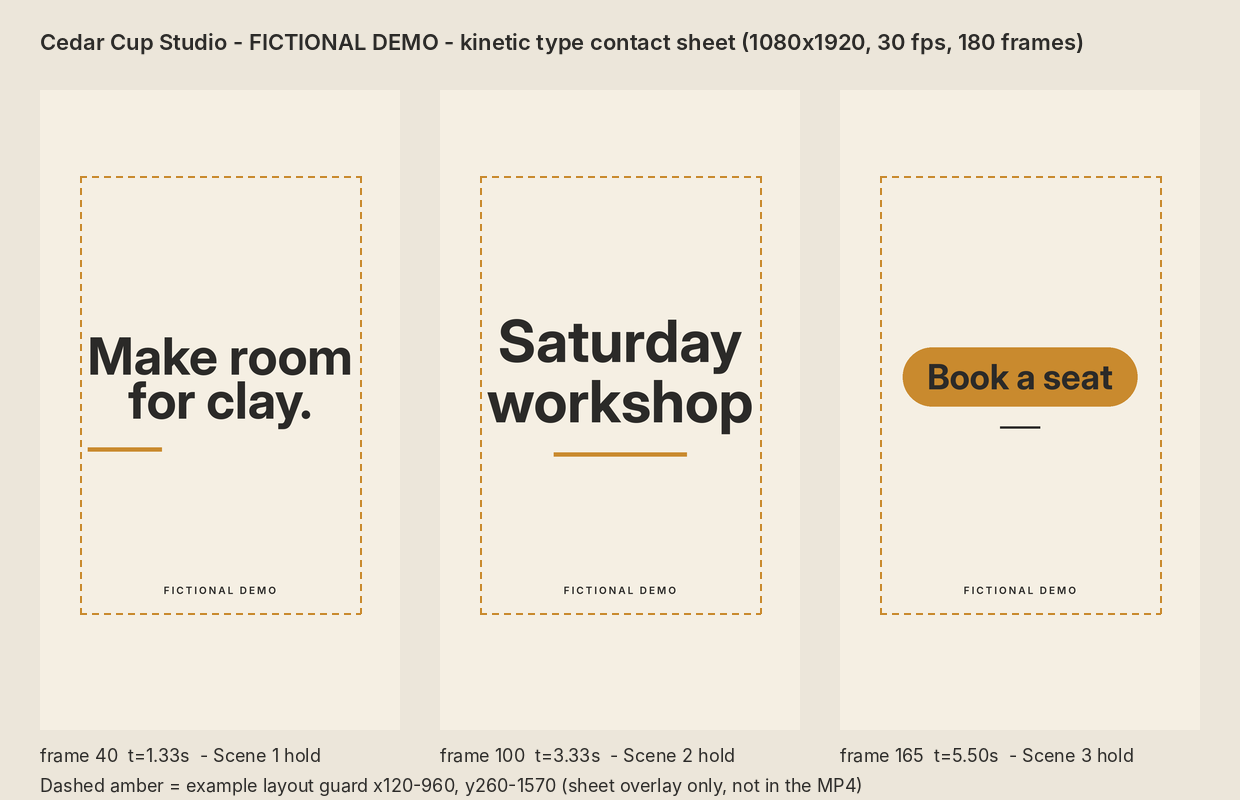
Ask for source and a contact sheet as well as MP4. Source lets you adjust the hold without rewriting the message; the sheet makes line breaks and hierarchy easier to compare.
| Beat | Copy | Frame range |
|---|---|---|
| Invitation | Make room for clay. | 0–59 |
| Event | Saturday workshop | 60–119 |
| Action | Book a seat | 120–179 |
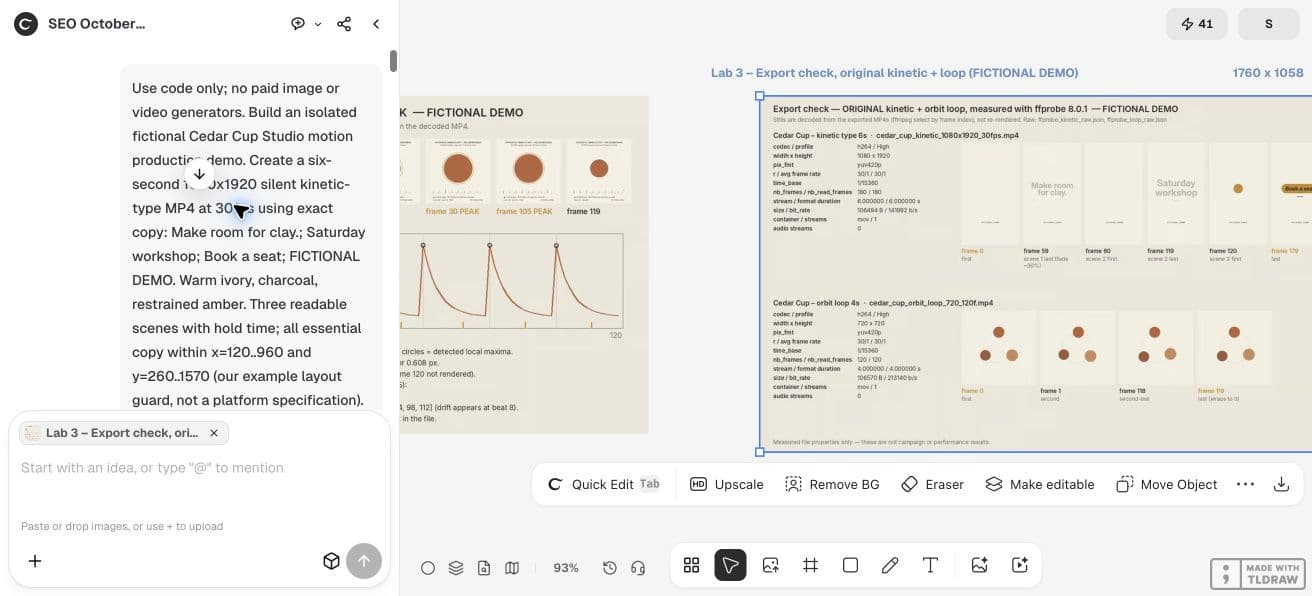
Use code only, no paid generators. Create a fictional Cedar Cup Studio six-second silent 1080x1920 motion promo at 30fps. Exact copy: Make room for clay.; Saturday workshop; Book a seat; FICTIONAL DEMO. Three two-second scenes with a stable reading hold. Warm ivory, charcoal and amber. Keep essential text within the example guard x=120..960, y=260..1570. Render from frame index, retain editable source, export MP4 and a three-frame contact sheet. Report actual font, dimensions, frame count and duration. Check every visible text bound.3. Check the whole text box
Measure the rendered text using the actual font, including ascent, descent and all lines. Checking a text anchor does not prove the visible letters fit. Avoid placing a word at the right edge and assuming its origin is its boundary.
Use a deliberately conservative example guard for the vertical composition. Our x=120…960 and y=260…1570 rectangle is a working layout choice, not an official Reels or TikTok safe-zone specification. Preview the intended platform separately.
4. Let movement settle before the important words
Animate a container or a reveal mask, then hold the final layout. Excessive overshoot can move readable text outside its bounds. Reduce the movement or shorten the line if the entrance needs more room.
At small viewing size, check whether the studio name competes with the invitation. Watch once without pausing; a contact sheet can miss an unreadably brief hold. Ask another person to repeat the offer and action after one viewing.
5. Review the actual Ciyo draft
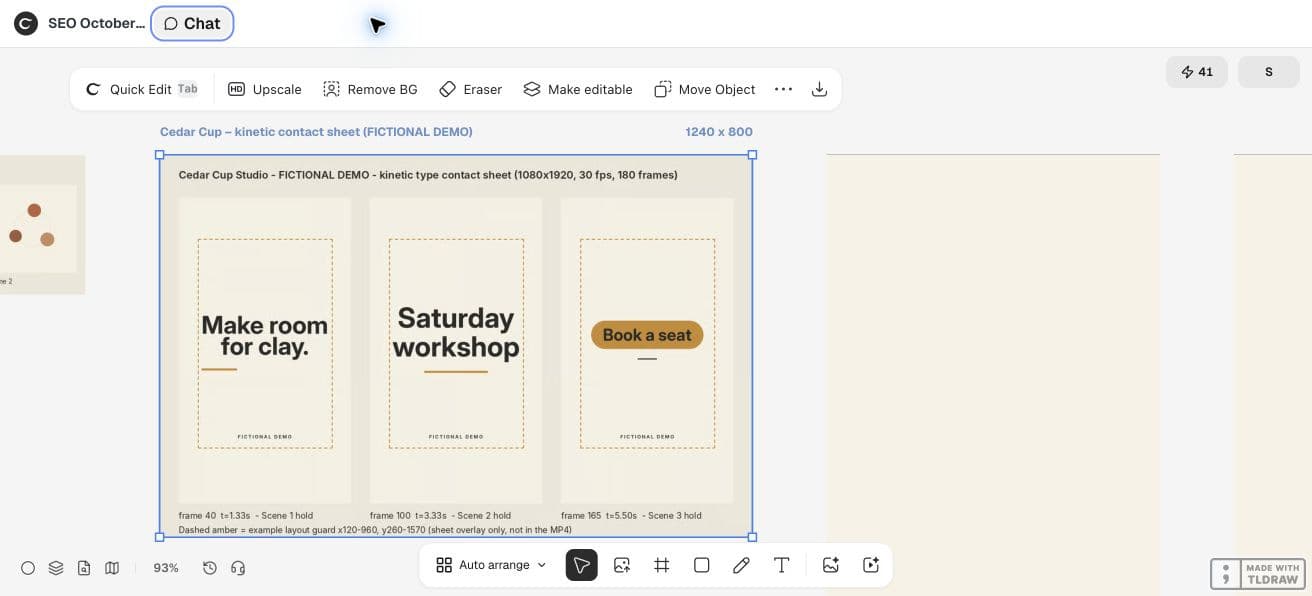
In an isolated project, ask the Ciyo agent to build the brief using code and export a silent draft. Inspect the returned contact sheet alongside the copy. A successful tool call is only the start of review: open the export, check each line, then examine the first and last frame of every scene.
For a longer workshop title, keep the same frame budget and test a two-line layout. Do not silently reduce the font until it fits. If the viewer needs longer, extend the hold or simplify the approved copy.
Our live Ciyo run produced a silent H.264 vertical draft with 180 counted frames, 30fps and a six-second duration. The agent used Inter Display Bold for headlines and Inter SemiBold for the fictional label. It reported checking every frame against the example guard; that is a renderer report, not a platform safe-zone certification.
The three hold frames are 40, 100 and 165. The final scene stays visible to the end instead of fading out. Treat the proposed entrance/hold/exit table above as a starting brief; the delivered third scene uses a different end hold.
In this demo, Ciyo saved the Python sources in the project workspace but could not attach a source archive to the canvas. Ask the agent to paste the source in chat when you need a copy outside that workspace; the video download is a separate deliverable.
A later source review found actual stable holds of 30, 29 and 24 frames, rather than the proposed 36-frame holds. The first two fades also stop before reaching zero. Use the exported draft to revise pacing; do not treat the original renderer’s summary as proof that the brief was met.
CFNStudio compares model outputs in Motion. This concerns another tool; our reading-time check is an original Ciyo exercise, not the poster’s advice or evidence of model superiority.
6. Deliver the source with a readable end card
Keep the final call to action stable and visible through the last delivered frame. Give the reviewer the exact source revision and a list of approved strings. Ask for timing feedback in scene names or frame ranges instead of a vague request to make it faster.
Anthropic lists Opus 5.5 as a text-output model; the MP4 comes from the renderer. A readable draft does not establish campaign effectiveness. Test the final upload at phone size before publishing.
Practical questions
Does Opus 5.5 directly output MP4?
It outputs text, including code. A separate renderer and encoder create the video file.
Is a 1.2-second hold enough for every headline?
No. It is an example starting point. Longer copy, smaller viewing sizes and unfamiliar words need separate review.
Can I fix pacing without changing copy?
Yes: edit the entrance, hold and exit frame ranges while keeping the approved strings fixed.
Make a small motion study you can check
Open an isolated Ciyo project, bring your approved copy, and ask the agent for source, a rendered draft and the specific checks your deliverable needs. Review the actual export before using it.