Opus 5.5 motion production
Opus 5.5 Motion Video Fonts: Match Preview and Export

The studio approves a headline in preview, but the exported line wraps differently. Before changing the design, establish whether the renderer loaded the same font and weight.
Font fidelity is a production dependency. A family name in a prompt does not prove that font was available during rendering.
Ciyo’s Opus 5.5 agent built the fictional worked example below with code. The linked MP4 is the actual product export, drawn with Pillow and encoded with FFmpeg; it is not a generated camera-footage clip.
1. Record the font you actually used
Keep family, weight, style, source file and fallback policy with the composition. Check the font’s permitted use for your delivery. If your example uses a system font, record the actual resolved face rather than claiming a branded typeface.
A reproducible font choice also needs a rendering environment. Different versions or fallback faces can change glyph metrics and wrapping.
2. Define a font readiness check
For a browser renderer, load the required font explicitly and wait for its readiness before the first captured frame. MDN documents document.fonts.ready as a promise that resolves after font loading and related layout work.
For a Pillow renderer, load the chosen local font file before drawing. The browser readiness API does not apply to that pipeline; use the corresponding actual font file and metric checks.
| Renderer | Dependency | Check |
|---|---|---|
| Browser canvas/DOM | Font face loaded | Wait for readiness before capture |
| Pillow | Local font file | Load file and measure text |
| Either | Exact weight and style | Compare rendered hold frame |
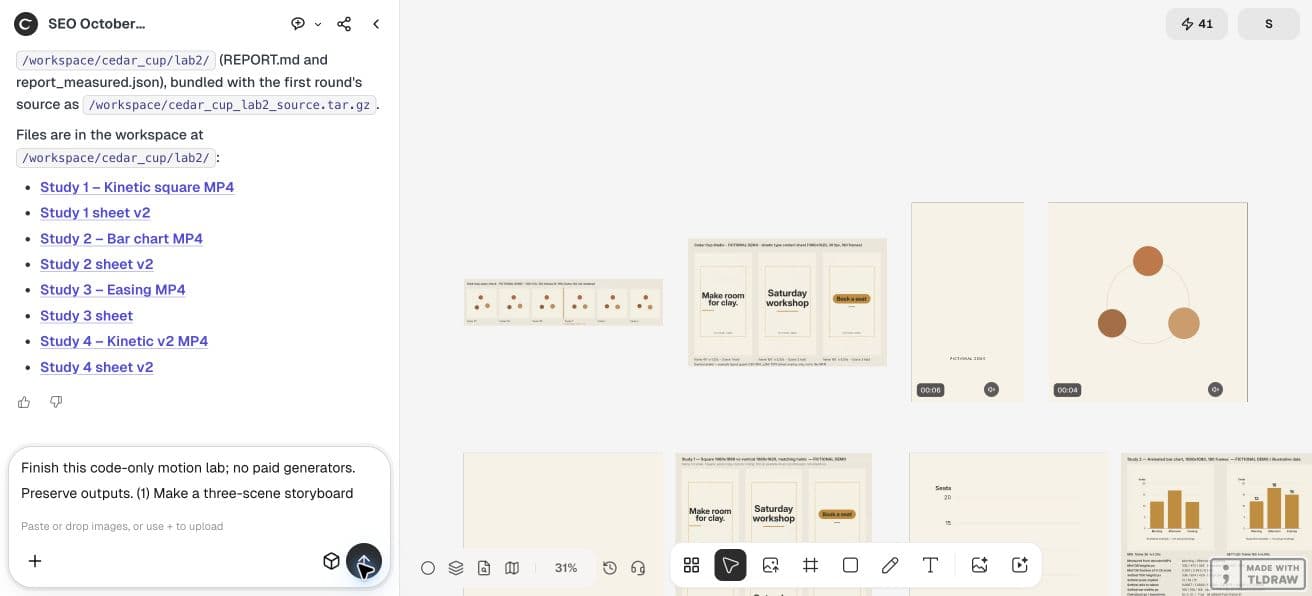
Using the Cedar Cup Studio code-motion source, report the actual font file/family, weight and renderer. Measure rendered bounds for Make room for clay.; Saturday workshop; Reserve your place.; FICTIONAL DEMO. Save a typography specimen using the actual loaded font and compare it with the exported stable scene frames. If a requested font is unavailable, report the fallback; do not claim the requested face was used.3. Test a difficult string first
Use the longest approved line plus characters that expose metric differences. For this demo, compare “Saturday workshop” and “Reserve your place.” Check punctuation and the fictional label too.
Measure the full rendered string at the chosen size. A font substitution may fit one headline while clipping another, so do not use a single short word as your only check.
4. Compare a stable frame after loading
Capture the same hold frame in preview and export with matching dimensions. Check line count, visible text bounds and baseline. A full-file visual difference may include compression noise; inspect the type itself.
If the first frames differ while later ones match, suspect readiness. If every frame differs, inspect font resolution, device scale and layout rules before editing the animation.
5. Ask Ciyo to report the actual font dependency
Request the resolved font path or family from the code-based renderer and a text-bound report for the workshop strings. Retain the source rather than only the MP4.
For the demo, a locally available font is acceptable when identified honestly. Do not say a requested commercial font was used if the tool silently fell back to a different face.
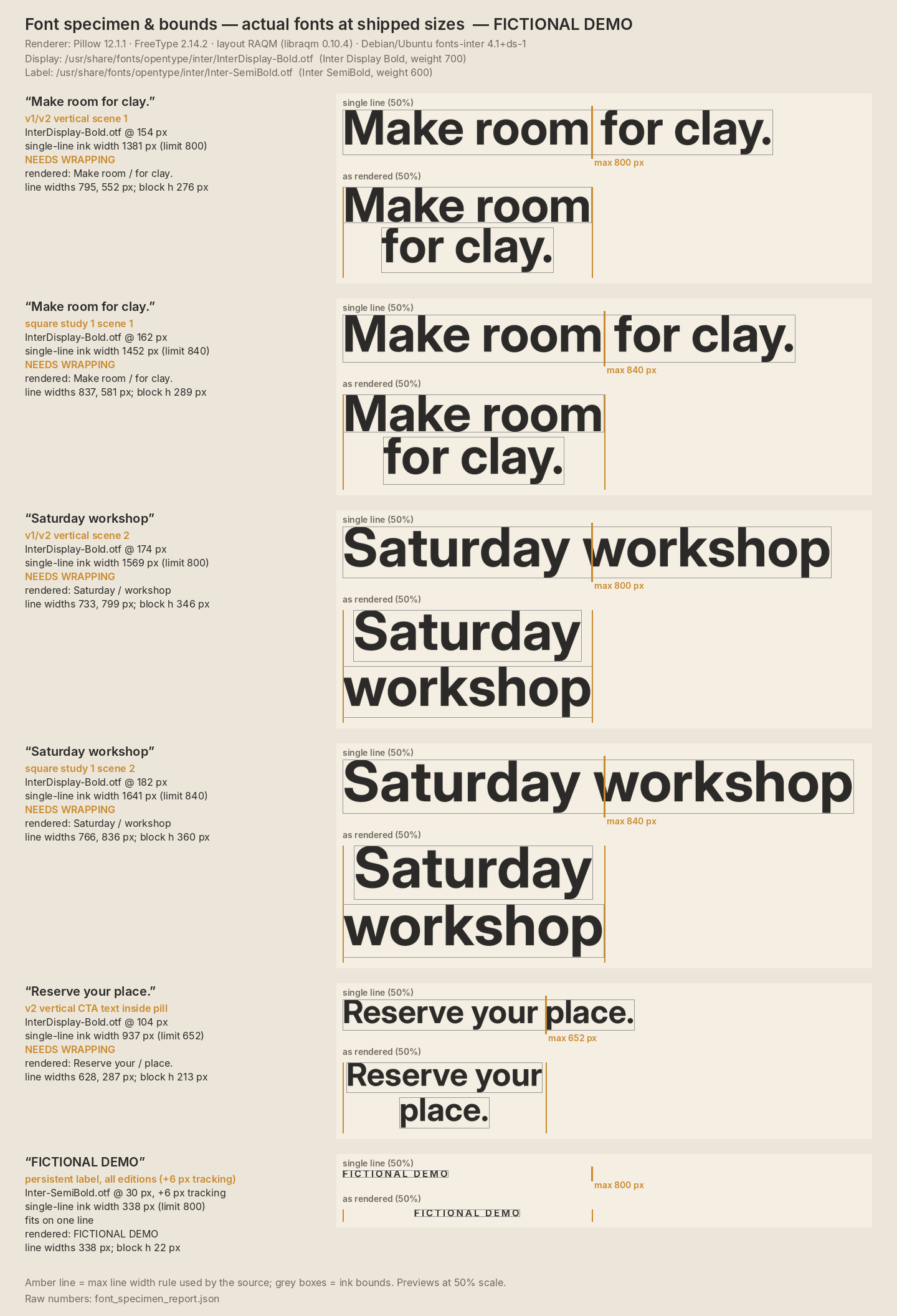
Ciyo’s actual specimen reported Inter Display Bold (weight 700) and Inter SemiBold (weight 600), both version 4.001, rendered with Pillow and FreeType. “Make room for clay.” measures 1,381px at 154px before wrapping into an 800px text area; “Saturday workshop” measures 1,569px at 174px and also needs two lines.
The longer CTA measures 937px at 104px against its 652px usable width and wraps as “Reserve your / place.” The 30px fictional label measures 338px and fits one line. These are measurements from this renderer, not universal font metrics. Open the specimen below to see the declared font files and full report.
Ciyo kept the renderer source and reports in this project’s workspace. The canvas cannot attach a source archive in this workflow; ask the agent to paste the code in chat if you need to retain it elsewhere.
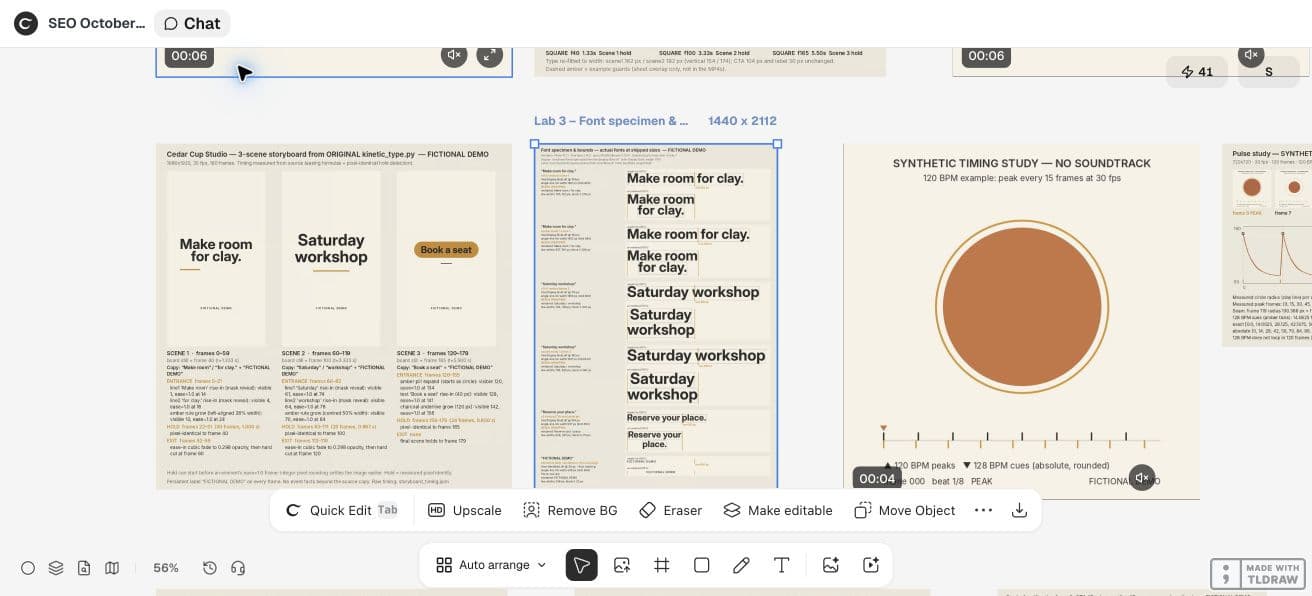
CFNStudio contrasts Opus 5.5 with and without the Motion harness. This concerns another tool; our font-dependency check is an original Ciyo exercise, not a test of that harness or an endorsement.
6. Deliver a reproducible text layout
Bundle permitted font assets or document a supported local dependency. Keep the measured hold frame as a reference. If the environment changes, repeat the type checks before delivery.
A screenshot of a good preview cannot establish export fidelity. Open the encoded file and inspect the frame the reviewer will actually see.
Practical questions
Is document.fonts.ready required for every renderer?
It is a browser API. A non-browser renderer needs its own font loading and metric checks.
Does a font family in the prompt establish the exported font?
No. Record the face actually resolved by the renderer and inspect the output.
Should I reduce font size when the export wraps differently?
First establish that preview and export use the same font, weight and dimensions.
Make a small motion study you can check
Open an isolated Ciyo project, bring your approved copy, and ask the agent for source, a rendered draft and the specific checks your deliverable needs. Review the actual export before using it.