Practical creative workflows
Pixel-Art Sprite Hitbox: Separate Collision from Visible Pixels

A fox’s tail can look right and still make a platformer feel unfair if every visible pixel becomes part of its collision rectangle. Decide which area should collide before you export the character.
We made a fictional 32×32 fox in Ciyo with code, then a separate 8× inspection image. The example shows how to hand off a sprite and collision coordinates together. It is a deterministic illustration, not a test of an image model or a game-engine integration.
Write the coordinate contract first
Give the developer native dimensions, coordinate origin, axis directions and the rectangle’s meaning. In this example the origin is the top-left of the 32×32 image; x increases rightward and y increases downward. Canvas display size does not change these values.
The chosen hitbox starts at x=8, y=7 and measures 16×23 native pixels. Its right and bottom exclusive edges are 24 and 30. Both fit within 32. These values are an illustrative design choice; tune your own rectangle against the game’s movement and collision behavior.
| Field | Value | Meaning |
|---|---|---|
| Image | 32×32 | Native PNG dimensions |
| Origin | Top-left | Coordinates before display scaling |
| Hitbox | 8, 7, 16, 23 | x, y, width, height |
| Exclusive edges | 24, 30 | x + width; y + height |
| Proof scale | 8× | Inspection only, 256×256 |
Ask for a separate overlay
Start a new Ciyo project and put the source dimensions and rectangle in the same request. Ask the Design agent to preserve the native file and draw the collision overlay on a copy. Request a manifest in the response so the coordinates remain readable even when the canvas preview is small.
We used Ciyo Agent and code tools. Our prompt deliberately requested a code-generated placeholder and avoided paid image or video generation. Bring your own approved sprite for a production character; ask for the same checks on that attached file.
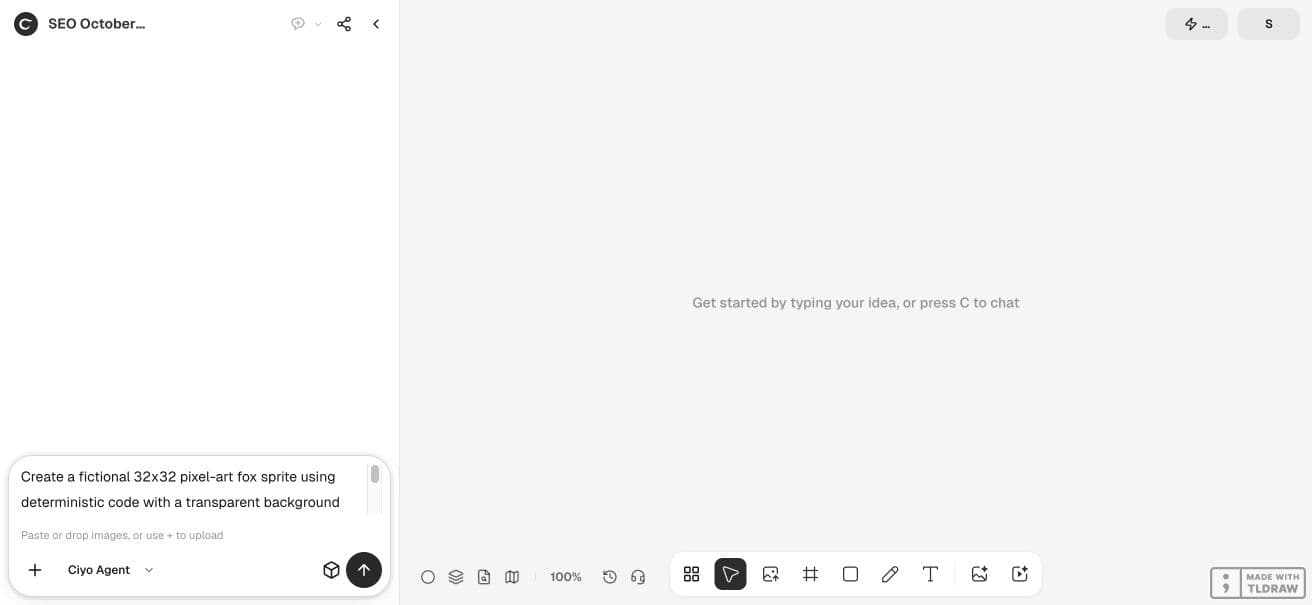
Create a fictional 32x32 pixel-art fox sprite using deterministic code with a transparent background and no paid generator. Create a separate collision hitbox x=8 y=7 width=16 height=23, expressed in native sprite coordinates; draw a coloured hitbox overlay in a separate 8x nearest-neighbour PNG proof while preserving the source sprite unchanged. Deliver the native PNG, proof PNG and a text JSON manifest with native dimensions, hitbox and origin top-left. Explain visible alpha bounds are not necessarily collision bounds. Add source and proof to the canvas. Check native dimensions, integer coordinates, rectangle staying within canvas and source pixel hash staying unchanged after making overlay. No game engine claim. This is an illustrative fixture generated in the real Ciyo workspace.Read the two outlines differently
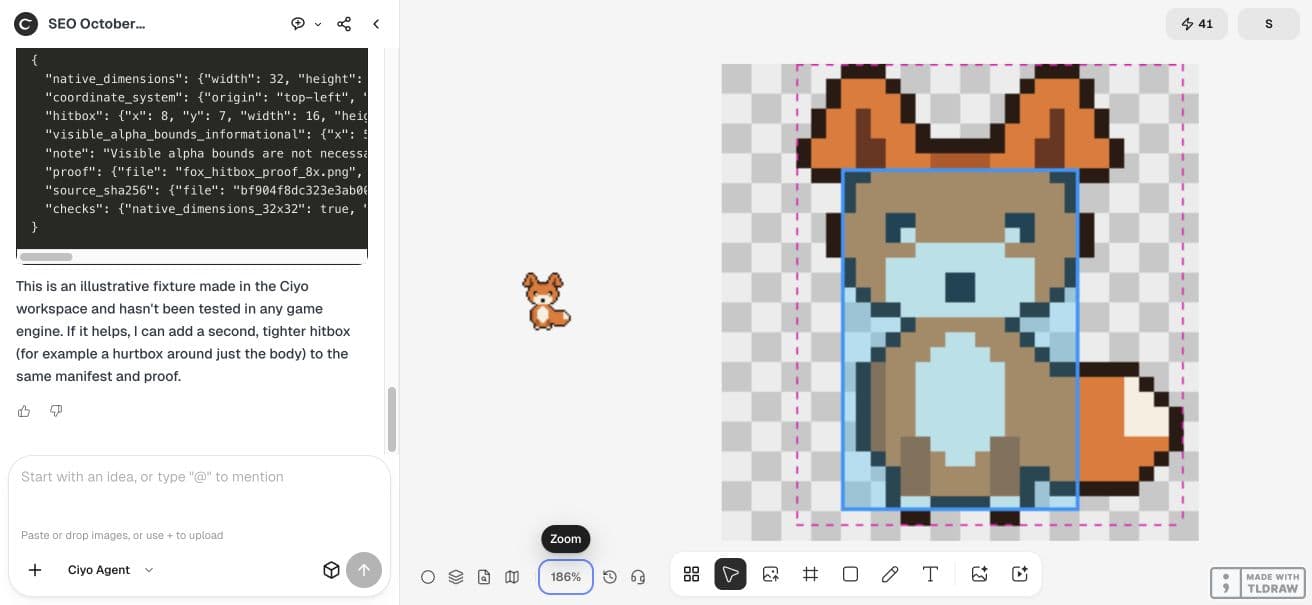
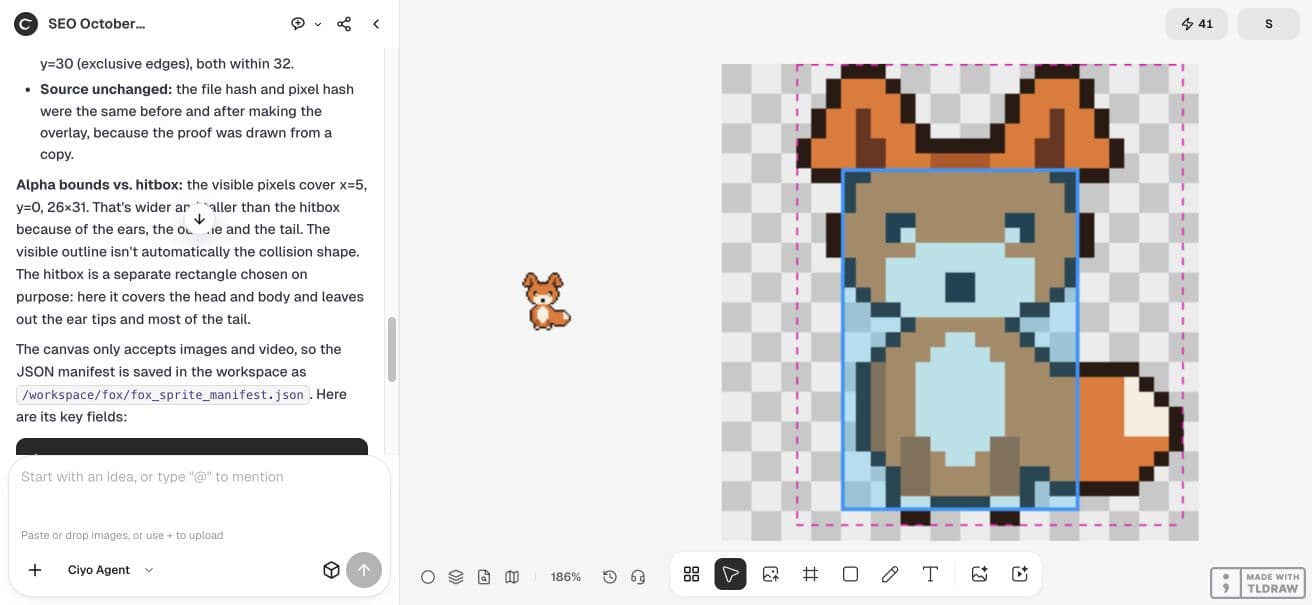
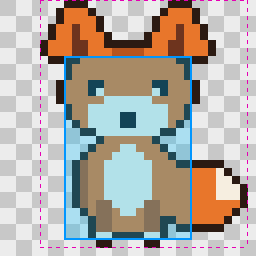
The result contains a native PNG and a 256×256 proof. The blue overlay marks our authored collision rectangle. The magenta dashed outline marks visible alpha bounds. The checkerboard is an inspection background, not part of the native sprite.
The visible bounds are x=5, y=0, width=26, height=31. Ears and tail extend beyond the collision rectangle. That is the point of keeping the two measurements separate: visible artwork describes appearance; an authored collision shape expresses gameplay intent.
Inspect the native file and manifest
Download the native file rather than a screenshot of the canvas. Check that it is 32×32 with actual alpha transparency. Read the manifest in native units and confirm x + width ≤ image width and y + height ≤ image height. Compare the source hash before and after proof creation when preservation matters.
Keep the proof out of the shipped sprite
The retained example’s decoded pixel hash matches the hash reported by the agent. The overlay is a separate file; do not ship it as the sprite unless you intentionally want debug artwork visible in the game.

Test collision behavior where the game runs
Import the source and translate the rectangle into your engine’s collision settings. Keep any engine pivot offset explicit. Test walls, ground, narrow gaps and interactions at the character’s intended display size. A correct rectangle file does not establish fair gameplay.
Godot’s physics documentation treats collision shapes as their own objects. That distinction supports this handoff, but this example was not imported into Godot or another engine. Movement rules, active hit frames and damage cooldowns need their own implementation and checks.
Practical questions
Is the hitbox automatically the alpha bounding box?
No. We authored a smaller rectangle intentionally. Use visible bounds as evidence, then choose collision bounds for the game.
Should I use 256×256 coordinates from the proof?
No. The manifest uses the native 32×32 coordinate system. The larger proof exists only for inspection.
Was this tested in a game engine?
No. The retained PNG and manifest were checked; gameplay remains a separate test.
Prepare a sprite with explicit collision coordinates
Start with one checked example in Ciyo. Keep the source and inspect the exported result before using it in your own project.