Practical creative workflows
Sprite Pivot Alignment: Pad Frames Without Redrawing
A courier’s foot jumps when differently cropped animation frames share the same centre position. Changing the drawing can create another problem. The useful preparation is a consistent frame and an explicitly chosen contact point that your engine can interpret.
We built three fictional pixel sprites in Ciyo’s file workspace and padded them into common frames. Their foot anchors were supplied coordinates, not discovered engine pivots. The downloaded files preserve their source rectangles exactly; engine import and animation playback still need a separate check.
Record the anchor before adding padding
Choose a consistent semantic point, such as the sole touching the ground. Record its coordinates from a stated origin. A sprite’s visual centre, bounding-box centre and foot contact point are different concepts; let the game’s requirement decide.
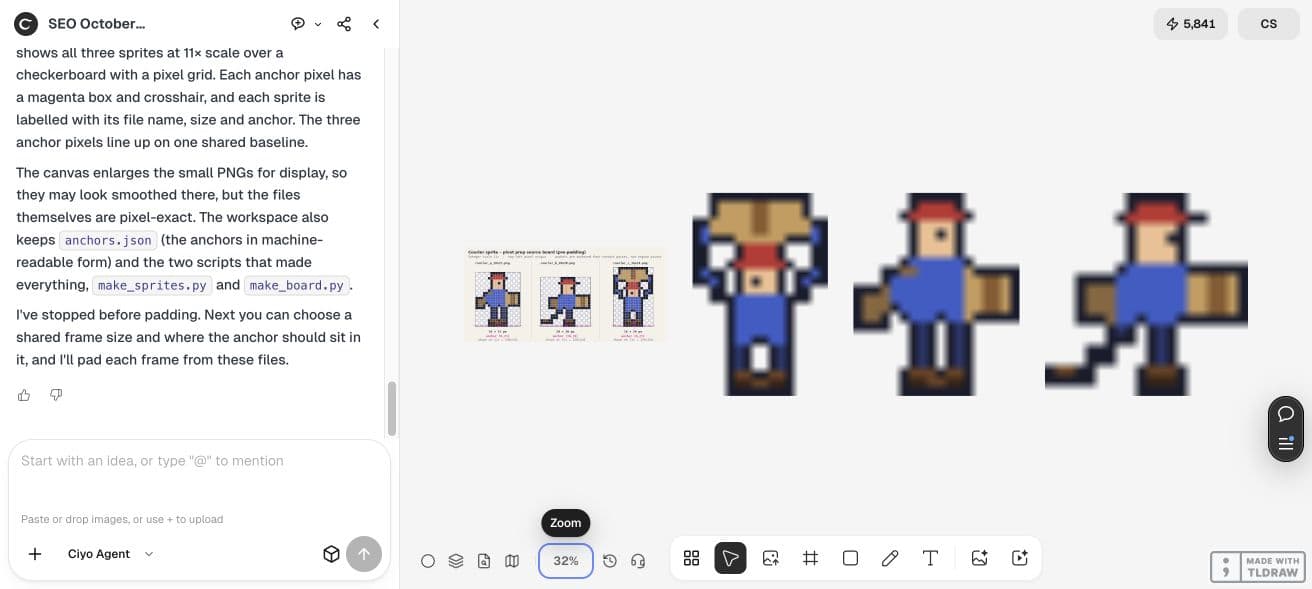
Our source PNGs are tightly cropped RGBA drawings with binary transparency. Frame A is 18×22 with local anchor (9,21), B is 20×20 with (10,19), and C is 16×24 with (8,23). Coordinates use a top-left pixel origin.
Choose one frame and one common contact point
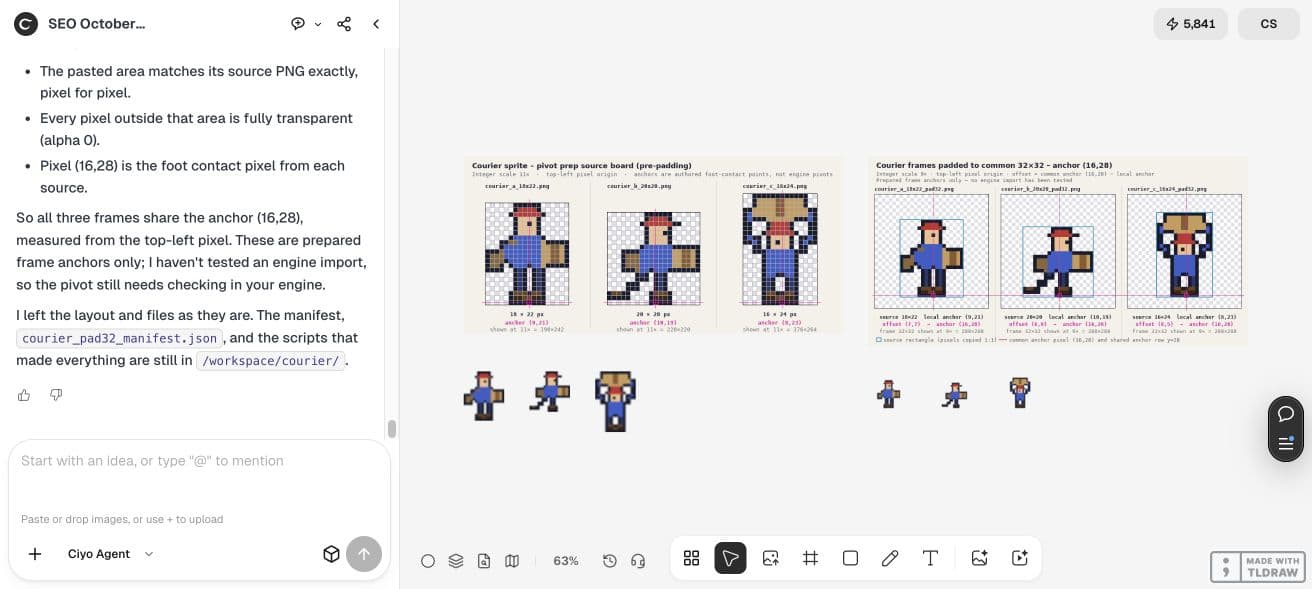
We selected a transparent 32×32 frame and common anchor (16,28). Each source must fit after translation. If the computed placement clips any source edge, enlarge the frame or choose another common point before writing the output.
Compute offset as common anchor minus local anchor. This is integer translation without scaling. Do not ask for a new pose or a smoother silhouette when the goal is preserving approved frames.
| Frame | Source | Local anchor | Paste offset | Common anchor |
|---|---|---|---|---|
| A | 18×22 | (9,21) | (7,7) | (16,28) |
| B | 20×20 | (10,19) | (6,9) | (16,28) |
| C | 16×24 | (8,23) | (8,5) | (16,28) |
Copy pixels directly into a transparent frame
Ciyo copied each complete RGBA source rectangle into the output. Using the alpha channel as a paste mask can blend pixels instead of copying them directly; specify the operation clearly if partially transparent edges must survive.
The source files here contain only clear or opaque alpha, but the requested direct-copy method also avoids unnecessary blending. Keep the unmodified sources beside the prepared frames so you can repeat the comparison.
Pad these existing RGBA sprites into transparent 32×32 frames. Use common anchor (16,28) and local anchors A (9,21), B (10,19), C (8,23), all top-left origin. Paste at A (7,7), B (6,9), C (8,5) with direct RGBA copy, without resizing or redrawing. Reopen outputs; compare source rectangles exactly and assert outside alpha is 0. Return files and an anchor manifest.Verify the saved rectangles and empty margins
We independently downloaded and decoded all three prepared frames. Each source rectangle matched every RGBA pixel, every outside pixel had alpha 0, and the contact pixel arrived at (16,28). These checks verify file preparation, not the behaviour of an animation controller.
Ciyo caught an overlapping label in its first comparison board and made a corrected final board. The clean saved layout needed a page refresh after an obsolete draft was removed. We retained that trace; display arrangement did not change the sprite files.
Translate the coordinates into your engine’s convention
An engine may express an origin as a normalized point, a centre offset or another coordinate convention. This manifest deliberately records top-left pixel coordinates. Do not paste its numbers into an unrelated engine field without translating their meaning.
Import a short sequence, disable unintended smoothing when appropriate, and check the ground contact during playback. A consistent contact point reduces one source of visual jitter; it does not correct poses, timing or an inconsistent drawing.
Deliver an anchor manifest with the frames
Keep source size, local anchor, paste offset and common anchor together. A teammate can then audit the placement instead of inferring it from a screenshot. The retained JSON below includes the actual filenames and checks.
For a different sprite, choose the contact point from the approved art and repeat the fit and pixel comparisons. Transparent padding provides a consistent container; it does not infer the correct physical anchor for every character.
Practical questions
Is padding the same as atlas spacing?
No. Here padding aligns each frame’s chosen contact point. Atlas spacing separates packed images to reduce sampling bleed.
Were these anchors tested in a game engine?
No. They are prepared top-left pixel coordinates. Translate and review them in your target engine.
Did the sprites change shape?
No. Independent decoded comparisons confirmed each retained source rectangle was identical.
Align one short sprite sequence
Open approved source frames in Ciyo, state a common anchor and request verified transparent padding plus a manifest.