Ciyo · Practical design
Recipe Card Maker: Keep Every Quantity and Step
A recipe card has less room than a recipe page, but the quantities and method cannot simply shrink with it. An attractive layout that drops a unit or a final step is not a useful handout.
Our November 5 development request used an original fictional Harbor Kitchen drink recipe and a two-sided 6 × 4 inch card. The example tests layout and copy preservation; it is not nutrition advice, a recipe-development test or a physical print certification.
Quick answer: use the second side before shrinking the type
Approve the recipe first, divide ingredients from the method, and keep the words in an editable layout. Put the title, yield and ingredients on the front; use the back for the ordered steps when the copy would otherwise become cramped.
Check the saved card against the approved text line by line. Do not let a layout request silently become a request to improve the recipe. A practical card maker lets you preserve facts and correct one line without redrawing the illustration.
1. Freeze the recipe copy
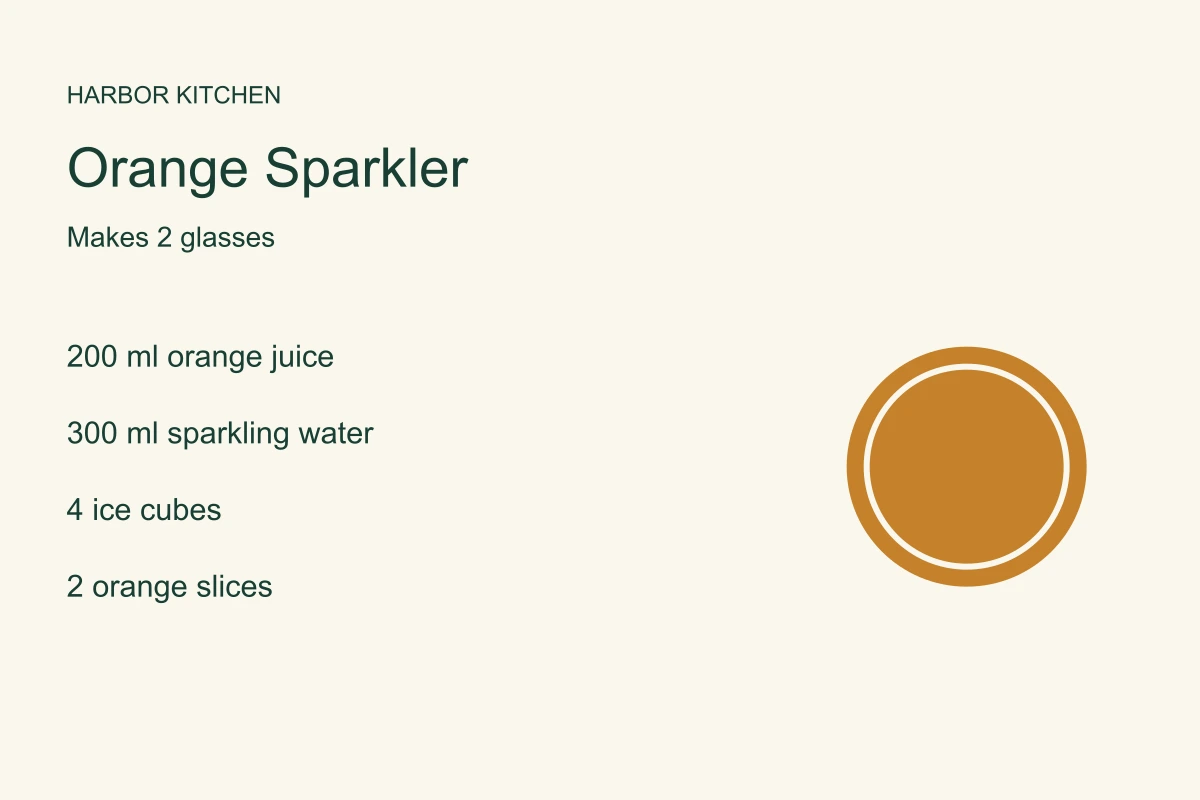
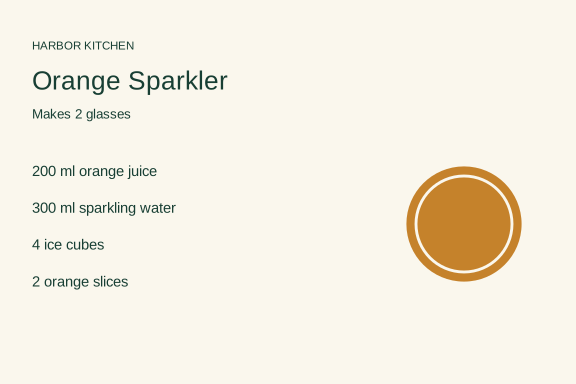
Our fictional Orange Sparkler makes two glasses: 200 ml orange juice, 300 ml sparkling water, four ice cubes and two orange slices. Each glass receives 100 ml juice and 150 ml water. The arithmetic is simple enough to inspect without a specialist tool.
Keep the yield, ingredient names, quantities, units and sequence in a source document. If an abbreviation is ambiguous, resolve it before design. Use the owner’s approved wording for any allergen or preparation statement; do not invent one to make the card appear complete.
| Part | Approved fact | Review |
|---|---|---|
| Yield | 2 glasses | Visible near the title |
| Orange juice | 200 ml total; 100 ml per glass | Unit and quantity unchanged |
| Sparkling water | 300 ml total; 150 ml per glass | No silent conversion |
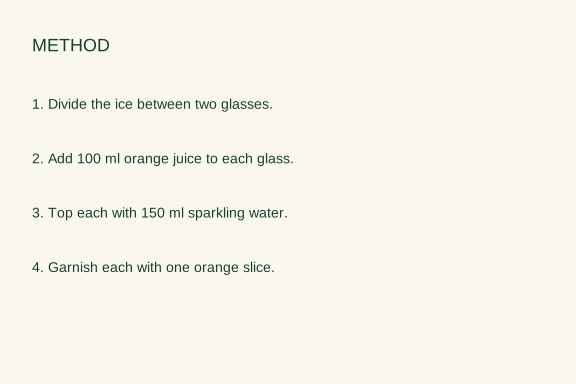
| Method | 4 ordered steps | All four present on the back |
2. Ask for a specific card, not a picture of a card
Give Ciyo the exact copy, finished dimensions and front/back assignment. Request flat files with readable type. A perspective mockup can help explain the idea but cannot replace the artwork needed to print or edit it.
We requested a citrus illustration, editable SVG type and PNG proofs. The development request remained working without a usable output, and we stopped it. No product export was delivered. The editable worksheets linked below were made outside Ciyo; they are not evidence of a completed agent handoff.
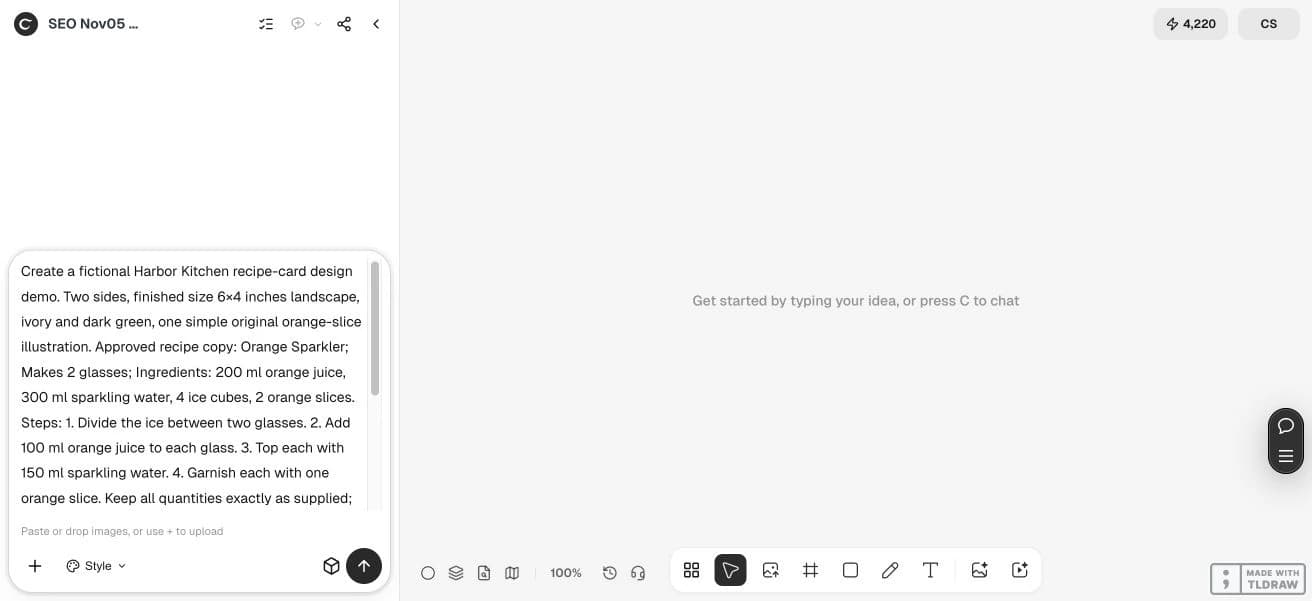
Create a fictional Harbor Kitchen recipe-card design demo. Two sides, finished size 6×4 inches landscape, ivory and dark green, one simple original orange-slice illustration. Approved recipe copy: Orange Sparkler; Makes 2 glasses; Ingredients: 200 ml orange juice, 300 ml sparkling water, 4 ice cubes, 2 orange slices. Steps: 1. Divide the ice between two glasses. 2. Add 100 ml orange juice to each glass. 3. Top each with 150 ml sparkling water. 4. Garnish each with one orange slice. Keep all quantities exactly as supplied; no conversions, extra ingredients or nutrition claims. Front: title, ingredients and illustration. Back: all four steps. Use crisp editable type in a source SVG, not generated text pixels. Save PNG previews on the canvas; supply source SVG if downloadable file delivery is supported and explain any limitation. Check every number and front/back orientation. Do not publish.3. Build hierarchy around the cooking sequence
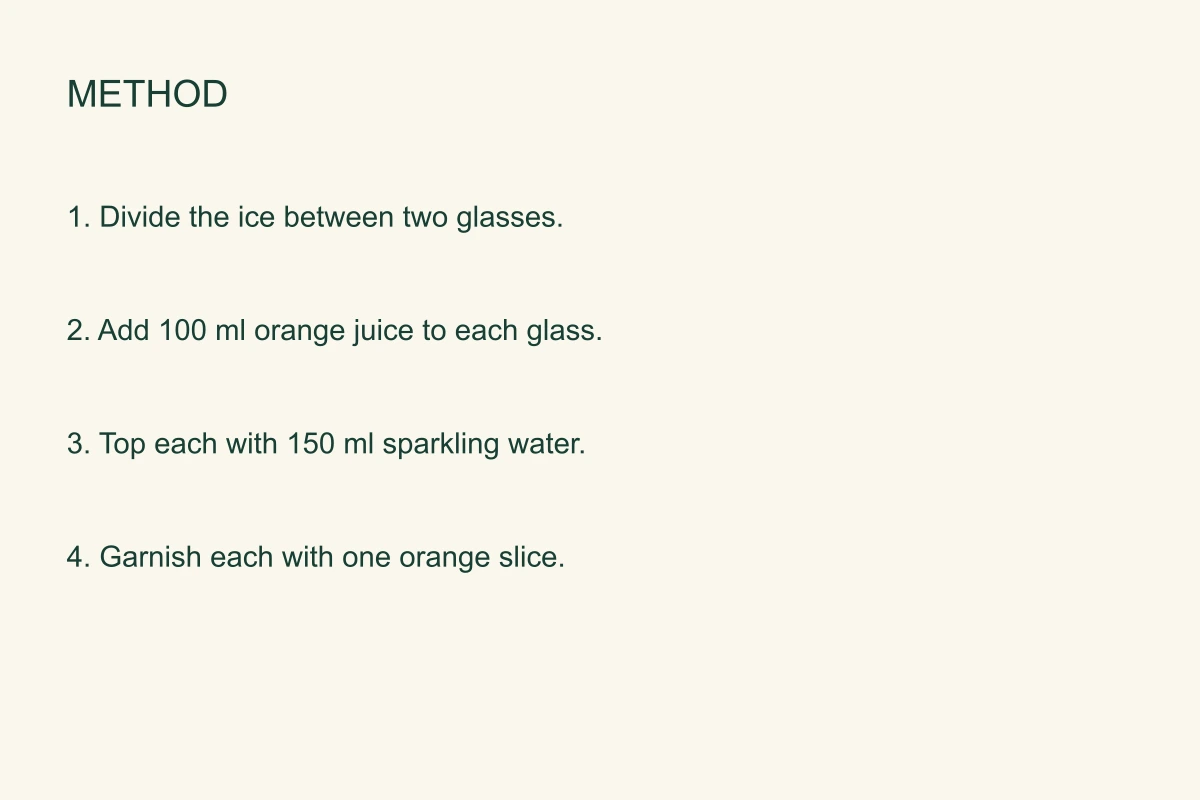
On the front, make the dish name and yield easy to find, then list ingredients in a sensible order. On the back, use visible step numbers and enough spacing that a reader can move from one action to the next without losing their place.
If the longest step does not fit, revise the layout or use a larger card. Avoid deleting a qualifying phrase or compressing type until the recipe is difficult to follow. A workshop host may prefer generous type; a family archive may want space for a handwritten note.
4. Compare every number and action
Check 200, 300, 4 and 2 in the ingredients, then 100 and 150 in the per-glass steps. Confirm that both glasses receive a garnish and that the steps remain in order. This checks the supplied example; it does not verify a different recipe’s safety or flavor.
Read the exported file rather than relying on a chat summary saying that all facts were preserved. Look for a missing unit, a changed serving count or a repeated step. If the agent has revised wording, compare that wording with the approved source before accepting it.
5. Test the two-sided handoff
Open both files at the intended 6 × 4 inch size. Check that the front and back use the same dimensions and that the back will read upright with your printer’s duplex setting. A small labeled corner on a disposable test sheet can reveal a rotation mistake.
The development example is a digital design request, not a physical print test. Print one inexpensive dummy, check type at normal reading distance, and then decide on paper and quantity. Use a printer template when bleed, rounded corners or unusual stock changes the available space.
The linked recipe-card worksheet files are original editorial examples authored outside Ciyo, not product exports. Their sample copy is English. Open the SVG in a compatible editor to revise the text; fonts may substitute. These are digital reading proofs without a physical print test or printer approval.
Questions before you start
Can Ciyo invent the recipe too?
This walkthrough starts from approved copy. Recipe invention, nutrition, food safety and allergen verification are separate tasks.
Is a generated recipe-card image editable?
Its words are pixels. Ask for a real editable layout source and verify that it is delivered and opens correctly.
What if the recipe will not fit?
Use the second side or a larger format before reducing type. Keep every necessary instruction.
Can I print the PNG directly?
It may serve as a proof if dimensions and resolution are suitable. The selected printer may require a different file format, bleed or color setup.
Start with one clear brief
Bring your approved facts and references to Ciyo. Inspect the saved result before using it in print or a campaign.