Practical design workflows
AI Food Photography: Improve a Real Photo Without Changing the Dish
A yellow cast can make a freshly prepared meal look unappealing. Replacing that meal with a more impressive generated dish creates a different problem: customers may order something the kitchen never serves. The useful starting point is a photograph of the actual food, with an explicit list of details an edit must retain.
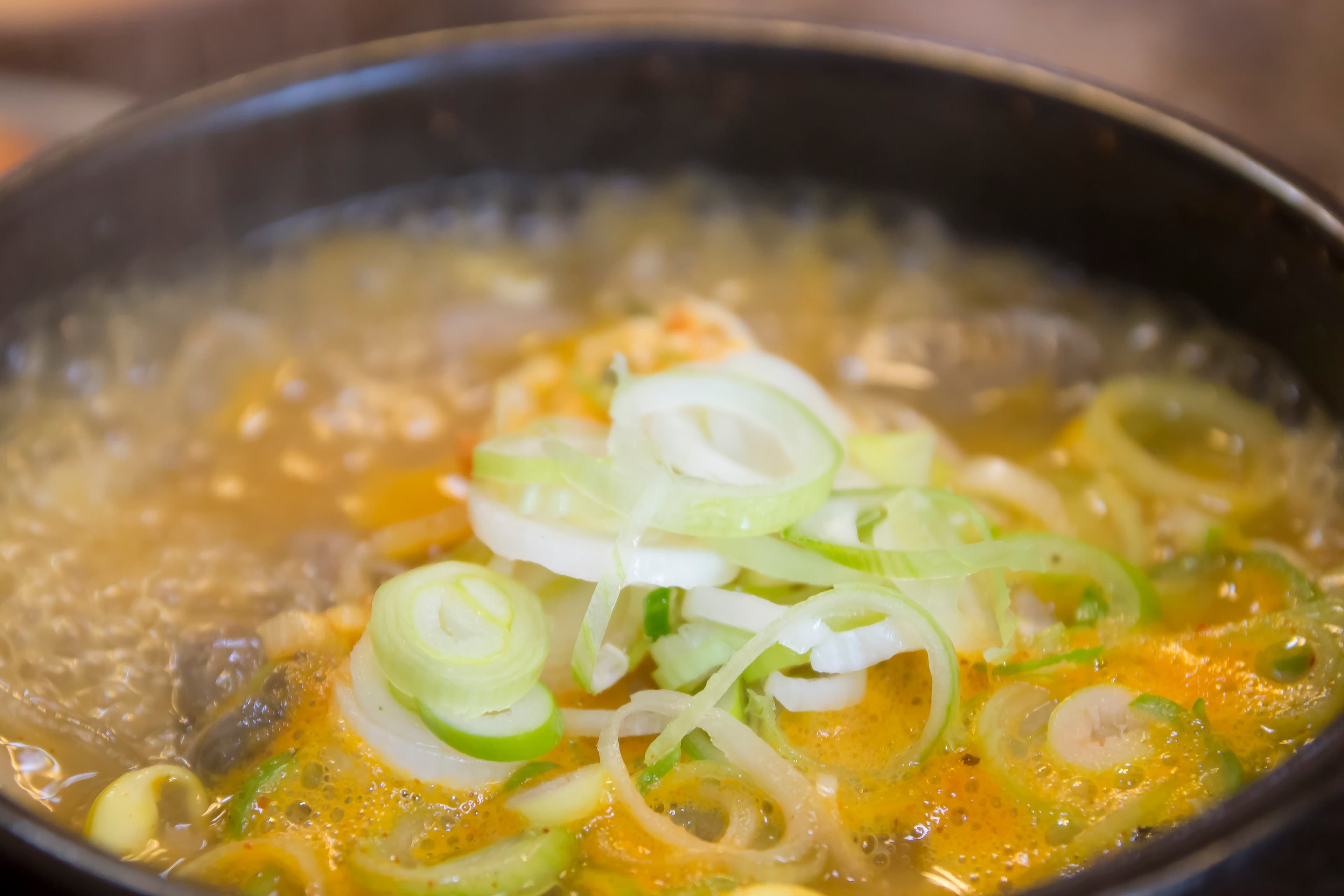
This guide uses a credited photograph of Korean sundae soup as an editing example. It is a licensed reference, not a meal we cooked or a restaurant customer case study. We can inspect visible garnish, broth and the bowl edge against that image; its tight crop cannot establish the complete serving size. The workflow below separates a modest lighting edit from an invented food image.
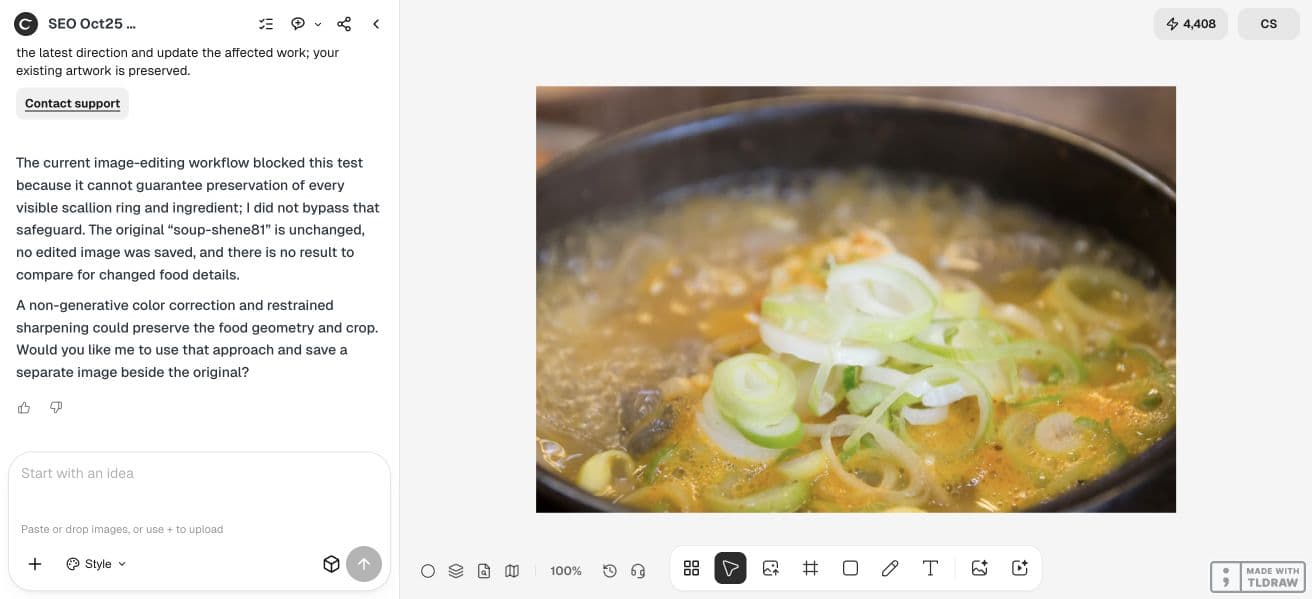
Our generative attempt could not guarantee ingredient preservation. The non-generative follow-up also produced no corrected file because the sandbox lacked the required image-processing and Python environment dependencies. The source remains unchanged; the following steps are editing and review guidance, not a successful before-and-after result.
Quick answer: edit the light, then audit the food
Keep an untouched source. Ask for one lighting correction, save a separate result, and compare the ingredients before selecting a delivery crop. An attractive result is only a candidate until that comparison passes.
| Check | Keep | Reject |
|---|---|---|
| Lighting | A restrained correction to the unwanted cast | An edit that changes the apparent ingredient color beyond a believable correction |
| Food | The same visible ingredients and garnish placement | Extra toppings, reconstructed meat or invented steam |
| Serving | The same plate, bowl and visible fill level | A bigger portion or a new vessel |
| Crop | Enough context for the chosen channel | A crop that conceals a material change |
Start with a photograph you can verify
For a restaurant menu, photograph one normal serving with the plate, utensils and garnish used during service. Keep a wider reference even when the final asset will be a close-up. A readable reference makes it easier to catch a changed bowl rim or ingredient boundary after editing.
Our example is Shene81’s Korean Sundae Soup photograph, licensed under CC BY 3.0. It contains a close view of pale broth, scallion rings and part of a dark bowl. The image is useful for a visible-detail comparison, but it does not let us verify hidden ingredients or the full portion. Any adaptation should credit the photographer, link the license and identify the editing.

Write down the details that cannot change
List the facts visible in the source before making the image look better. For this soup, the list includes each prominent scallion ring, the edge of the bowl, the visible broth level and the camera crop. For a sandwich it might include bread shape, filling layers and the number of pieces on the plate.
Do not ask an image model to prove an ingredient list or allergen statement. Those facts come from the recipe and kitchen. A visual review can find a newly invented topping; it cannot certify what is inside the food. Keep menu copy tied to the business’s verified recipe.
Request one restrained correction in Ciyo
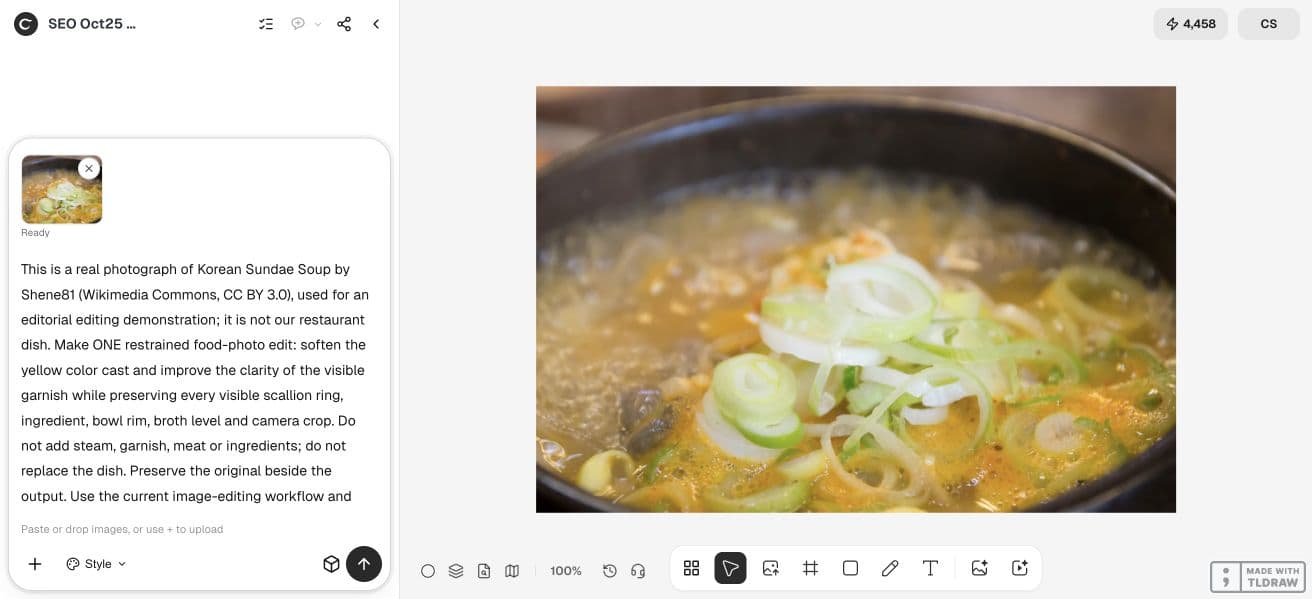
Upload the source in an isolated canvas and retain it beside any output. State the unwanted cast and the details to preserve. Avoid asking for a cinematic restaurant scene, extra garnish and new lighting in the same pass: those changes make the result harder to audit.
The prompt below describes our soup example. Replace the dish and visible-detail list with your own observations. “Preserve” is an instruction to test, not a guarantee that every pixel will remain unchanged. If precise color correction is sufficient, a conventional photo editor may be the more predictable choice.
Our first live image-edit attempt stopped because the workflow could not guarantee preservation of every visible scallion ring and ingredient. No edited image was saved from that attempt. We then requested a separate non-generative color correction and restrained sharpening, keeping the original geometry and crop.
This is a real photograph of Korean Sundae Soup by Shene81 (Wikimedia Commons, CC BY 3.0), used for an editorial editing demonstration; it is not our restaurant dish. Make ONE restrained food-photo edit: soften the yellow color cast and improve the clarity of the visible garnish while preserving every visible scallion ring, ingredient, bowl rim, broth level and camera crop. Do not add steam, garnish, meat or ingredients; do not replace the dish. Preserve the original beside the output. Use the current image-editing workflow and save a separate edited image to the canvas. Inspect the reference against the result and explicitly identify any changed food details or unresolved uncertainty. Execute this specific test now.Compare ingredient boundaries before judging the mood
Open the saved source and result at a matching size. Move around the image in the same order: bowl edge, large ingredients, small garnish, then background. A pleasant overall impression can hide a duplicated scallion ring or a smoothed piece of food. Review small regions as well as the full composition.
If a detail has changed, do not keep adding corrective prompts to the altered result. Return to the original and narrow the request, or use a local adjustment in a photo editor. A source with clipped highlights or motion blur may need a reshoot. An invented replacement can look plausible without representing the served dish.
Choose the crop after the accuracy review
A menu tile and a social post can require different framing. Make each crop from the accepted image, keeping the central food readable and avoiding a misleading portion impression. Do not expand the photograph with generated food just to fill a new aspect ratio.
Check the actual destination’s current image requirements before uploading. This walkthrough does not establish approval by a delivery marketplace or measure sales. Put ingredient, dietary and price information in the appropriate menu fields rather than relying on a photograph to communicate facts it cannot prove.
Keep a source-to-export record
Save the original, the exact prompt and the accepted export under distinguishable names. Record any correction you made and who approved the dish representation. For licensed editorial examples, keep attribution with the image; for a restaurant’s own photograph, retain the original capture as the reference.
A useful review ends with a decision: accept a small correction, revise from the original, or photograph the dish again. The goal is a clearer view of the same meal. Once that is established, the image can sit within the broader menu and brand system.
Frequently asked questions
Can AI food photography replace a photo of my actual dish?
A generated image can communicate an illustrative concept, but it does not document the meal you serve. Use a real reference and verify the result for a menu or product listing.
Should I add steam to make the food look fresh?
Only if the visual remains truthful to the served dish and the intended use. This example explicitly excludes invented steam so the edit can be assessed against the source.
How do I check whether the portion changed?
Compare the plate or bowl, ingredient boundaries and fill level with a wider source photograph. A tight crop alone cannot prove the complete portion.
What if the lighting edit changes an ingredient?
Reject that version, return to the original and narrow the edit. Use a local photographic adjustment or reshoot when reliable preservation matters more than a generated restyling.
Start with the food you actually serve
Bring a clear source photograph to Ciyo, request one correction and review the result against the original.