Practical product imagery
Remove Wrinkles from Clothes in Photos Without Losing Fabric Detail
A shirt can need a little retouching without needing a new fabric surface. The hard part is telling an editor which creases are accidental and which folds describe the way the garment is made.
Photoroom documents a dedicated Ironing workflow. This guide uses Ciyo’s general image editing and a local correction brief, with the original photograph kept as the reference. It explains how to judge a candidate; it does not establish that AI always preserves weave or condition.
For a fictional linen-shop campaign, the useful deliverable is one cleaner shirt image with the same seams, buttons and intentional folds. A real resale listing needs an additional check that the edit does not conceal wear or a defect.
Quick answer: remove a crease, retain the construction
Identify one distracting crease, keep an untouched source, ask for a local correction and compare detail crops before exporting. Start with the smallest change that makes the photo clearer.
Do not smooth a pleat, erase a seam or remove damage that a buyer needs to see. A more polished image is useful only while it still describes the garment.
| Feature | Default decision | Reason |
|---|---|---|
| Temporary handling crease | Consider a restrained correction | It distracts without defining construction |
| Pleat, gathering or seam | Preserve | It describes the garment’s shape |
| Weave and printed motif | Preserve | It helps identify material and product |
| Stain, hole or wear on a used item | Retain or disclose accurately | The listing must represent its actual condition |
1. Choose a source that already shows the fabric
Use the original photo rather than a screenshot. Look for enough resolution to distinguish the weave from noise and enough light to separate creases from seams. A dark, blurred image gives an editor little evidence about what should be preserved.
For a new product campaign, physically steaming the shirt and reshooting is an option worth keeping. Retouching is most useful when the photo is otherwise suitable and the correction is small. It is a poor substitute for missing material detail.
2. Describe the exact region and the details that must survive
Place the photo in a clean Ciyo project and keep a duplicate or untouched original for comparison. Identify the region in words that remain meaningful after zooming: the lower front panel below the third button, for example.
Use a selected-image editing action or a reference-led request supported by your current interface. Specify reduced creasing rather than a perfectly flat surface; some folds are part of how fabric behaves.
Edit the attached [garment] photo. Reduce only the accidental handling creases in [specific panel]. Keep the original silhouette, fabric weave, natural shading, seams, intentional pleats, buttons, label and printed pattern. Preserve the photographed color and condition. Do not change the background or reshape the body of the garment. Return one restrained candidate for side-by-side review.3. Generate one candidate and compare at the same scale
Check the Generation quote before starting. If you are comparing two models, fix the source, wording and common settings rather than letting several choices change at once. Ciyo’s Image Auto and Video Auto are separate settings.
Compare the original and result first at normal listing size, then close enough to inspect the weave and seam junctions. An image can look smoother at thumbnail size because it has lost the fabric texture entirely. That is a failed correction, not evidence that the wrinkle problem was solved.
Record the exact change you accept. If a candidate damages the print or introduces a new button, restart from the original and reduce the requested area.
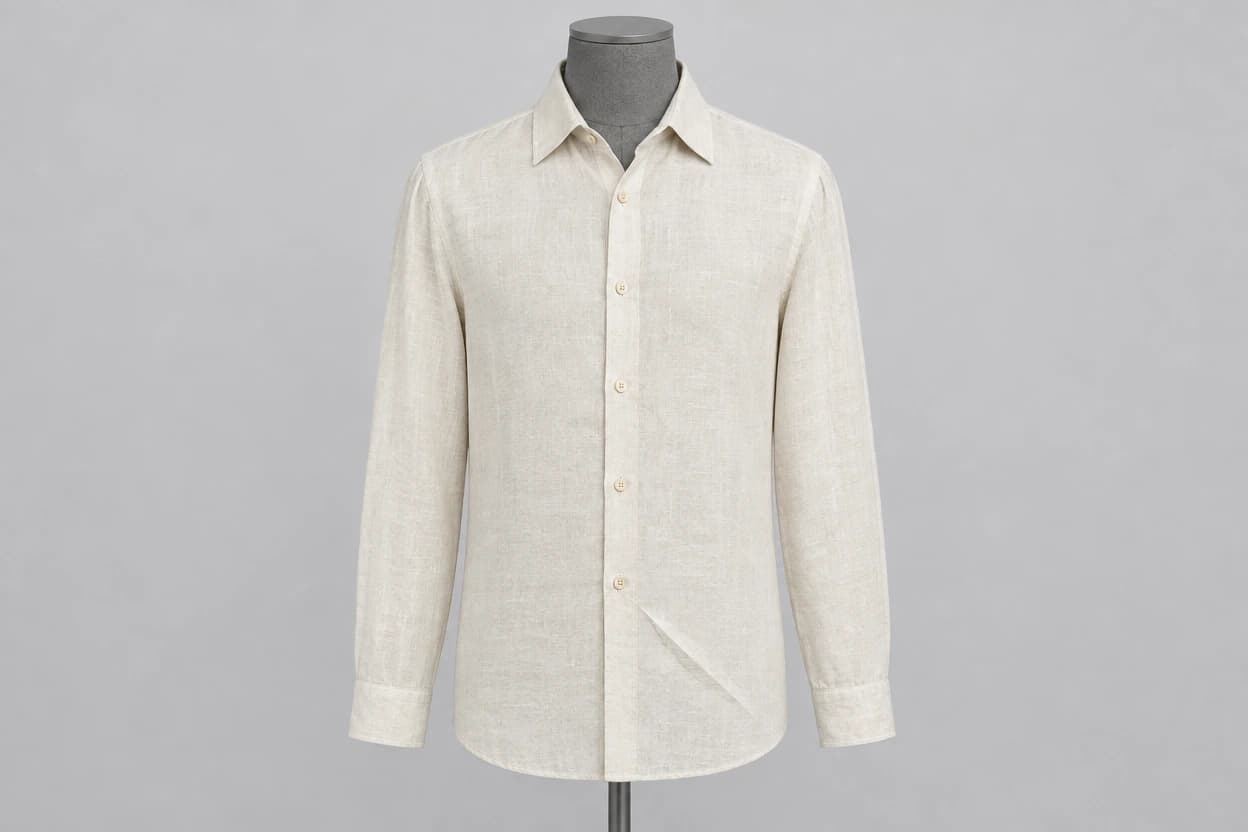
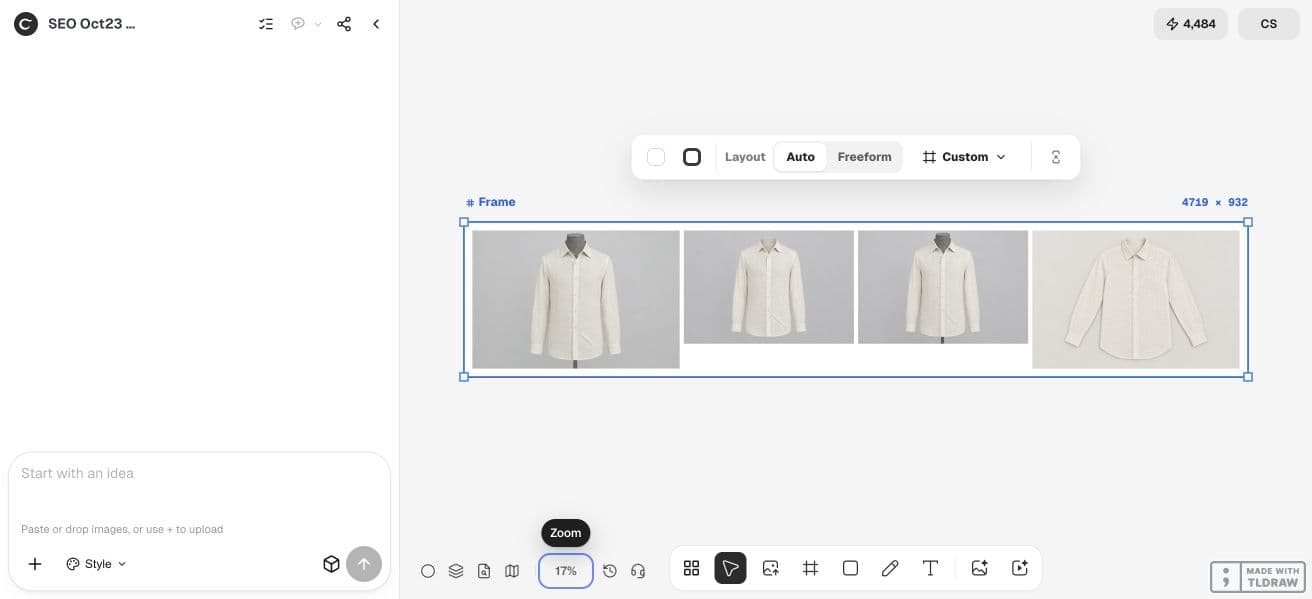
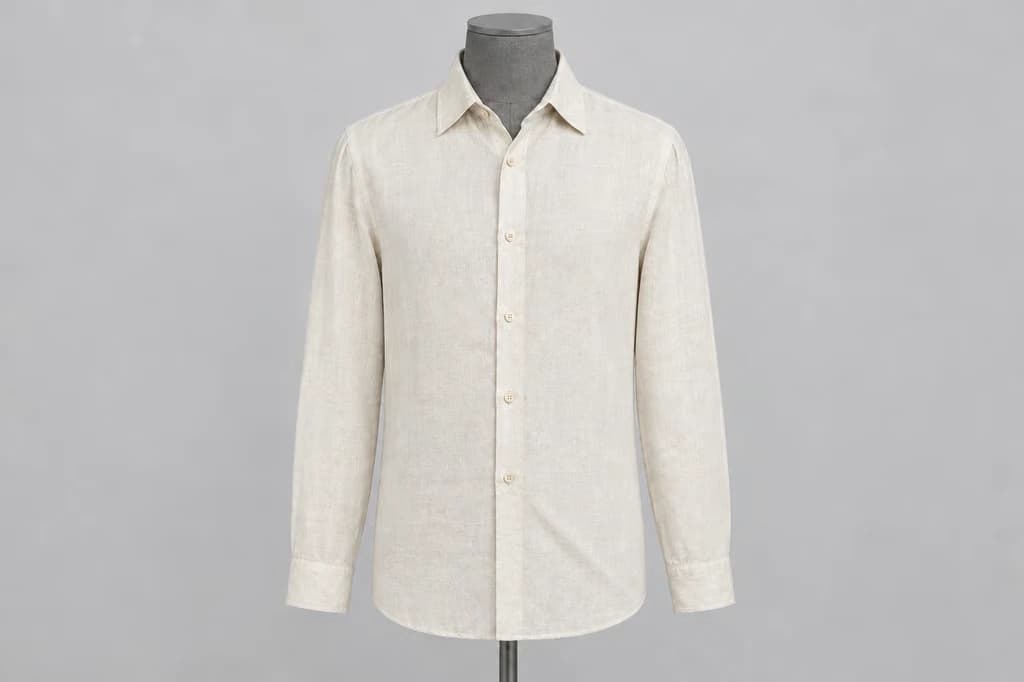
Our October 23 synthetic-shirt attempt softened the lower diagonal crease and retained the mannequin, support and six visible buttons. It also changed the local shading around the fold. That makes this a candidate for texture review rather than proof that only one physically meaningful garment feature changed. We made no repair attempt.
4. Separate accidental creases from structural folds
Look along seams and fastenings for alignment changes. Follow printed lines across the corrected region. Check that light still describes a plausible fabric surface instead of a plastic sheet.
Compare natural folds near the cuff, armhole and collar with the source. These areas communicate how the item is assembled and worn. A local front-panel edit should not redesign them.
| Check | Useful result | Reason to reject |
|---|---|---|
| Weave | Comparable visible texture | Smearing or repeated synthetic texture |
| Seams | Same position and junctions | Lines move, disappear or branch |
| Pattern | Same motif and alignment | Stripes bend or logos change |
| Shading | Crease reduced with plausible depth | A flat patch breaks the light |
| Condition | The listing remains truthful | Wear or damage is concealed |
5. Choose between another edit and a reshoot
If the correction is small and the rest of the photo remains stable, one revised request may be reasonable. If each attempt changes a different part of the shirt, the source or task is too ambiguous for a dependable listing image.
For a merchant with one hero product, a clean physical setup may be the faster route. For an agency, show the client both the original and the proposed edit with the modified region identified. Do not approve retouching solely because it looks more expensive.
Count rejected attempts in task cost and inspect the final downloaded file at its intended size. No generation-time or success-rate benchmark is claimed here.
Practical questions
Can AI remove all wrinkles?
It may smooth them, but removing every fold can erase construction and texture. The goal is a restrained correction that remains faithful to the item.
Is wrinkle removal appropriate for secondhand clothing?
Only when the image still communicates the condition accurately. Do not erase stains, holes or wear a buyer needs to know about.
Does Ciyo have an Ironing button?
This workflow uses general image editing with a specific reference and correction brief. It does not require a dedicated Ironing preset.
Should I edit the previous result or the original?
Return to the original when an attempt changes the garment. Repeated edits to an already altered image can compound the mismatch.
Try one restrained fabric correction
Start with one permitted source image and a clear acceptance check. Keep the original beside the result and approve the complete export before using it.