Indie game artwork
Steam Capsule Design: Make the Small Title Readable

A dramatic game image can lose its title when squeezed into a small store placement. Resizing the entire composition often preserves the scenery while making the one thing a browsing player needs to recognize too small.
This tutorial uses NIGHT ORCHARD, a fictional orchard-night puzzle game concept, to show a different approach: compose the header and small capsule separately, then inspect their actual exports. The artwork was created in a live Ciyo production project. We reviewed the files and source; we did not create a game, upload a Steam page, test store acceptance or measure wishlists.
Quick answer: design a small composition, not just a smaller file
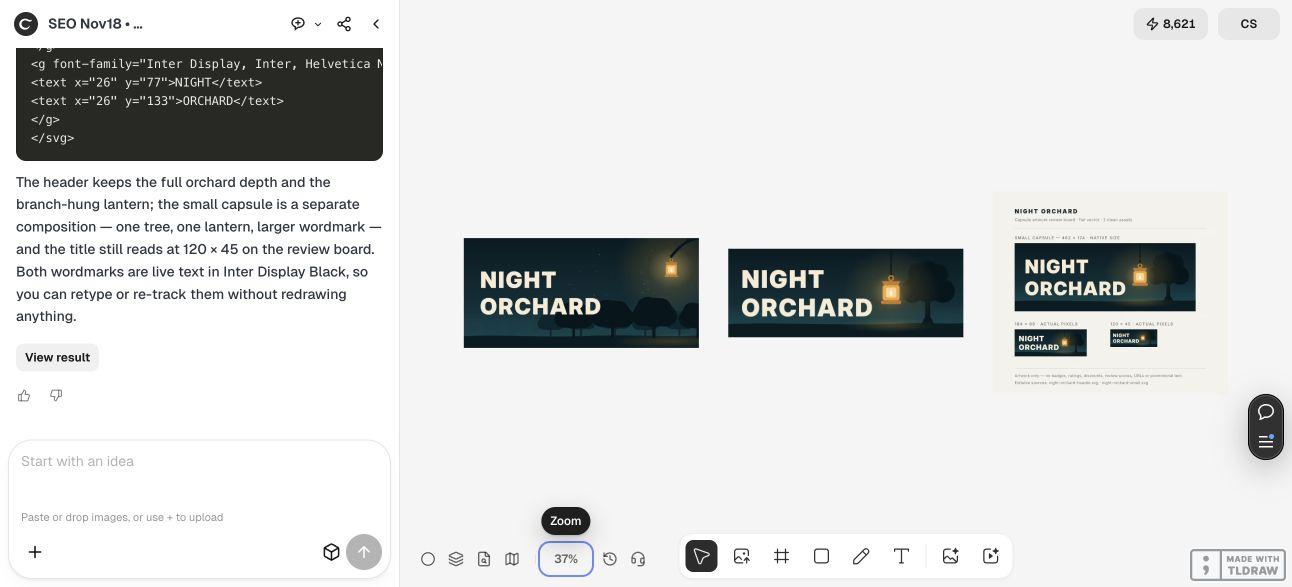
Keep the identity consistent while changing the hierarchy. The NIGHT ORCHARD header has a deeper orchard scene and a hanging lantern. The small capsule keeps one tree, one lantern and a larger relative wordmark. Both use the same restrained palette, but their objects have different positions and proportions.
The five steps below prepare these two placements and a separate review board. They are part of an artwork package; use the current Steamworks documentation for the rest of your store assets.
| Step | Action | Result to inspect |
|---|---|---|
| 1 | Confirm the two target placements | Header and small-capsule briefs |
| 2 | Brief a shared identity with separate layouts | Two clean compositions and editable sources |
| 3 | Judge the small title at small size | Native and reduced review previews |
| 4 | Inspect the actual files and fonts | Exact dimensions, clean images and usable sources |
| 5 | Prepare a placement-specific handoff | Named files and a current store-preview check |
1. Confirm the header and small capsule requirements
Steam’s current store-artwork documentation asks for a 920 × 430 header capsule and a 462 × 174 small capsule. It identifies 184 × 69 and 120 × 45 as smaller versions generated from the small capsule and emphasizes title legibility. The small composition may differ from the other capsules.
Its capsule rules restrict what belongs in the artwork. For this example, keep the image to original game artwork and its title. Leave discounts, ratings, review scores, URLs and promotional messages out of the clean files. Check the linked current rules before preparing your own release assets.
Use the header to establish the scene, then decide what can survive in the small placement. NIGHT ORCHARD’s shared idea is an amber lantern in a dark orchard. The small version does not need every distant tree to communicate that idea. For an existing game, begin with approved key art and an accurate visual identity rather than inventing a different-looking game for its store page.
2. Brief the two layouts as separate design tasks
In a clean Ciyo project, name the game, the central visual idea and the palette. Request the exact files you need, plus editable sources. Explain that the small capsule should be recomposed rather than made by shrinking the header.
The live Design agent example built the orchard and lantern with vector geometry, exported previews and placed the results on the canvas. Its small version removed most of the layered scenery and used a more dominant title. That change is visible in the source as well as the pictures: the header and small SVGs have different geometry and typography settings.
Separate the review board from the deliverables. Review labels can help a collaborator understand the files, but they should not appear in the images selected for the store. The Design agent’s reasoning is billable LLM usage; a vector-built result does not establish that the overall task is free.
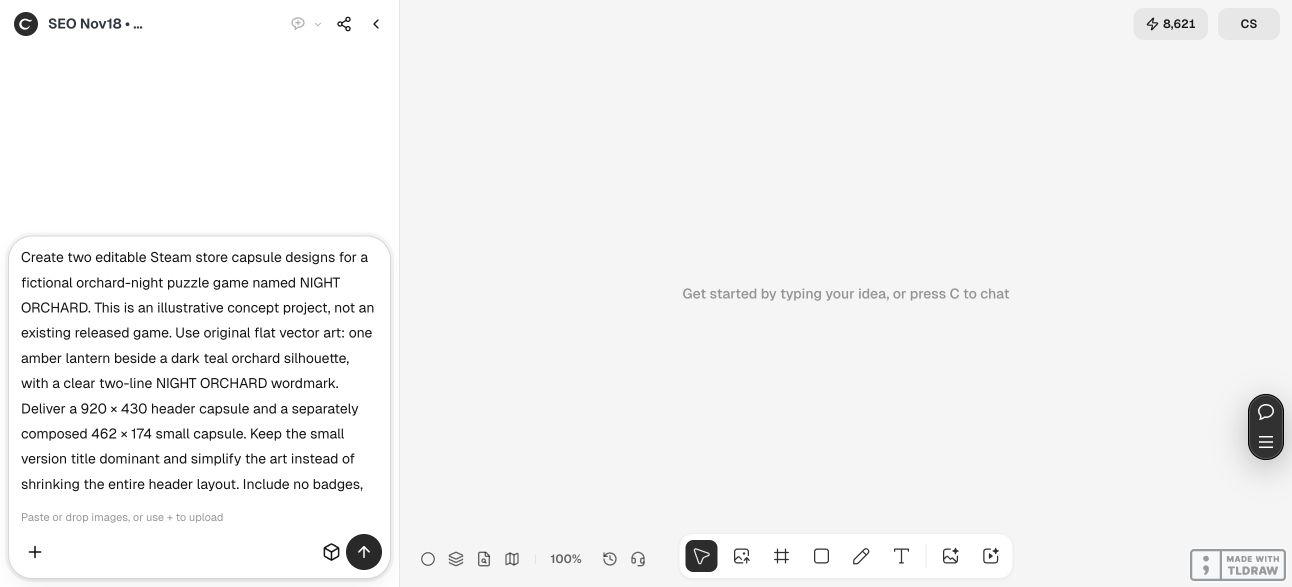
Create header and small Steam capsule artwork for [game name and truthful visual idea]. Use [approved key-art references] and [palette]. Deliver a 920 × 430 header and a separately composed 462 × 174 small capsule. Make the small title dominant and simplify the art instead of shrinking the entire header. Include only the game title and appropriate artwork; no ratings, discounts, review scores, URLs or promotional phrases. Supply clean PNGs and complete editable source. Put 184 × 69 and 120 × 45 small-capsule previews on a separate labeled review board, at their actual pixel sizes. Do not put proof labels in the clean exports, fabricate gameplay screenshots or upload to Steam.3. Judge the title at the size that exposes the problem
Review the clean header and small capsule together to check that they still belong to the same game. Then look at the small version on its own. Ask a collaborator to read the title before explaining the scene; that simple review is more useful than asking whether the enlarged artwork looks impressive.
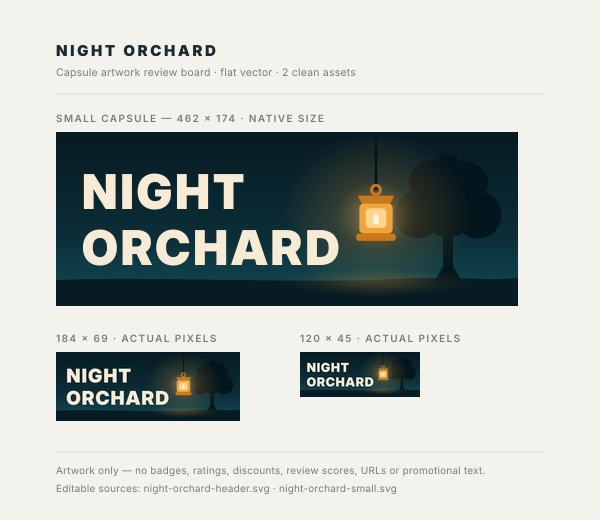
Our separate proof contains the 462 × 174 composition and the two smaller previews. In the original 600 × 520 review image, the small wordmark remains readable to our reviewer at 120 × 45. The tree and lantern become supporting shapes. This is an editorial observation of the supplied proof, not a user-recognition study or a guarantee about every display.
Do not enlarge a screenshot of the proof and call that an actual-size test. Open the original file at 100% image scaling. If the title is unclear, revise its layout or contrast while preserving the agreed identity. More sharpening cannot restore a wordmark that was composed too small in the first place.


4. Check exported dimensions and editable typography
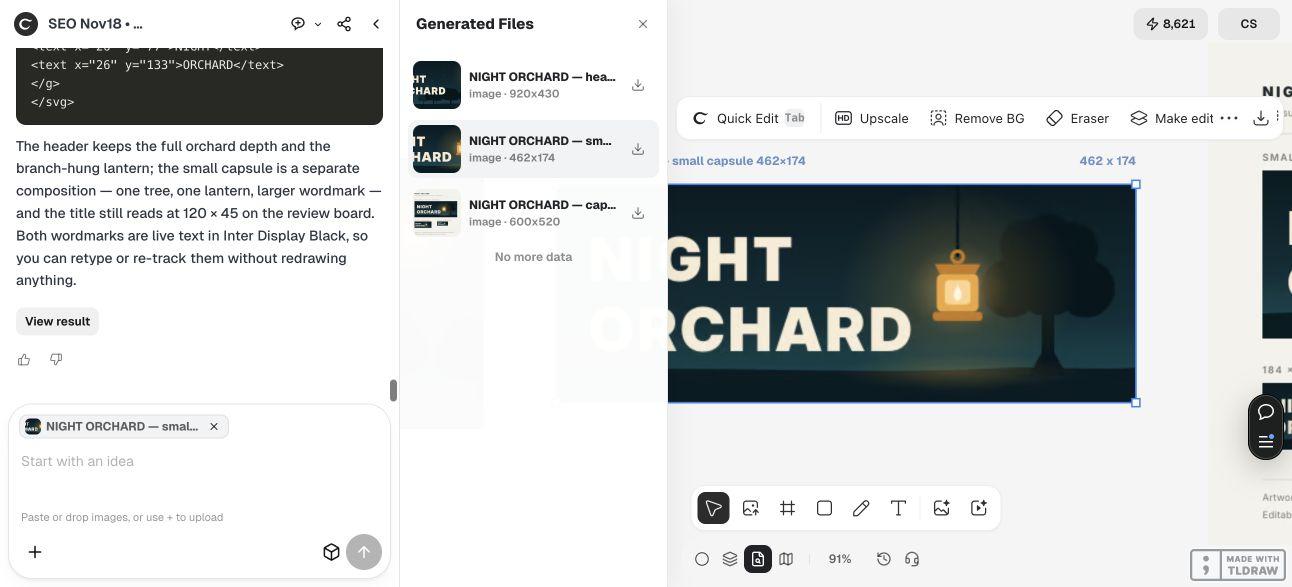
Select the small asset in Ciyo’s Generated Files panel and confirm which file you are reviewing. Then inspect the downloaded bytes. In this run, the header PNG measured 920 × 430, the small PNG 462 × 174, and the separate proof 600 × 520. The file checks agreed with the placement sizes rather than relying on an asset name alone.
Ciyo returned the two SVGs as complete copyable source in the conversation. We saved them as the downloads below. Both parse as SVG documents, have unique internal identifiers and resolve their internal references. Their scenery is editable vector geometry, and the two title lines remain text.
That editable text has a font dependency. The source names Inter Display and Inter, followed by fallbacks. The supplied PNGs preserve the appearance from the live render, while an SVG opened on another machine may use a different available font. Install the chosen font in your editing environment or substitute an approved one, then inspect the line lengths again. If you outline a final approved wordmark for delivery, retain a separate editable-text source for later title changes.
Do not rename a proof image as a capsule or assume that an SVG filename guarantees identical rendering everywhere. Keep a visual reference alongside the source and recheck the exported PNG after any font, title or layout edit.


5. Hand off named files and inspect the current store preview
Package the header, small capsule, their editable sources and a clearly marked review board. Include a short note stating the font dependency and which PNGs were approved. A solo developer can use a simple folder; a publisher with several languages should keep placement, language and version explicit in its asset list.
When preparing a real Steam page, select each clean file for its intended placement and inspect the current preview. Keep the proof out of the upload set. A new title or localized wordmark needs its own small-size check because its length and letter shapes can change the composition.
This example stops at artwork preparation. The fictional concept has no Steam listing, gameplay screenshots or tested store conversion rate. It also does not supply every required Steam asset. Use the current documentation and your real game material to complete that larger package. If you are preparing a trailer as well, build its shot plan separately rather than presenting capsule concept art as captured gameplay.
Steam capsule artwork questions
Can I resize the header to make the small capsule?
You can use it as a starting point, but inspect the result rather than assuming it works. Our small version uses fewer objects and a more dominant title. It is a separate composition with the same identity.
Which file should I use to check the tiny title?
Open the original review board at 100% image scaling. Its 184 × 69 and 120 × 45 previews help reveal a title that is too small or crowded. A browser page that enlarges the board changes the size of that inspection.
Are the SVGs editable in another design tool?
They contain vector shapes and live text. Check the imported geometry and font availability in your chosen editor. The PNGs preserve the demonstrated appearance; the SVGs may render different typography when the named font is unavailable.
Did Ciyo publish the artwork to Steam?
No. The live run produced artwork in an isolated Ciyo project. No store page was changed, and no Steam approval, wishlist result or sales outcome is claimed.
Is this the complete Steam artwork package?
No. It demonstrates the header and small capsule plus their review and source files. Consult Steamworks for the other current required placements and prepare each from your actual game materials.
Brief the small placement before approving the big picture
Give Ciyo your game identity and the two target placements. Compare separate compositions, inspect the title at small size and keep a clean, named export for each slot.