Ciyo practical guide
Create Testimonial Ads from Real Customer Reviews

A screenshot of a long review often makes a poor small-screen ad: the useful sentence is buried, the type is tiny and the product competes with the quotation. The design job is to make the real customer's point readable without rewriting what they meant.
This guide is a five-step creative workflow, informed by testimonial-ad examples and Ciyo's design tools. It supplies a placeholder brief rather than an invented customer endorsement. Replace the placeholders with a genuine approved review before producing an ad for publication.
Quick workflow: source, select, design, check, export
Start with the original review and permission context. Select a short faithful passage, give it a clear visual hierarchy, compare the designed wording against the source, and inspect the export at the actual placement size.
| Step | Input | Output |
|---|---|---|
| 1. Verify | Original review and usage context | An approved source record |
| 2. Select | The full approved wording | A short faithful quotation |
| 3. Design | Quote, product photo and action | A readable layout |
| 4. Audit | Original source and layout | A checked proof |
| 5. Export | Approved proof and placement | A file ready for separate campaign review |
1. Keep the source and usage context with the brief
Collect the exact original wording, review date, attribution the customer permits, and the product or service being discussed. Check the permission and platform context with the person responsible for your campaign. A public review is a source to examine, not an automatic instruction to reuse its author's name or photograph.
Keep any incentive or relationship context attached to the review record. The design should not make a qualified experience sound universal. If the original says a mug was comfortable for one person's hand, do not transform that into a claim that the handle is perfect for everyone.
For a fictional design exercise, use visible placeholders such as [APPROVED CUSTOMER QUOTE]. Do not populate a sample with a realistic name, star rating and invented praise that could later be mistaken for a real endorsement.
2. Select a passage that can stand on its own
Read the full review before extracting one sentence. Keep the portion that describes a specific relevant experience. Preserve qualifications and avoid cutting two separate fragments together in a way that changes the meaning.
If the useful passage is too long for the placement, choose a larger format, a shorter faithful passage, or a different approved review. Do not ask the image model to summarize the customer's words and then place quotation marks around its rewrite.
Decide what belongs outside the quote. Product name, campaign action and brand attribution should be separate from the customer's words so readers can tell who is saying what.
3. Give the quotation one clear visual job
Use a simple hierarchy: the quote is the first read, attribution is the second, and the product and action support the message. A product-led version can reverse the first two visual priorities, but it still needs a readable quotation.
Create a calm background and leave a deliberate text area. Keep exact quotation text in an editable text or vector workflow when available. A generated image may contain plausible-looking lettering that is still misspelled or altered; inspect every character rather than approving it from a thumbnail.
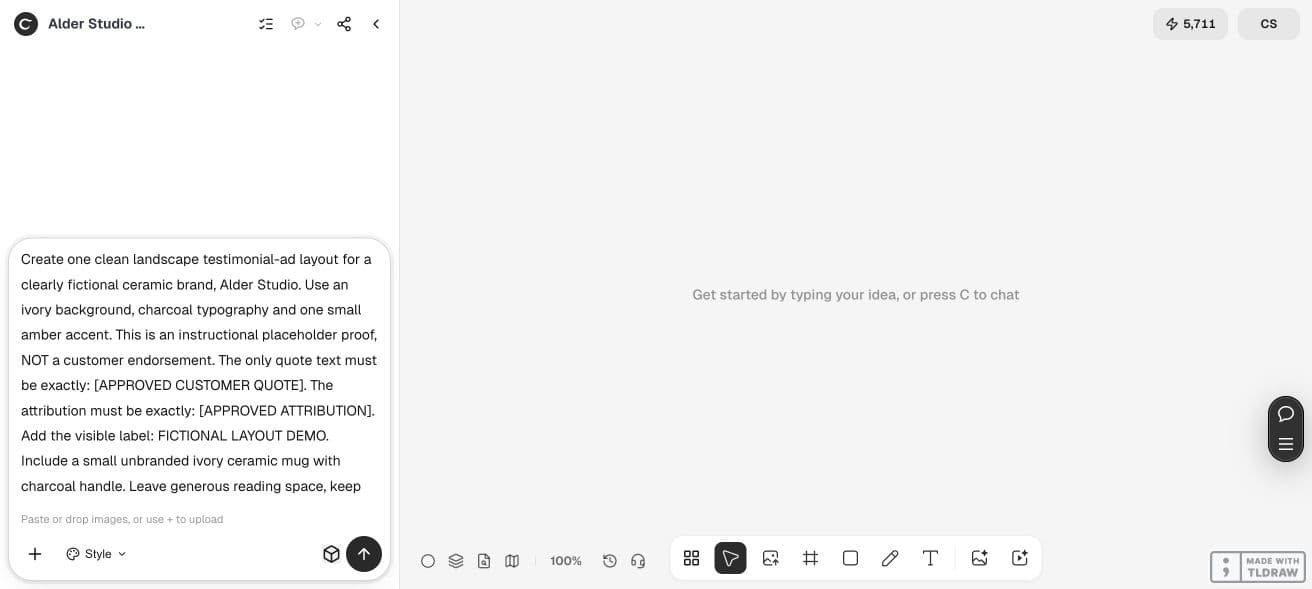
Create a static testimonial-ad layout for [BRAND] and [PRODUCT], using the attached authorized product photo. Placement: [WIDTH × HEIGHT]. The exact approved quotation is [PASTE QUOTE]. Attribution: [PERMITTED ATTRIBUTION]. Separate campaign action: [CTA]. Keep the quotation wording unchanged and visually separate from the brand's claims. Use a clear reading order and generous margins. Supply editable text or source where supported, plus a preview. If any required source is missing, leave a visibly labeled placeholder instead of inventing an endorsement.4. Audit the proof against the original
Read the designed quote aloud while checking it against the source record. Then inspect the attribution, punctuation, product variant and any implied rating. A decorative five-star row changes the claim if the source did not contain that rating.
Review the hierarchy at the intended small-screen size. A layout that looks balanced on a large canvas may hide the attribution on a phone. Increase the type or shorten the approved selection rather than shrinking all the copy to fit.
| Check | Reject or revise when |
|---|---|
| Quotation | Words or qualifications differ from the approved source |
| Attribution | A name, photo or title exceeds the agreed usage |
| Product | The pictured variant differs from the one reviewed |
| Rating | Stars or scores have been invented |
| Reading order | The quote or context is illegible at placement size |
| Claim boundary | Brand copy appears to be part of the customer's statement |
5. Export a proof and preserve the approved source
Export one file in the intended dimensions and reopen it. Check text sharpness, line breaks and the product crop. Retain the editable source separately if the workflow supplied one; a PNG preview does not establish that the text can be edited later.
Send the asset through your normal campaign review before publication. Ciyo can help create and revise the visual; this workflow does not automatically collect reviews, verify their authenticity or publish ads.
For a solo merchant, one approved quote and one placement is a useful pilot. For an agency, record which client approved the source and keep the accepted text alongside each exported version. For a larger campaign, batch the layout only after long and short quotations both fit.
A placeholder proof still needs a save and export check
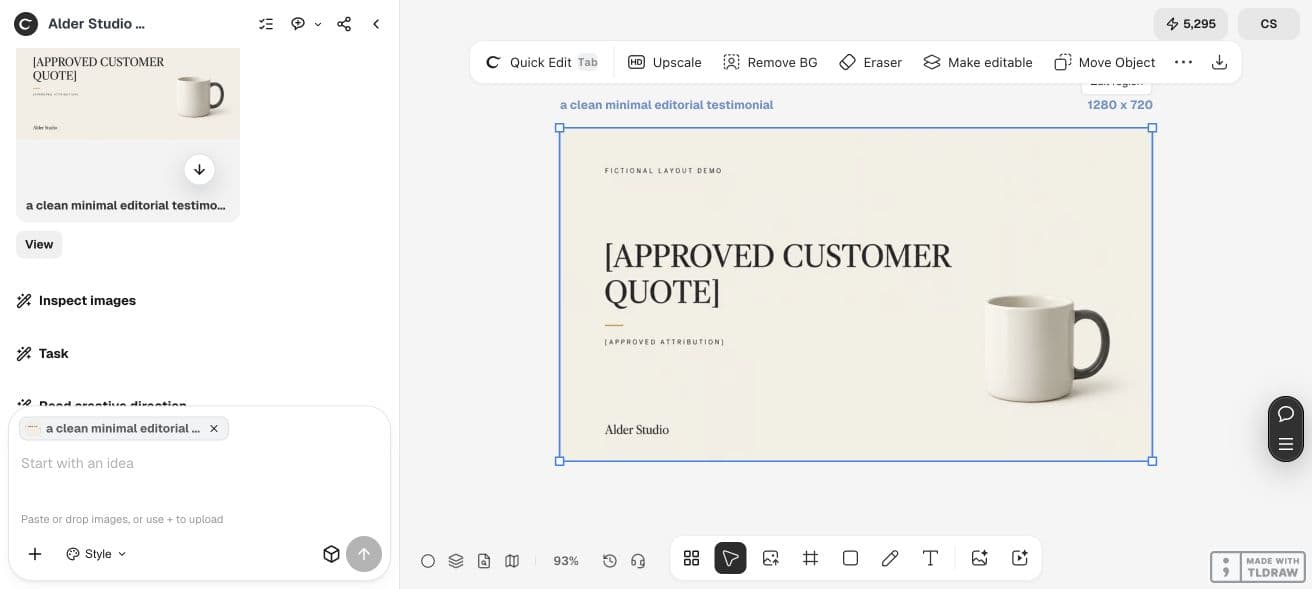
Our live Ciyo example generated a 1280 × 720 landscape layout with the literal placeholders [APPROVED CUSTOMER QUOTE] and [APPROVED ATTRIBUTION], plus the visible label FICTIONAL LAYOUT DEMO. There is no invented customer endorsement in this proof.
The output illustrates type hierarchy and reading space. It also exposed a project-save warning after generation. Refresh recovered the image and conversation, but a retry still showed that changes were not synced. Treat that as an unresolved handoff check, not as a successful saved campaign.
For real work, replace placeholders only with approved source wording, inspect every character, download the accepted export and confirm that the project is saved before handing it to a colleague.
Choose a layout test that you can interpret
Compare two layouts using the same approved quotation, product and offer. If you also change the customer story, CTA and audience, a performance difference cannot isolate the layout's contribution.
The article supplies a design process, not a forecast of conversion lift. Record creative decisions first, and use measured campaign results only after a suitable test. Include generation and Design agent work in your production cost rather than treating the preview as the entire task.
Practical questions
Can AI write the customer testimonial?
It can help organize a brief, but an invented statement is not a real customer review. Use genuine approved wording; keep fictional exercises visibly labeled.
Can I shorten a review?
Choose a faithful passage and preserve context and qualifications. Have the campaign owner review the selection. Do not put a model's paraphrase inside quotation marks as if it were the customer's wording.
Is generated text editable?
Text rendered into an image is pixels. Use a workflow that supplies actual text elements or editable source and verify the exported file.
Will a testimonial ad improve conversions?
This guide does not establish a performance uplift. Test the asset with an appropriate campaign setup and judge results from actual data.
Do I need design skills?
A simple hierarchy and a careful proof can get a beginner started. The essential skill is checking the source, wording and small-screen readability before publication.
Build a proof from an approved review
Bring the original quotation, permitted attribution and product photo. Keep missing inputs as visible placeholders until they are approved.