Practical design guides
Wedding Program Template: Match Names to the Actual Ceremony Order

A wedding program template can make a ceremony look organized while quietly printing the wrong time or misspelling a reader’s name. The layout should follow the couple’s actual plan, with each participant attached to the right role.
This tutorial uses a fictional Jamie and Sam ceremony worksheet and current supplier guidance. It helps a designer build an approval-ready page plan rather than copy a generic ceremony sequence. No real wedding schedule or participant information was used.
Quick answer
Obtain the ceremony order from the couple and officiant, confirm every name and role, and choose the printed format. Build a simple hierarchy, compare the proof with the approved invitation and schedule, and check a folded sample before sending the file to print.
1. Make one approved ceremony list
Collect the couple’s names as they want them printed, ceremony date and time, venue wording, sequence of events and participant names. Record who approves each part. The invitation is a useful cross-check for shared details, but the final ceremony order must come from the people organizing it.
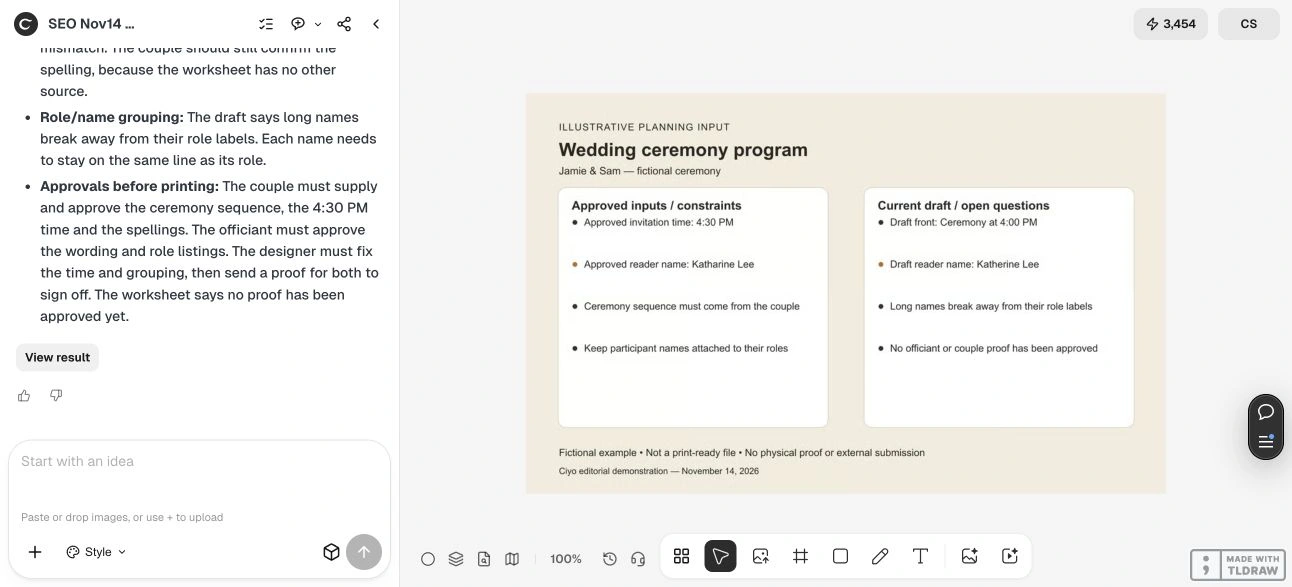
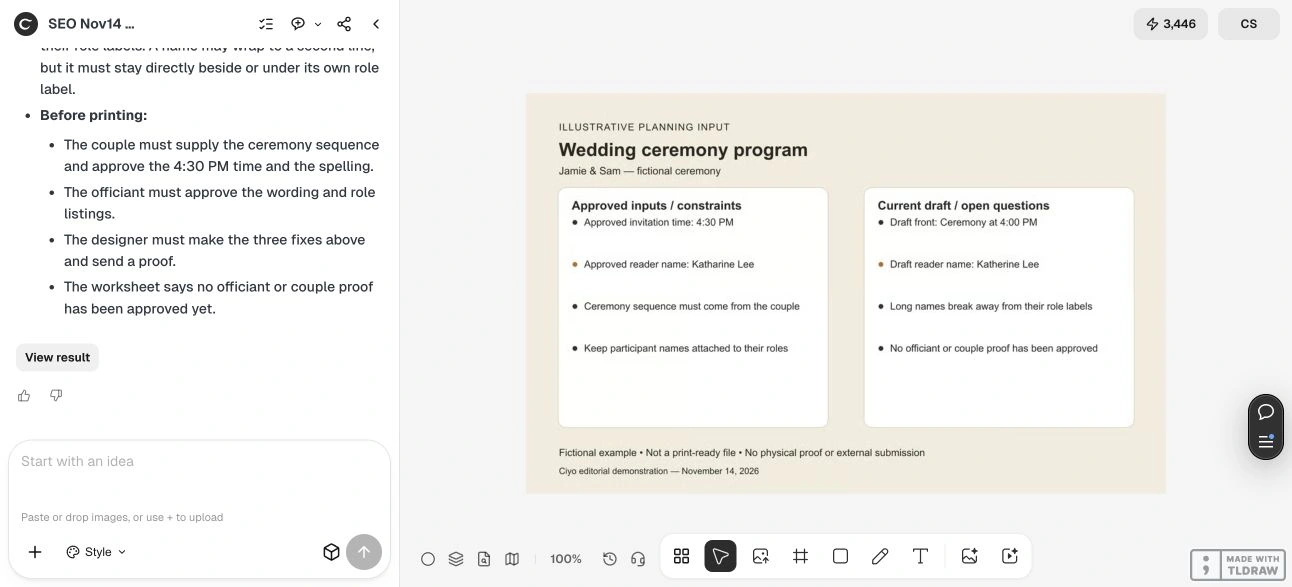
For fictional Jamie and Sam, the approved time is 4:30 PM and the reader is Katharine Lee. Their deliberately flawed draft says 4:00 PM and Katherine Lee. Those small differences are more important to resolve than choosing a new border or font.
2. Choose a format that gives names room
Decide whether the program is one card, a folded sheet or a booklet before fitting the content. Smartpress offers wedding-program format and printing choices with layout guides and proofs; use the requirements for your selected order rather than assuming every template has the same fold or safe area.
Keep each role and its participant together. If a long name wraps, give it a deliberate continuation line within the same group. Avoid a layout where a role sits at the bottom of one column and its name begins another. If the content does not fit comfortably, change the page plan before reducing all the text.
| Field | Approved example | Draft conflict |
|---|---|---|
| Time | 4:30 PM | 4:00 PM |
| Reader | Katharine Lee | Katherine Lee |
| Roles and names | One connected group | Line break separates the pair |
| Event sequence | Couple/officiant’s approved list | Generic sequence has no approval |
3. Review copy differences before visual decoration
Bring the approved list and current program plan into Ciyo. Ask the Design agent to compare exact strings and flag missing information; do not ask it to choose a ceremony tradition or invent roles. Keep corrected names as editable source text in your production workflow.
Our example worksheet lists both the approved values and intentional draft errors. A review of that worksheet can help produce a correction list. It does not demonstrate that text has been edited in a final print file or that the couple has approved the result.
Live Ciyo review: a missed spelling needed a human correction
On November 14 at dev.ciyo.ai, Ciyo caught the 4:00 PM versus 4:30 PM time conflict, but initially said the names matched. The actual worksheet says Katharine Lee in the approved column and Katherine Lee in the draft. We checked the source directly and supplied that correction.
Ciyo then acknowledged the difference and updated its list. We also clarified that a long name may wrap as long as it remains attached to its role; a single line is not mandatory. Both the first response and corrected response are shown. This run demonstrates a useful review with a real miss, not reliable automatic proofreading or an approved wedding program.
Copyable wedding-program review
Replace the bracketed fields with authorized details. Ask for changes, not an invented ceremony.
Review the attached wedding program plan against [APPROVED CEREMONY LIST]. Couple’s printed names: [NAMES]. Approved time and place: [DETAILS]. Participants and roles: [EXACT LIST]. Flag inconsistent spelling, times, missing approvals and line breaks that separate a name from its role. Do not invent ceremony events or personal details. Return a concise correction list and printer questions; do not submit a file.4. Read the proof as a guest will use it
Print a draft at actual size and fold it if required. Follow the event order from start to finish. Read every proper name aloud against the master list and check the time against the final approved schedule. Confirm whether a translation, accessibility need or unusual name requires a different spacing choice.
Ask the couple and officiant to approve their respective details, then have one named owner approve the combined version. Check the supplier’s trim, fold, safe area and export requirements. Any later ceremony or participant change should trigger a fresh proof rather than an informal edit to an already approved file.
Keep the program focused
Use the program to guide guests through the ceremony. A seating chart and invitation solve different tasks and should not crowd this page. Optional acknowledgments and explanations belong only where the couple has approved them and the format can support readable text.
Source
Smartpress wedding-program guidance checked November 14, 2026. Jamie, Sam, the times and the spelling mismatch are fictional review inputs.
Frequently asked questions
Is there a standard ceremony order to put in every template?
Use the actual approved sequence from the couple and officiant. A generic example should not decide their ceremony.
What should I do when a participant’s name is too long?
Keep it attached to its role, adjust the line break and spacing deliberately, and review at print size. Do not abbreviate a personal name without approval.
Who should approve the final version?
Assign one owner to consolidate corrections, with the couple and officiant confirming the details they control. Retain one dated, approved proof.
Check the words before printing
Bring the ceremony list and draft into Ciyo, resolve the correction list, and obtain a final proof from the people organizing the ceremony.