Creative workflows
Wedding Seating Chart Design: Find Long Names Without Losing Table Assignments

A seating chart must help a guest find a name in a busy entrance. Attractive columns do little good when two similar names are swapped or the longest surname becomes too small to read.
The example below is fictional and describes a manual design process. It is a preparation and review exercise, not a measured customer result or a completed production order.
Quick answer
Lock the guest-to-table list, choose a lookup method, test the longest names first and reconcile the final artwork against the source. Use fictional data during design review until the real list is ready to handle appropriately.
1. Keep assignments in a source table
Create columns for display name, sorting name, table and approval status. In a fictional sample, Maya Chen belongs at Cedar and Rowan Ellis at Willow. A design application should not decide seating relationships.
Check duplicates and near-duplicates before layout. Preserve diacritics and the names supplied by the event organizer. Ask how households and plus-ones should appear rather than adding a generic guest label that changes the count.
2. Choose the lookup structure
Alphabetical lists suit guests looking for their own surname; table-grouped lists show who sits together. Choose with the organizer based on guest count, language and entrance flow. State the ordering rule so the final list can be checked consistently.
Build the first layout with the longest names and largest table group. In Ciyo, explore the overall style and place final names as editable text. Reserve enough space for headings without making the names secondary to decorative typography.
3. Proof the real dimensions
Review a printed or measured sample at the intended viewing distance. Check the organizer’s placement and lighting plan rather than assuming a small phone preview proves legibility at the venue. Reconcile every assignment with the source after text reflow.
Keep a revision cutoff and one owner for late changes. When a guest moves tables, update all relevant lists and proofs together. The fictional example here contains no actual guest information and does not establish a universal font size.
Copy and adapt this request
Replace the bracketed fields with your own approved information. The requested output is a draft for review; the example has not been run as a model benchmark.
Plan a seating-chart layout using [APPROVED DISPLAY NAMES AND TABLES]. Use [SORT RULE] exactly. Do not change assignments, merge similar names or remove diacritics. Test [LONGEST NAME] and [LARGEST TABLE GROUP]. Keep final names editable and provide a reconciliation checklist against the original list.Fictional assignment proof
These example checks describe acceptance criteria, not observed model results.
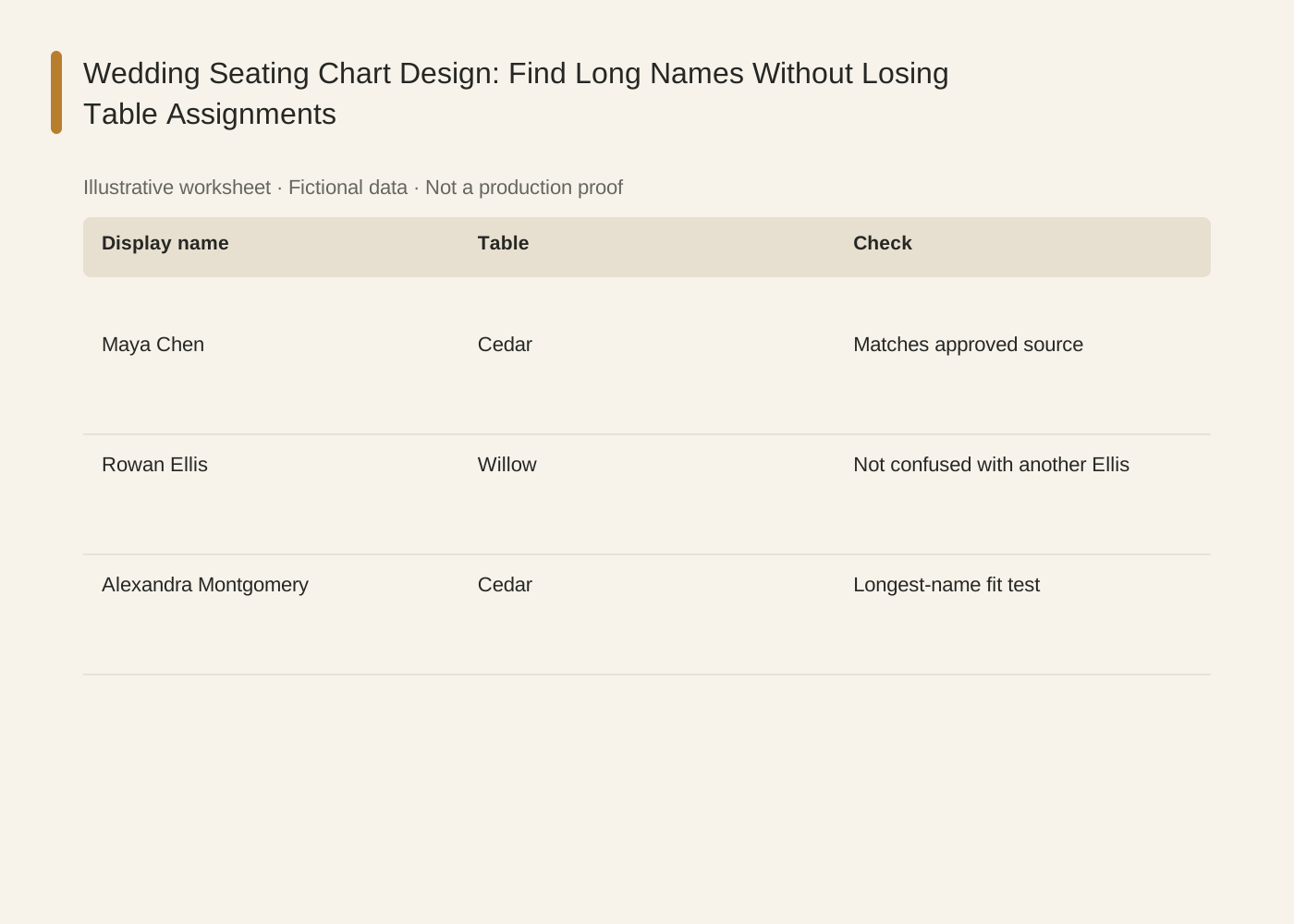
The linked SVG is an illustrative worksheet containing the same fictional review fields. It is separate from native editable canvas text and from a finished production design.
| Display name | Table | Check |
|---|---|---|
| Maya Chen | Cedar | Matches approved source |
| Rowan Ellis | Willow | Not confused with another Ellis |
| Alexandra Montgomery | Cedar | Longest-name fit test |
Common mistakes and how to recover
Do not retype the source list repeatedly without reconciliation. Every manual transfer can create a new assignment error.
When a long name overflows, adjust the layout or column width before reducing only that guest to unreadable text.
Choose a working method and make the handoff
For a solo shop, start with one item and keep the source facts beside the draft. A team should name one approver and keep a dated version so an old comment cannot silently override the current decision. If the input is incomplete, return to the owner of that fact before polishing the artwork.
Use Ciyo for the visual work described here with the controls and models currently offered in your account. Keep the approved copy separately and add exact wording with editable canvas text where needed. A generated picture is a visual draft; inspect its exported file before using it.
Sources and further reading
Primary documentation and related guides used for this article. Availability and controls can vary by account; verify them before beginning your own run.
Frequently asked questions
Alphabetical or table order?
Choose the structure that best supports the organizer’s lookup needs and venue flow, then apply its sorting rule consistently.
Can I use real guest data for a demo?
Use fictional names for demonstrations and share the real list only through an appropriate authorized workflow.
Is a digital proof enough?
It verifies content and layout, but a measured or printed sample is useful for physical legibility and production review.
Prepare one visual draft in Ciyo
Bring the approved inputs and review one version against the checks in this guide before making more variants.