Print · Tested
Make a Printable Colouring Page with AI and Test It Before You Print
A colouring page is one of the most useful things a small business can make with AI: a free sheet for a kids' morning, a table activity in a café, a gift in an order box. It only works if the lines are clean, the shapes are closed and the file prints sharp.
On September 27, 2026 we made a picnic scene for a Saturday kids' morning at Rook & Rabbit, a fictional board-game café, in Ciyo and tested it before printing.
Set the page size first
A4 at print quality is 2,480 × 3,508 pixels (300 dpi); US Letter is 2,550 × 3,300. In Ciyo's Image settings, 2:3 at 2K is only a 1,365 × 2,048 frame, so we chose 4K, shown as 2,731 × 4,096, for 4 credits.
The file that came back was 2,336 × 3,504: fitted to A4 that is 282 dpi, and 275 dpi on Letter. Good enough for crayons; check your own file's size, because it can differ from the frame label.
Describe line art, not a drawing
Say who it is for, what is in it, and the rules of a colouring page: thick black outlines on pure white, closed shapes, large areas to colour, no shading and no grey.
A printable colouring page for children aged 5 to 8, for a Saturday kids' morning at a board-game cafe. A friendly rabbit and a chess rook sharing a picnic on a big checkerboard blanket, with dice, a teapot and two cupcakes. Thick, clean black outlines on pure white. Every shape is a closed outline with large areas to colour. No shading, no grey fills, no hatching, no text, no border frame.The first result looked perfect
It was genuine line art: 85.5% white, 13.2% black and 1.2% grey edge pixels, with no colour at all. The characters were friendly and the shapes were big enough for small hands.
Then we ran the test that matters for digital colouring apps and for tidy printing: a flood fill. We treated every white area as a region and looked at which regions connect to the page background.
The flood-fill test found an open outline
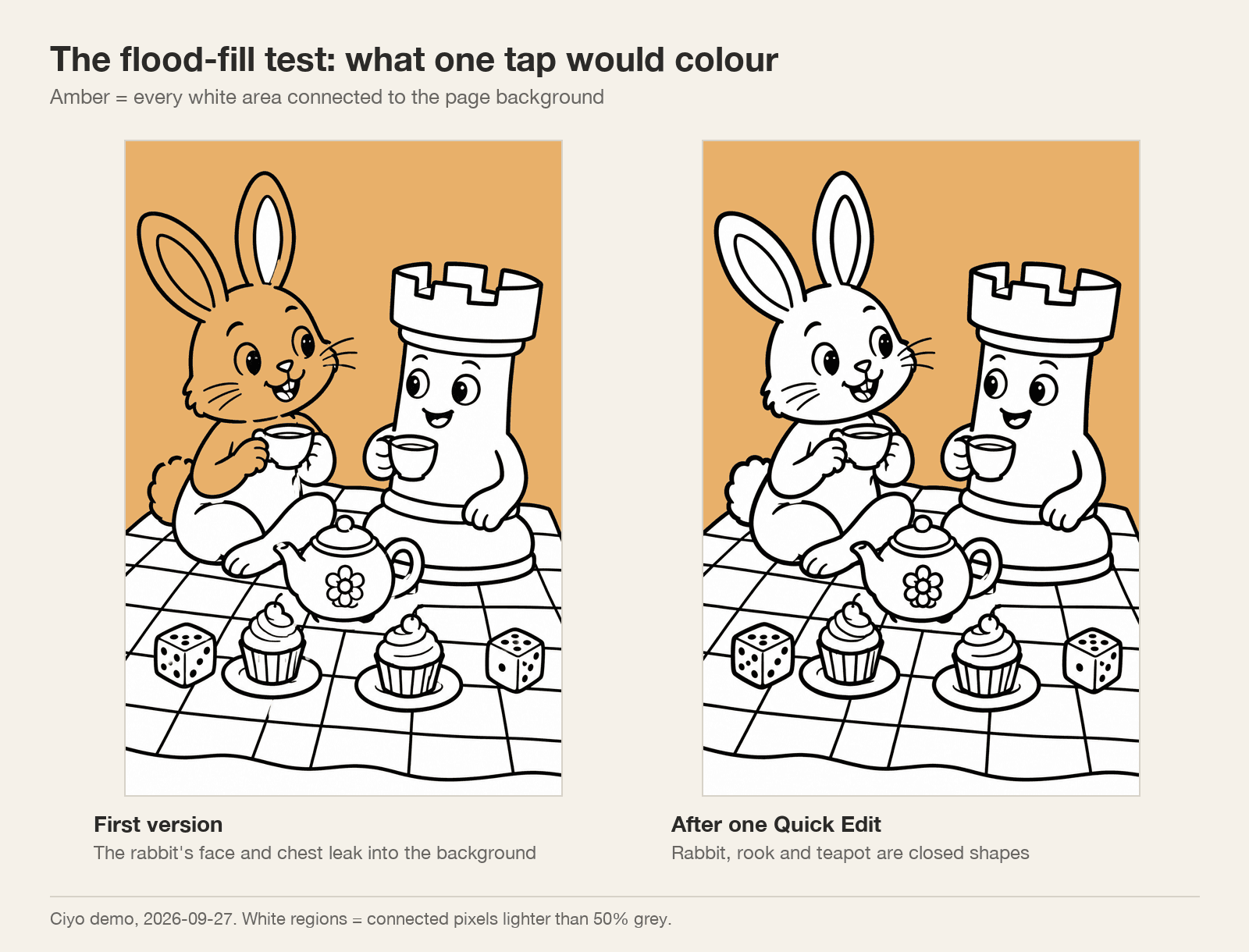
The rabbit's face and chest were part of the background. A small gap in the outline meant one tap in a colouring app would fill the rabbit and the whole sky at once. The teapot also joined the rabbit's leg. The rook was properly closed.
On paper with crayons a child would not notice. In a colouring app, or if you want to add a flat fill yourself, it matters.
One Quick Edit closed the gaps
We selected the page, opened Quick Edit (4 credits) and named the shapes to close. The new version kept the drawing. The rabbit's face and chest, the rook and the teapot all became closed shapes.
The catch: Quick Edit returned a smaller file, 1,664 × 2,496 — about 200 dpi on A4. The Upscale menu offers 2K, 4K (2,731 × 4,096) and 8K. Our 4K upscale failed twice on September 27 and was not charged, so we could not show its result; check the final size before you print.
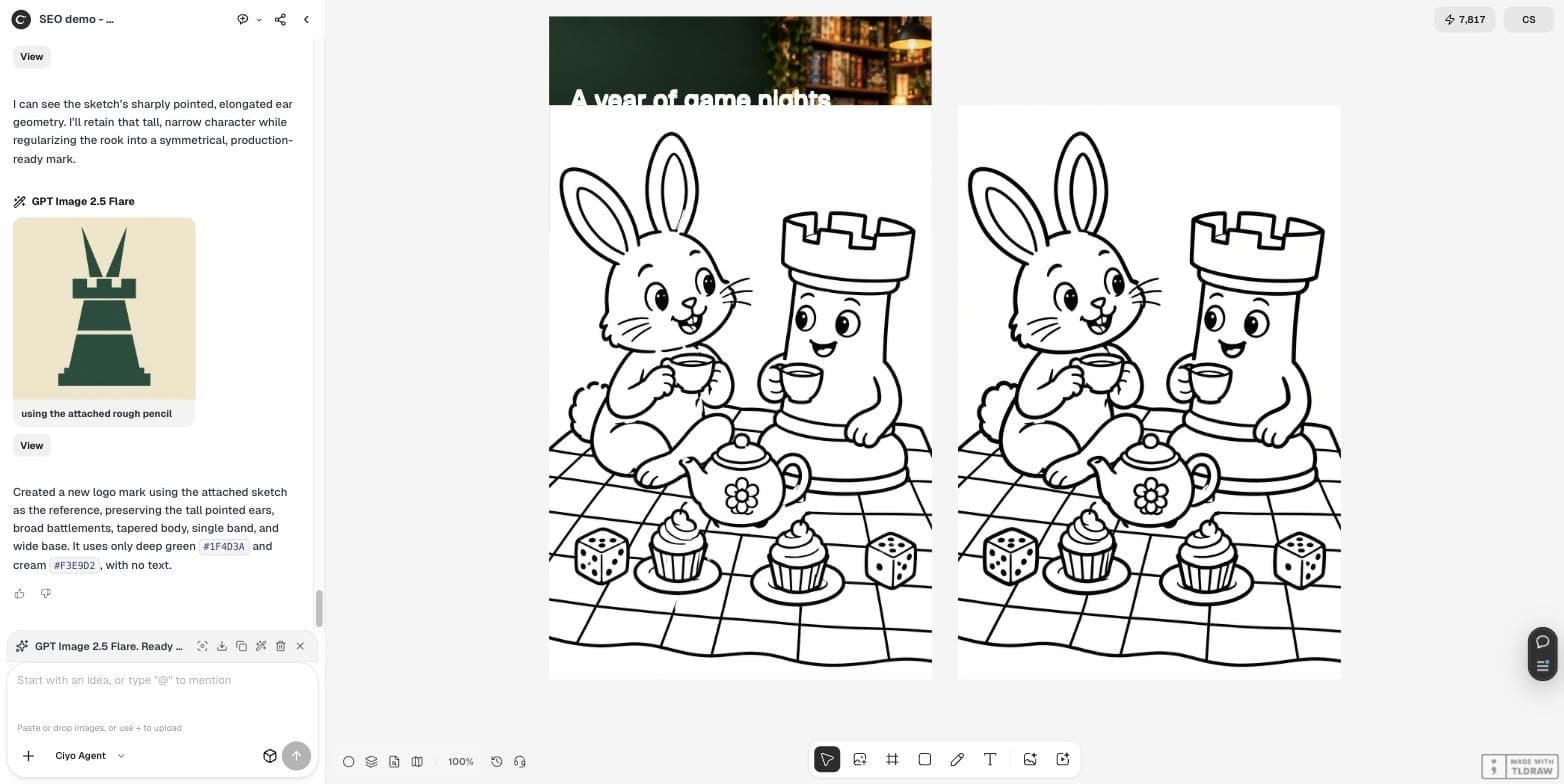
Close every gap in the black outlines so each shape is fully enclosed: the rabbit's head, body, arms and legs, the teapot and the cups. Keep the same drawing, line thickness and composition. Pure black lines on pure white, no grey.Checks before printing
Run these on the file you will print, not on the canvas preview.
| Check | First version | After Quick Edit |
|---|---|---|
| Pixel size | 2,336 × 3,504 | 1,664 × 2,496 |
| Resolution on A4 | 282 dpi | About 200 dpi |
| Coloured pixels | 0% | 0% |
| Rabbit a closed shape | No | Yes |
| Teapot a closed shape | No | Yes |
Posted 2026-09-20. An indie developer launches his own app, ColoredAI, which turns any photo into a colouring page. It shows how popular the task is; it is not connected with Ciyo, and whichever tool you use, the same size and closed-shape checks apply.
AI colouring pages
Can AI make a printable colouring page?
Yes. Our page from GPT Image 2.5 in Ciyo was pure line art with no colour, at 282 dpi on A4.
What is the flood-fill test?
Check which white areas connect to the background. In our first version the rabbit leaked into the sky through a gap in its outline.
How do I close gaps in the outlines?
Quick Edit with the shapes named fixed ours for 4 credits, but returned a smaller file.
What size do I need for A4?
2,480 × 3,508 pixels for 300 dpi. Choose 4K in Image settings and check the size of the file you download.
Make a colouring sheet for your next event
Generate line art in Ciyo, test it, and print it for the table.