Page identity · Crop review
Facebook Cover Photo Generator: Check Your Business Page Crop

A cover can look balanced as a wide image and lose its main words when a narrower view crops the edges. A profile picture can also compete with the artwork. That is a placement problem a new image generation alone may not solve.
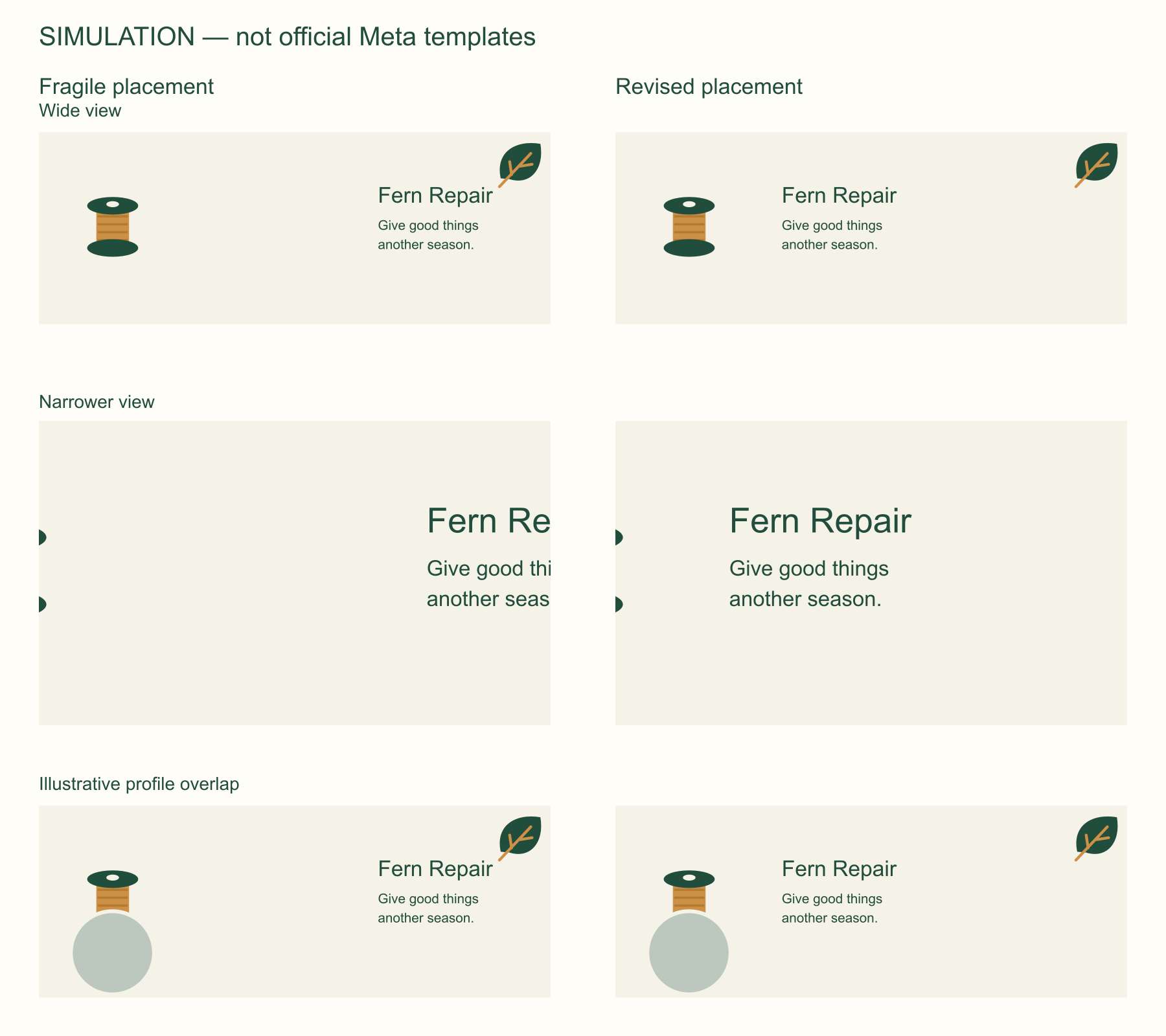
The original agent request stalled without a saved cover and was stopped. The fragile layout, revised SVG and labeled simulation board were then created outside Ciyo and imported as three PNGs for a real canvas review. Source text remains editable in the external SVG files. None of these simulations is a verified current Meta template or an account-level Facebook preview.
Quick answer: center the essential message, then verify the Page
Create a master with room around the business name and short service message. Test a wide view, a narrower crop and an overlapping profile circle. Revise the arrangement when essential words disappear.
Those tests find obvious fragility; they do not certify Facebook’s current layout. Before a real update, inspect the actual Page preview on the devices you serve. Keep contact information in the accessible Page fields too.
1. Choose the Page surface and approved words
A business Page cover is persistent identity artwork. It has a different job from a feed advertisement or an event cover. Confirm the actual destination before choosing dimensions or copying a third-party template.
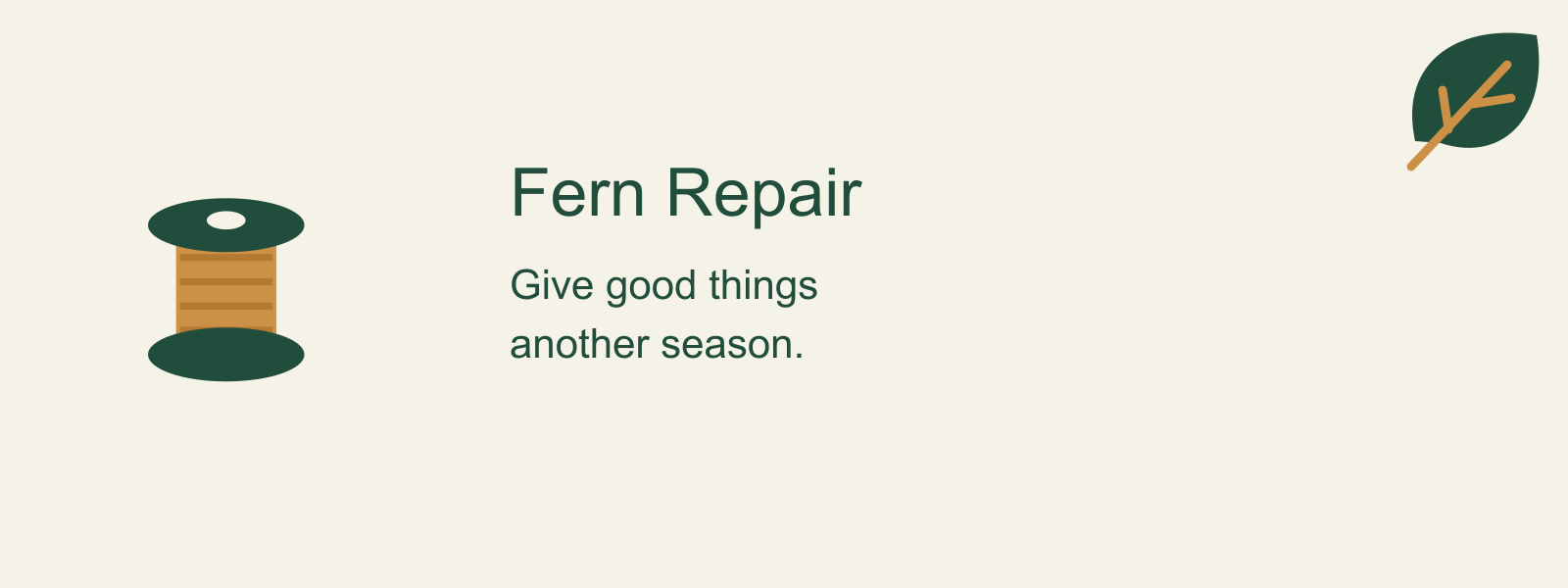
Fern Repair uses the fictional line “Give good things another season.” We omit phone numbers, addresses and hours because none were approved. For a real service business, keep changing facts in Page fields and supporting text instead of relying on tiny lettering in a cover.
2. Build a flexible master
Ask for editable text and simple original artwork, leaving generous margins around the core message. Our code-drawn spool and leaf make the service feel recognizable without implying a real photographed workshop.
A raster master can be useful for upload, but keep its SVG text source for corrections. Do not assume a model-generated business name will be spelled correctly or become a separate editable layer.
To repeat the import, download the English PNG previews below, open your own Ciyo project, choose Upload in the canvas toolbar, then Upload Image and select the files. Arrange the imported images for review. Edit wording in the separate SVG source outside Ciyo and render a new PNG before replacing an image; importing a PNG does not create native text layers.
Create a wide master for fictional Fern Repair with exact words: Fern Repair / Give good things another season. Use an original spool and leaf illustration, ivory, deep green and amber. Retain editable SVG text and a PNG export. Show a fragile version with the headline far right, then a revised central-message version. Make clearly labeled wide and narrow crop simulations with an illustrative lower-left circular overlap. These are not official Meta templates. Do not update a real Page.3. Compare a fragile layout with the revision
Put a candidate headline near the far right and inspect a narrower crop. If the business name or the end of the sentence disappears, the message depends too much on the full width. Move the essential words inward and reduce decorative competition.
The circular overlay is a stress test for overlap, not a measurement of every device’s profile-picture position. Keep the simulation label visible wherever you share the review so another person does not mistake it for a platform specification.
| View | Question | Revision if it fails |
|---|---|---|
| Wide crop | Does the cover feel balanced? | Rebalance art without moving key words to an edge |
| Narrower crop | Do the complete business name and message remain? | Move the text inward or shorten it |
| Illustrative circle overlap | Is essential content obscured? | Reserve more room around the message |
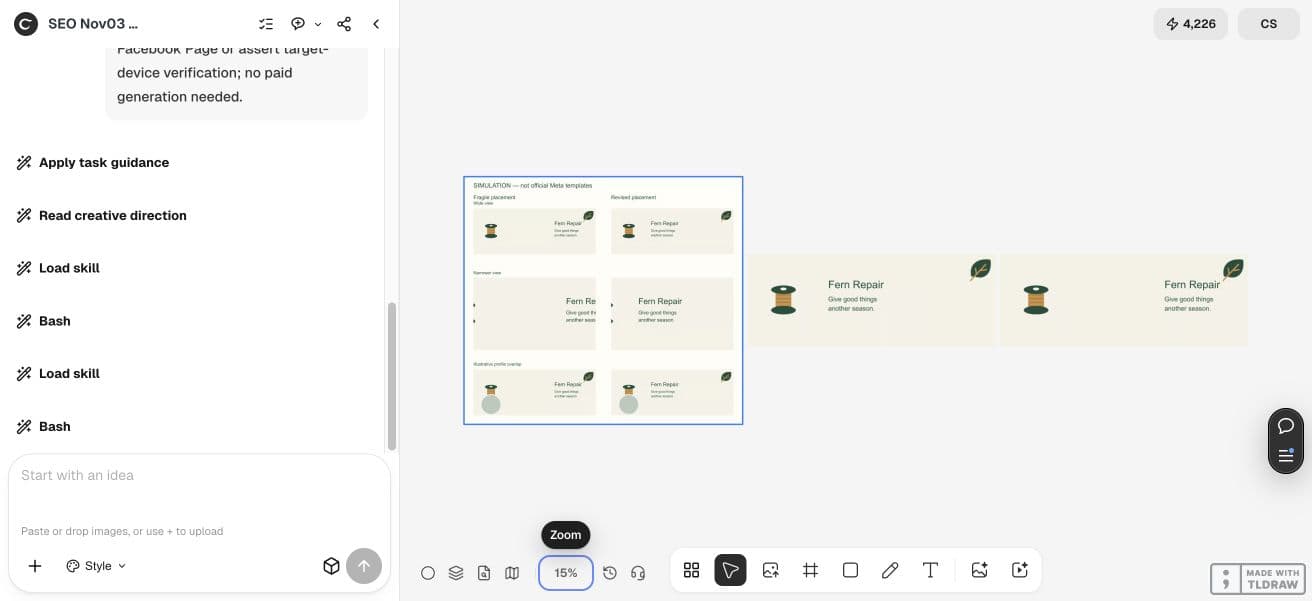

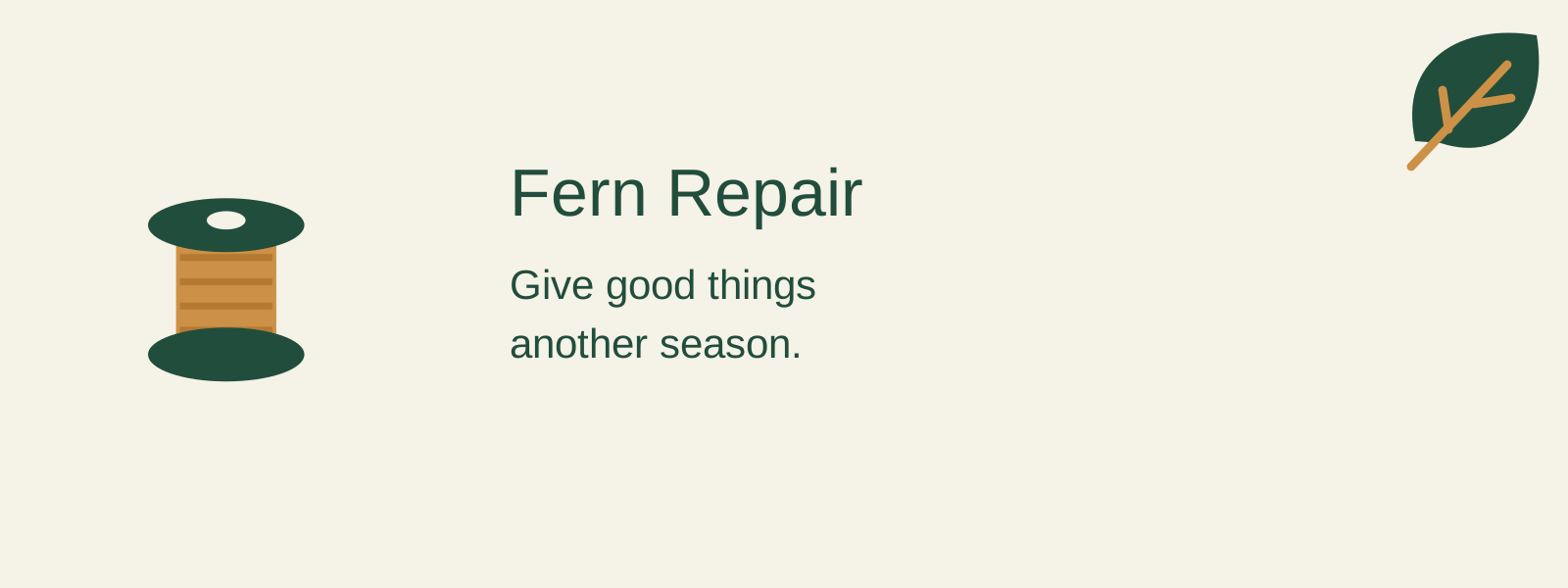
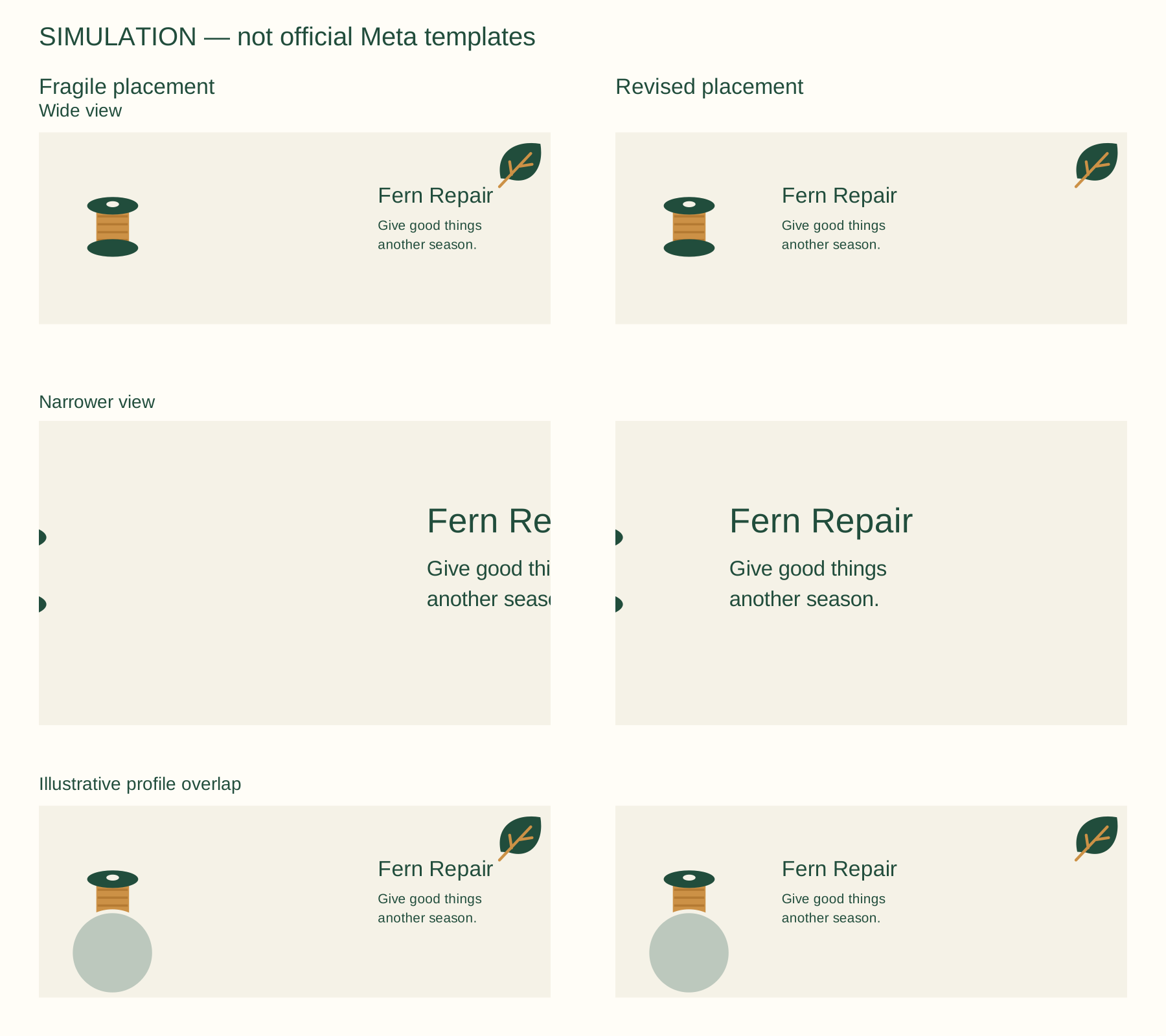
- Download English editorial source: cover-fragile.svg
- Download English editorial source: cover-revised.svg
- Download English editorial source: crop-simulations.svg
- Download English PNG preview: cover-fragile.png
- Download English PNG preview: cover-revised.png
- Download English PNG preview: crop-simulations.png

4. Inspect the current destination preview
Use your own Page’s current upload or change-cover preview before saving a public update. Check the business name, line breaks, image sharpness and any overlap. Compare mobile and desktop where accessible.
If the actual layout differs from the simulation, trust the destination preview and revise the master. This walkthrough does not publish a cover or claim we tested a live Fern Repair Page. Avoid describing a single pixel rectangle as safe everywhere.
5. Keep the Page useful without the image
A visitor should still find the business identity and contact route when the cover is hidden, unreadable or not loaded. Repeat important information in the relevant accessible Page fields. Do not put the only phone number into a small decorative line.
For a solo business, choose one stable service message. For a team, store the approved master, upload export and date of the device review together. Recheck the destination after a material platform or artwork change.
Practical questions
What is the universal Facebook cover safe area?
This guide does not claim one. Current official specifications and an account-level preview were not verified; the illustrated crops are stress tests.
Can I use the crop board as an upload template?
Use it to understand placement risk. Set final dimensions from current platform guidance and inspect your actual Page preview.
Will Ciyo update my business Page?
This workflow prepares and reviews creative files. It does not demonstrate Facebook account linking or publishing.
Why keep contact facts outside the cover?
Page text and contact fields remain useful when an image is cropped or inaccessible. The cover should not be the only source of essential information.
Review your cover before changing the Page
Bring approved words and the current destination requirements, then test the master and the actual upload preview.