Creators · YouTube
Make a YouTube Banner with AI That Survives the Safe Area
A YouTube banner is the only graphic most channels own, and it is cropped differently on a television, a laptop and a phone. Anything you care about has to live in the small rectangle in the middle that every device shows.
On September 20, 2026 we generated a banner in Ciyo, then measured it against YouTube's published numbers instead of eyeballing it. The wordmark passed. Five per cent of the artwork did not, and we can show you exactly which five per cent.
YouTube's numbers, from YouTube
YouTube Help states a minimum upload of 2048 by 1152 pixels at 16:9, a safe area for text and logos of 1235 by 338 pixels at that minimum, a recommended dimension of 2560 by 1440 “especially for TV”, and a file size of 6 MB or smaller. We read that page on September 20, 2026.
The safe area is the point of this article. It is 60 per cent of the width and 29 per cent of the height, sitting dead centre. Everything outside it is decoration that some viewers will never see.
| Property | At the minimum size | At the recommended size |
|---|---|---|
| Banner | 2048 by 1152 px | 2560 by 1440 px |
| Safe area | 1235 by 338 px | 1544 by 422 px |
| Safe area position | Centred | x 508 to 2052, y 509 to 931 |
| File size | 6 MB or smaller | 6 MB or smaller |
Ask for the middle and let the edges be empty
Write the safe area into the prompt as a proportion rather than in pixels, because the model does not think in coordinates. Telling it to keep every word inside the middle sixty per cent of the width and to leave the far thirds plain gives you something you can crop without losing anything.
We ran this at 16:9 and 2K on GPT Image 2.5 Sunburst. The output is 2560 by 1440, which is exactly YouTube's recommended size, and the file is 2.3 MB, comfortably under the 6 MB limit.
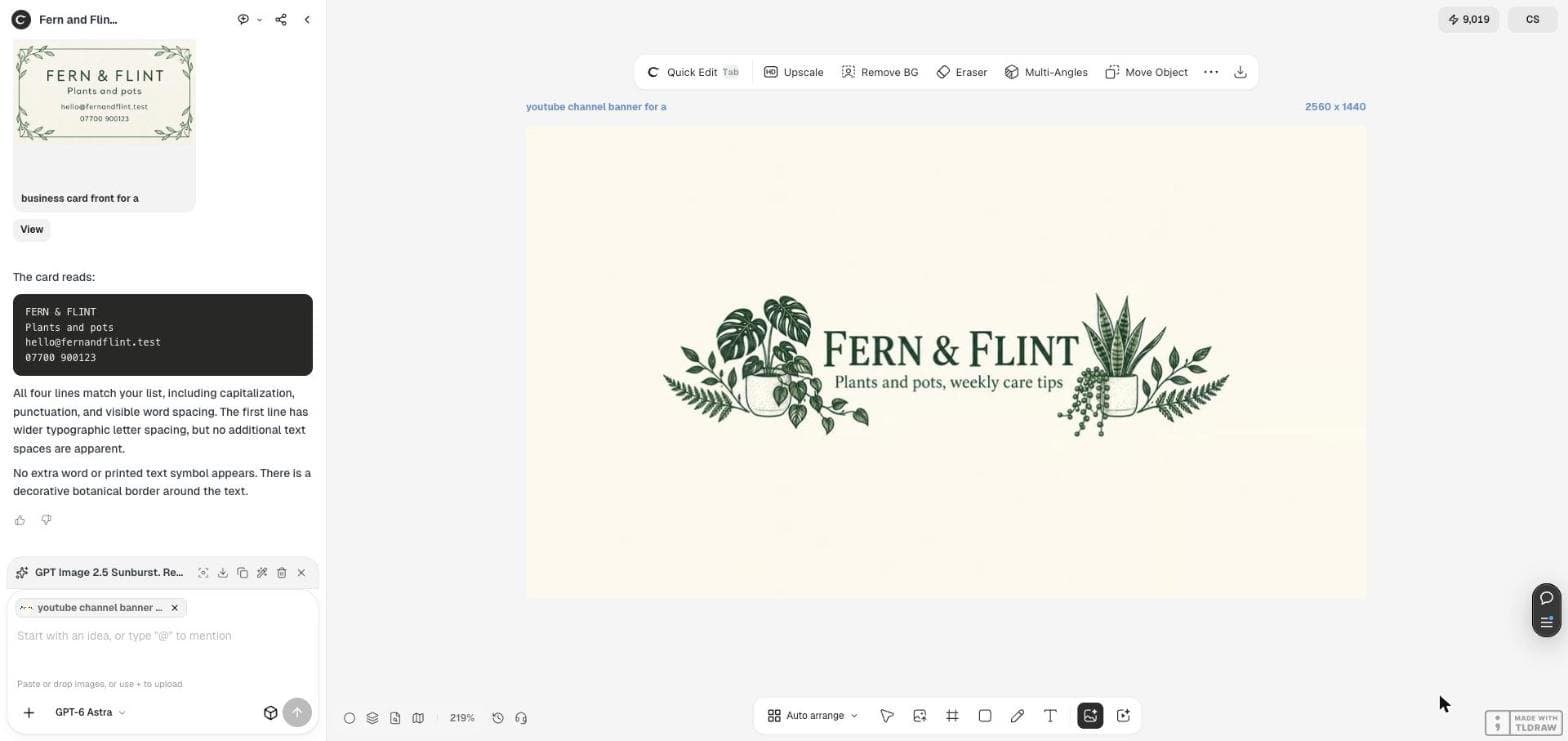
YouTube channel banner for a small shop, wide 16:9 artwork. Keep every word and every important shape inside the middle sixty per cent of the width and the middle thirty per cent of the height; leave the far left and far right thirds as plain background that can be cropped away. Warm ivory background, dark green botanical line art, centred text exactly: <your channel name> on the first line and <your one-line promise> on the second line. No other words, no hands, no device frame, no mockup.Now measure it, do not admire it
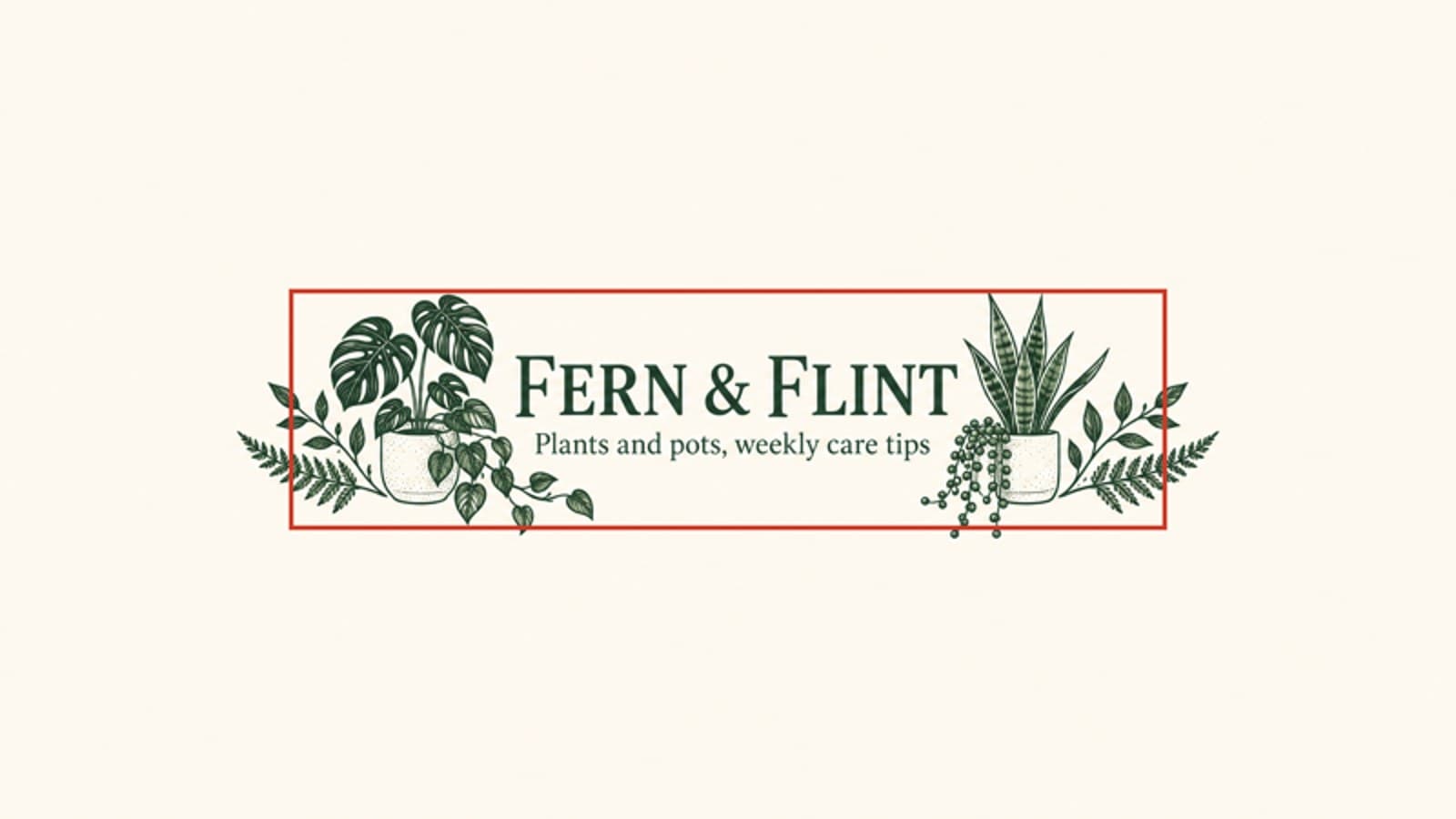
We drew YouTube's safe area over the file as a rectangle and measured where the ink actually falls. The wordmark and the tagline sit inside it. The leaf artwork does not: the ink spans x 417 to 2142 where the safe box ends at x 508 and 2052, and it drops fifteen pixels below the bottom edge of the box.
In total 8,297 of 166,967 ink pixels, or 5.0 per cent, fall outside the safe area. That is the right result for this design, because everything outside is leaves. Had it been the second half of the channel name, it would have been a failure.
The check without any tools
You do not need to measure pixels to do this properly. Open the banner on your phone at arm's length and cover the left and right thirds with your fingers. What remains is roughly what a mobile viewer sees.
If the channel name is complete and readable in that strip, you are finished. If a word is cut in half, move the text inward and run it again rather than shrinking the whole design.
Upload it, then look at all three crops
YouTube shows the banner three ways and its own preview screen lets you see each one before you save. Use it. Television shows the whole image, desktop shows a wide strip, and mobile shows the safe area and very little else.
One last check: keep the file under 6 MB. A 2K image from a generator is usually one to three megabytes, so this rarely bites, but a large upscale can cross the line.
Two creators, the same wall
On September 18, 2026 a creator posted in Japanese that YouTube's image guidelines are strict and that images have to fit neatly inside them. On September 17 another creator asked r/NewTubers for help because they needed a banner and had no money for one; eight people replied.
Neither post is about Ciyo and neither endorses it. Together they describe the gap this workflow fills: the rules are published and fussy, and the people who most need to follow them are the least likely to own a design tool.
Posted 2026-09-18 in Japanese, about YouTube's rules rather than about any particular tool.
YouTube banner questions
What size should I upload?
2560 by 1440 pixels. YouTube's minimum is 2048 by 1152 at 16:9, but it recommends 2560 by 1440 especially for TV, and that is what a 2K run in Ciyo produces.
How much of my banner will people actually see?
On the smallest crop, the centre 1235 by 338 at minimum size, which scales to 1544 by 422 on a 2560 by 1440 file. That is 60 per cent of the width and 29 per cent of the height.
Does artwork outside the safe area matter?
Only if it carries meaning. Five per cent of our banner's ink fell outside, and all of it was leaves. A cropped leaf is fine; a cropped channel name is not.
Make your channel banner
Generate it at 16:9 and 2K in Ciyo, keep the words in the middle sixty per cent, and check the mobile crop before you save.