GPT-6 Astra · Creative workflows
Build a Small Game with GPT-6 Astra: References to Playable Scene

A small playable loop is a better first target than a large game world. Give Astra one scene, one player action and a visible success condition, then verify the loop before adding detailed assets. This keeps attractive screenshots from becoming the only evidence that the project works.
OpenAI has published a practitioner guide to building games with Astra, and community creators have shared their own projects. This tutorial combines those sources with an original Ciyo browser starter. The starter is an illustrative, locally tested example, not a claim about how quickly Astra independently built a game.
Choose a loop you can describe in one sentence
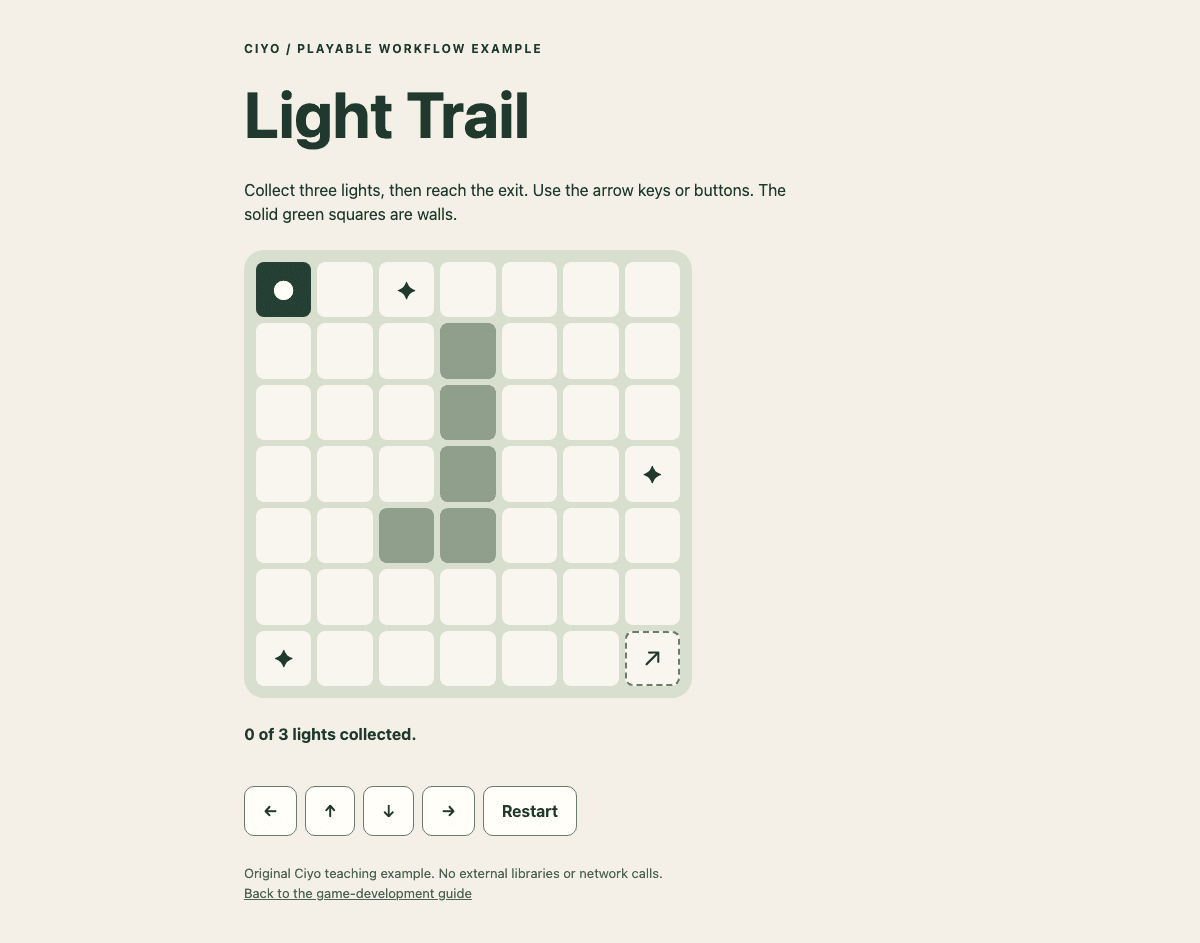
Our starter asks the player to move through a small field, collect three lights and reach the exit. The interface shows how many lights remain. That is enough to test input, state, collision and completion without needing an inventory system or a story campaign.
Write the finish condition before choosing an engine. If your real project needs 3D physics or engine-specific export, say so. If you are only testing a mechanic, a small browser prototype may answer the first question with fewer moving parts.
Use references to constrain the scene
Attach references you are allowed to use and explain whether they define mood, materials, proportions or layout. Then ask for an asset list: player, floor, obstacle, collectible and exit. Record each asset's scale and role so individually attractive objects still work together.
A first pass can use simple shapes. Replace them after the controls and win condition are reliable. If you request generated artwork, distinguish concept art from a game-ready asset that meets the engine's geometry, transparency or animation requirements.
| Part | Requirement |
|---|---|
| Player | Visible position and dependable controls |
| Collectibles | Three distinct items; count updates once per item |
| Exit | Completion only after all items are collected |
| Restart | Restore the initial state without reloading assets |
| Art | Consistent palette and readable interactive objects |
Give Astra a playable definition of done
Ask for the runnable project, instructions and a brief report of actual checks. A screenshot is useful evidence of appearance, but it cannot establish that a collision or restart works. If the environment cannot launch the project, the handoff should name that unverified step.
Keep the task small enough that the agent can inspect and repair its own result. Expanding to more levels before the first one works multiplies the places a defect can hide.
Build one small playable scene: move a player, collect three lights, then reach an exit. Include visible instructions, progress and Restart. Start with simple shapes and a coherent palette. Deliver runnable files and setup instructions. Verify movement, one-time collection, the locked exit before completion, the win state and restart. Report what you actually tested. Keep menus, inventory, accounts and additional levels outside this first prototype.Play the starter and inspect its source
The linked Light Trail starter is a self-contained HTML file. Open it in a browser, use arrow keys or the on-screen controls, collect the three lights and reach the exit. Restart resets the board. Its source is small enough to inspect before adapting it.
This is a teaching artifact with intentionally simple geometry and no external libraries, accounts or network calls. It demonstrates a reviewable game loop; it does not demonstrate a complete game-production pipeline or an Astra performance benchmark.
Test the edges of the loop
Move into a wall, revisit a collected item and reach the exit too early. These short checks tell you more about state handling than repeatedly playing the happy path. After winning, restart and confirm the count, player position and items all reset together.
For a game with continuous movement, test the frame rate and input behavior on the devices you intend to support. Our grid starter avoids that complexity, so its tests should not be taken as evidence of performance for a 3D engine project.
| Action | Expected result |
|---|---|
| Attempt to cross the boundary | Player stays within the board |
| Return to a collected light | Progress does not increase twice |
| Enter the exit early | The game explains what is missing |
| Collect all and reach exit | A visible win state appears |
| Restart | The exact initial playable state returns |
Add visual assets after the loop survives testing
Choose a consistent style sheet for the next pass: palette, camera angle, materials and object scale. Generate a small set of concept references before commissioning every asset. Recheck readability after replacing simple shapes; a detailed collectible that blends into the floor is a gameplay regression.
Ciyo can help prepare visual references and image assets for the art direction stage. Engine integration, collision geometry and the playable build still require their own implementation and verification.
Put your visual brief to work
Once the game loop works, explore Ciyo for concept references and visual assets that fit your scene's palette and perspective.