GPT-6 Astra · Pixel art
GPT-6 Astra Pixel Art: Keep One Palette Across a Game Icon Set
A game's inventory icons look like one set when they share a palette, an outline and a light direction. If each icon is prompted separately, those rules drift. This guide fixes the rules first with GPT-6 Astra, generates all the icons on one sheet, and then checks the file itself rather than trusting the preview.
The example is a fictional cozy farming game called Moss & Ember that needs six 32×32 item icons. We ran it in Ciyo on September 19, 2026. The screenshots show the actual conversation, the generated sheet and our measurement of the downloaded PNG.
Write the set before you draw any item
List every icon you need and the size it will be shown at. Our list was a turnip seed packet, a watering can, a honey jar, a lantern, a fishing rod and a loaf of bread, all at 32×32 pixels.
Then ask GPT-6 Astra to fix the palette and the set rules before anything is generated. Asking for rules first gives you a checklist you can use on every later icon, not only on this sheet.
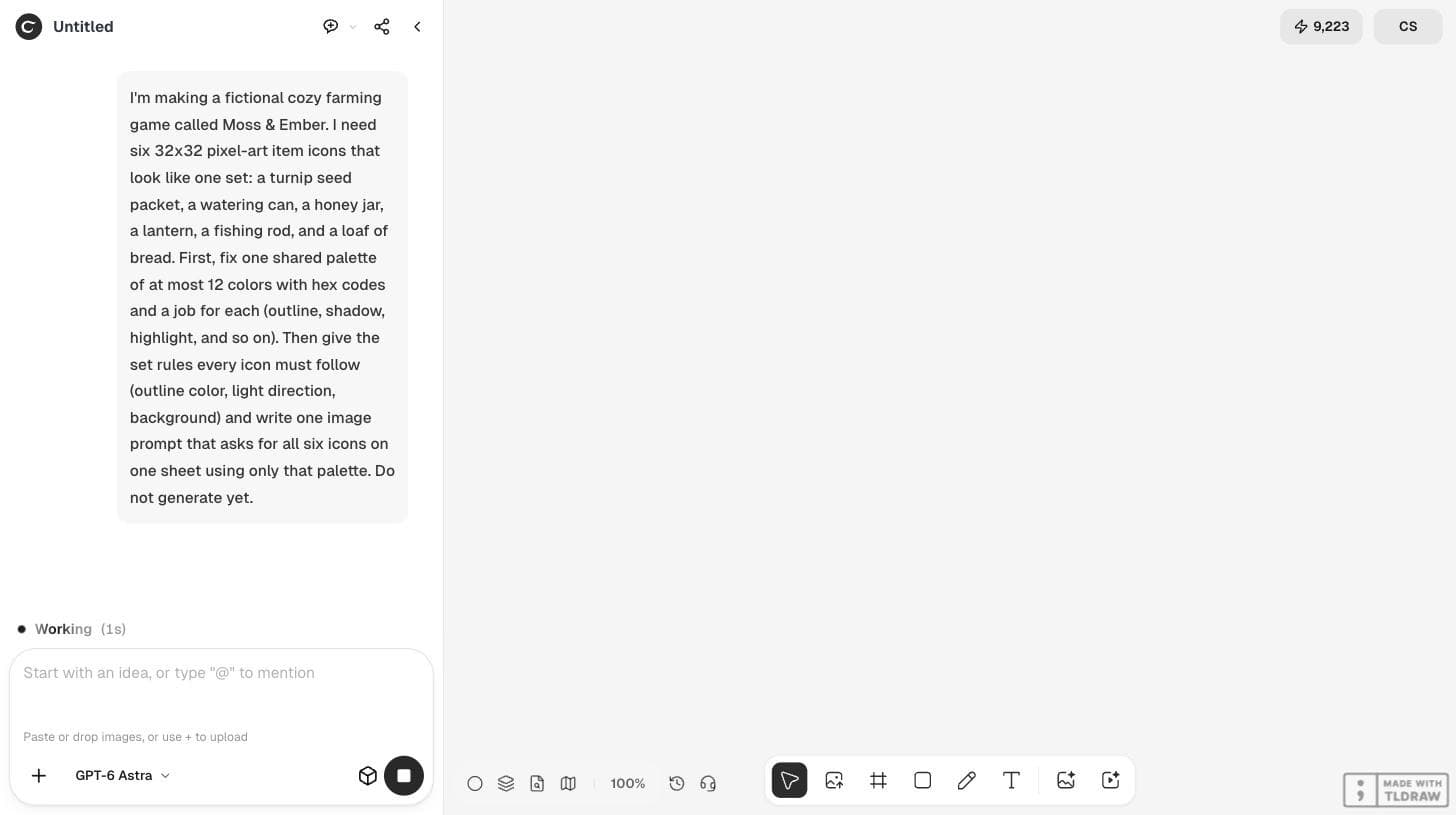
I'm making a fictional cozy farming game called Moss & Ember. I need six 32x32 pixel-art item icons that look like one set: a turnip seed packet, a watering can, a honey jar, a lantern, a fishing rod, and a loaf of bread. First, fix one shared palette of at most 12 colors with hex codes and a job for each (outline, shadow, highlight, and so on). Then give the set rules every icon must follow (outline color, light direction, background) and write one image prompt that asks for all six icons on one sheet using only that palette. Do not generate yet.Give every color one job
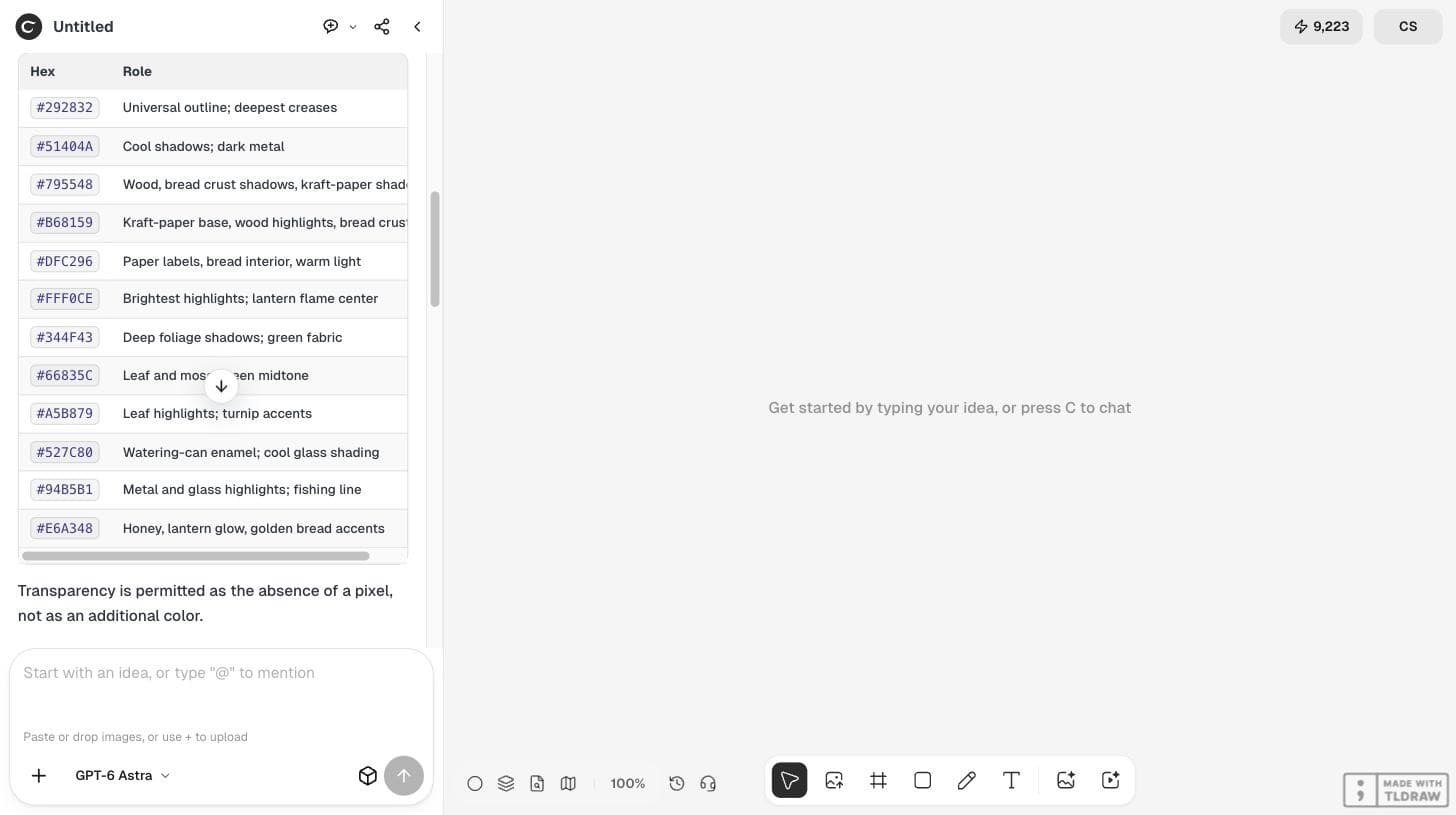
Astra returned 12 hex colors, each with a role: #292832 for every outline, a cool shadow, three warm browns for wood, paper and crust, two creams for labels and highlights, three greens, two teals for metal and glass, and #E6A348 for honey and lantern light. It also noted that transparency is the absence of a pixel, not a 13th color.
The set rules were specific enough to check: a one-pixel #292832 outer outline, light from the upper left, two or three tones per material, no anti-aliasing or gradients, a transparent background, and each icon inside a centered 24×24 safe area of its 32×32 cell.
| Rule | How to check it |
|---|---|
| One-pixel #292832 outline | Zoom to 800% and follow the edge of each icon |
| Light from the upper left | Highlights on upper-left faces, shadows lower right |
| At most 12 colors | Count unique colors in the exported file |
| Transparent background | Check the file has an alpha channel |
| 24×24 safe area in a 32×32 cell | Overlay a grid in your pixel editor |
Generate all six icons on one sheet
One sheet keeps the icons in the same generation, so scale and style are compared side by side. We pasted Astra's full sheet prompt into Ciyo's Image Generator with GPT Image 2.5 Flare at 3:2, which matches a sheet of three columns and two rows. The button showed 2 credits before the run.
Keep the prompt exactly as written. An accidental double paste in our first attempt raised the quote to 3 credits, a reminder that long prompts can cost more.
Judge the sheet by eye first
The result read as one set: the same dark outline, the same upper-left light and similar visual weight across the six items. The honey jar and lantern used the amber accent, and the turnip packet used the greens as planned.
It also showed a gray-and-white checkerboard behind the icons. That pattern often means the background is painted, not transparent, so it needs a check before you import anything into a game engine.
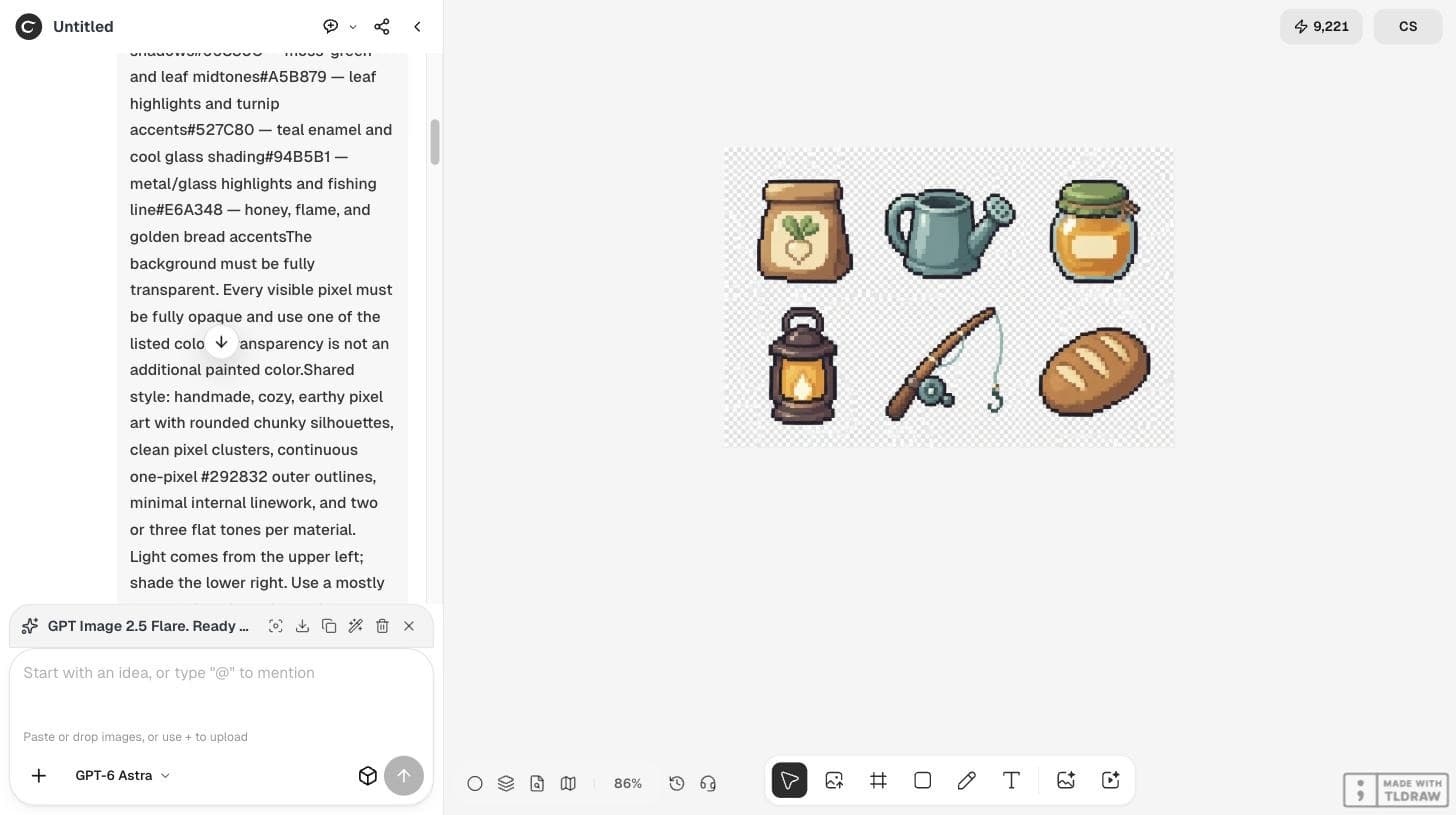
Measure the file, not the preview
We downloaded the PNG and measured it with a short script. It was 1248×832 pixels in RGB with no alpha channel, so the checkerboard is painted. It contained 77,523 unique colors instead of 12. Among the icon pixels, 85% were within a color distance of 40 of the nearest palette color, but only about 10% were within 10.
In plain terms: the model followed the palette by eye, not by value. That is normal for an image model and easy to fix, but only if you check.
| Check | Plan | Measured |
|---|---|---|
| Canvas size | 96×64 native grid | 1248×832, not an integer multiple of the grid |
| Colors | 12 | 77,523 unique colors |
| Background | Transparent | No alpha channel; checkerboard painted in |
| Palette fit | Exact hex values | 85% of icon pixels within distance 40 |
Snap the sheet to the palette before you ship
Treat the generated sheet as a strong sketch. In a pixel editor, downscale each cell to 32×32 with nearest-neighbor sampling, apply the 12-color palette, remove the background color, and redraw any outline that broke. Then test the icons at 1× in the actual inventory screen.
Keep the palette table and set rules with the project. When you need a seventh icon, send the same rules again and check it the same way, so the set stays one set.
The same idea is visible in the community. On September 15, 2026, Ethan Mollick posted a set of pixel-art knight sprites that GPT-6 Astra produced from one request, as part of an argument about the model's judgement. A set that looks right is a good start; the palette check above is what makes it production-ready.
A researcher's post about GPT-6 Astra generating a set of pixel-art sprites. It does not involve Ciyo; the palette measurement in this guide is our own check.
Pixel-art palette questions
Will the generated file use exactly my 12 colors?
Not in our run. The sheet looked consistent, but the file had 77,523 unique colors. Snap it to the palette in a pixel editor.
Is the checkerboard background transparent?
In our file it was not. The PNG had no alpha channel, so the checkerboard was painted. Check the file before you import it.
Why generate all icons on one sheet?
The icons are made together, so you can compare scale, outline and light in one image and fix the rules before you make more.
Plan your next icon set
Ask GPT-6 Astra for the palette and rules first, then generate the sheet in Ciyo and check the file.