Photo editing · Illustration
Turn a Photo into a Cartoon Illustration with AI
A cartoon version of your shop or product is useful for a menu header, a sticker or a friendly social post. An image edit can make one from a photo in under a minute. The part to check is what the edit changed besides the style.
This guide turns a fictional café's storefront photo into a flat cartoon illustration with Quick Edit in Ciyo on September 19, 2026, and compares the two. The edit cost 4 credits in our run.
Start with a clear, well-lit photo
Cartoon styles simplify, so the photo should have clear shapes: a building front, a product on a plain surface, a single object. Busy scenes lose detail. Use a photo you have the right to use, and avoid identifiable people unless they agree.
Our photo was a generated image of a fictional sage-green café front with a striped awning, two bistro tables and potted lavender.
Describe the style and what must stay
Select the photo and open Quick Edit. Name the style in a few words, then list the things that must stay in the same place. That second part keeps the result recognizable as your shop.
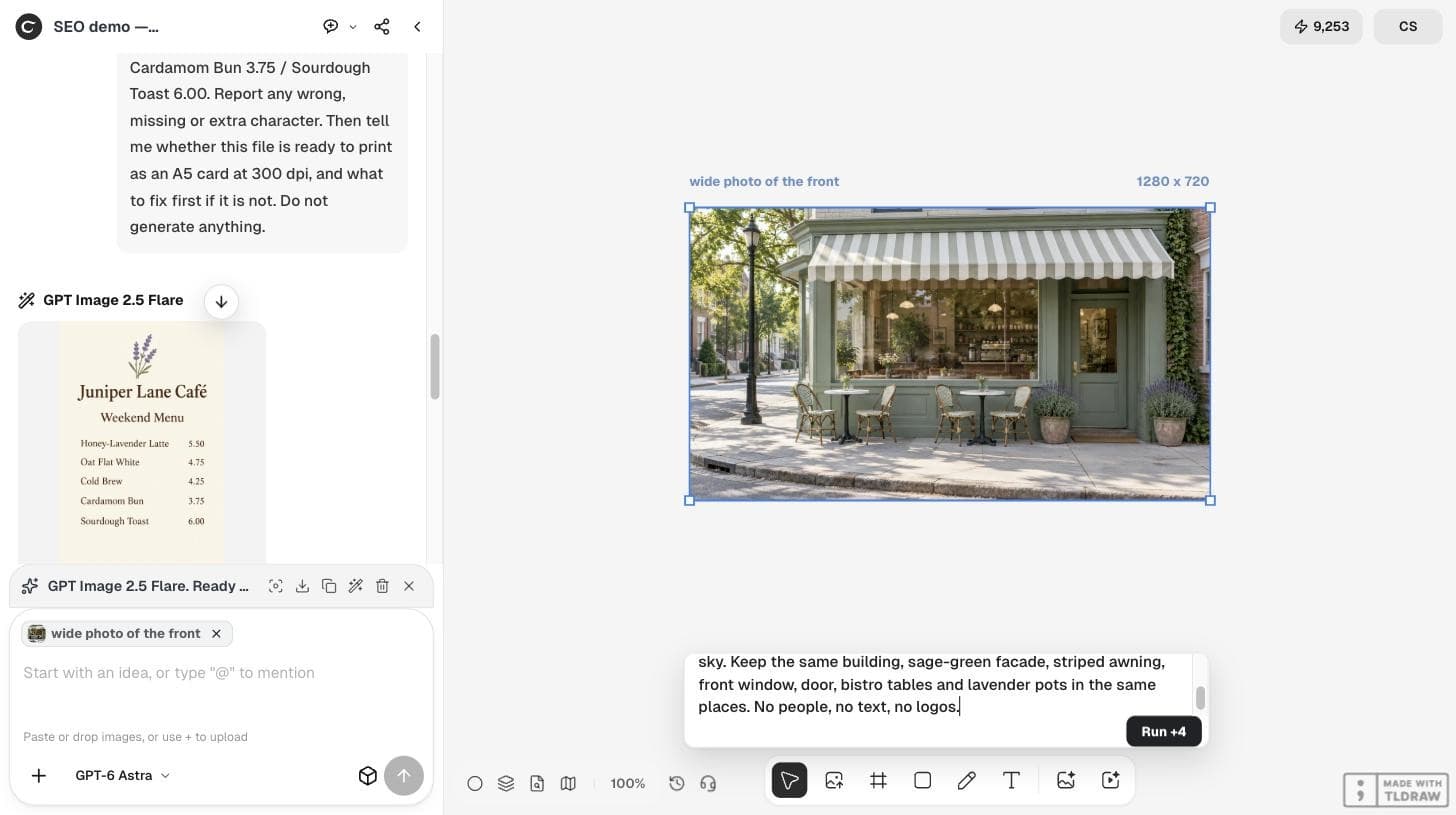
Turn this photo into a friendly flat cartoon illustration for a café menu header: clean dark outlines, simple flat colors, soft cream sky. Keep the same building, sage-green facade, striped awning, front window, door, bistro tables and lavender pots in the same places. No people, no text, no logos.Compare the result with the photo
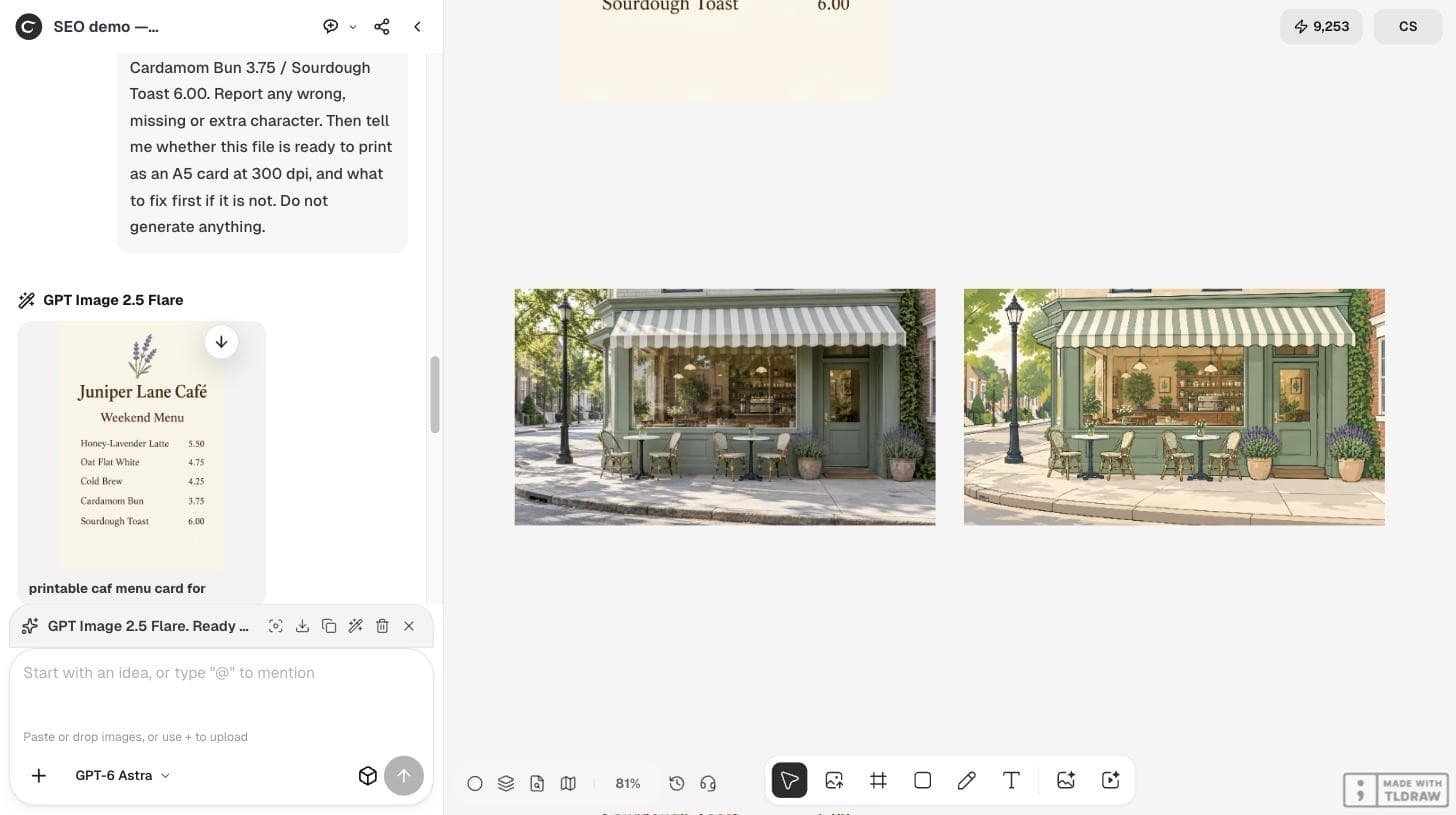
The edit placed a cartoon version beside the photo, at 2560×1440 from a 1280×720 source. The building, striped awning, window, door, lamp post, both tables with two chairs each, and both lavender pots stayed in the same places, with clean outlines and flat colors as asked.
Some details were simplified rather than kept: the shelves and plants inside the window, the street and trees in the background, and the dappled shadows on the sidewalk. Compare the two at full size and check anything customers would recognize, such as your sign, window display or colors.
| Detail | Photo | Cartoon |
|---|---|---|
| Facade, awning, window, door | Present | Same places, simplified |
| Tables and chairs | Two tables, two chairs each | Same |
| Lavender pots | Two | Two |
| Window interior | Detailed shelves and plants | Simplified |
| Sidewalk shadows | Dappled light | Mostly removed |
Fix one detail at a time
If a detail matters and it changed, run one more Quick Edit that names only that detail, for example 'Keep the window display as detailed as in the photo; change nothing else.' Change one thing per edit so you can see what each edit did.
Use it where illustration fits
A cartoon storefront works as a menu header, a loyalty card, a sticker or a map pin. Keep the photo for places where people need to recognize the real building, such as your maps listing.
Prompt writers are sharing similar style-transfer instructions. On September 13, 2026, @Sairah_0 posted a ChatGPT prompt that turns a real photograph into a hand-drawn travel-journal illustration while keeping the scene and layout. It is a prompt for another product; the comparison table above is our own check.
A prompt for ChatGPT's image tool. The author's profile lists a creator partnership with another AI company; this post does not involve Ciyo.
Keep the original
Quick Edit places the result beside the source instead of replacing it. Keep both, so you can make a different style later from the same photo.
Photo to cartoon questions
What did the cartoon edit cost?
The Quick Edit Run button showed 4 credits in our run, and the balance fell by 4.
Will the cartoon match my photo exactly?
Not exactly. In our run the layout, tables, chairs and pots stayed, but the window interior and background were simplified. Compare before you use it.
Does Quick Edit overwrite the photo?
No. The result appeared as a new image beside the original.
Make your illustration
Select a photo in Ciyo, describe the style and what must stay, and compare the result.