Practical design workflows
Remove Glare from Product Photos Without Inventing the Label

A reflection across a glossy package can make the label hard to read. Removing every bright patch is not the answer: some reflection helps the buyer understand that the surface is shiny. The difficult decision is whether the source contains enough information for a faithful edit.
This guide separates a lighting problem you can correct at capture from a local retouch you can inspect. The workflow keeps the original beside the candidate and treats label text, printed graphics and package shape as facts. A plausible replacement is not evidence that obscured lettering has been recovered.
Our live Ciyo attempt did not save a retouched result. The source and the inspection criteria are real; the workflow below is a proposed local-edit brief, not evidence that the reflection or obscured lettering was successfully repaired.
Quick answer: reduce the hotspot, preserve the evidence
First try changing the light or camera position. If the photograph already contains a readable label, make one restrained edit and compare it with that reference. If the reflection completely hides important information, obtain a clear reference or reshoot.
| Source condition | Useful next action | Acceptance boundary |
|---|---|---|
| Glare is away from the label | Reduce only the distracting hotspot | Material still looks appropriately glossy |
| Label is visible but low contrast | Try a small local correction | Every character and graphic agrees with the source |
| Label is hidden by clipped white | Reshoot or supply a clear verified reference | Do not accept guessed text as recovery |
| Broad reflections describe the shape | Keep or soften them selectively | Package still has believable curvature and finish |
Identify glare separately from useful reflection
Study the image before issuing a removal prompt. A narrow highlight along a bottle can communicate its curve; a large patch over the product name can prevent identification. Mark the specific area that interferes with the reader’s task instead of asking for a completely reflection-free object.
A current Shelfgen guide discusses reflection removal as a product-photo problem. It is vendor guidance rather than a controlled test of Ciyo. The practical distinction here is independently inspectable: the edit must improve visibility without changing the label or turning glossy packaging into a different material.
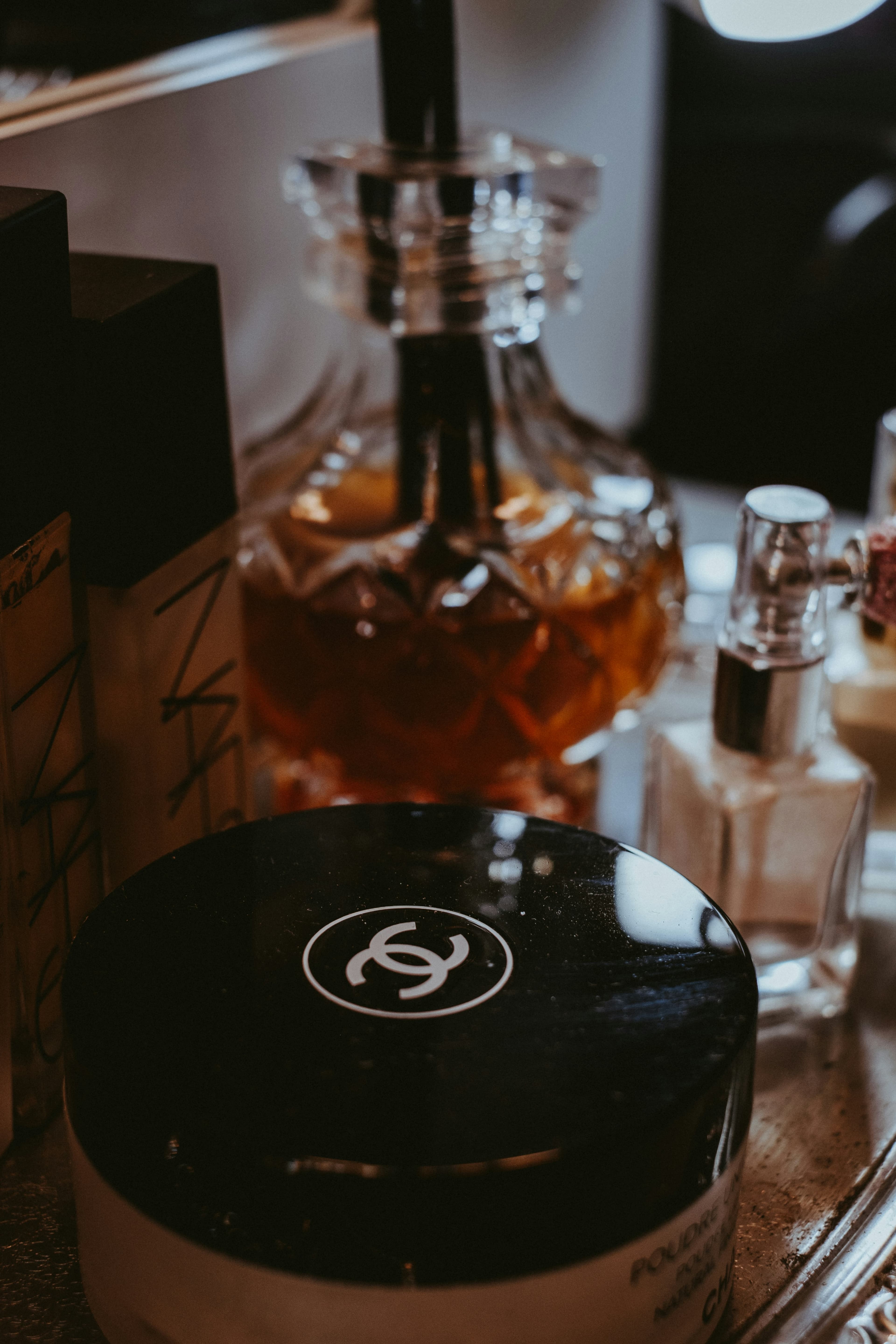
Our live source is Eduardo Gorghetto’s 2020 Unsplash photograph. The foreground black compact has a bright rectangular reflection near the upper-right lid, while lettering on its lower body is already blurred. The visible double-C mark is an identity check, not an endorsement; this is an editorial editing demonstration, not an advertisement.
Try changing the capture before changing pixels
Move the light, camera or package slightly and compare the reflection’s position. A larger diffused source can change the shape and softness of a highlight; the result still depends on the material and geometry. Work one variable at a time so you know what improved the label.
Keep a clear straight-on label reference even if the final product image uses a more attractive angle. That reference gives the reviewer a factual check. Do not rely on memory for small product names, quantities or symbols. For a reflective curved container, more than one reference view may be needed.
Keep an untouched source and define one edit
Upload the photograph to an isolated Ciyo canvas. Retain the original and request a separate candidate with only the selected hotspot reduced. Name the features to preserve: lettering, logo, printed color blocks, seams, cap and silhouette. If a clear secondary reference exists, explain exactly what it verifies.
The live brief below identifies the bright upper-right lid reflection and the blurred lower-body lettering separately. It asks for one local adjustment while leaving unreadable details unresolved. A preservation instruction does not lock pixels; the exported result still needs inspection.
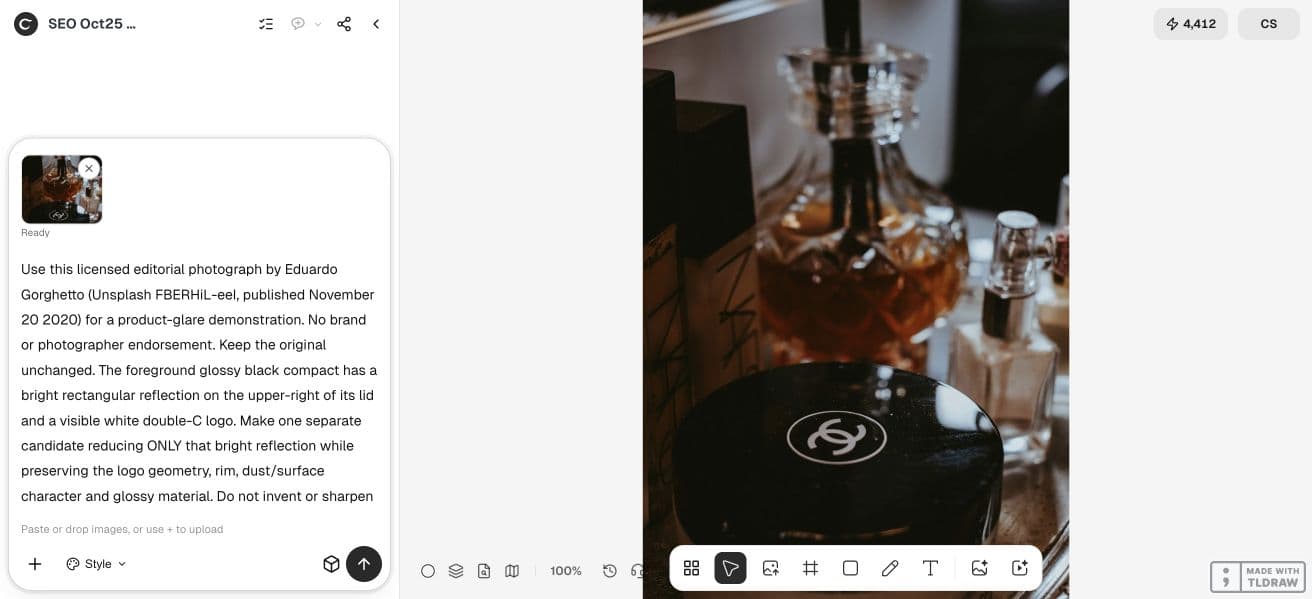
Use this licensed editorial photograph by Eduardo Gorghetto (Unsplash FBERHiL-eeI, published November 20 2020) for a product-glare demonstration. No brand or photographer endorsement. Keep the original unchanged. The foreground glossy black compact has a bright rectangular reflection on the upper-right of its lid and a visible white double-C logo. Make one separate candidate reducing ONLY that bright reflection while preserving the logo geometry, rim, dust/surface character and glossy material. Do not invent or sharpen unreadable lettering on the lower body or background bottles. If a local non-generative adjustment is safer, use it and say so. Save the result and an annotated source/result comparison board with a clearly labeled region that cannot be recovered from this source (blurred/obscured lower-body lettering). Explain what remains unverifiable and why that would require a clearer capture. Provide downloadable PNGs and canvas assets. This is an editing example, not a product advertisement. Execute now.Compare the label before judging the improvement
Review the original and saved candidate at matching scale. Read every visible word, then check punctuation, numerals, small symbols and graphic boundaries. A result can look more legible because a model replaced difficult lettering with something easier to render. That is a failure when the asset represents a real product.
Also inspect the package construction. Glare reduction can flatten a fold, erase a seam or change the apparent cap shape. A cleaner label is not enough if the edit changes what the customer will receive. Keep a brief list of the specific regions you checked, rather than recording only “looks better.”
Reject invented detail and return to a better reference
When a bright area contains no readable characters, a polished result does not prove that the characters are correct. Reject the candidate unless the newly visible information can be verified against the package or an independent clear photograph. The same rule applies to a barcode, measurement or certification symbol.
If the model changes the label, return to the original instead of repeatedly repairing the altered version. Use a narrower local edit, conventional retouching or a new capture. A verified reference can guide a deliberate reconstruction, but that should be described as reconstruction, not hidden detail recovered from the damaged image.
Keep the finish believable in the final export
Review the full image after the detail check. The package should still read as the same glossy, metallic or translucent object. A completely matte-looking result may solve the hotspot while misrepresenting the finish. Keep enough appropriate reflection to explain the surface.
Open the exported file at the actual delivery size. Confirm that the label remains readable after resizing and compression, and retain the original and review notes. If a correction cannot pass those checks, the useful outcome is a reshoot decision—not a more confident caption for an uncertain image.
Frequently asked questions
Can AI recover text hidden by glare?
It can generate plausible text, but the hidden source does not verify that text. Check against the physical package or a clear independent reference; otherwise reshoot.
Should I remove all reflections from a product photo?
No. Some reflections describe curvature and material. Reduce the distracting region while preserving a believable finish.
Is lowering exposure enough?
It may help when highlight information remains, but it can also darken the entire product. A local correction or better capture is often easier to evaluate.
What should I do if the label changes?
Reject that candidate and return to the original. Narrow the edit, use a verified reference or reshoot instead of accepting generated lettering.
Review a specific hotspot
Keep your source in Ciyo, request a separate local correction and compare the label before choosing the result.