Ciyo · GPT-6
What Is GPT-6 Astra? Features and Model Names Explained

GPT-6 Astra is an OpenAI model designed for complex reasoning and work involving multiple steps and tools. Its API ID is gpt-6-astra. In eligible ChatGPT conversations, OpenAI offers an Astra-powered option named GPT-6 Pro. The model name and the product label describe related parts of the same offering.
For a creator, the useful question is what the model can contribute to a real assignment: interpreting references, organizing a campaign, working with software, and revising a result. This explanation draws on official documentation checked on September 7, 2026. It distinguishes documented capabilities from workflow suggestions and published evaluations from hands-on testing.
The names refer to different things
Use GPT-6 Astra when discussing the underlying model and gpt-6-astra when specifying the API ID. GPT-6 Pro is the ChatGPT option powered by Astra. A Pro subscription is a plan, so its name alone does not describe every model available or its usage allowance. Access can also differ between Chat, Work, Codex, and the API.
GPT-5.6 is a separate model family with Sol, Terra, and Luna options. The gpt-5.6 API alias points to Sol in the current documentation. GPT Image 2 is a separate image generation model, not an alternate spelling of Astra. Keeping these names precise makes a comparison or tutorial reproducible.
| Name | What it identifies |
|---|---|
| GPT-6 Astra / gpt-6-astra | Underlying model / API identifier |
| GPT-6 Pro | Astra-powered ChatGPT option |
| ChatGPT Pro | Subscription plan |
| GPT-5.6 Sol / gpt-5.6 | Sol model / current API alias |
| GPT Image 2 / gpt-image-2 | Separate image generation model |
What Astra receives and returns
Astra’s model page lists text and image inputs, with text output. That supports tasks such as analyzing a screenshot, comparing supplied references, writing a brief, or producing code. It does not mean that the model directly emits every medium a surrounding application can display.
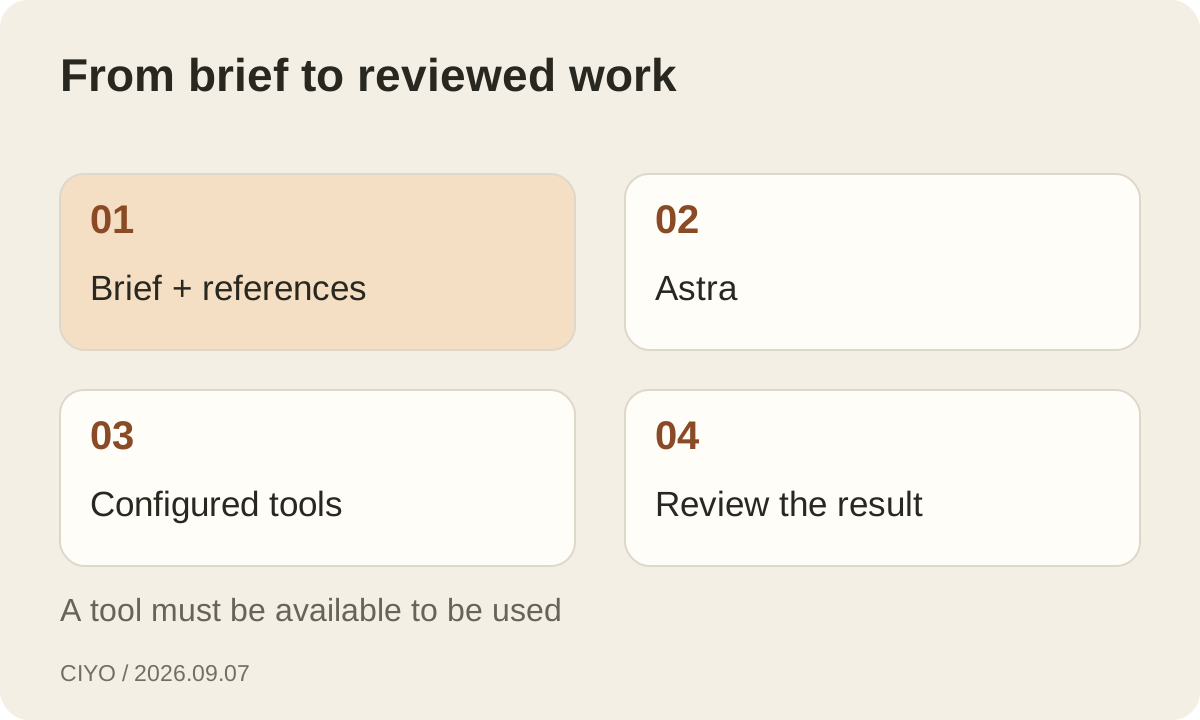
An application can connect Astra to image generation, web search, a code interpreter, file search, computer use, or other supported tools. Those tools can create files or carry out actions. A demonstration showing a website or image therefore involves a workflow with software around the model. Check the tool configuration before assuming that the same task is available in another interface.
A large context window has several distinct limits
The documented context window is 1,050,000 tokens, with a maximum input of 922,000 and a maximum output of 128,000 tokens. These figures describe capacity. They are not a promise that a whole project will be remembered forever or that every detail in a long attachment will be used correctly.
Curate the material anyway. Keep the current brief, approved references, and acceptance criteria easy to find; label obsolete drafts and remove irrelevant duplicates. A million-token capacity cannot resolve contradictory instructions for you. Long input also has a cost implication: Astra’s higher pricing band begins above 272,000 input tokens, well below maximum capacity.
Async tools can keep independent work moving
OpenAI documents asynchronous tool calling as an Astra feature. A developer can mark a function or custom tool async, let the model continue independent work, and return the tool result later using the original call identifier. The application still executes the tool and manages pending work; the model does not make that infrastructure disappear.
Consider a hypothetical campaign workflow that fetches an approved asset while drafting a review checklist. Those activities may proceed independently. Final layout approval, however, must wait for the actual asset. The useful design question is which steps depend on which results. Running dependent steps too early can produce a polished deliverable based on missing evidence.
Mid-turn steering helps with changing requirements
Astra’s guide describes mid-turn steering through the Responses API over a WebSocket connection. A user can add an instruction while work is in progress, and the continuation can preserve completed work. The feature requires an application that implements the documented event flow; its presence in the model guide does not guarantee the same interaction in every client.
For a design task, a late request to prioritize mobile could change the remaining work without discarding an already approved color study. State what changed and which earlier decisions still apply. Then inspect the result for both the new instruction and the original requirements. Steering is useful only if the final deliverable carries the full brief forward.
Reasoning effort is a control, not a quality guarantee
The API supports low, medium, high, xhigh, and max reasoning effort for Astra. Unlike Sol, Astra does not list none. The guide also describes changing reasoning effort during a conversation while preserving the prompt cache through a configuration update. Developers should use the current documented request shape instead of copying another model’s settings.
For creative work, reserve additional reasoning for uncertainty that needs resolving: conflicting brand constraints, a complex page hierarchy, or several sources that disagree. A tightly specified crop or a short rewrite may have little ambiguity. Raising effort cannot supply a missing product photograph or decide a business priority that the brief never states.
Read performance claims in the context of their tests
OpenAI’s launch material reports improvements in areas including computer use, professional work, and software engineering. Those evaluations provide evidence about the tasks and conditions they measure. They do not directly measure whether a campaign image matches your brand or whether a localized headline sounds natural to your audience.
For example, the launch page’s OSWorld 2.0 comparison uses latency simulations and reports computer-task performance. A creator should not turn that into a blanket promise that every image task is faster. Test the work you actually do, using the same assets, tools, acceptance criteria, and revision budget for each model.
Give an agent a brief and a review boundary
A useful assignment names the deliverable, inputs, constraints, and completion checks. For a landing page, that might mean three sections, approved product imagery, readable mobile text, working navigation, and a preview for review. These details give the model something concrete to verify instead of treating a plausible first draft as the finish line.
The surrounding application still determines access and approvals. In Codex, sandbox and approval settings govern what the agent can reach and when permission is needed. Review the artifact and the actions taken, especially before publication or changes to shared systems. Greater autonomy is most useful when the task has an observable definition of completion.
What this means for a creative workflow
Astra is worth evaluating where the work involves coordinating evidence, decisions, and software over several steps. A campaign can require analyzing references, planning variants, generating assets with an image tool, checking layouts, and revising the result. Test whether it improves those transitions and reduces the amount of correction you must provide.
If the assignment is simply to render an image from an approved prompt, start by evaluating the image model and interface. Ciyo’s GPT Image 2 tool addresses that production step. Keeping the planner, renderer, and review process visible makes it easier to choose the right tool and to understand what an upgrade would actually change.
Continue reading
Questions about GPT-6 Astra
Are Astra and GPT-6 Pro the same name?
Astra names the underlying model. GPT-6 Pro is the Astra-powered option in eligible ChatGPT chats. A ChatGPT Pro subscription is a separate plan concept.
Does a million-token context mean permanent memory?
No. Context capacity describes how much a request can contain. Persistent memory, stored files, and retrieval depend on the product and application.
Can Astra do everything shown in a demo by itself?
Demos may include configured tools and professional software. Verify the available tools, permissions, and output formats in the application you intend to use.
Build the image part of your workflow
Bring an approved brief and references to Ciyo’s canvas, generate a first image, and keep the selected result ready for your next creative step.