Print · Tested
Make a Die-Cut Sticker with AI and Check the File
Stickers are cheap, loved and easy to give away with every order. For a die-cut sticker the printer cuts along your shape, so the file has to be exact: a transparent background, a clean edge and a border that is not cut off.
On September 27, 2026 we made a mascot sticker for Rook & Rabbit, a fictional board-game café, in Ciyo, removed the background and measured the file the way a sticker printer will read it.
Generate the sticker on a plain background
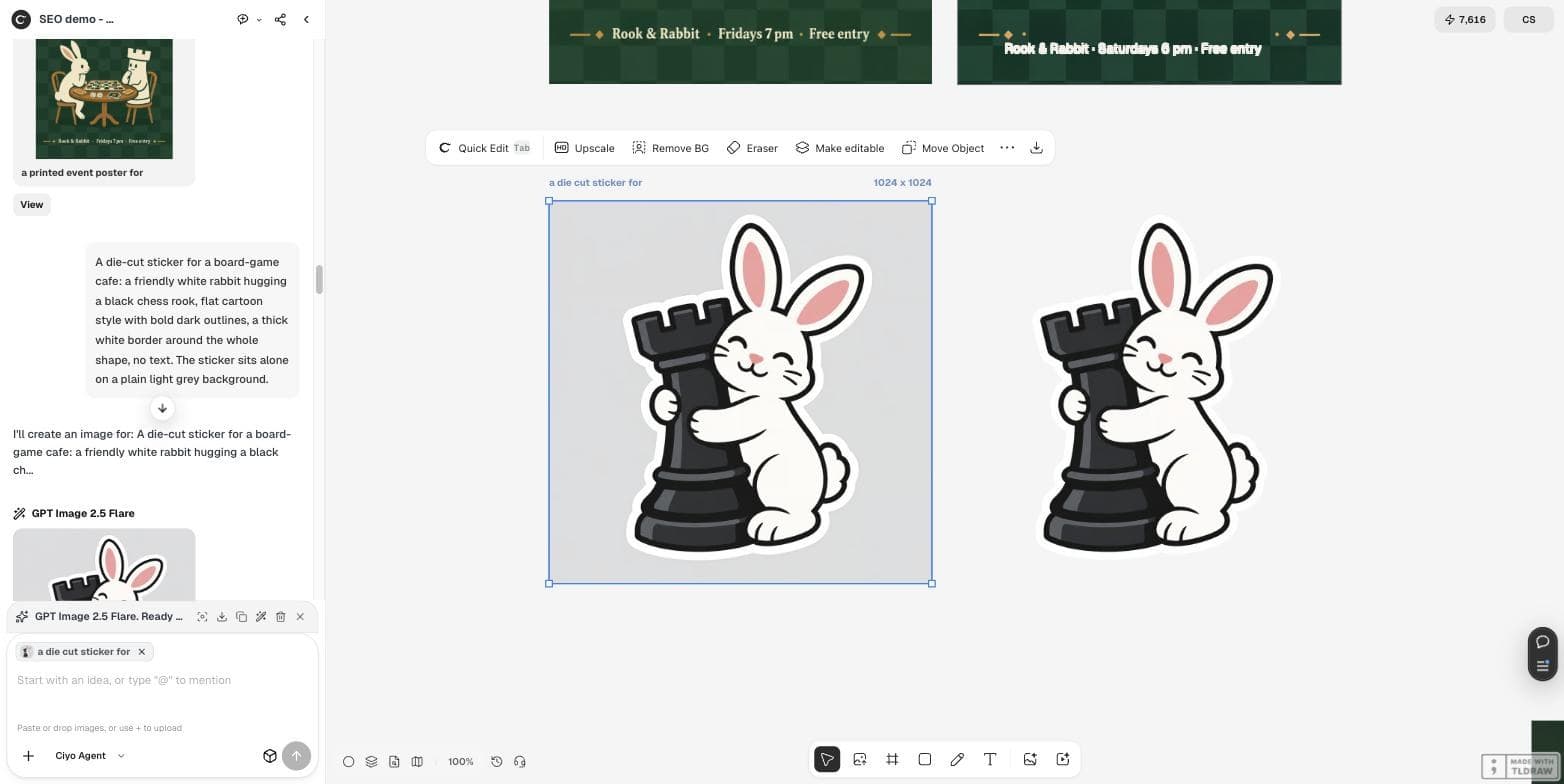
Ask for the border in the prompt, and put the sticker on one plain colour that is clearly different from the border. A white border on a light-grey background gives Remove BG an easy edge. We used GPT Image 2.5 Flare at 1:1 and 1K for 2 credits.
A die-cut sticker for a board-game cafe: a friendly white rabbit hugging a black chess rook, flat cartoon style with bold dark outlines, a thick white border around the whole shape, no text. The sticker sits alone on a plain light grey background.Remove the background
Select the sticker and click Remove BG in the image toolbar. Ours took about ten to fifteen seconds and placed a transparent version beside the original. The white border stayed; the grey went.
Check the cut-out, not the canvas
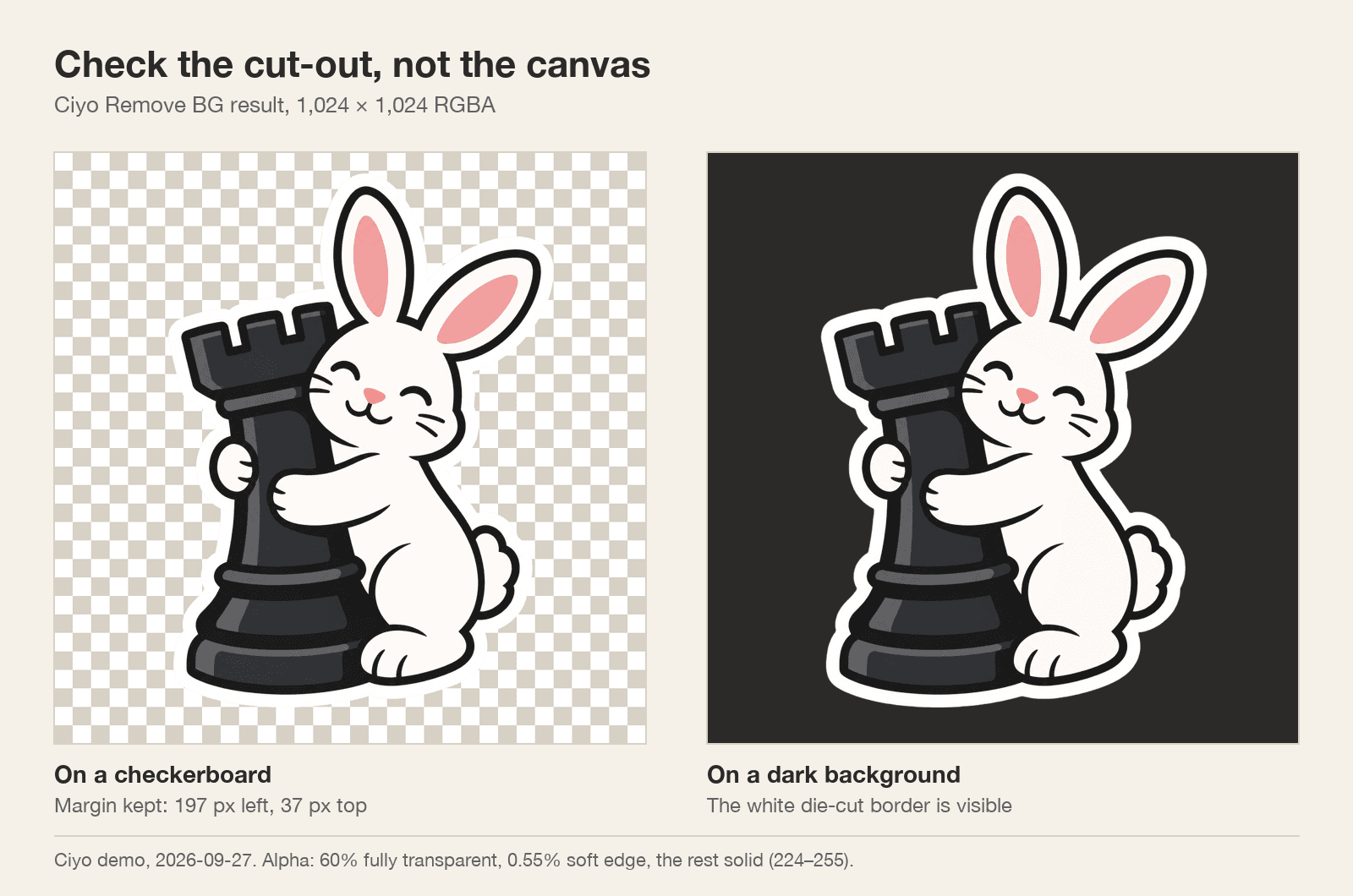
A white border is invisible on a white page, so view the file on a checkerboard and on a dark colour. Then read its alpha channel — the transparency map a sticker printer uses to plan the cut.
Our file was a 1,024 × 1,024 RGBA PNG. 60% of pixels were fully transparent, 0.55% formed a soft anti-aliased edge and the rest were solid. The sticker kept a margin on every side: 197 pixels on the left and 37 at the top.
What a sticker printer checks
Printers differ, so read your printer's file guide. These four checks catch the common problems before you upload.
| Check | Why | Our file |
|---|---|---|
| Real transparency (RGBA PNG) | The cut line follows the shape | Yes, 1,024 × 1,024 RGBA |
| Nothing touches the image edge | A cut-off border cannot be cut | Yes, margins on all sides |
| Soft edge is thin | A wide halo prints as a grey fringe | 0.55% of pixels |
| Size for print | Small files print soft | 3.4 in at 300 dpi; upscale for larger |
Size it for the sticker you will order
At 300 dpi, 1,024 pixels prints 3.4 inches (8.7 cm) wide. That is a normal laptop sticker. For a larger size, upscale the transparent file before you order, then check the edge again.
Make a sheet, not just one sticker
Once one sticker passes the checks, keep the prompt and change only the subject — the rabbit with dice, the rook with a teacup — so a set shares one style. Run the same four checks on each file before you send the sheet to print.
AI stickers
Can AI make a die-cut sticker file?
Yes. Generate the sticker on a plain background, then use Remove BG. Our result was a 1,024 × 1,024 RGBA PNG with the white border kept.
How do I check the transparent background?
View it on a checkerboard and a dark colour, and check that nothing touches the image edge.
How big can I print it?
1,024 pixels is 3.4 inches at 300 dpi. Upscale for larger stickers.
Why add the border in the prompt?
A die-cut sticker is cut just outside the design. The white border gives the cut a margin.
Make your first sticker
Generate a mascot in Ciyo, remove the background and check the file before you order.