Design · Tested
Make an Instagram Carousel with Claude Opus 5.5 and Ciyo
A carousel needs two things an image model struggles to give you together: attractive pictures and several lines of exact text on every slide. Split the job and each tool does what it is good at.
On September 27, 2026 we made a four-slide carousel for Rook & Rabbit, a fictional board-game café. Ciyo made the illustrations; Claude Opus 5.5 in claude.ai laid out the slides and set the text. Ciyo does not run Claude Opus 5.5.
Why split pictures and text
Image models have become much better at lettering, but a carousel has dozens of words across four slides, and one wrong letter means a new generation. Text set in code is exact by construction, and you can change a date in seconds.
So we asked Ciyo for pictures with no text at all and an empty area for a headline, and asked Opus 5.5 for everything else.
Posted 2026-09-26. An app founder wrote that one prompt to Opus 5.5 produced the full set of carousel creatives for his own app. It is a short post about his product with no method shared; our test below shows one way to do it and what to check.
Step 1: text-free illustrations in Ciyo
In Ciyo's Image Generator we chose GPT Image 2.5 Flare, the 4:5 ratio that Instagram uses for portrait posts, 2K and two images, for 6 credits. The prompt asked for a café table seen from above in the lower half, a plain green area in the upper 40% for a headline, the brand colours, and no text.
Both images came back at 1,792 × 2,240 with the empty green area where we asked and no stray lettering. We resized them to 1,080 × 1,350, Instagram's portrait size.
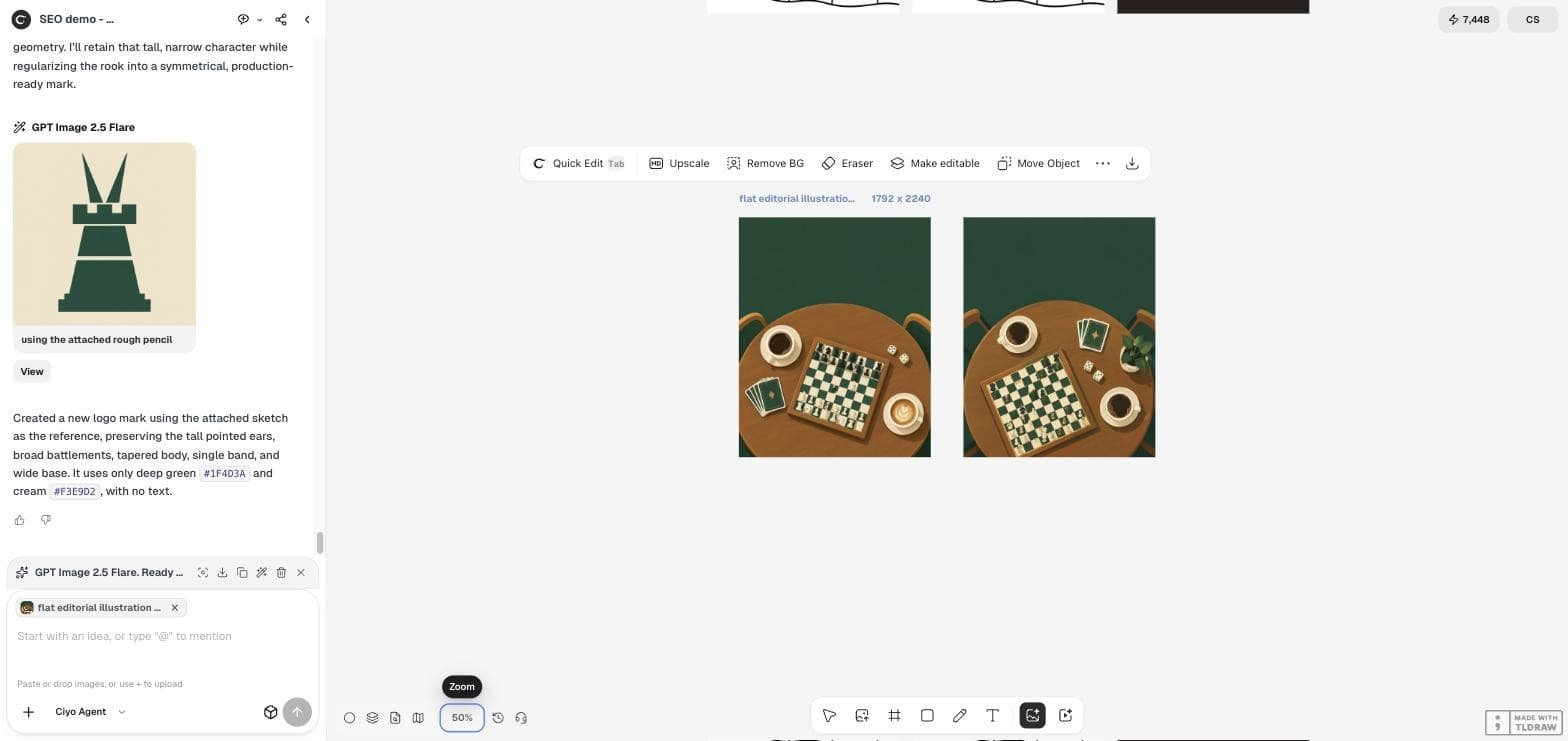
Flat editorial illustration for an Instagram carousel for a board-game cafe: a round wooden cafe table seen from directly above, with a chess board, two dice, a small stack of cards and two cups of coffee, arranged in the lower half. The upper 40% of the picture is a plain deep green (#1F4D3A) area with nothing in it, for a headline added later. Deep green, cream (#F3E9D2) and a little warm amber. Clean flat vector style, soft shadows. No text, no letters, no numbers, no logos.Step 2: the layout brief for Opus 5.5
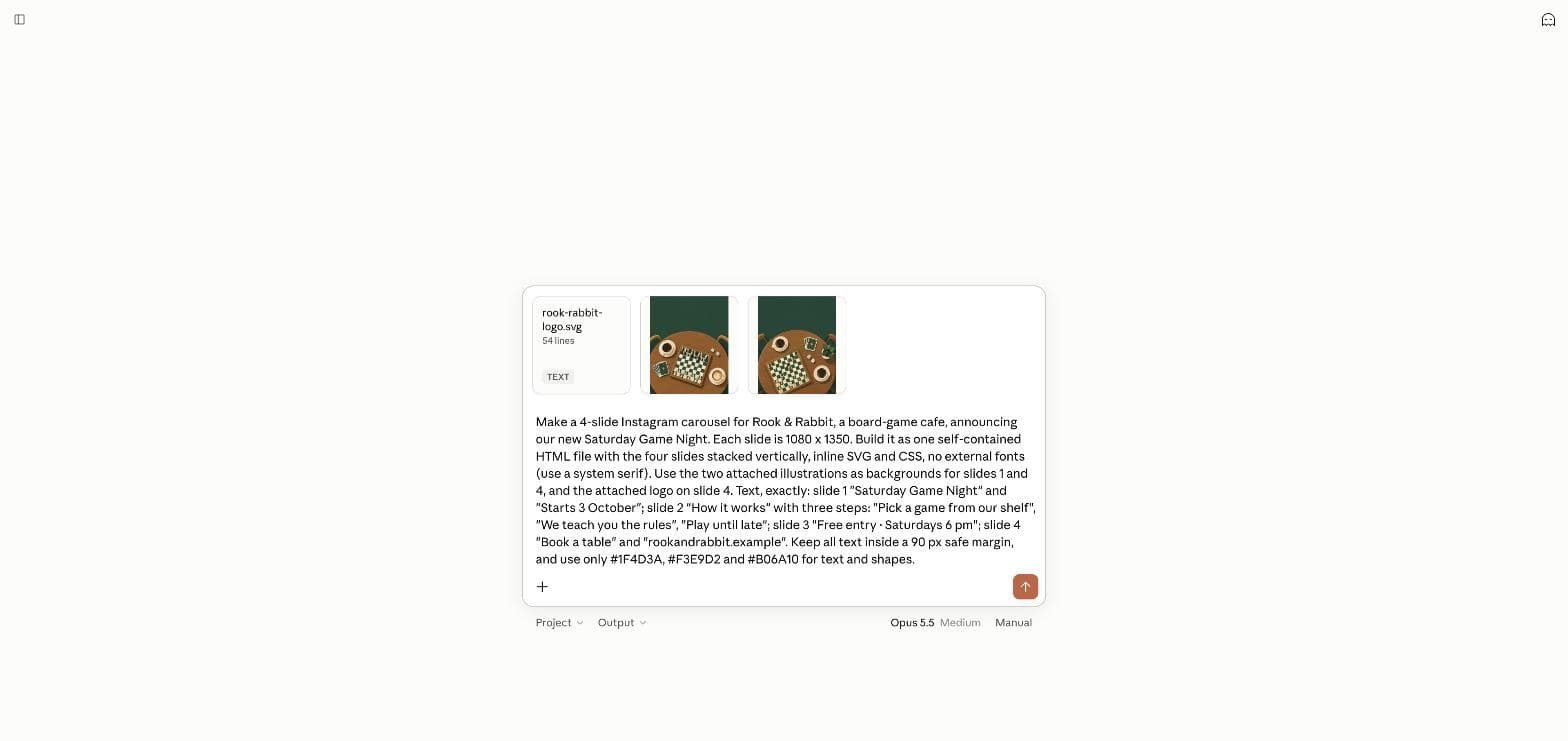
We attached the two illustrations and the logo and gave Opus 5.5 the exact words for each slide, a 90-pixel safe margin and the three brand colours: "Make a 4-slide Instagram carousel for Rook & Rabbit … Each slide is 1080 x 1350. Build it as one self-contained HTML file … Keep all text inside a 90 px safe margin, and use only #1F4D3A, #F3E9D2 and #B06A10 for text and shapes." The full brief, with every slide's words, is in the screenshot.
What Opus 5.5 made
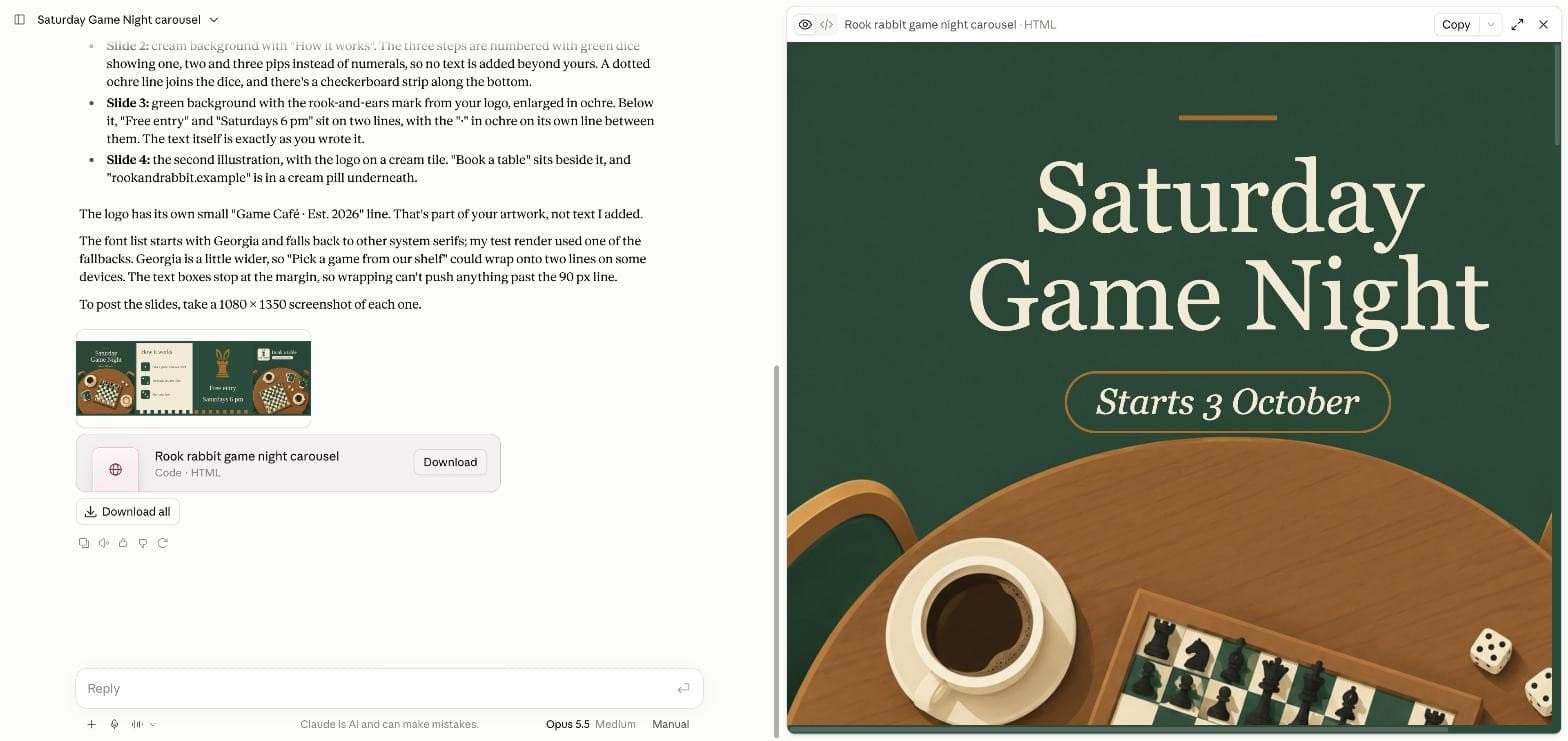
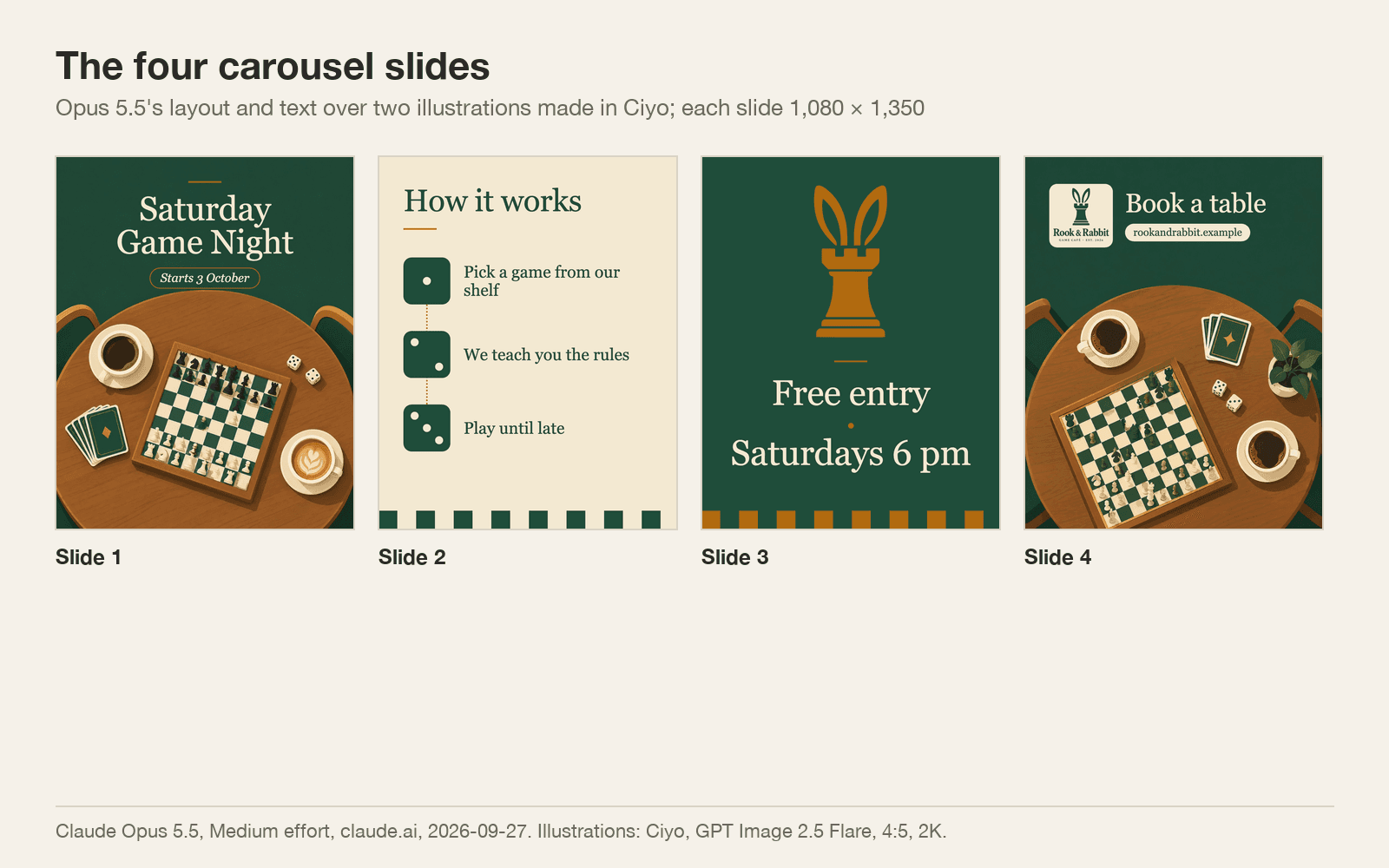
In a few minutes it returned one HTML file of 545,178 bytes with the pictures embedded, and a preview of all four slides. Slide 1 puts "Saturday Game Night" in the empty green area with the start date in an outlined pill. Slide 2 numbers the three steps with dice showing one, two and three pips, so no extra text is added. Slide 3 enlarges the rook-and-ears symbol above the price and time. Slide 4 places the logo on a cream tile beside "Book a table".
It checked its own work: it rendered each slide, shrank the rook mark, rechecked the margins and searched the file for colours. It also told us something useful: its test render had used a fallback font, and Georgia is wider, so "Pick a game from our shelf" might wrap on some devices.
What we measured
We rendered each slide in Chromium with Georgia and measured every line of text. All text sits inside the 90-pixel margin; the closest line, "Saturdays 6 pm", runs from 106 to 974 pixels across a 1,080-pixel slide. The file uses only the three brand colours in its code. The warning was right: in Georgia, "Pick a game from our shelf" wraps onto two lines, leaving "shelf" alone.
One liberty: on slide 3, Opus split "Free entry · Saturdays 6 pm" into two lines with the dot on its own line between them. The words are exact; the line is not. If a line must stay whole, say so in the brief.
| Slide | Text | Inside the 90 px margin | Note |
|---|---|---|---|
| 1 | Saturday Game Night · Starts 3 October | Yes | Headline in the empty green area |
| 2 | How it works + three steps | Yes | "shelf" wraps alone onto a second line |
| 3 | Free entry · Saturdays 6 pm | Yes | Split onto two lines around the dot |
| 4 | Book a table · rookandrabbit.example | Yes | Logo on a cream tile |
Post it and reuse it
To post, take a 1,080 × 1,350 screenshot of each slide, or render them to PNG, and upload them in order. Fix the widow on slide 2 by shortening the step or allowing a slightly wider text box.
Next week, change the date and the pictures and keep the file. Generate new text-free art in Ciyo in the same colours, swap it in, and the layout, fonts and margins stay the same.
Carousels with Claude Opus 5.5 and Ciyo
Why not generate the whole slide as one image?
Text in a generated image can come back misspelled, and every change means a new image. Text set in code is exact and quick to edit.
What size should Instagram carousel slides be?
We used 1,080 × 1,350 pixels, the 4:5 portrait size. Ciyo's 4:5 ratio at 2K gave 1,792 × 2,240, which we resized down.
What did the Ciyo step cost?
6 credits for two 4:5 images at 2K with GPT Image 2.5 Flare on September 27, 2026.
Can I use Claude Opus 5.5 inside Ciyo?
No. Ciyo does not run Claude Opus 5.5. Make the pictures in Ciyo and the layout in claude.ai.
Make the carousel art in Ciyo
Pick 4:5, describe the scene, leave room for the headline and ask for no text.