Print workshop
Print a tarpapel poster across A4 sheets without losing the joins
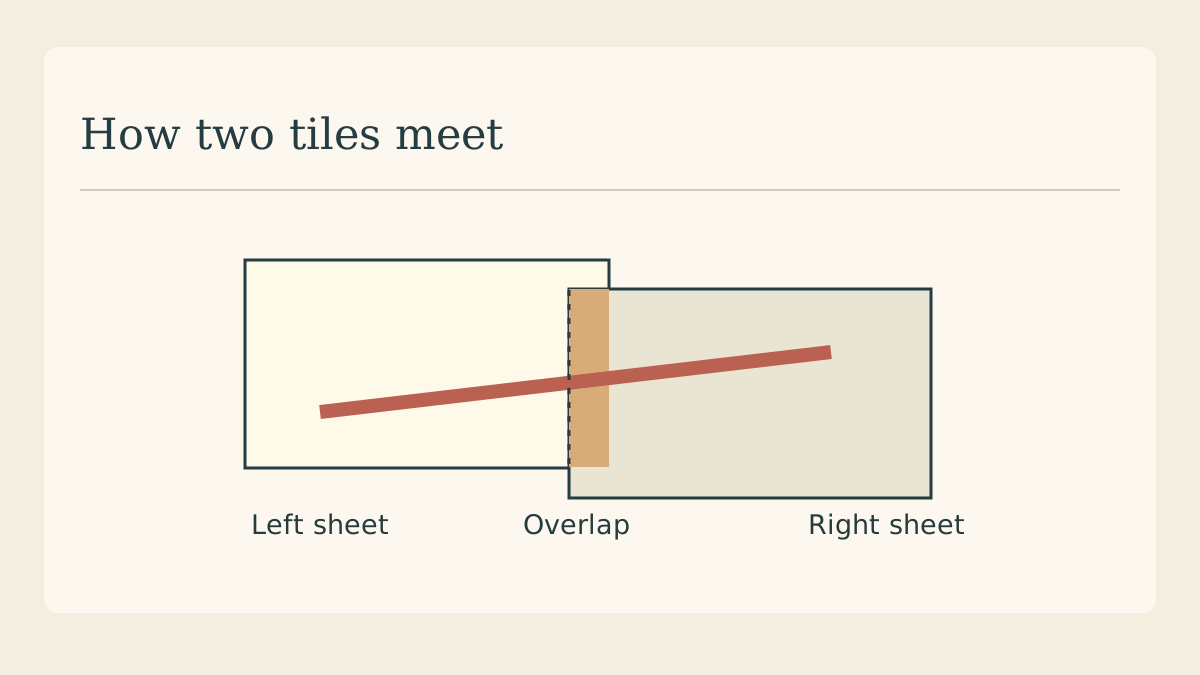
A tarpapel is a large paper display assembled from smaller printed sheets. The hard part is keeping a letter or illustration continuous across the joins. For a classroom wall, make one full-size master and let the print dialog divide it into sheets.
Measure the wall first
Suppose the display area is 55 by 75 centimetres. Mark that rectangle on the wall with removable tape. Allow room around light switches, frames and the edges of the board. Set your master document to the measured dimensions before laying out the headline.
Choose which lines may cross seams
A stripe can cross a join without losing meaning. A small pupil in an illustrated face is much harder to align. Move faces, small dates and punctuation away from likely tile boundaries. Leave a generous quiet area around the headline.
Read the printer preview
Export a single-page PDF and open the Poster option in Acrobat’s print dialog. Choose the actual A4 paper loaded, inspect the tile count and adjust the overlap. A4’s nominal size includes edges that many printers cannot print on.
Test two neighbouring sheets
Print an adjacent pair containing a line that crosses the join. Trim one of the duplicated edges and place it over the other. If the line changes thickness or jumps, fix scaling, orientation or overlap before committing the rest of the paper.
Assemble by rows
Write row and column positions on the back in pencil. Complete the top row on the floor, then build the next below it. Lightly tape the joins on the reverse until both diagonals of the finished rectangle agree and the lettering reads straight.
Keep a replacement map
Photograph the assembled grid and keep the PDF with the print settings. When a lower corner gets torn, the map identifies which sheet to replace. Compare the replacement’s colour against the neighbour before mounting it on the wall.
Continue with the flyer layout
Start a smaller version of the wall graphic for people to take home after the event.