Logo design · Tested
Turn a Logo Sketch into a Clean Mark with AI
A rough sketch is the fastest way to say what your logo should be. It fixes the silhouette and the proportions that words describe badly — how tall, how pointed, how wide.
On September 27, 2026 we sketched a mark for Rook & Rabbit, a fictional board-game café, on the Ciyo canvas and asked the agent to turn it into a clean logo. The first attempt taught us the most useful step in this guide.
Sketch only what matters
With the Pencil tool we drew fourteen straight strokes: a chess rook with three battlements, two tall pointed ears rising from the top, one band across the body and a wide base. That is the whole idea of the mark. Details can wait.
Draw big and simple. Proportions are what you want the AI to keep, so make them clear: our ears are taller than the rook's head, and the body tapers.
First attempt: the agent could not see the drawing
We zoomed so the sketch filled the view and asked Ciyo Agent to turn it into one clean mark in deep green on cream, keeping the battlements, the tall ears, the band and the wide base.
Before generating, the agent replied that the sketch pixels were not available to it that turn, so it could not trace the proportions, and that it would work from the description. The mark it made was clean — but it was a standard rook with rounded ears, drawn from our words, not from our drawing.
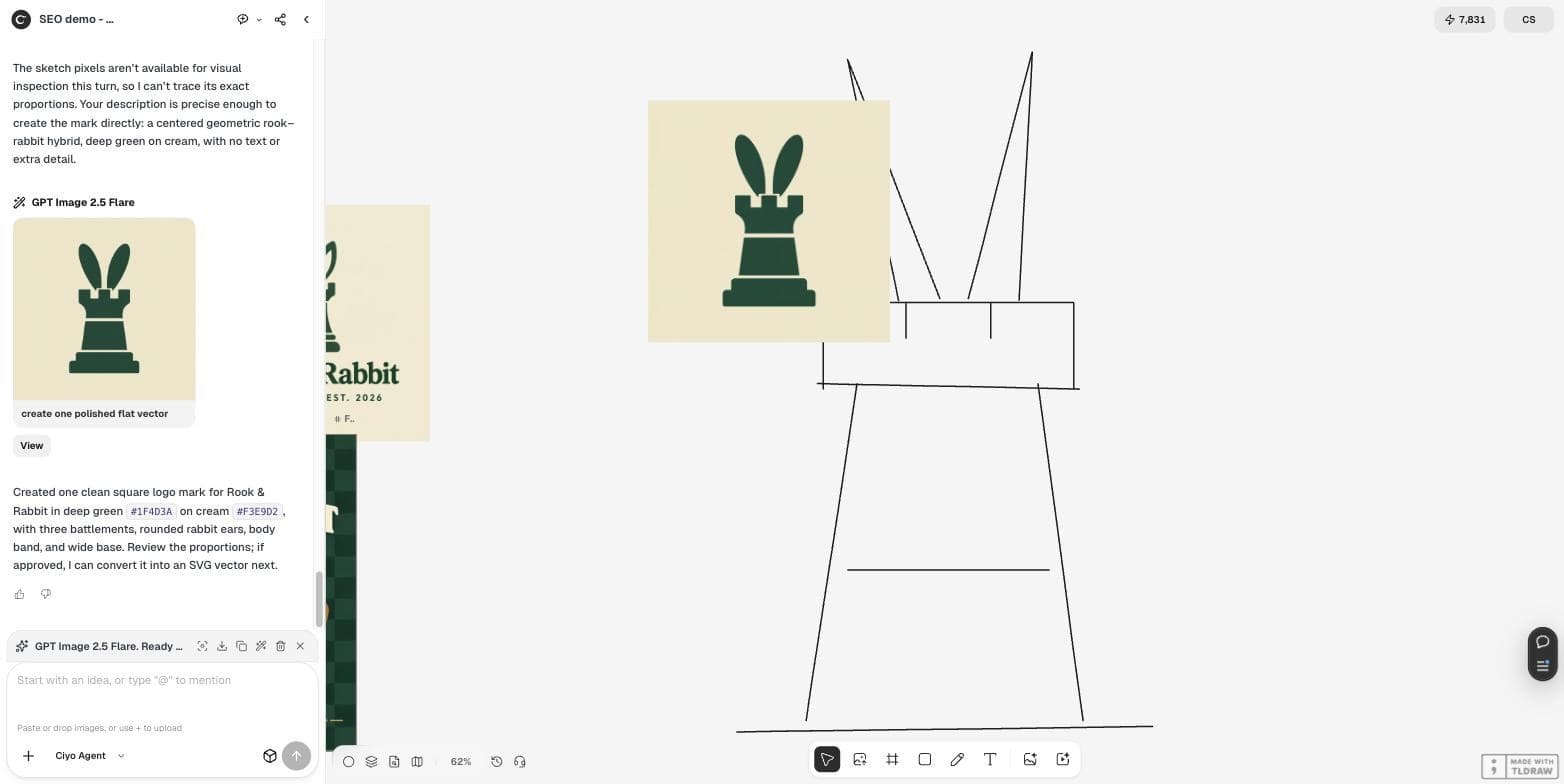
Look at my rough pencil sketch on the canvas: a chess rook with two rabbit ears rising from its top. Turn it into one clean logo mark for Rook & Rabbit, a board-game cafe. Keep: the rook with three battlements, the two tall ears, the band across the body, the wide base. Change: make the lines confident and even, with simple geometric shapes and rounded ear tips. One flat colour, deep green #1F4D3A, on a plain cream #F3E9D2 square. No text.The fix: merge the strokes into one image and attach it
Pencil strokes are separate shapes on the canvas. Drag a box around all of them and choose Merge in the selection toolbar. Ciyo turns them into one picture — ours was an 826 × 1,350 “Merged image” — and attaches it to the chat message automatically.
With the image attached, we asked again and named the proportions to follow. This time the agent said it could see the sharply pointed, elongated ears, and the mark kept them: pointed ears, a wide battlement block, a tapering body with one band and a stepped wide base.
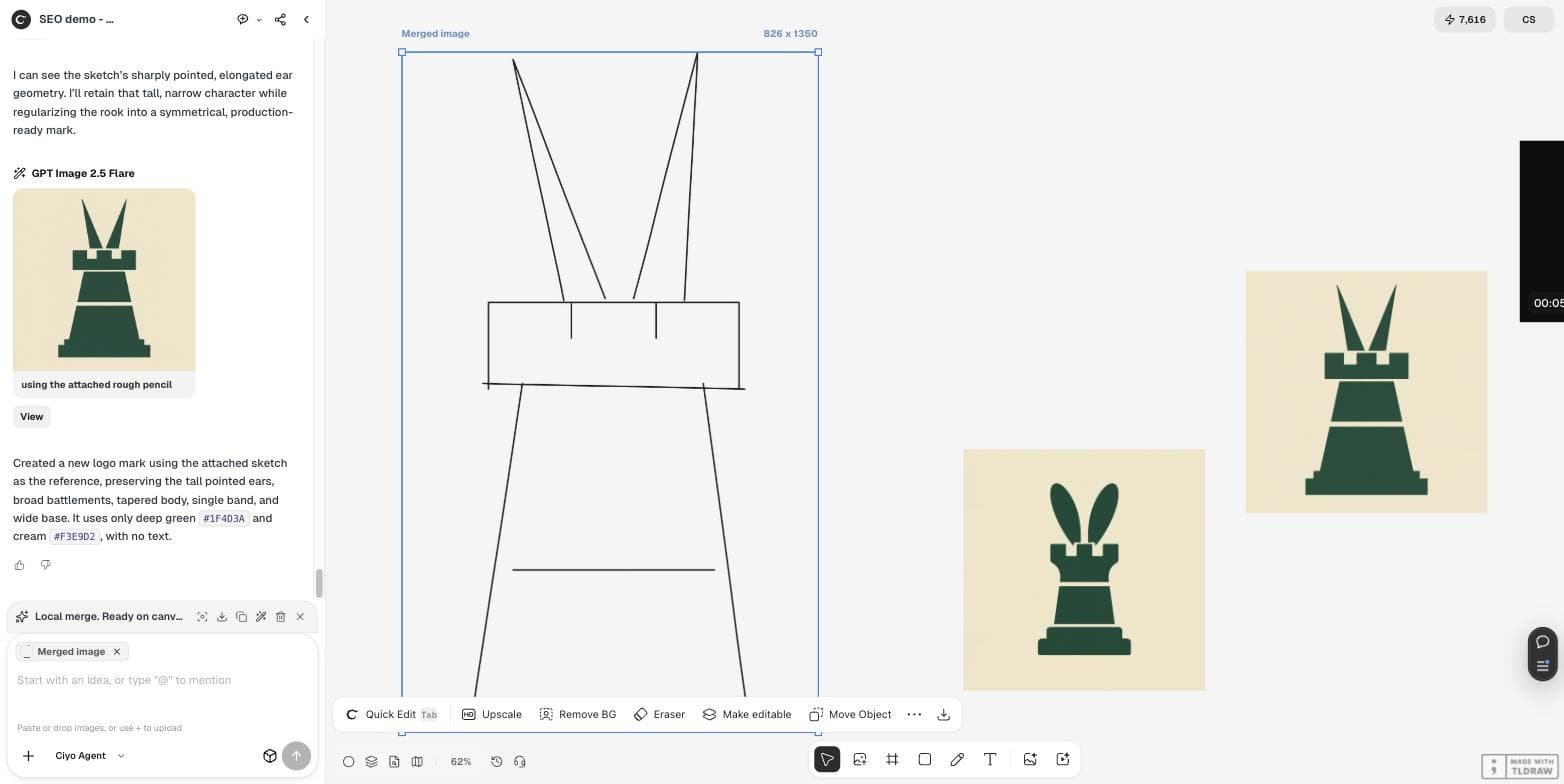
Use the attached sketch image as the reference and follow its proportions: tall pointed ears, a wide battlement block, a body that tapers down to a wide base, one band across the body. Turn it into one clean logo mark: confident even lines, simple geometric shapes. One flat colour, deep green #1F4D3A, on a plain cream #F3E9D2 square. No text.What changed between the two marks
Both marks were clean and one colour. Only the second one was ours.
| Feature in the sketch | Words only | Merged sketch attached |
|---|---|---|
| Tall pointed ears | Rounded ears | Pointed ears |
| Tapering body | Straight rook body | Tapered body |
| One band across the body | One band | One band |
| Wide base | Stepped base | Stepped wide base |
A founder's version of the same workflow
Sketch first is also a defence against a generic look: the idea comes from you, and the AI only cleans it up. It does not guarantee originality — people may still read a clean mark as generic — so show it to a few customers before you print.
Posted 2026-09-24. In a thread about rebranding his product after beta users called the old look generic, the founder explains that he chose the colours and fonts himself, the logo came from his own sketch, ChatGPT drew the final version and Codex made the SVG. One reply still called the new look generic. He did not use Ciyo; the post shows the same sketch-first workflow and its limit.
Finish the mark
Pick the version that follows your sketch, then trace it with More → Vector and set your exact brand colours in the SVG. Check it at 32 pixels wide, the size of a browser tab, before you commit.
Sketch to logo
Can AI turn my logo sketch into a clean logo?
Yes, but make sure it sees the sketch. In our test, merging the pencil strokes into one image and attaching it made the mark follow our proportions.
Why did the AI ignore my sketch?
In our first attempt the agent reported that the sketch pixels were not available that turn and worked from the text. Merging the strokes and attaching the image fixed it.
How do I merge pencil strokes in Ciyo?
Drag a selection box around the strokes and choose Merge in the selection toolbar. The merged image is attached to the next chat message.
Will the mark be original?
The idea comes from your sketch, which helps. Still test it with customers; a clean mark can look generic.
Start from your own sketch
Draw the idea on the Ciyo canvas, merge it and let the agent clean it up.