Reference-guided image editing for character continuity
Use an approved character image to direct a new pose, then check it against the source before putting it in another scene.
Open the Ciyo workspaceOriginal study
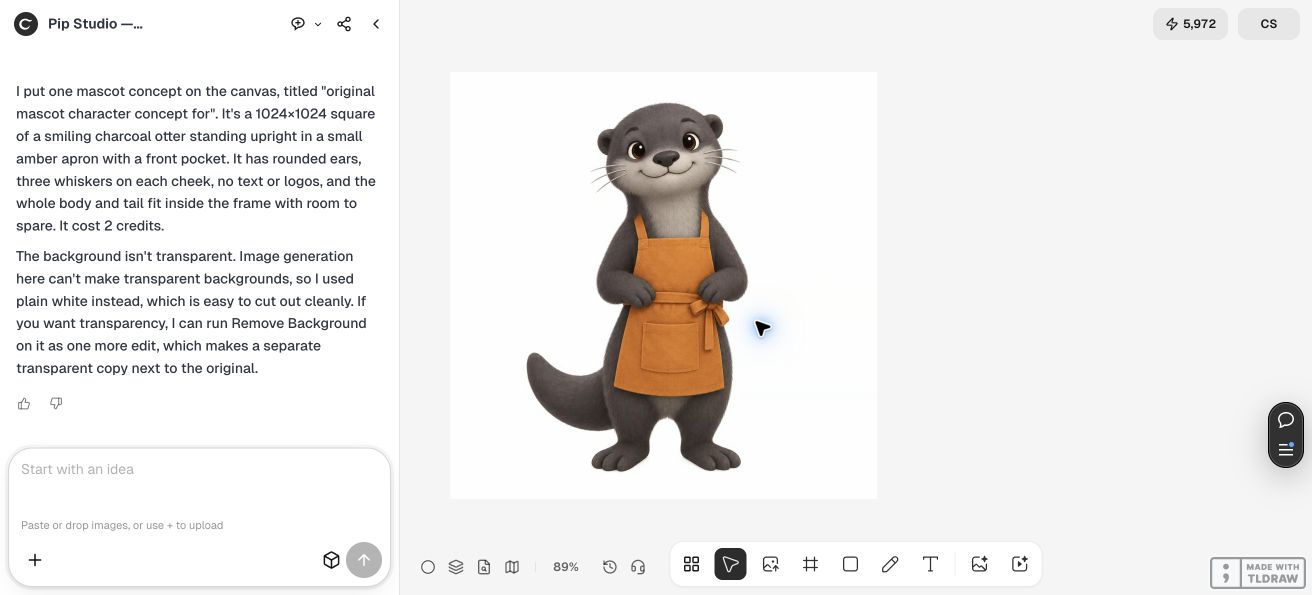
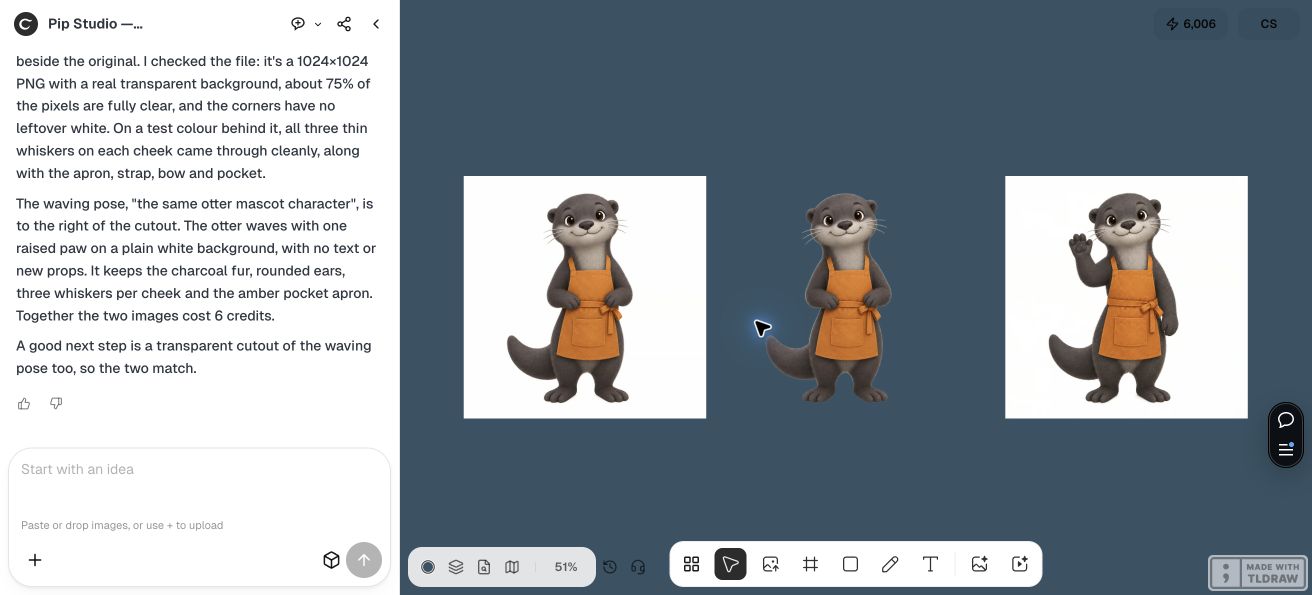
In Ciyo's original Pip Studio mascot test, a reference image guided a waving pose. The result retained the rounded ears, charcoal fur, three whiskers on each cheek and amber pocket apron. The pose and the cutout were separate outputs.
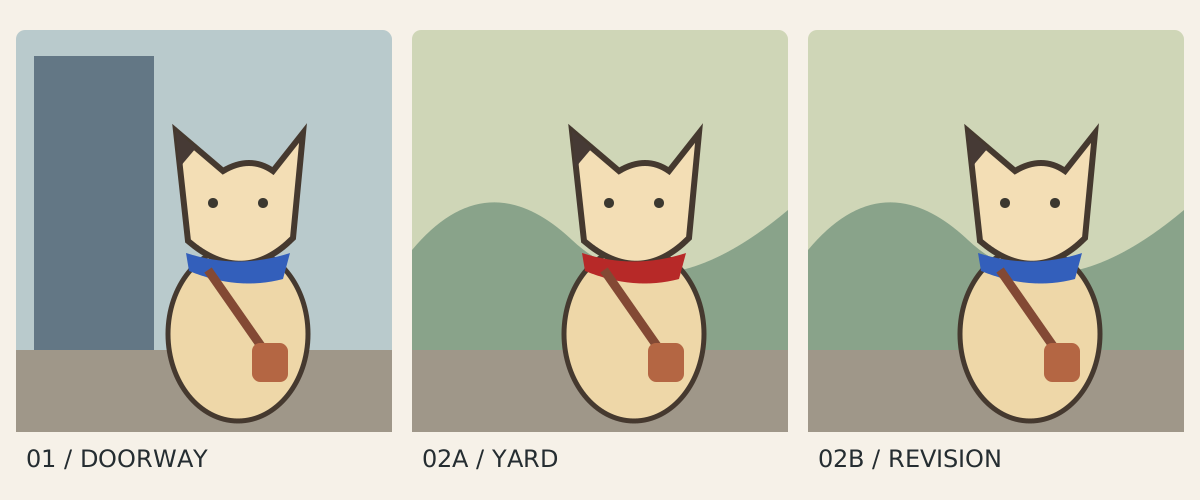
The downloadable fox sheet is an original vector exercise. Compare the approved fox in a doorway and in a yard. In the middle panel the blue scarf has drifted to red. The revised yard panel restores blue while keeping the ear tip and bag in place. Use those three checks when reviewing a generated scene.
Source files
Prepare the review
- Attach the approved image and describe fixed identity details. Name one change, such as raising a paw, and request a separate version for comparison.
- Place the output beside its reference at the same displayed size. Compare the face, silhouette, apron pocket and near-side paw before approving the gesture.
- Check the file on the intended background. In the test the waving pose had a white background. The separate cutout had transparency and needed a whisker-edge check on dark blue.
Will one reference keep a character consistent across an entire sequence?
One waving pose passed the named checks in this study. Test each new angle, outfit and background against the approved reference, and record any drift before using the frame.