Video · Tested
Can Claude Make Videos From Your Photos? Opus 5.5 vs Seedance 2.5
If you sell a product online, you already have photos, and a short video on the product page is the obvious next step. Claude Opus 5.5 can now return an MP4, and video models like Seedance 2.5 turn a photo into moving footage. They do very different things with the same picture.
On September 28, 2026 we made three product photos of a fictional coffee bag in Ciyo and turned them into video both ways: once with Opus 5.5 in claude.ai and once with Seedance 2.5 in Ciyo. Ciyo does not run Claude Opus 5.5; that step ran in Anthropic's app.
Three product photos with one label
Our shop is Fernhollow Coffee, and the product is a 250 g bag of House Blend beans. We asked the Ciyo Agent for three 4:5 photos: the bag on a counter, beans pouring into a bowl, and the bag beside a cup on a windowsill.
The agent made the bag first and then used that image as the reference for the other two, to keep the packaging the same. The label reads "Fernhollow", "House Blend" and "250 g" in all three. Each photo is 1792 × 2240 pixels, and the agent turn used 51 credits.
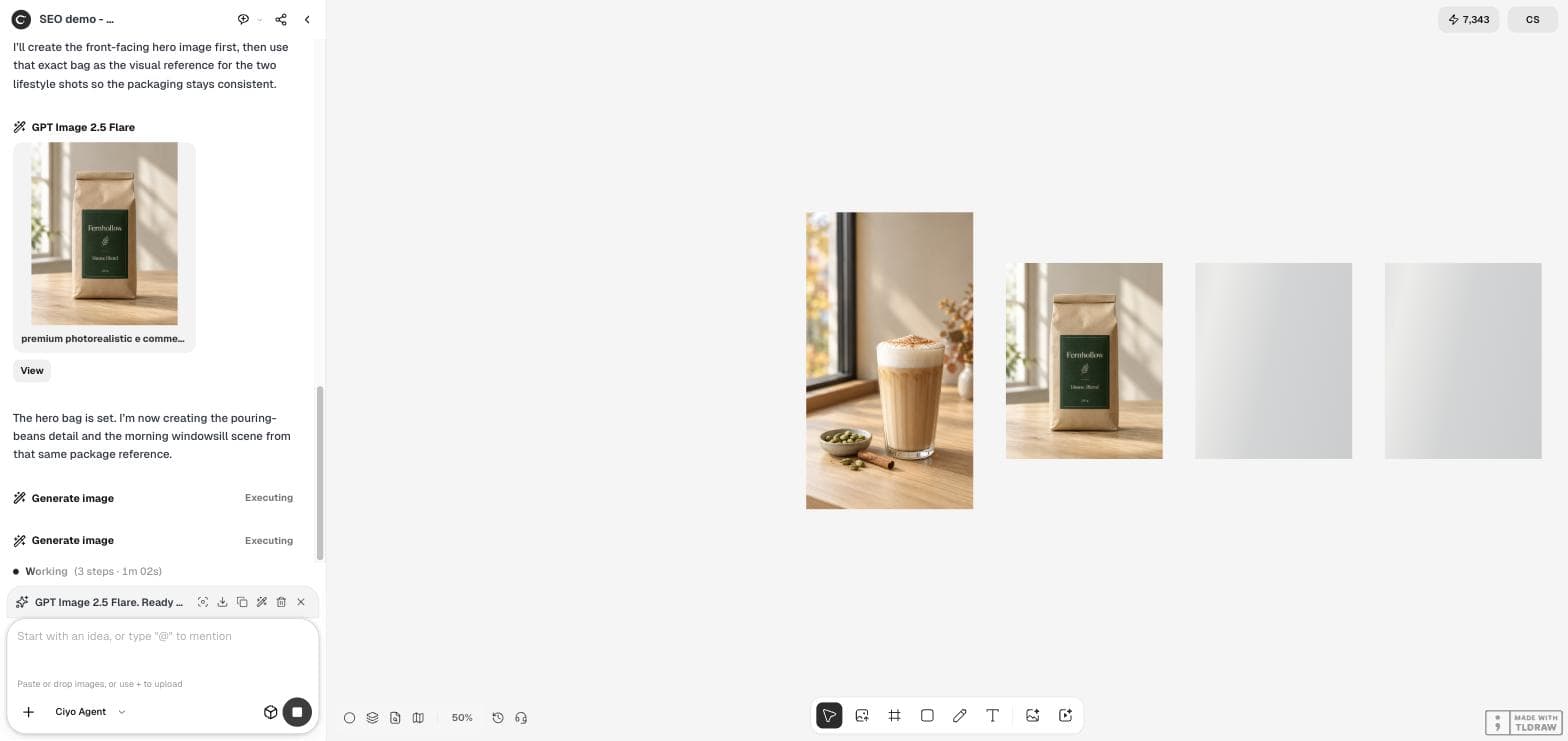
We sell our coffee beans in the shop and online. Please make three product photos for our product page, each 4:5: 1) the front of a 250 g matte kraft coffee bag with a deep green label that reads "Fernhollow" and "House Blend", standing on a pale oak counter; 2) a close-up of dark roasted coffee beans pouring from the open bag into a small ceramic bowl; 3) the bag beside a cup of black coffee on a windowsill in soft morning light. Warm, natural light, the same bag design in all three, no people.Way 1: Claude Opus 5.5 animates the photos
We attached the three photos in claude.ai and asked for a 10-second product video with an end frame for the product name. Opus 5.5 worked for 2 minutes 1 second and returned a 1080 × 1350 MP4 at 30 frames per second: 10.0 seconds, 300 frames and 4.5 MB, with no sound.
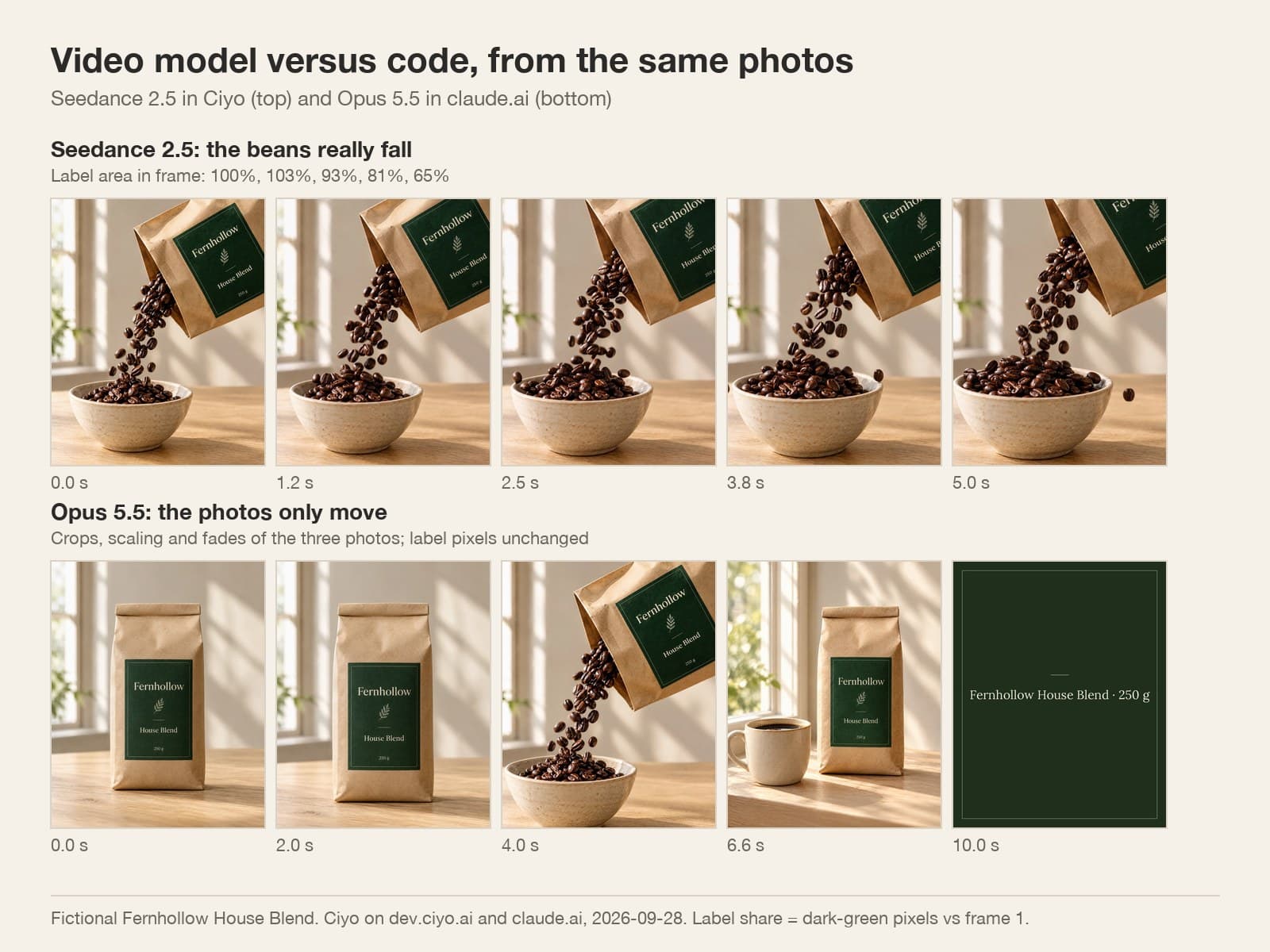
It explained its method plainly: slow push-ins and pull-backs on each photo, cross-fades between them, and a green end card in the label's own colour. In its words, "Nothing was redrawn or generated." That is the point of this method. The label in the video is the label in your photo, pixel for pixel.
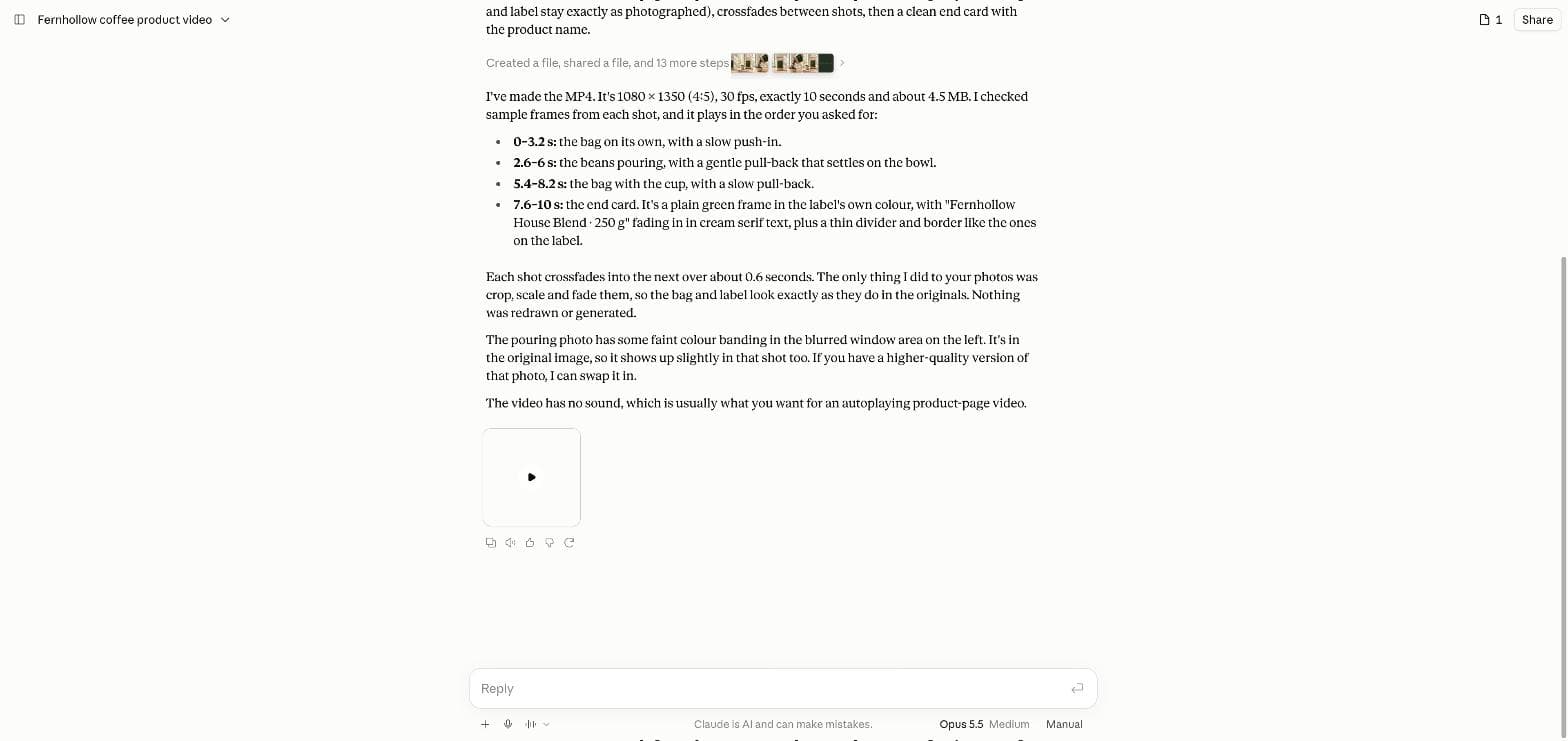
These are three product photos of our Fernhollow House Blend coffee beans. Turn them into a 10-second product video for our online shop's product page (4:5, 1080 x 1350, 30 fps). Show the bag, then the beans pouring, then the bag with a cup, and end on a clean frame with "Fernhollow House Blend · 250 g". Keep the bag and its label exactly as in the photos. Give me an MP4.Way 2: Seedance 2.5 makes real motion
In Ciyo we put a Video Generator on the board, chose Seedance 2.5 in Frames mode and set the pouring photo as the start frame. The run cost 197 credits and took 12 minutes 4 seconds.
The result is 5 seconds at 860 × 1076 and 24 frames per second, with sound. Here the beans really fall: the stream keeps moving, the bowl fills up, and one bean bounces off the rim at the end. No amount of cropping a still photo can do that.
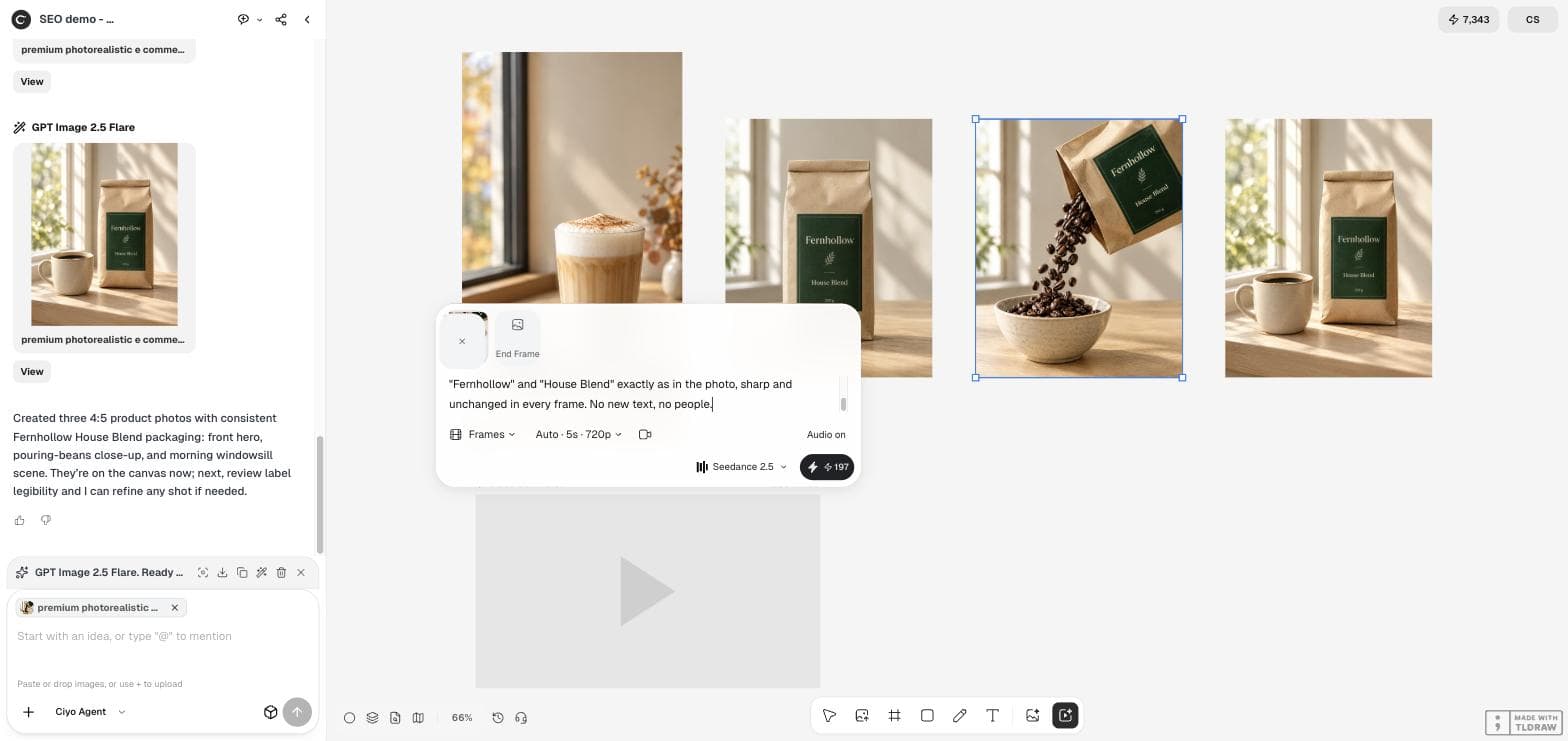
Product video for a coffee shop's online store. The roasted coffee beans keep pouring from the tilted bag into the ceramic bowl in slow motion, a few beans bounce off the rim, soft morning light. The camera stays almost still with a very slow push-in. Keep the bag, its green label and the words "Fernhollow" and "House Blend" exactly as in the photo, sharp and unchanged in every frame. No new text, no people.What happened to the label
The letters Seedance kept stayed clean, but our own words cost us the brand. We asked for "a very slow push-in", and the camera moved in far enough to push the label out of the frame. Counting the label's dark-green pixels, 100% of the label is in frame at the start, 93% at 2.5 seconds and 65% at 5 seconds. In the last frame only "Fe" and "House B" are left.
If the name must stay readable, tell the video model to keep the camera completely still and the whole label in frame, or use the video clip for the motion and a still photo for the name.
Which one to use
The two methods answer different questions. Use code when the label, the price and the name must be exact. Use a video model when the product has to do something, such as pour, steam, spin or open.
| Aspect | Opus 5.5 in claude.ai | Seedance 2.5 in Ciyo |
|---|---|---|
| What moves | The camera over still photos | The things in the photo |
| Label and text | Exact, pixel for pixel | Clean, but can leave the frame |
| Length we got | 10 s, all three photos | 5 s, one photo |
| Size | 1080 × 1350, 30 fps, no sound | 860 × 1076, 24 fps, with sound |
| Time | 2 min 1 s | 12 min 4 s |
| Best for | Product pages that must match the pack | Social clips that must catch the eye |
Use both in one video
The strongest result uses both. Put the Seedance pour in the middle, where motion catches the eye, and open and close on still photos whose label you control. You can attach the clip and the photos in claude.ai and ask Opus to join them in that order; we did not test that step.
Whatever you choose, look at the last frame before you post. It is the frame people see when the video stops, and in our test it was the one most likely to lose the brand.
Videos from product photos
Can Claude make a video from my photos?
Yes. Claude Opus 5.5 in claude.ai turned our three photos into a 10-second MP4 in about 2 minutes on September 28, 2026. It moved and faded the photos; nothing inside them moved.
Will a video model change my label?
In our Seedance 2.5 test the letters stayed clean, but a slow push-in moved the label out of the frame. Ask for a still camera if the name must stay readable.
Which is cheaper?
Seedance 2.5 cost 197 Ciyo credits for 5 seconds. Opus 5.5 ran on a claude.ai plan, so the cost depends on your Anthropic subscription.
Can I do both in Ciyo?
Ciyo runs the photos and Seedance 2.5. It does not run Claude Opus 5.5; use claude.ai or Claude Code for the code-based video.
Make the photos and the motion in Ciyo
Generate a matching set of product photos, then give one of them real motion with Seedance 2.5.