Video · Tested
One Prompt, One Marketing Video: What Claude Opus 5.5 Really Makes
Since Claude Opus 5.5 came out on September 22, 2026, people have posted launch videos they say it made from one prompt. Almost all of them are for software products. We wanted to know what one prompt gives a small shop that needs a real Instagram Reel for a real offer.
On September 28, 2026 we made a product photo in Ciyo, sent one prompt to Opus 5.5 in claude.ai, and measured the MP4 it returned. Then we ran the same prompt again, and tried one short fix round. Ciyo does not run Claude Opus 5.5; the video step ran in Anthropic's app. The café, Fernhollow Coffee, is fictional.
Start with one good product photo
Opus 5.5 writes code; it does not paint photos. The video can only be as good as the picture you give it, so we made the hero shot first: a maple cardamom latte on an oak counter, with empty wall above the glass for the text. In Ciyo's Image Generator this took 24 seconds and 1 credit with GPT Image 2.5 Flare at 9:16 and 1K.
One lesson came later. At 1K the photo is 720 × 1280 pixels, and Opus had to enlarge it for a 1080 × 1920 Reel. Choose 2K for a video still: the same prompt at 2K gave us 1440 × 2560, which is sharper than the video needs.
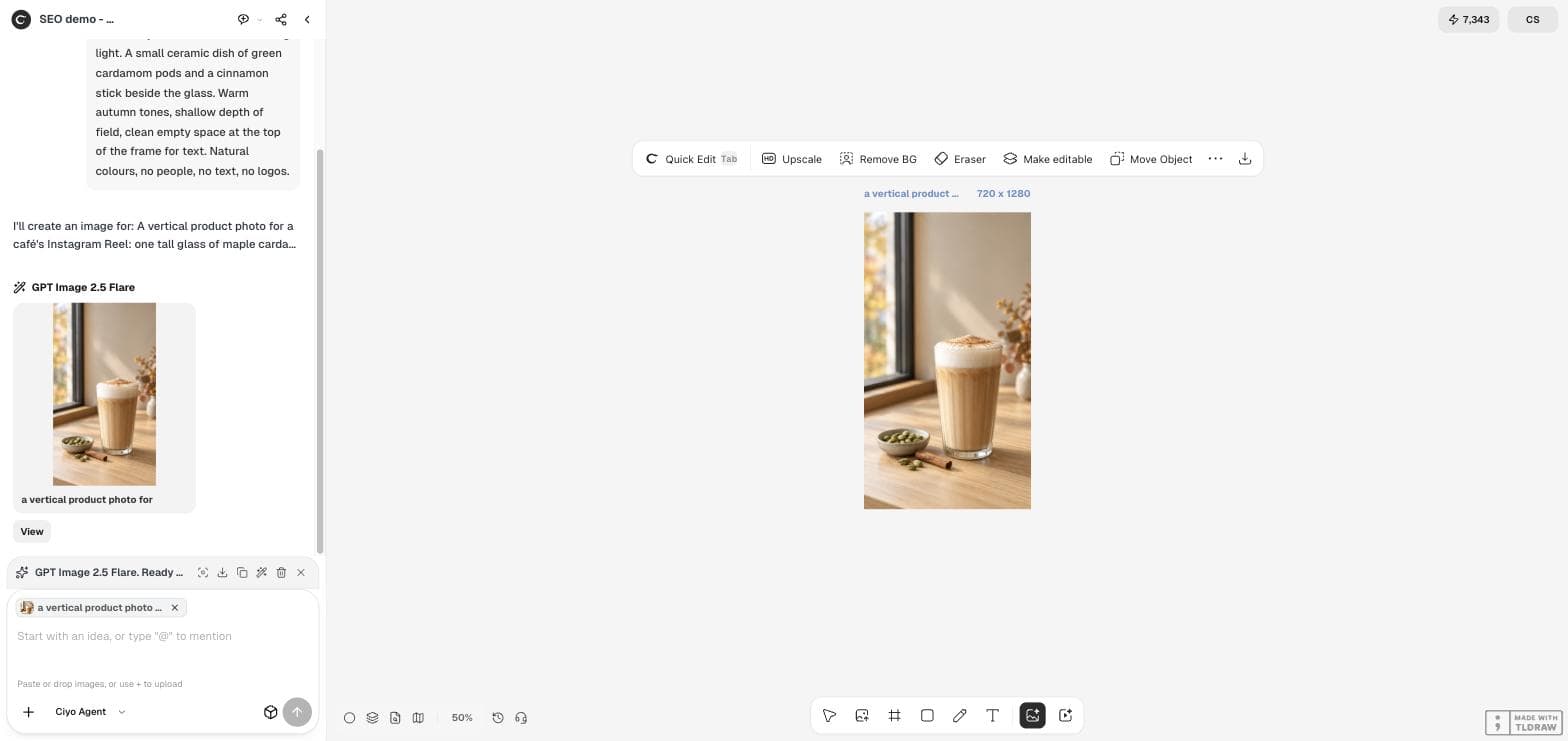
A vertical product photo for a café's Instagram Reel: one tall glass of maple cardamom latte with a thick layer of foam and a light dusting of cinnamon, standing on a pale oak counter by a window in soft morning light. A small ceramic dish of green cardamom pods and a cinnamon stick beside the glass. Warm autumn tones, shallow depth of field, clean empty space at the top of the frame for text. Natural colours, no people, no text, no logos.The one prompt
We wrote the prompt the way a café owner would: the size, the offer, the exact words and one request for an MP4. There was no storyboard, no reference video and no list of scenes. We attached the photo and sent it to Opus 5.5 at the Medium setting.
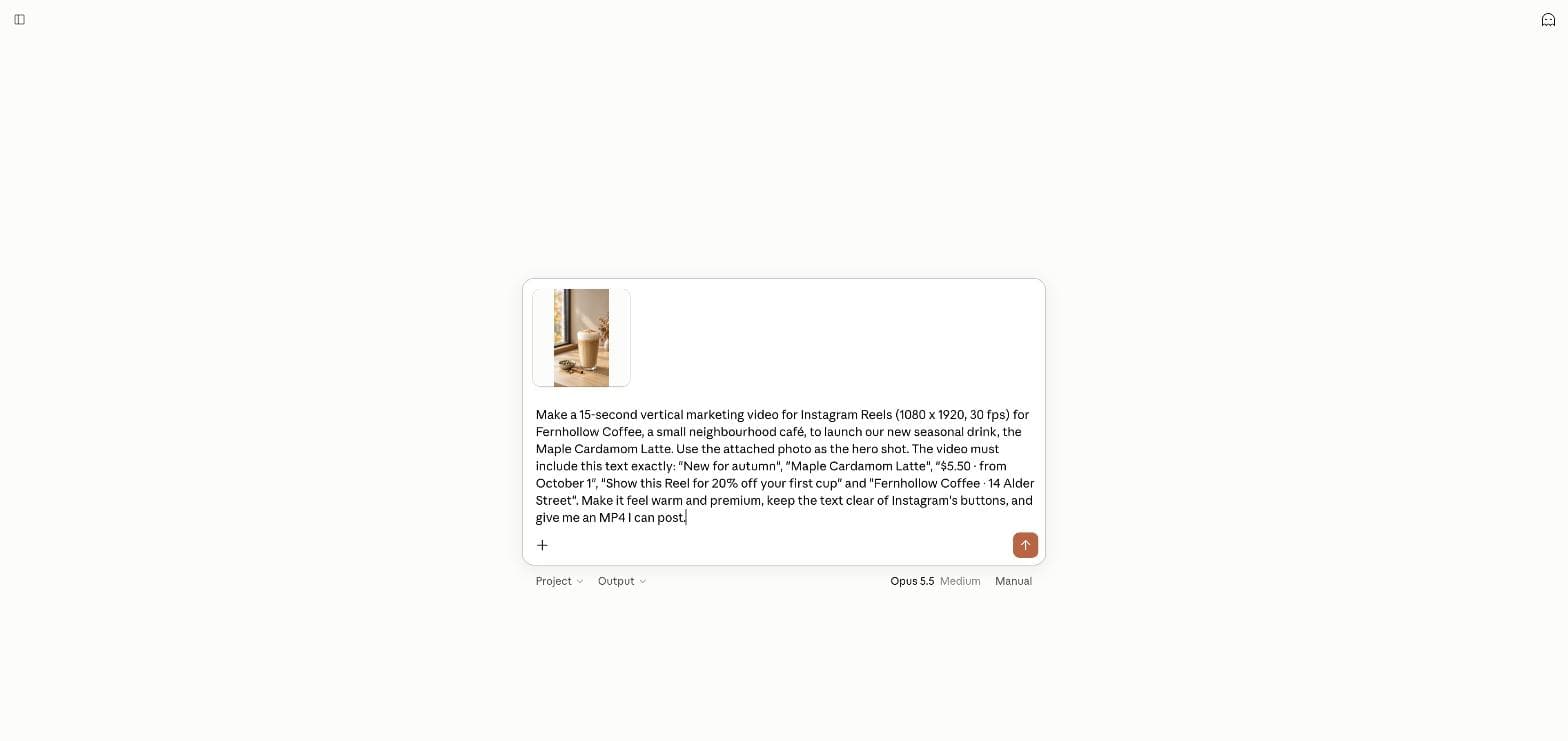
Make a 15-second vertical marketing video for Instagram Reels (1080 x 1920, 30 fps) for Fernhollow Coffee, a small neighbourhood café, to launch our new seasonal drink, the Maple Cardamom Latte. Use the attached photo as the hero shot. The video must include this text exactly: "New for autumn", "Maple Cardamom Latte", "$5.50 · from October 1", "Show this Reel for 20% off your first cup" and "Fernhollow Coffee · 14 Alder Street". Make it feel warm and premium, keep the text clear of Instagram's buttons, and give me an MP4 I can post.What came back in 7 minutes
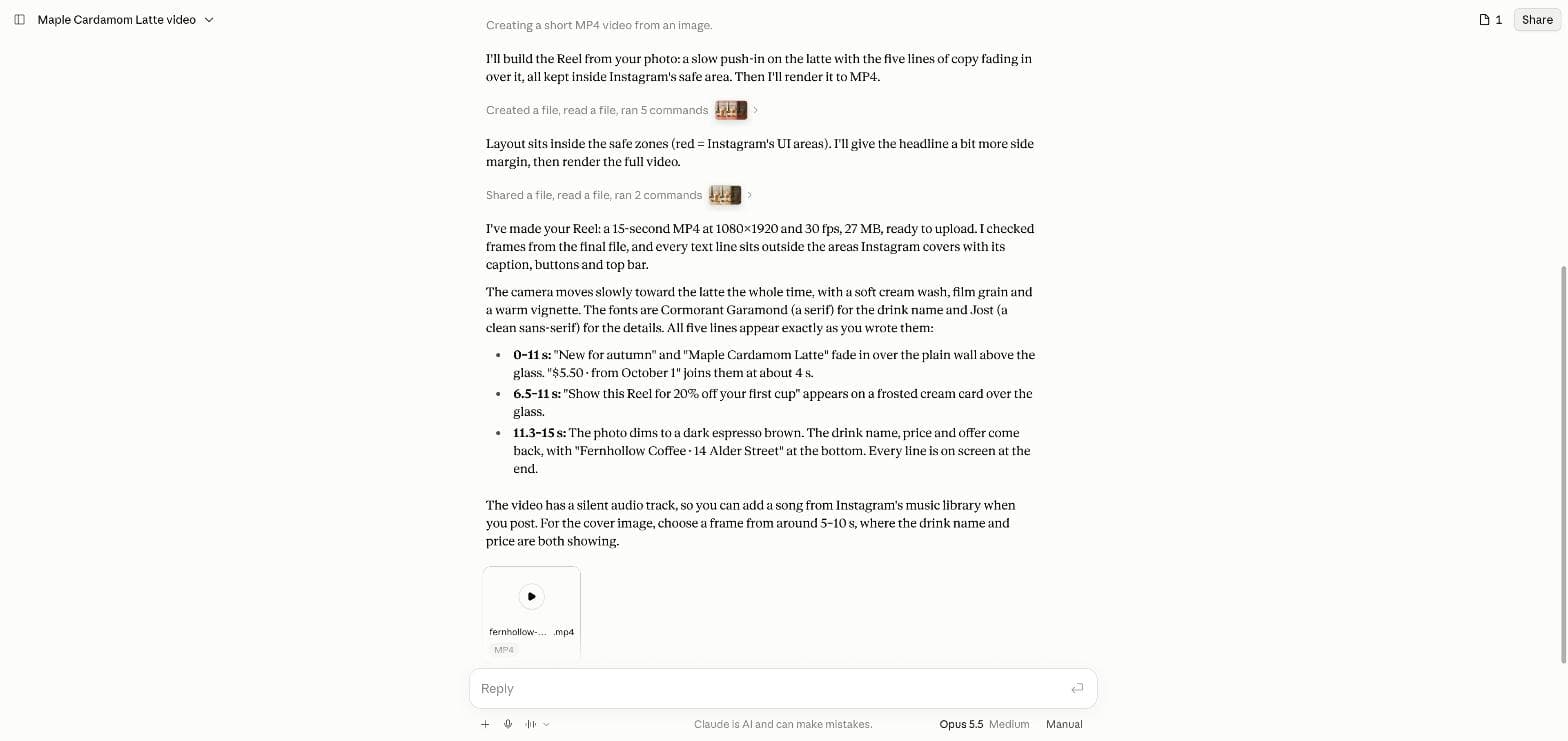
Opus worked for 7 minutes 13 seconds. It fetched two web fonts, wrote a render script, drew a contact sheet with Instagram's button areas marked in red, and moved the headline in from the sides after it looked at that sheet. Its first export was 76 MB because of the film grain, so it compressed the file again before it handed it over.
The file matched the brief exactly: an H.264 MP4 at 1080 × 1920, 30 frames per second, 450 frames, 15.0 seconds and 27 MB, with a silent audio track so that you can add music in Instagram. All five lines of text were spelled exactly as written, including the price and the address.
| Check | Result |
|---|---|
| Size, frame rate, length | 1080 × 1920, 30 fps, 15.0 s, 450 frames |
| File | H.264, 27 MB, silent audio track |
| The five text lines | All exact |
| Drink name readable | From 1.0 s, complete at 1.6 s |
| Moments with no text | About 11.0 to 11.9 s |
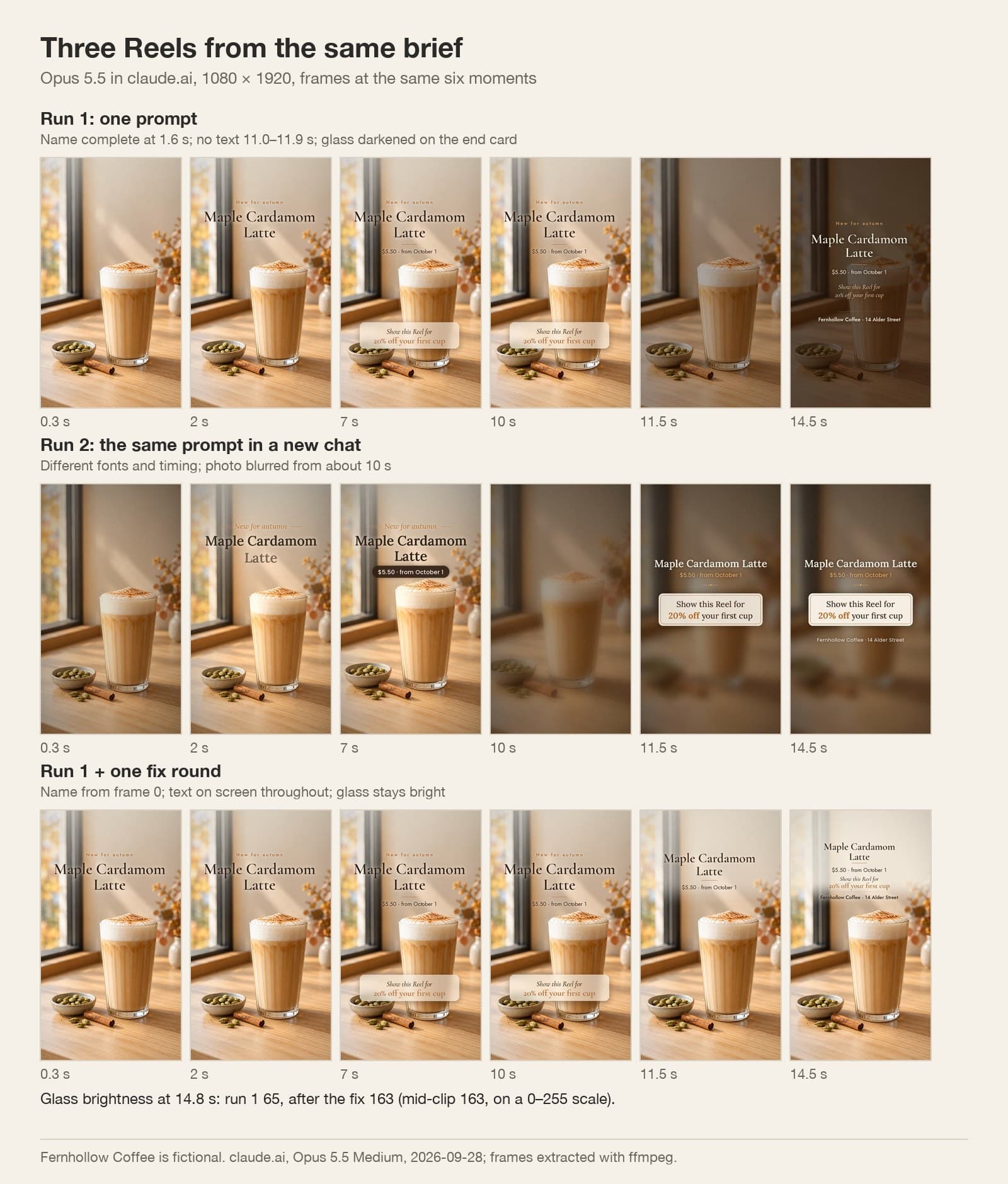
| Glass on the end card | Brightness 163 falls to 65 (−60%) |
| Lowest text on the end card | 666 px above the bottom edge |
Three weak spots, found frame by frame
The video was correct, but it was not yet good marketing. We pulled every frame out of the MP4 and found three problems that a busy owner would miss on a phone screen.
First, the opening second shows only the small line "New for autumn". The drink's name starts to fade in at 1.0 second, so a viewer who scrolls fast never learns what the video is for. Second, the text fades out at 10.8 seconds and the next text arrives at 11.9 seconds, so for almost a second the Reel says nothing. Third, the end card darkens the whole photo: the glass drops from a brightness of 163 to 65 on a 0–255 scale, so the last thing people see is a brown screen, not the drink.
Posted 2026-09-26. The author says his own one-prompt video looked average and lists the steps behind the better ones: a reference video, a rendering tool, real brand material, storyboards and director-style notes. He writes that without a reference, Opus falls back to centred text on a gradient with everything fading in. That matches our first result. His post also recommends a reference-video site and a component library; we did not use either.
The same prompt again gives a different video
We sent the identical prompt and photo in a new chat. The second Reel took 7 minutes 23 seconds and came out at 17 MB. It used different fonts, moved to the end card at 9 seconds instead of 11, and blurred the photo into a dark background for the last 5 seconds. The same weak spots came back in a new form: no text in the first 0.8 seconds and a drink you can no longer see at the end.
So one prompt does not give you one video. It gives you one of many, and the defaults repeat. Watch the first and the last seconds of whatever you get.
One short fix round
We answered in the first chat with three numbered changes and nothing else. Opus took 7 minutes 43 seconds, kept the format and returned a 26 MB file. It also listed what it had to give up: "New for autumn" now leaves at 11 seconds, the end-card text turned dark brown on a cream wash, and the camera move became gentler so that the glass does not crowd the text.
We measured the new file. The drink's name is on screen from frame 0, some text stays on screen through the whole change at 11 seconds, and the glass keeps a brightness of 163 to the last frame.
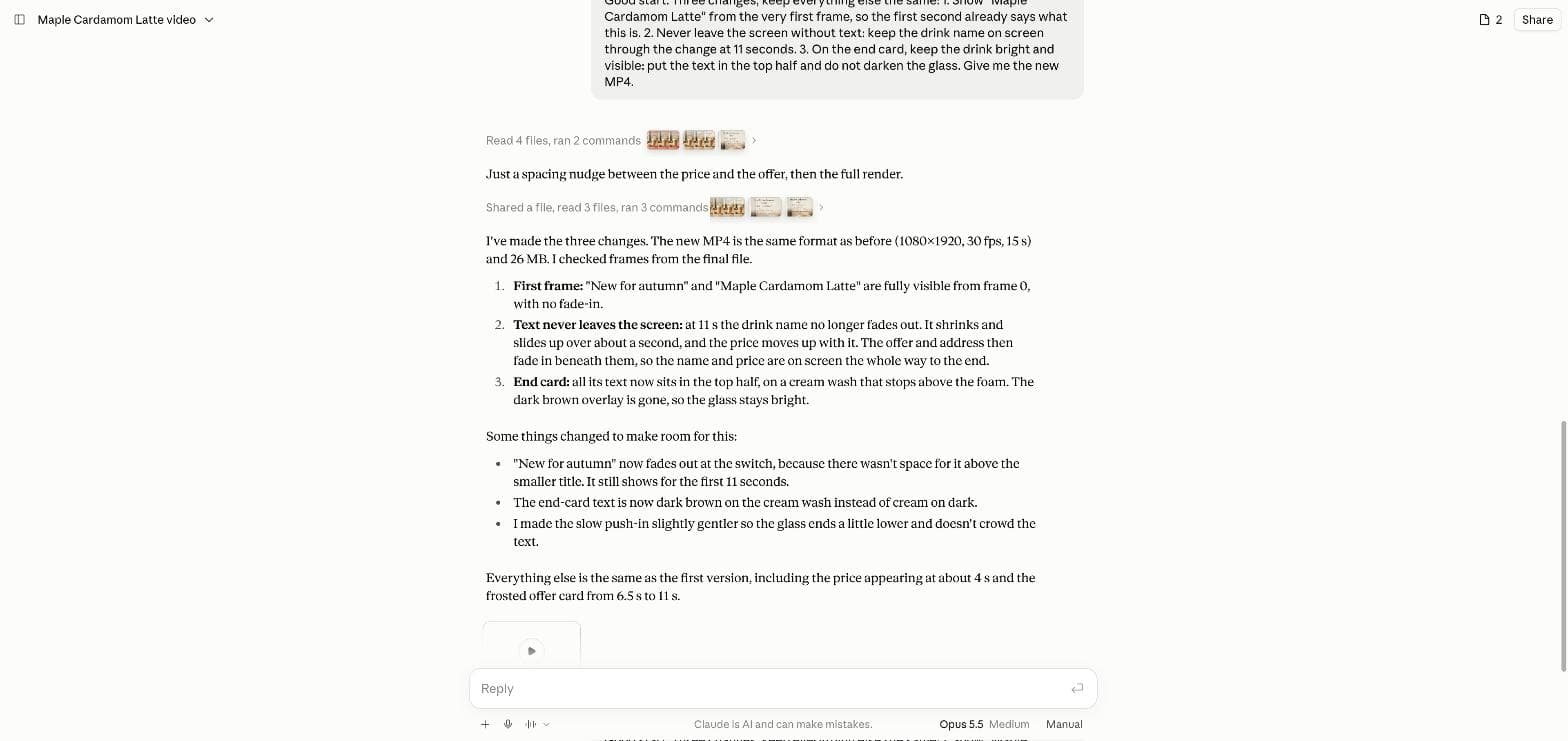
Good start. Three changes, keep everything else the same: 1. Show "Maple Cardamom Latte" from the very first frame, so the first second already says what this is. 2. Never leave the screen without text: keep the drink name on screen through the change at 11 seconds. 3. On the end card, keep the drink bright and visible: put the text in the top half and do not darken the glass. Give me the new MP4.A checklist before you post
Open the MP4 on your phone, not on the laptop, and check these points before you post. They take two minutes and catch every problem we found.
| Moment | Check | Why |
|---|---|---|
| First second | The product and its name are on screen | Fast scrollers see only the start |
| Every line | Price, date and address are spelled exactly | Code keeps text exact, but only if your brief is exact |
| Changes between scenes | Some text is always on screen | A paused frame should still sell |
| Last three seconds | The product is still clearly visible | The end card is what people remember |
| Bottom and right edges | No text under the caption or the buttons | Instagram covers those areas |
Marketing videos with Claude Opus 5.5
Can Claude Opus 5.5 make a marketing video from one prompt?
Yes. In our test on September 28, 2026 it returned a 15-second 1080 × 1920 MP4 with every line of text exact in about 7 minutes. The first result still needed one fix round to open with the product name and keep the drink visible at the end.
Does the same prompt give the same video?
No. Our second run of the identical prompt used different fonts, a different end card and different timing, and it was 17 MB instead of 27 MB.
Does Opus 5.5 generate the pictures in the video?
No. It animated the photo we gave it with code. Make the still first, at 2K if you can, in an image tool such as Ciyo.
Can I do this inside Ciyo?
Ciyo does not run Claude Opus 5.5. Make the product photo in Ciyo, then write the video prompt in claude.ai or Claude Code.
Make the hero shot in Ciyo first
Generate the product photo with room for your text, at 2K, then give the video step a picture worth animating.