Design · Tested
Animate Your Logo with Claude Opus 5.5: A Six-Second Story Intro
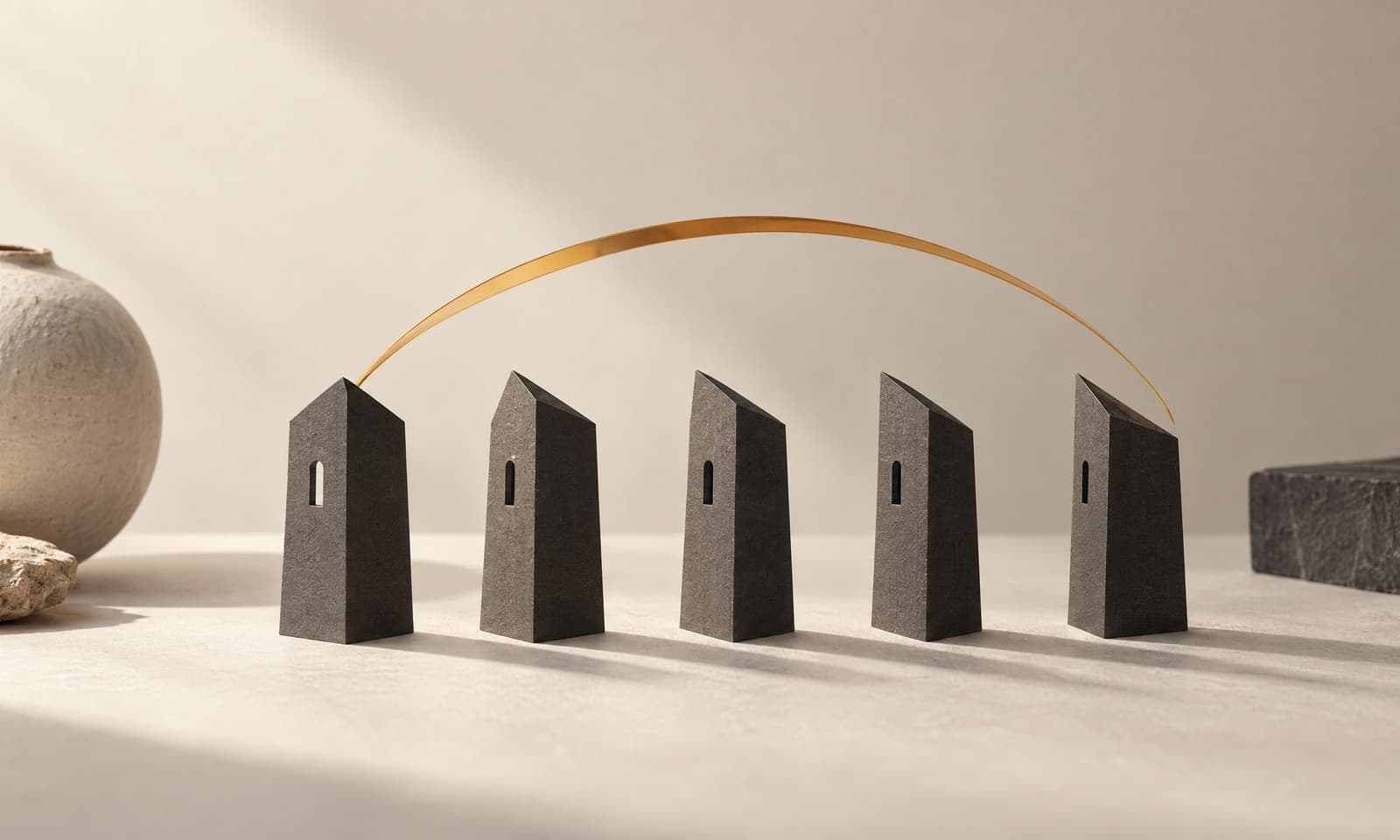
Since Claude Opus 5.5 came out, designers have been posting motion graphics that it wrote as code: logos that draw themselves, charts that morph, type that slides into place. No After Effects, no video model, just HTML, SVG and CSS.
On September 27, 2026 we tried the simplest useful version for a small brand: a six-second logo intro for an Instagram story. The logo came from Ciyo, the motion from Opus 5.5 in claude.ai, and we rendered every frame to check it. Ciyo does not run Claude Opus 5.5; the animation step ran in Anthropic's app.
Why code instead of a video model
A video model paints every frame as pixels, and it can redraw your logo slightly differently in each one. Code moves the real vector shapes, so the logo on the last frame is exactly the logo you gave it, in exactly your colours, at any size.
The trade-off is style. Code-driven motion is clean and geometric: drawing lines, wipes, bounces and fades. For a smoky, filmic or photographic clip, a video model is still the better tool.
Posted 2026-09-26. The author shared 16 motion graphics made with Opus 5.5 in Claude Code and his method: pick one motion, show Claude a reference and name every state, then ask for HTML and SVG and fix it round by round. We used the same idea of naming every state with timings in our brief.
Start with a clean vector logo
Motion in code needs shapes, not pixels. Our logo for Rook & Rabbit, a fictional board-game café, was generated in Ciyo with GPT Image 2.5 Flare, turned into an SVG with the Vector tool, and cleaned to two exact colours: deep green #1F4D3A and cream #F3E9D2. The file has 52 paths.
If your logo is a PNG, vectorise it first. Opus can only animate what it can separate.
The brief: name every state and its timing
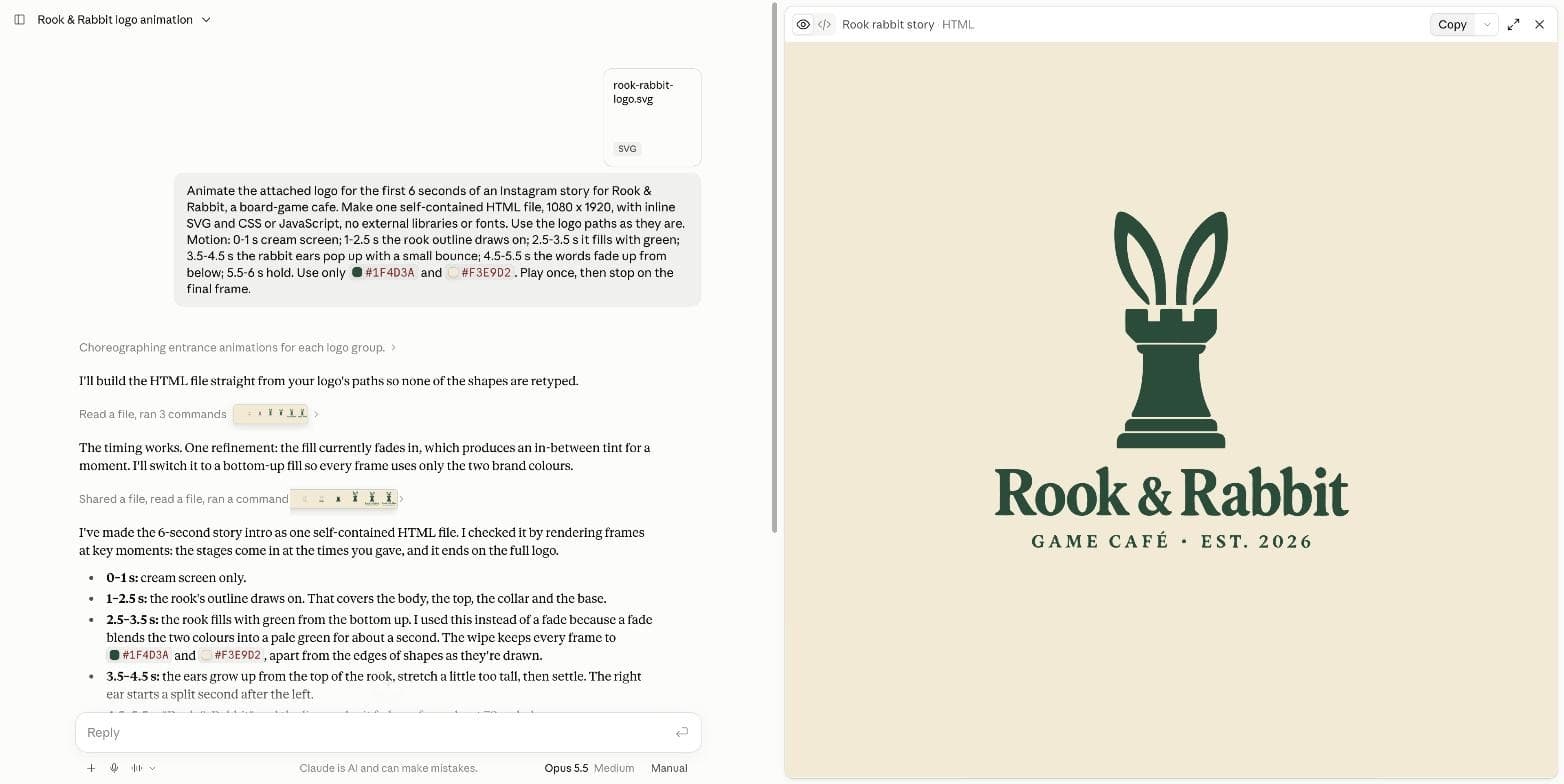
We attached the SVG and described the six seconds second by second. Naming each state, its start and its end is the difference between a usable animation and a vague one.
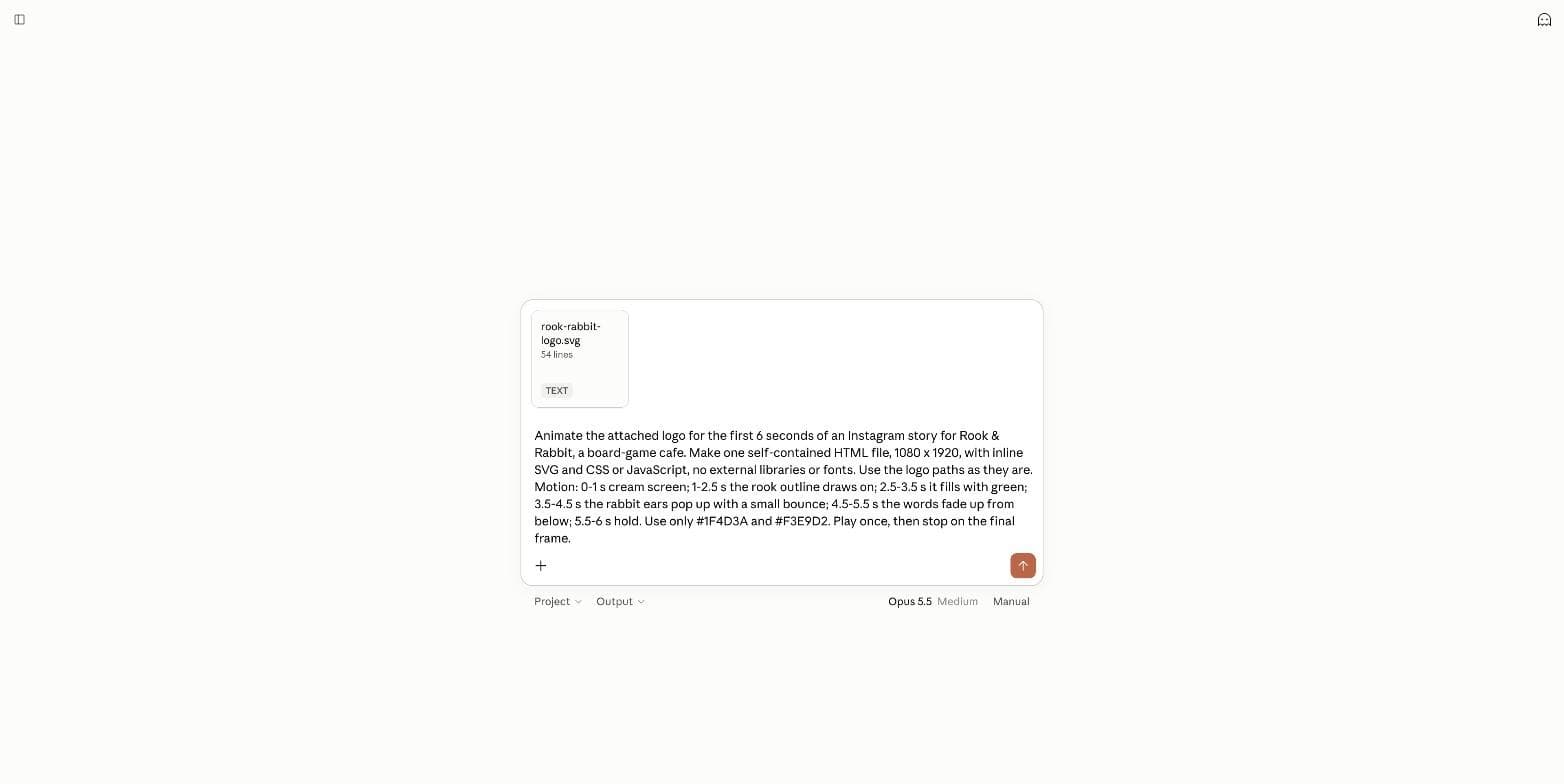
Animate the attached logo for the first 6 seconds of an Instagram story for Rook & Rabbit, a board-game cafe. Make one self-contained HTML file, 1080 x 1920, with inline SVG and CSS or JavaScript, no external libraries or fonts. Use the logo paths as they are. Motion: 0-1 s cream screen; 1-2.5 s the rook outline draws on; 2.5-3.5 s it fills with green; 3.5-4.5 s the rabbit ears pop up with a small bounce; 4.5-5.5 s the words fade up from below; 5.5-6 s hold. Use only #1F4D3A and #F3E9D2. Play once, then stop on the final frame.It checked its own frames and changed one step
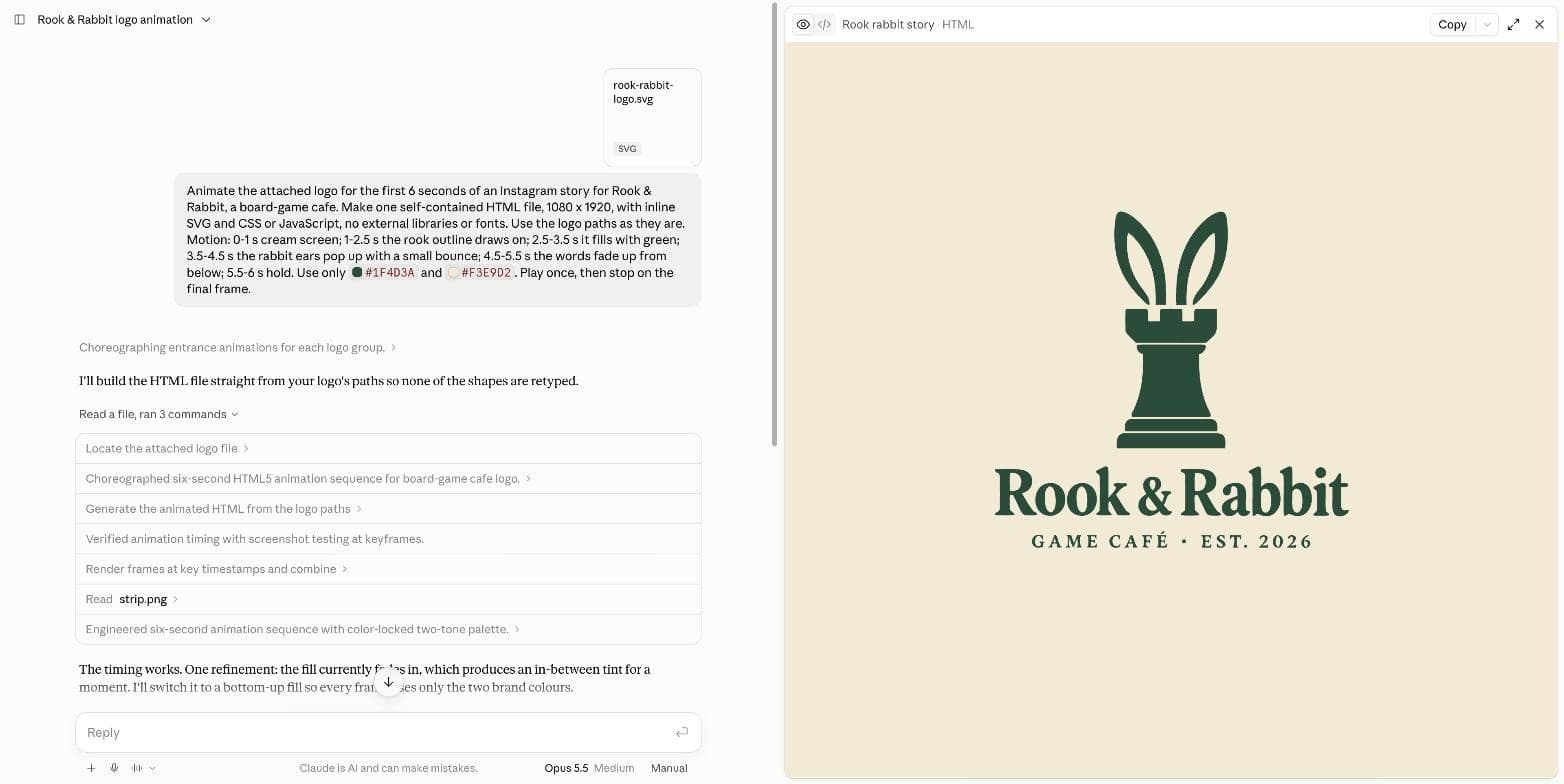
Opus 5.5 took about two minutes. It built the file, rendered frames at the key moments, and looked at them. Then it changed one step on its own: the green fill had faded in, which produced a pale in-between green for a second, so it switched to a bottom-up wipe that keeps the fill in the two brand colours.
It also left out the logo's square cream background, because the screen is already cream, and placed the logo a little above centre to leave room for Instagram's buttons.
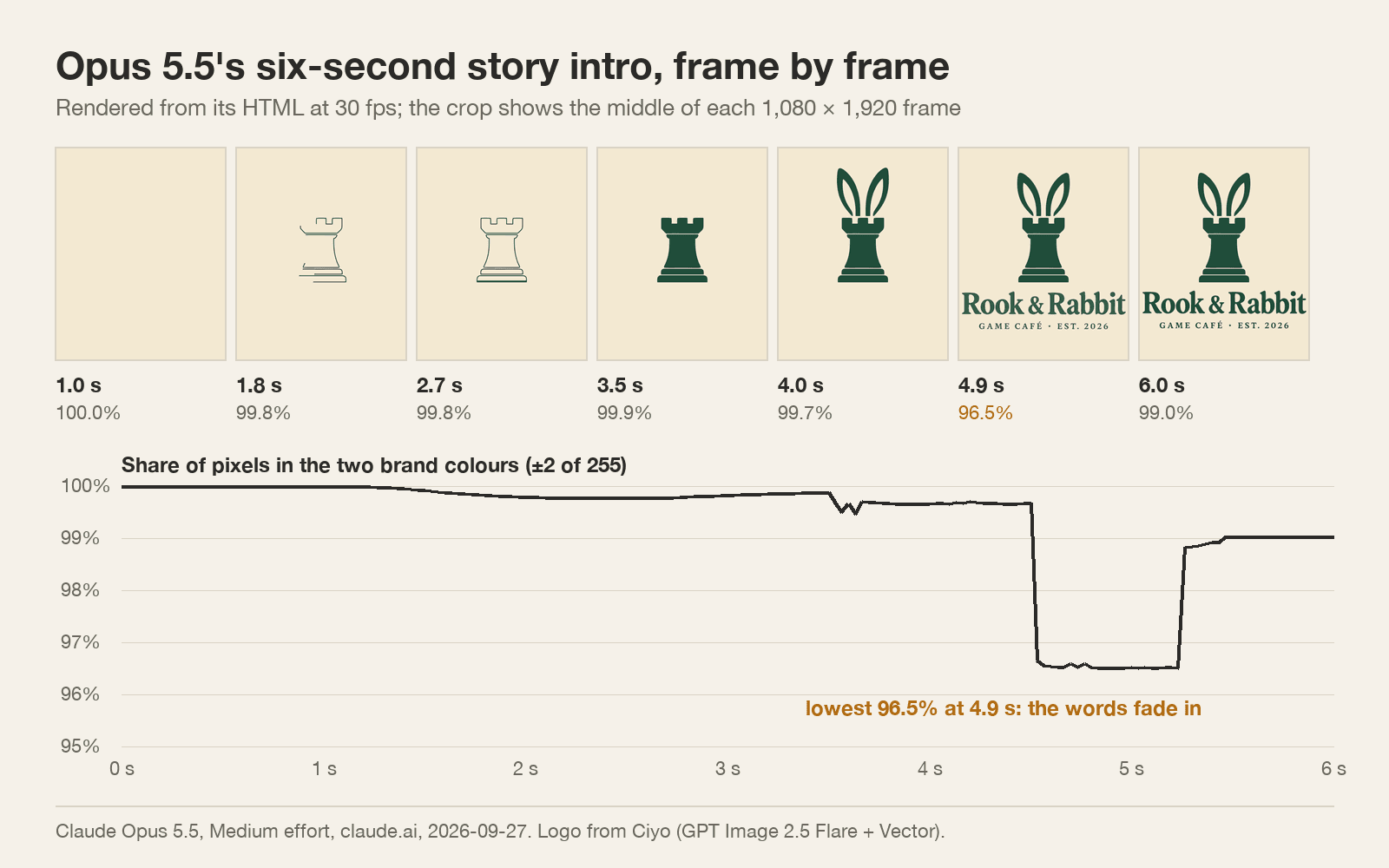
What we measured in 181 frames
We rendered the HTML at 30 frames per second and counted, in every frame, the share of pixels in the two brand colours. The code itself contains no other colour, 51 of the 52 logo paths are unchanged (the missing one is the square background), and the stages start at 1, 2.5, 3.5 and 4.5 seconds as briefed.
During the draw, the fill and the ears, at least 99.4% of every frame was in brand colours; the rest is soft edges. The one dip is the words: while they fade in, they pass through pale green, and at 4.9 seconds only 96.5% of the pixels are exact. That is what a fade does, and our brief asked for one. Opus's summary said every frame stays in the two colours apart from edges; that holds for the fill, not for the fading words.
Turn it into a story and keep it on brand
The result is an HTML file, not a video. Open it at 1080 × 1920 and screen-record it, or render the frames and join them into an MP4. Check the last frame against your logo file before you post.
If a strict palette matters, ask for wipes and moves instead of fades, and say so in the brief. Keep the logo, the colours and the timing in one saved prompt, and every future animation starts from the same brand.
Logo animation with Claude Opus 5.5
Can Claude Opus 5.5 make motion graphics?
Yes, as code. In our test on September 27, 2026 it turned an SVG logo into a six-second HTML animation with the timings we asked for.
Does it keep my exact brand colours?
In the code, yes: only the two colours we gave it. In the rendered frames, fades create in-between tints; ask for wipes and moves if that matters.
How do I post it on Instagram?
Open the HTML at 1080 × 1920 and screen-record it, or render the frames to an MP4, then upload the video as a story.
Can I do this inside Ciyo?
Ciyo does not run Claude Opus 5.5. Make and vectorise the logo in Ciyo, then animate it with Opus 5.5 in claude.ai.
Make the logo in Ciyo first
Generate the mark, turn it into a vector and fix the colours, then give motion a clean file to work with.