Pixel art · Tested
Pixel Art Character Generator: One Hero, Four Directions, Checked
A top-down game needs its hero from four sides: walking towards you, away from you, left and right. The four views must share one size, one palette and one pixel grid, or the character wobbles when the player turns. An AI image model can draw all four in seconds. The question is whether the file you get is really pixel art.
On September 29, 2026 we asked the Ciyo Agent for Wren, the hero of Mossfall, a fictional indie game. We measured every file it made. The drawing was good. The first game-sized file was not, and the reason is a trap that catches most AI pixel art.
One message: the hero, four directions, the rules
Put the rules for the game in the first message: the grid size, the colour limit, the outline, the background and the order of the views. The agent cannot guess them, and they decide whether the file drops straight into your engine.
The Ciyo Agent made the sheet with GPT Image 2.5 Flare for 1 credit. Before it handed the file over, it checked the colours itself and wrote: “The raw render has about 46,000 colours, so it isn't real pixel art yet.”
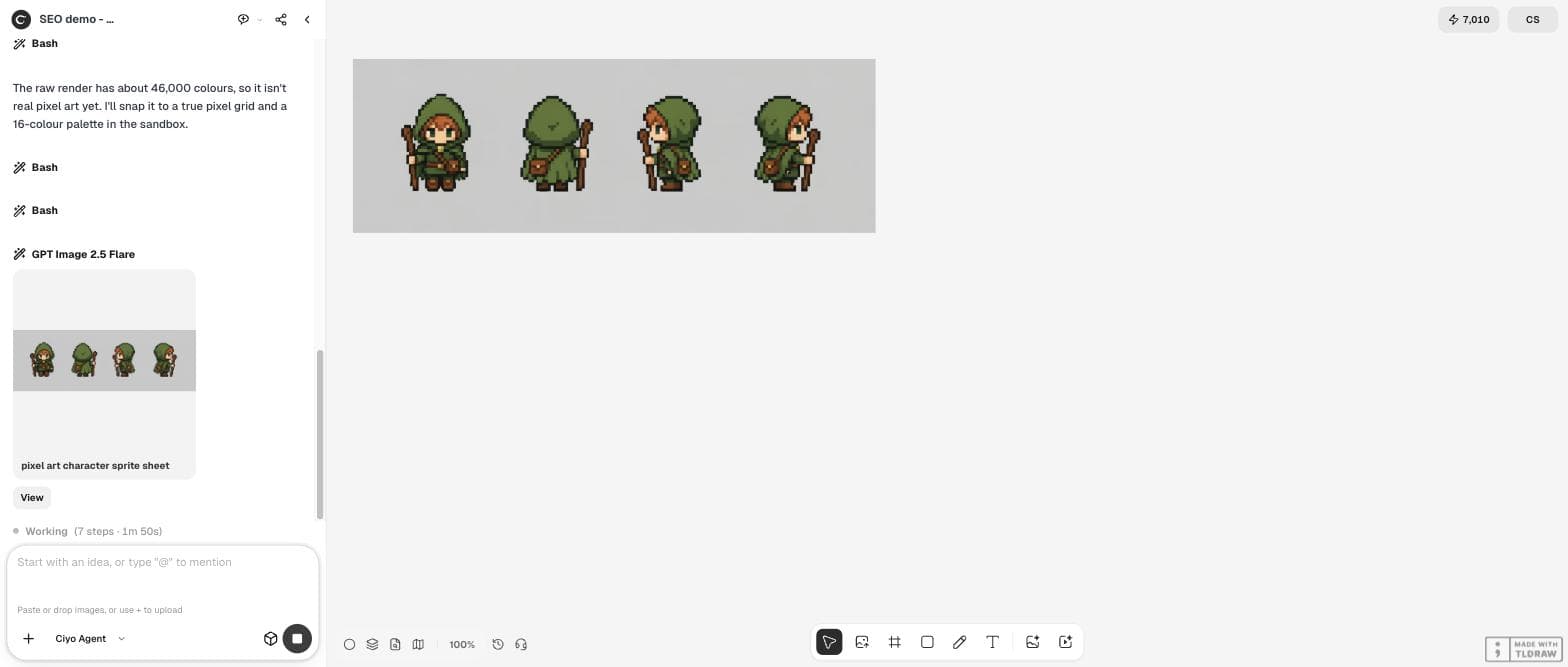
I am making a small top-down pixel-art game called Mossfall. Please make a character sheet for the hero, Wren: a young ranger with a moss-green hood and cloak, a brown leather satchel, short copper hair and a wooden staff. I need the same character from four directions for walking: facing down (towards the camera), facing up (back view), facing left and facing right. Style: 32x32 pixel art, crisp hard pixels with no anti-aliasing or blur, at most 16 colours, a one-pixel dark outline, plain flat light grey background. Put the four views in one row, evenly spaced, the same size and height, with no text.Why the first render is not pixel art yet
The image looks like pixel art, but it is a 1,728 × 576 painting of pixel art. Its “pixels” are blocks of about 9 × 10 screen pixels with soft edges between them, and the file holds 45,957 different colours. A game engine needs the opposite: one file pixel for each art pixel, and a short, fixed palette.
So every AI pixel-art sheet needs one more step: shrink it to its real grid and reduce it to its palette. That step is where our first result went wrong.
The trap: forcing the sheet down to 32 × 32
The agent cropped each figure, lined up the feet, shrank each one to 32 × 32 and reduced the whole strip to 16 colours. The result, a 128 × 32 strip, had exactly 16 colours. It also had no face.
We counted the palette. Nine of the 16 colours were background greys within two levels of each other. The skin tone was gone, so the face turned grey and the eyes disappeared. Two mistakes add up here: the background competed with the character for palette slots, and the shrink used a grid that the drawing never had.
| Check | Asked for | Got |
|---|---|---|
| Size of each frame | 32 × 32 | 32 × 32 |
| Colours | At most 16 | 16, but 9 are background greys |
| Skin tone | Kept | Lost; the face is grey |
| Outline | One dark pixel | Broken in places |
Snap to the drawing's own grid
We told the agent what we found and asked for a different method: measure the grid the drawing really uses, snap to that, and take the background out of the palette.
The agent measured about 9.2 × 9.95 screen pixels per art pixel, so the pixels in the render were not even square. It measured each figure on its own (from 9.09 to 9.31 px wide) and reported that “Wren comes out at 32 art pixels tall in every view, 23 to 26 wide.” In other words, the model had drawn a 32-pixel hero after all. The first snap had simply cut it on the wrong grid.
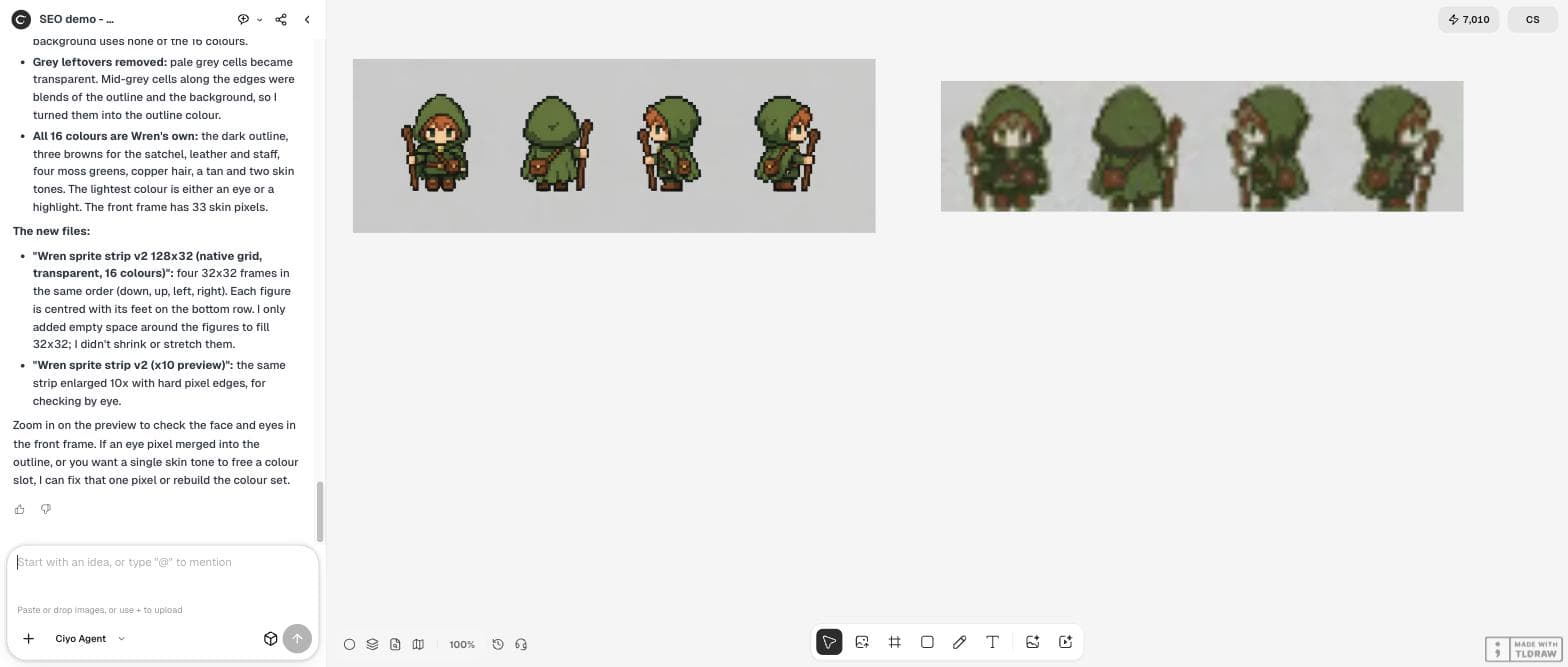
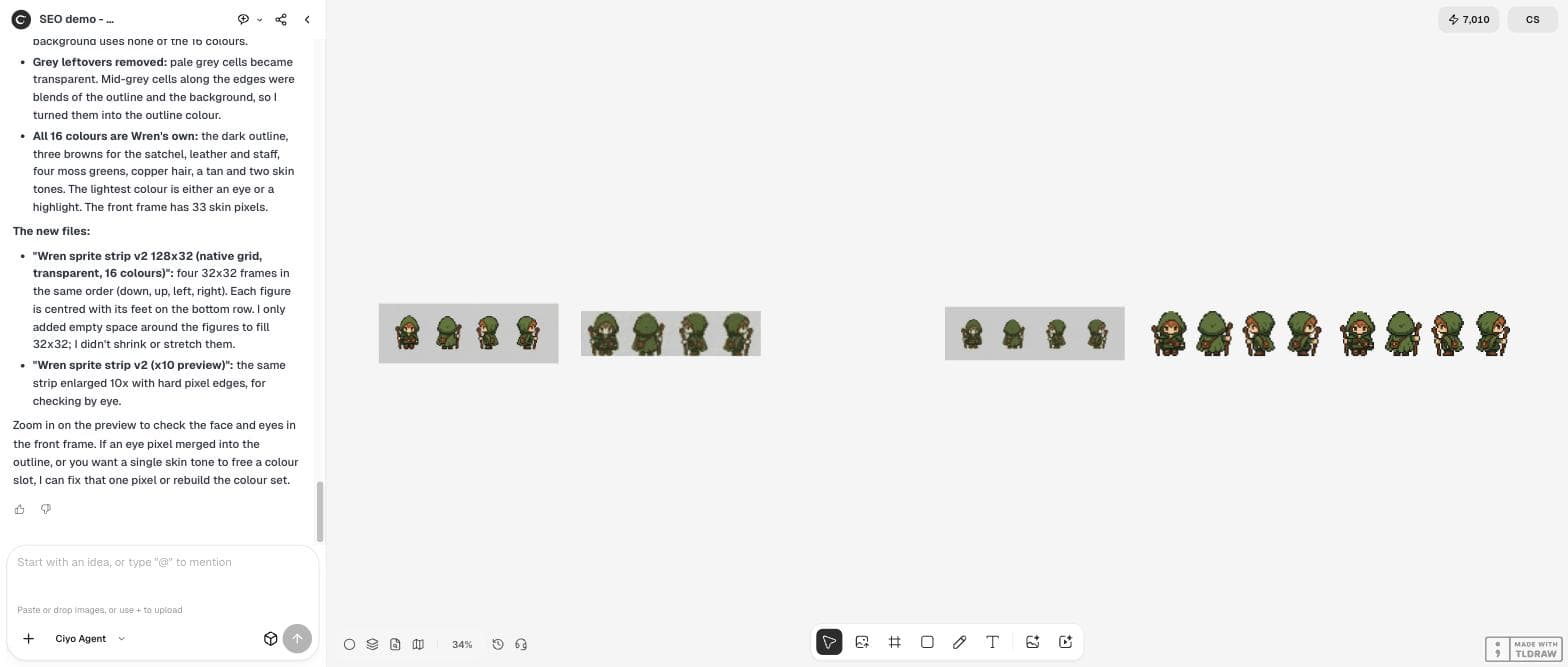
We checked the new strip ourselves: 128 × 32 pixels, each pixel either fully clear or fully solid, 16 colours that all belong to the character, and all four figures exactly 32 pixels tall with their feet on the bottom row. The front view has 33 skin pixels, and the face is back.
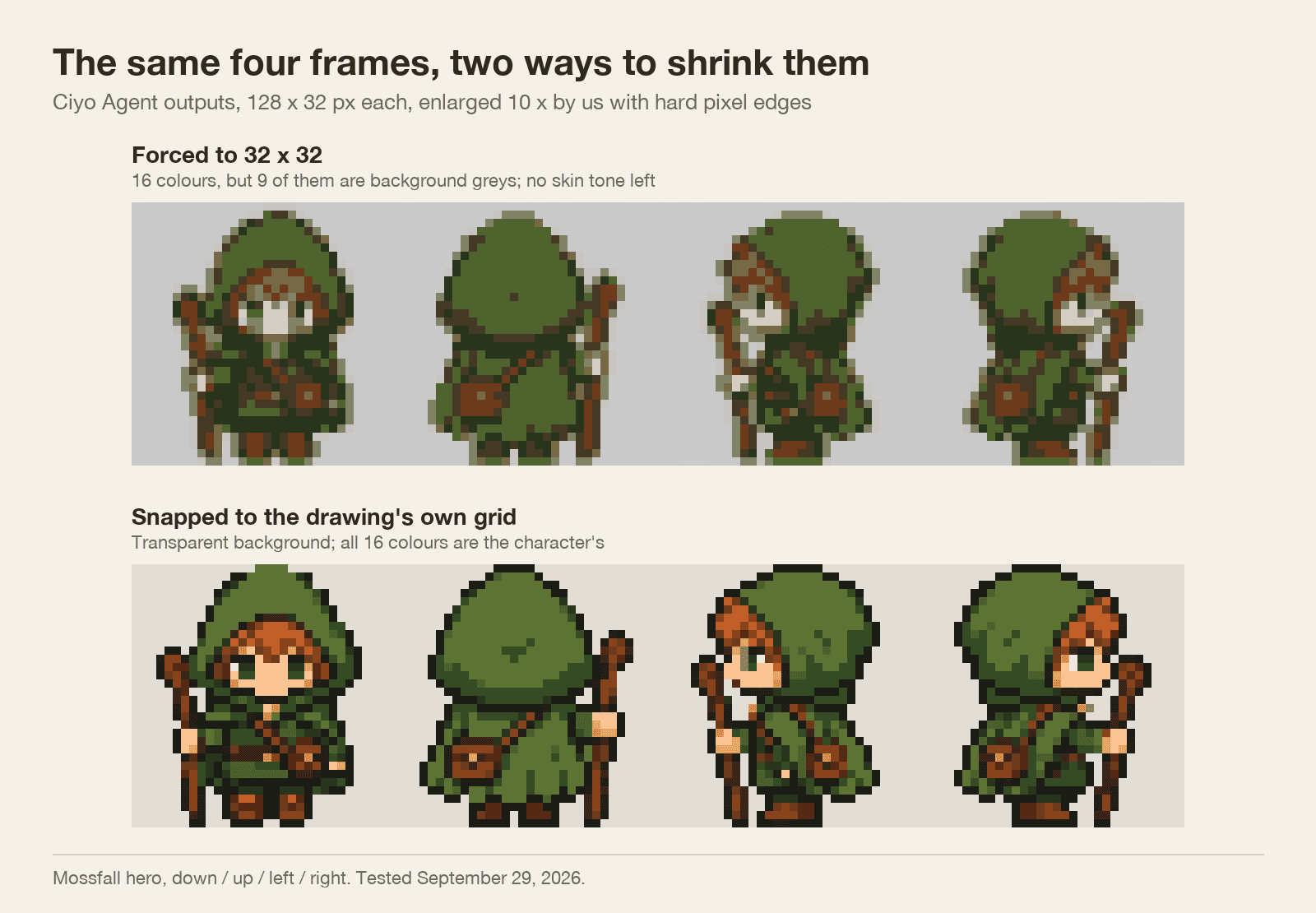
The 32x32 strip lost Wren's face: 9 of its 16 colours are near-identical background greys, and there is no skin tone left, so the face turned grey. Please redo the snap. First measure the pixel size the first render really uses and snap to that grid instead of forcing 32x32 (tell me the size you get). Make the background transparent so it uses no palette slots, and keep all 16 colours for the character, including skin, hair, eyes and the dark outline. Save it as a new strip with the four frames in the same order.Five checks before you import the sprite
You can do all five in an image editor with a colour picker and a zoom, or ask the agent to report them. Do them on the small file, not on the preview.
| Check | How | Our final strip |
|---|---|---|
| Real grid | Each art pixel is one file pixel | Yes, 128 × 32 |
| Same height in every view | Count the rows from head to feet | 32 in all four |
| Feet on one line | The lowest solid row is the same | Row 32 in all four |
| Palette spent on the character | Background transparent, not a colour | 16 of 16 colours are Wren's |
| Face and small details | Zoom to 800% | Skin, eyes and hair kept |
Or draw the character with code
There is a second route. Instead of asking an image model and cleaning up the file, you can ask a code model to draw the sprite pixel by pixel. Then the grid and the palette are exact by construction, and the question becomes whether the drawing is good.
The two routes suit different jobs. An image model gives you a richer drawing quickly and needs the snap step. Code gives you exact pixels and needs more drawing work from you or the model. In either case, fix the grid size and the palette in the brief.
Posted 2026-09-23. The creator gave Claude Opus 5.5 and GPT-6 Sol the same long prompt for an animated pixel-art rabbit drawn with code alone, with a fixed resolution of 160 × 120, integer coordinates, about 28 colours and a character of 28–34 × 40–48 pixels. It is a different workflow and other products; it shows the same rule our test ends with: write the grid and the palette into the brief.
Next steps for the same hero
With four clean directions, the next jobs are walking frames, a palette you keep across the whole game and a check at the size the player will see.
AI pixel-art characters
Can AI make a 32 × 32 pixel-art character?
It can draw one, but not as a 32 × 32 file. In our test on September 29, 2026 the model drew a hero exactly 32 art pixels tall inside a 1,728 × 576 image with 45,957 colours. Snap it to its own grid and palette to get the real 32-pixel sprite.
Why did my shrunk sprite lose its face?
In our first attempt the background took 9 of the 16 palette colours and the shrink used the wrong grid, so the skin tone disappeared. Make the background transparent before you reduce the colours, and snap to the grid the drawing really uses.
Should the left view be a mirror of the right view?
Many games mirror one side to save work. Our sheet drew both sides separately. If your character carries something on one side, such as a satchel or a staff, mirroring moves it to the other hand, so decide which you want before you ask.
What did this cost in Ciyo?
The image cost 1 credit. The two snapping steps ran in the agent's workspace and added no image charge in our test.
Draw your hero in Ciyo
Describe your character and your rules, then let the Ciyo Agent snap the sheet to a real pixel grid on the same canvas.